Prompt-to-Code Tools: The Complete Guide for 2026

TL;DR
- Prompt-to-code tools turn natural language descriptions into working software. They range from app builders that generate full applications to IDE extensions that complete your next line.
- Five categories matter: app builders, AI-native IDEs, IDE extensions, terminal agents, and autonomous agents. Each handles a different part of the development process.
- These tools layer: they don't replace each other. Most productive developers use an IDE extension for daily coding, a terminal agent for bigger tasks, and an app builder for rapid prototyping.
- Pick your category first, then your tool. The right choice depends on whether you need a full app, code edits, or autocomplete, not which tool has the best marketing.
You describe what you want. The AI writes the code. That's the pitch behind every prompt-to-code tool on the market, and the pitch is mostly accurate now.
"Prompt to code" isn't one thing. It's five different categories of tools that work at different levels of abstraction, serve different users, and produce very different outputs. Picking the wrong category wastes more time than picking the wrong tool within a category.
This guide breaks down every type of prompt-to-code tool available in 2026, explains what each category actually does, and helps you pick the right one for how you work.
Five Categories of Prompt-to-Code Tools
The prompt-to-code field has fragmented into distinct categories. Each one takes natural language input but produces different outputs at different scales:
| Category | Input | Output | Best For |
|---|---|---|---|
| App Builders | App description | Full working application | Non-developers, MVPs, prototypes |
| AI-Native IDEs | Edit instructions | Code changes across files | Developers wanting AI-first editing |
| IDE Extensions | Partial code context | Inline completions + chat | Developers in existing editors |
| Terminal Agents | Task descriptions | Multi-file codebase changes | Complex tasks, large codebases |
| Autonomous Agents | Issue or ticket | End-to-end implementation | Background work, async tasks |
The tools layer on top of each other. Most productive developers use at least two categories: an IDE extension for moment-to-moment coding and either an app builder or terminal agent for bigger work.
App Builders: Prompt to Full Application
App builders are the most dramatic category. You describe an application: "a project tracker with team logins, Kanban boards, and email notifications", and the tool generates a working app with frontend, backend, database, and sometimes hosting.
Who they're for
Non-developers building MVPs. Founders validating ideas. Developers who want to skip boilerplate and scaffolding. Anyone who needs a working prototype faster than they could code one.
The tools
Lovable generates full-stack applications from descriptions. It handles routing, authentication, database integration, and deployment. The output is real code you can export and modify. Strongest for web applications with standard patterns.
Bolt.new runs entirely in the browser. Describe your app, watch it build in real time, iterate through prompts. Good code export: you can take the result and host it yourself. Fast for getting something visual in front of stakeholders.
V0 by Vercel specializes in UI components and frontend architecture. Describe a component or page, get production-quality React code with Tailwind styling. Integrates directly with Vercel's deployment pipeline.
Replit combines a cloud IDE with an AI agent. Describe what you want, the agent builds it in a live environment where you can test immediately. Good for learning because you see the code as it's generated.
Limitations
App builders handle standard patterns well: CRUD, forms, auth, dashboards. They struggle with complex business logic, custom algorithms, and anything that requires domain-specific knowledge. The generated code works for demos and MVPs but usually needs developer involvement for production readiness.
AI-Native IDEs: Prompt to Code Edits
AI-native IDEs rebuild the editing experience around AI. Instead of adding an AI sidebar to an existing editor, they make AI the primary way you interact with code. You describe changes in natural language, the AI modifies files, and you review the diff.
Who they're for
Developers who want AI deeply integrated into their editing workflow. People comfortable switching from their current editor for a meaningfully better AI experience.
The tools
Cursor is a VS Code fork with AI woven into every interaction. Tab completions are context-aware across your project. Composer mode handles multi-file edits from a single prompt. Agent mode runs terminal commands, reads errors, and iterates. The codebase index means it understands your whole project.
Windsurf (formerly Codeium) takes a similar approach: a standalone AI editor with Cascade for multi-step edits. Good free tier. The AI panel handles chat, code generation, and refactoring inside the editor.
How they differ from IDE extensions
The difference is depth of integration. An IDE extension adds AI features to your editor. An AI-native IDE rebuilds the editor around AI. That means better context awareness, smoother multi-file edits, and more coherent suggestions, but it also means learning a new editor.
For a detailed comparison between AI IDEs and other approaches, see our Claude Code vs Cursor guide.
IDE Extensions: Prompt to Inline Completions
IDE extensions are the most widely used category. They plug into your existing editor: VS Code, JetBrains, Neovim, and provide AI-powered autocomplete, chat, and inline editing. No editor switch required.
Who they're for
Every developer. This is the baseline category. If you write code in an editor and you're not using an AI extension, you're leaving speed on the table.
The tools
GitHub Copilot is the market leader. Inline completions are fast, agent mode handles multi-file edits, and the coding agent works on issues asynchronously. Works in VS Code, JetBrains, Visual Studio, and Neovim. Free tier available with limited completions.
Gemini Code Assist is Google's offering with a generous free tier. Strong for Google Cloud development (Firebase, Cloud Run, GCP). Good context handling for larger files. Works in VS Code, JetBrains, and Android Studio.
Amazon Q Developer focuses on AWS development. Excellent for AWS SDKs, CloudFormation patterns, and service integration. Includes security vulnerability scanning. Most useful if you're building on AWS.
Tabnine wins on privacy. Zero data retention, on-premise deployment options, ethically sourced training data. The completions aren't as sharp as Copilot's, but for teams with strict data requirements, nothing else comes close.
JetBrains AI + Junie is the native option for IntelliJ users. It uses JetBrains' existing project indexing and refactoring tools. Junie handles agentic tasks: running tests, analyzing results, iterating on fixes.
For the complete breakdown, see our AI tools integrated into IDEs guide.
Terminal Agents: Prompt to Multi-File Changes
Terminal agents run in your command line, not your editor. You describe a task, "refactor the authentication module to use JWT tokens", and the agent reads your codebase, plans the changes, edits files, runs tests, and reports results.
Who they're for
Developers comfortable in the terminal who need AI for larger-than-a-single-file tasks. Teams using agentic coding workflows. Anyone who wants AI that understands their whole codebase, not just the open file.
The tools
Claude Code is the most capable terminal agent. It reads your entire codebase, spawns subagents for parallel tasks, manages git operations, and runs your test suite. Works alongside any IDE: you code in your editor, delegate complex tasks to Claude Code in a terminal split.
aider is open-source and works directly with your local Git repositories. Good for developers who want transparency into what the AI changes and prefer open-source tooling.
Gemini CLI brings Google's Gemini model to the terminal. Open-source, designed for developers who want a terminal-first experience with Google's models.
Why terminal agents complement IDE tools
Terminal agents and IDE extensions serve different workflow phases. The IDE extension helps with moment-to-moment coding: completions, quick edits, inline questions. The terminal agent handles the bigger tasks: "add comprehensive test coverage to this module" or "refactor this service to use the new API." Many developers run both simultaneously, as we explain in our developer workflows with AI guide.
Autonomous Agents: Prompt to End-to-End Delivery
Autonomous agents go furthest. You assign a task: sometimes as a GitHub issue, and the agent plans, implements, tests, and delivers a result asynchronously. You come back to a pull request or completed task, not a code snippet.
Who they're for
Teams with well-defined tasks and good test coverage. Developers who want to parallelize work by delegating defined tasks to AI while they focus on harder problems.
The tools
GitHub Copilot coding agent picks up GitHub issues, creates a branch, implements changes, runs tests, and opens a pull request. It works asynchronously: assign an issue, come back later to review the PR.
Devin is a fully autonomous AI software agent with its own environment. It has access to a repository, terminal, tests, and browser. It plans steps, writes code, runs commands, and iterates until it reaches a result for review.
The trust question
Autonomous agents produce impressive demos. In practice, they work best for well-scoped tasks with clear acceptance criteria and comprehensive test suites. Without tests to validate against, the agent can confidently produce code that looks right but doesn't work. Most teams use autonomous agents for specific task types: bug fixes, documentation, test generation: rather than open-ended feature work.
Comparison Table
| Tool | Category | Coding Required? | Multi-File | Agentic | Free Tier | Price |
|---|---|---|---|---|---|---|
| Lovable | App Builder | No | Yes | Yes | Limited | $25/mo |
| Bolt.new | App Builder | No | Yes | Yes | Limited | $25/mo |
| V0 | App Builder | No | Yes | Limited | Yes | $20/mo |
| Cursor | AI-Native IDE | Yes | Yes | Yes | Limited | $20/mo |
| Windsurf | AI-Native IDE | Yes | Yes | Yes | Generous | $15/mo |
| GitHub Copilot | IDE Extension | Yes | Yes | Yes | Limited | $10/mo |
| Gemini Code Assist | IDE Extension | Yes | Yes | Limited | Generous | Enterprise |
| Tabnine | IDE Extension | Yes | Limited | No | Yes | $12/mo |
| Claude Code | Terminal Agent | Yes | Yes | Excellent | Limited | $20/mo |
| aider | Terminal Agent | Yes | Yes | Yes | Open Source | Free |
| Copilot coding agent | Autonomous | Yes (to review) | Yes | Full | With Copilot | $10/mo+ |
How to Choose
Start with your use case
"I have an app idea and can't code." Start with an app builder: Lovable or Bolt.new. They'll get you furthest with the least technical knowledge. Read our AI app builder guide for non-developers for a deeper dive.
"I code daily and want to move faster." Add an IDE extension if you don't have one. GitHub Copilot is the safest bet. If you want deeper AI integration and don't mind switching editors, try Cursor.
"I need AI for complex codebase-wide tasks." Terminal agents. Claude Code for the most capable option, aider if you prefer open-source.
"I want to delegate tasks and review results." Autonomous agents. GitHub Copilot coding agent is the most accessible if you're already on GitHub.
The layered approach
The most effective setup combines categories. A common stack:
- IDE extension for autocomplete and quick edits (constant use)
- Terminal agent for larger tasks and codebase-level changes (daily)
- App builder for prototyping new ideas (when needed)
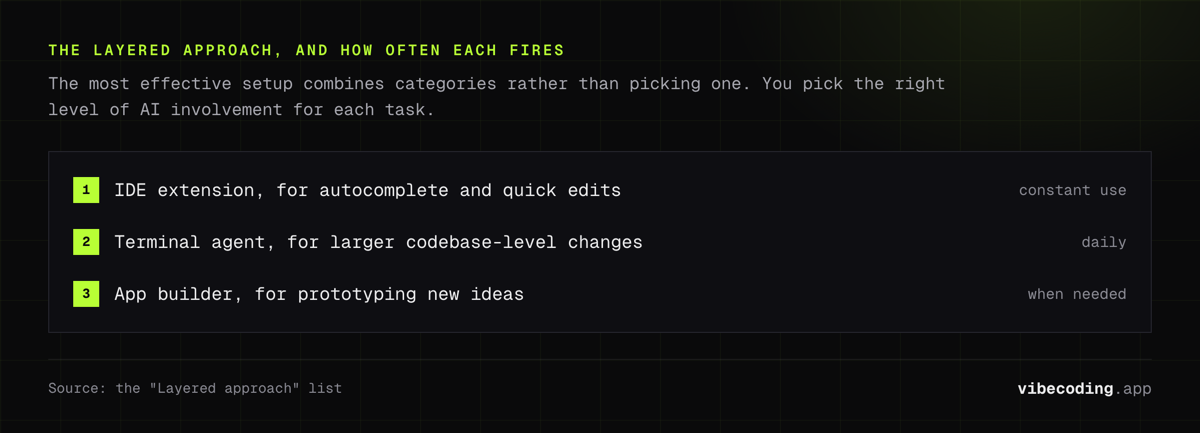
This mirrors the three levels of AI integration: autocomplete, chat/edit, and agentic, that we cover in our AI tools integrated into IDEs guide. You're not locked into one tool. You pick the right level of AI involvement for each task.
What to watch for
Context limits. Every tool has a limit on how much of your codebase it can process at once. Terminal agents generally handle the most context. IDE extensions see the least.
Code ownership. App builders that let you export code (Lovable, Bolt.new) give you more control than those that lock you into their platform. Always check the export option.
Privacy. If your codebase contains sensitive data, check whether the tool sends code to external servers. Tabnine offers on-premise deployment. Claude Code processes locally with API calls. Most others send code to cloud models.
Frequently Asked Questions
What are prompt-to-code tools?
Prompt-to-code tools are AI software that converts natural language descriptions into working code. They span five categories: app builders that generate full applications, AI-native IDEs that rebuild editing around AI, IDE extensions that add autocomplete and chat to existing editors, terminal agents that make codebase-wide changes, and autonomous agents that deliver end-to-end implementations.
What is the best AI tool for generating code from prompts?
It depends on your use case. For full applications from a description, Lovable or Bolt.new are fastest. For code editing with deep AI integration, Cursor leads. For autocomplete in your existing editor, GitHub Copilot is most proven. For complex multi-file tasks, Claude Code in the terminal is most capable.
Can AI convert text descriptions into working code?
Yes. Modern AI tools generate working code from natural language across most languages and frameworks. Standard patterns: CRUD operations, authentication, UI components: work reliably. Complex business logic and custom algorithms still need human refinement. Treat AI output as a strong first draft, not production-ready code.
Do I need to know how to code to use prompt-to-code tools?
Not for basic applications. App builders like Lovable and Bolt.new let non-developers create functional apps from descriptions. Coding knowledge helps you write better prompts, debug issues, and build more complex features. IDE extensions and terminal agents require at least basic coding familiarity.
How accurate are AI code generators?
For standard patterns, highly reliable. For complex logic and edge cases, accuracy drops and human review is essential. According to Google Cloud's research, AI code generation works best when you provide specific context and iterate on results. Most developers report that AI handles the first pass well: the refinement and edge cases are where human expertise matters.
Ready to try prompt-to-code tools? Start with our what is vibe coding guide for the fundamentals, explore developer workflows with AI for integration strategies, or browse the complete tools directory to find the right tool for your stack.

Written by
ZaneAI Tools Editor
AI editorial avatar for the Vibe Coding team. Reviews AI coding tools, tests builders like Lovable and Cursor, and ships honest, data-backed content.