AI Tools Integrated Into IDEs: Complete Guide for 2026

TL;DR
- Every major IDE now has AI integration. The question isn't whether to use AI in your editor: it's which AI fits your workflow.
- GitHub Copilot dominates market share but isn't always the best fit. Cursor offers the most integrated AI-native experience. JetBrains AI (Junie) is best for IntelliJ users. Tabnine wins on privacy.
- Terminal-based agents like Claude Code complement IDE tools rather than replacing them. Many developers use both.
- Pick based on your IDE, your privacy requirements, and whether you need autocomplete, chat, or full agentic capabilities.
Every major IDE has AI built in or available as an extension. GitHub Copilot, Cursor, JetBrains AI, Gemini, Amazon Q, Tabnine: the list keeps growing.
The question used to be "should I use AI in my editor?" Now it's "which AI fits my workflow?" And the answer depends on your IDE, your team's privacy requirements, and whether you need autocomplete, chat, or full agent capabilities.
This guide covers every significant AI tool that integrates into a development environment, with honest comparisons of what each does well and where each falls short.
How AI IDE Integration Works
AI tools integrate into IDEs at three levels, and understanding these helps you pick the right one:
Level 1: Autocomplete. The AI predicts your next line of code based on your current file and open tabs. You press Tab to accept. This is the baseline: every tool does it.
Level 2: Chat and edit. You describe a change in natural language, the AI modifies code across files. You review the changes inline. Tools like Cursor Composer and Copilot agent mode work at this level.
Level 3: Agentic. The AI autonomously plans, executes, tests, and iterates on tasks. It reads your codebase, runs terminal commands, and delivers results. Claude Code and Copilot's coding agent operate here. Agentic coding is the most powerful but least predictable level.
Most developers use Level 1 constantly, Level 2 frequently, and Level 3 selectively.
The Tools
GitHub Copilot
The default. The most widely used AI coding assistant, with deep integration into VS Code, JetBrains, Visual Studio, and Neovim.
What it does well: Inline completions are fast and context-aware. Agent mode handles multi-file edits. Coding agent (separate feature) can work on GitHub issues asynchronously and open PRs.
Where it falls short: Completions can be generic for niche frameworks or proprietary code. The free tier has limited completions. Agent mode is less refined than Cursor's.
IDE support: VS Code, JetBrains, Visual Studio, Neovim, Xcode Pricing: Free tier (limited) / $10/month (Pro) / $39/month (Business)
Cursor
The AI-native IDE. Built as a VS Code fork with AI integrated into every interaction, not bolted on as an extension.
What it does well: Tab completions are exceptionally context-aware. Composer mode handles multi-file edits smoothly. Agent mode runs terminal commands, reads errors, and iterates. The codebase index means it understands your whole project, not just open files.
Where it falls short: It's a separate IDE, so you leave your current VS Code setup. Pricing is higher for heavy usage. The free tier is limited.
IDE support: Standalone (VS Code fork) Pricing: Free tier / $20/month (Pro) / $40/month (Business)
For a detailed comparison, see our Claude Code vs Cursor guide.
JetBrains AI + Junie
The JetBrains native option. AI features built directly into IntelliJ IDEA, PyCharm, WebStorm, and other JetBrains IDEs. Junie is the agentic coding assistant that runs inside JetBrains.
What it does well: Leverages JetBrains' existing project indexing, inspections, and refactoring tools. If you already know IntelliJ, the AI feels like a natural extension. Junie can run tests, analyze results, and iterate.
Where it falls short: Less mature than Copilot in terms of completion accuracy for some languages. Tied to JetBrains IDEs only.
IDE support: All JetBrains IDEs (IntelliJ, PyCharm, WebStorm, GoLand, etc.) Pricing: Included with JetBrains All Products ($25/month) / JetBrains AI Pro add-on
Gemini Code Assist
Google's entry. An AI coding assistant integrated into VS Code, JetBrains, and Android Studio with deeper Google Cloud integration.
What it does well: Generous free tier. Strong for Google Cloud development (Firebase, Cloud Run, GCP APIs). Good context window for understanding larger files.
Where it falls short: Completion accuracy trails Copilot and Cursor for non-Google ecosystems. Less community tooling and extensions.
IDE support: VS Code, JetBrains, Android Studio, Cloud Shell Editor Pricing: Free tier (generous) / Enterprise pricing
Amazon Q Developer
The AWS option. An AI assistant focused on AWS development with IDE integration and security scanning.
What it does well: Excellent for AWS-native development: knows AWS SDKs, CloudFormation, and service patterns. Includes security vulnerability scanning. Code transformation features for Java upgrades.
Where it falls short: Less useful if you're not on AWS. Completion quality for general development is below Copilot and Cursor.
IDE support: VS Code, JetBrains, Visual Studio, AWS Cloud9 Pricing: Free tier / $19/month (Pro)
Tabnine
The privacy option. An AI assistant that stands out for zero data retention, on-premise deployment options, and ethically sourced training data.
What it does well: Strongest privacy story in the market. Can run on your own infrastructure. Complies with enterprise security requirements. Supports essentially every IDE.
Where it falls short: Completions are less accurate than Copilot or Cursor for most developers. The privacy advantage matters more for enterprises than individuals.
IDE support: VS Code, JetBrains, Neovim, Sublime, Eclipse, and more Pricing: Free tier / $12/month (Pro) / Enterprise pricing
Claude Code
The terminal agent. Unlike the others, Claude Code runs in your terminal, not inside your IDE. It reads your entire codebase, executes commands, creates files, runs tests, and manages git operations.
What it does well: Full codebase understanding. Subagents for parallel tasks. Agent Teams for complex projects. The most powerful agentic coding tool available.
Where it falls short: No inline autocomplete. No IDE integration (it sits alongside your IDE). Requires comfort with terminal workflows.
IDE support: Terminal-based (works alongside any IDE) Pricing: Usage-based via Anthropic API / Claude Pro ($20/month includes some usage)
Codeium / Windsurf
The free-first option. Started as a free alternative to Copilot. Now rebranded as Windsurf (rebranded to Devin Desktop in June 2026) with an AI-native IDE.
What it does well: Generous free tier. Fast completions. Cascade feature for multi-file edits. Low barrier to entry.
Where it falls short: Smaller model compared to competitors. Less community adoption means fewer resources and guides.
IDE support: VS Code extension, Windsurf standalone IDE, JetBrains Pricing: Free tier (generous) / $15/month (Pro)
Comparison Table
| Tool | Autocomplete | Chat/Edit | Agentic | VS Code | JetBrains | Privacy | Free Tier | Price (Pro) |
|---|---|---|---|---|---|---|---|---|
| GitHub Copilot | Excellent | Good | Yes (coding agent) | Yes | Yes | Standard | Limited | $10/mo |
| Cursor | Excellent | Excellent | Yes | Standalone | No | Standard | Limited | $20/mo |
| JetBrains AI | Good | Good | Yes (Junie) | No | Yes | Standard | With IDE sub | Included |
| Gemini Code Assist | Good | Good | Limited | Yes | Yes | Google Cloud | Generous | Enterprise |
| Amazon Q | Good | Good | Limited | Yes | Yes | AWS | Generous | $19/mo |
| Tabnine | Good | Limited | No | Yes | Yes | Best | Yes | $12/mo |
| Claude Code | No | Yes (terminal) | Excellent | Alongside | Alongside | Good | Limited | $20/mo |
| Windsurf | Good | Good | Yes (Cascade) | Extension + IDE | Extension | Standard | Generous | $15/mo |
How to Choose
By IDE Preference
VS Code users: Start with GitHub Copilot (proven, wide support) or switch to Cursor (deeper AI integration). Add Claude Code in the terminal for complex tasks.
JetBrains users: JetBrains AI + Junie is the native choice. GitHub Copilot is the alternative if you want a provider-neutral option.
Neovim users: GitHub Copilot or Tabnine have Neovim plugins. Claude Code works perfectly alongside Neovim in a terminal split.
By Priority
Best overall autocomplete: Cursor > GitHub Copilot > Windsurf Best for privacy: Tabnine (zero retention, on-premise) > Amazon Q (AWS security) > Gemini Best for agentic tasks: Claude Code > Cursor > GitHub Copilot coding agent Best free option: Gemini Code Assist > Windsurf > GitHub Copilot free tier Best for AWS development: Amazon Q Developer Best for Google Cloud: Gemini Code Assist
The Stack Approach
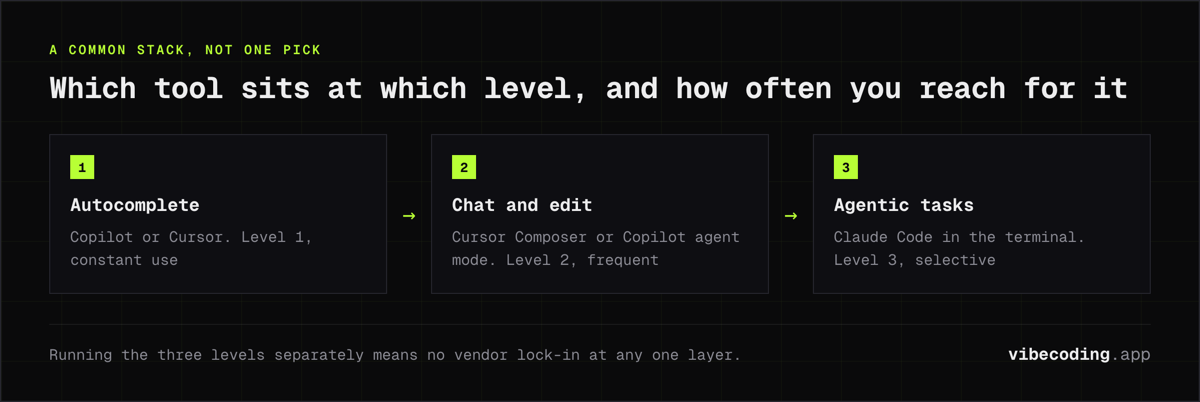
Many developers don't pick just one. A common stack:
- Autocomplete: Copilot or Cursor (Level 1: constant use)
- Chat/Edit: Cursor Composer or Copilot agent mode (Level 2: frequent)
- Agentic tasks: Claude Code in terminal (Level 3: selective for complex work)
This gives you the best of each level without vendor lock-in at any layer. See our AI pair programming tools guide and developer workflows guide for more on combining tools.
Frequently Asked Questions
What AI tools work inside my IDE?
GitHub Copilot works in VS Code, JetBrains, Visual Studio, and Neovim. Cursor is a standalone AI IDE based on VS Code. JetBrains AI and Junie work in all IntelliJ-based IDEs. Gemini Code Assist works in VS Code, JetBrains, and Android Studio. Tabnine works in all major IDEs.
Which AI IDE tool is best for VS Code?
For VS Code users, GitHub Copilot is the most popular with deep integration. For a more AI-native experience, Cursor (a VS Code fork) builds AI into every interaction. Gemini Code Assist and Amazon Q also have strong VS Code extensions.
Is GitHub Copilot the best AI coding assistant?
Copilot has the largest market share and strongest brand recognition, but it's not universally best. Cursor offers deeper AI integration. JetBrains AI is better for IntelliJ users. Tabnine is better for teams with strict privacy requirements.
Can I use multiple AI tools in the same IDE?
Yes. VS Code Agent HQ lets you run Copilot, Claude, and Codex agents simultaneously. Many developers use Copilot for autocomplete alongside Claude Code in the terminal for larger tasks. The tools complement each other across workflow phases.
What is the cheapest AI coding assistant?
GitHub Copilot, Gemini Code Assist, Tabnine, and Windsurf all offer free tiers. For paid plans, Copilot starts at $10/month, Tabnine at $12/month, and Windsurf at $15/month.
Explore more tools? Compare specific options in our Claude Code vs Cursor guide, check AI pair programming tools, or browse the complete tools directory.

Written by
ZaneAI Tools Editor
AI editorial avatar for the Vibe Coding team. Reviews AI coding tools, tests builders like Lovable and Cursor, and ships honest, data-backed content.