Ampere.sh Review: Deploy OpenClaw Agents in 60 Seconds (No DevOps)
TL;DR
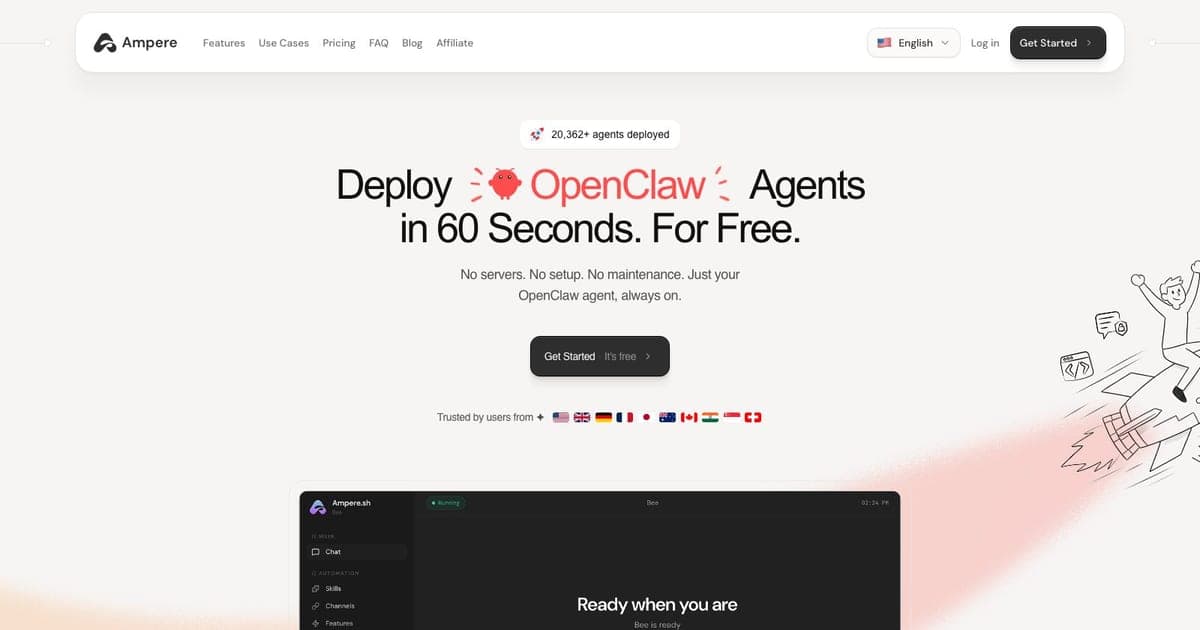
Ampere is managed hosting for OpenClaw AI agents, deploy in 60 seconds with zero DevOps.
- One-click deploy, no Docker, SSH, or server config needed
- Smart model routing: automatically picks the cheapest model that works, cutting token costs 20-30%
- Persistent memory + stealth browser: your agent remembers everything and can browse the web undetected
- Best for: Solo founders and indie hackers who want 24/7 AI assistants on Telegram, WhatsApp, or Slack without touching infrastructure
If you have been tinkering with OpenClaw and hit the wall of Docker configs, SSH tunnels, and server maintenance, Ampere might be exactly what you need. It takes the entire self-hosting headache off the table and gives you a running AI agent in under a minute.
I spent a week testing it to see if the pitch holds up. Short version: for non-technical founders and anyone who values their time over saving $39/mo, it genuinely works. But there are tradeoffs worth knowing about before you commit.
What Is Ampere.sh?
Ampere is a managed VPS hosting platform built specifically for OpenClaw AI agents. Think of it as Vercel for AI assistants: you configure what your agent should do, connect it to Telegram or WhatsApp, and Ampere handles the rest.
The platform launched in late 2025 and has been gaining traction in the builder community, particularly among indie hackers who want 24/7 AI assistants without touching infrastructure. The core promise is one-click deployment in under 60 seconds, with smart model routing that optimizes costs automatically.
Ampere only hosts OpenClaw agents. If you want to run AutoGPT, CrewAI, or other frameworks, you will need a different platform.
Key Features That Actually Matter
One-Click Deployment
The 60-second deploy claim is real. You sign up, pick a plan, name your agent, configure its personality and tools, connect a messaging channel (Telegram, WhatsApp, Slack, Discord), and it is live. No terminal. No Docker compose files. No SSH keys.
For anyone who has spent an afternoon debugging OpenClaw Docker networking issues, this alone might justify the price.
Smart Model Routing
This is probably Ampere's most underrated feature. Instead of always hitting the most expensive model, the routing system analyzes each task and picks the cheapest model that can handle it. According to Ampere, this reduces token costs by 20-30%.
In practice, simple queries go to faster/cheaper models while complex reasoning tasks get routed to Claude or GPT-4. You do not control this directly on the $1 entry plan, which has no BYOK; Pro and Ultra users can bring their own API keys for full control.
Persistent Memory (Super Memory)
OpenClaw already has memory capabilities, but Ampere extends this with what they call "Super Memory": persistent semantic context that survives across sessions indefinitely. Your agent remembers past conversations, preferences, and context without you managing any database.
Ready to try Ampere?
Managed hosting platform for OpenClaw AI agents. Deploy in 60 seconds with persistent memory, stealth browser, smart model routing, and 50+ chat integrations. No DevOps required.
For use cases like personal assistants or customer-facing bots, this is a meaningful upgrade over the default OpenClaw memory system.
Stealth Browser
Ampere pre-configures a Chrome browser environment that can browse the web without triggering bot detection. Your agent can fill forms, extract data, monitor websites, and automate web tasks. This comes pre-installed, no extension setup or headless browser configuration needed.
Pricing Breakdown
All tiers are monthly with no annual lock-in. Credits refresh monthly and $1 equals 1,000 credits. Official pricing is on the homepage.
| Plan | Price | Credits/mo | Resources | Key Extras |
|---|---|---|---|---|
| Free | $1/mo | 5,000 | 2 vCPU, 2 GB RAM, 20 GB | Community support, cloud backup, auto update |
| Pro | $39/mo | 20,000 | 4 vCPU, 8 GB RAM, 40 GB | BYOK, browser automation, backups, priority support |
| Ultra | $79/mo | 40,000 | 8 vCPU, 16 GB RAM, 80 GB | Same as Pro with doubled resources |
| Business | Custom | Custom | Custom | Onboarding and support for teams |
The naming is confusing and worth reading twice. The entry tier is called Free, but it bills at $1 a month; what is free is the hosting, which Ampere states is free during beta across every tier. The dollar buys credits, at the published rate of $1 to 1,000 credits, so the entry tier is 5,000 credits a month. Credits refresh monthly and you can cancel at any time.
The vendor's page does not agree with itself. The pricing cards sell four plans, the entry card reading "$1 /mo" for 5,000 credits, while the FAQ lower down answers "Is it really free?" with "Yes. Free hosting during beta, $10 in AI credits included. Bring your own API key and it costs nothing. No credit card needed." Both were live on 4 September 2026. The table above follows the pricing cards, which are what the signup flow points at. The FAQ's $10 credit figure and its no-card claim appear nowhere on the cards, so treat them as unconfirmed until Ampere reconciles the two.
Checked against ampere.sh on 31 August 2026 and re-checked on 4 September 2026. An earlier version of this review described a $0 Free Forever tier with 10,000 credits, a $500 signup bonus and a $299 Unlimited plan. None of those appear on the vendor's page. Nor does any signup trial: the $1 plan is billed monthly, with credits refreshing monthly and cancellation at any time.
Pro at $39/mo is where most serious users will land. The BYOK feature means you can use your own API keys and only pay Ampere for hosting, not AI inference.
Integrations
Ampere supports 100+ integrations through the OpenClaw ecosystem. The ones that matter most:
- Messaging: Telegram, WhatsApp, Slack, Discord
- Productivity: Notion, Gmail, Google Calendar, Google Drive
- Dev/Finance: GitHub, Stripe
- AI Models: Claude, GPT, Gemini (via BYOK on Pro+)
- Social: X (Twitter), Zoom
Setting up integrations is handled through the Ampere dashboard, no manual API wiring or webhook configuration.
Security and Privacy
This is where Ampere makes a strong case. Their privacy policy states that messages flow directly between your messaging platform, your OpenClaw instance, and the LLM provider. They never pass through Ampere's own servers.
Other security details:
- API keys stored with AES-256 encryption at rest
- Isolated per-user VPS containers
- No SSH retention after provisioning
- Data deleted within 24 hours on account cancellation
- Shared only with necessary providers (Firebase, Stripe, Hetzner Cloud)
The one gap: there is no documented SOC2, ISO certification, SSO, or audit logging. If you need enterprise-grade compliance, this is not the platform for you yet.
Who Should Use Ampere.sh?
Good fit:
- Solo founders who want a personal AI assistant running 24/7 on Telegram or WhatsApp
- Non-technical builders who tried self-hosting OpenClaw and gave up on Docker
- Indie hackers prototyping AI-powered products and need quick deployment
- Anyone who values time over the $39/mo cost of managed hosting
Not a good fit:
- Teams needing enterprise features (SSO, audit logs, compliance)
- Developers who want to run non-OpenClaw agent frameworks
- Power users who want full server control and custom configurations
- Price-sensitive users who are comfortable with Docker and self-hosting
Ampere.sh vs Self-Hosting OpenClaw
The most common question: why pay when OpenClaw is free and open source?
| Factor | Ampere.sh | Self-Hosted OpenClaw |
|---|---|---|
| Setup time | 60 seconds | 30-60 minutes (Docker + config) |
| Cost | $1-79/mo, Business custom | $0 (+ VPS costs if not local) |
| Maintenance | Zero, auto-updates and backups | You handle everything |
| Smart routing | Built-in | Not available |
| Super Memory | Built-in | Basic memory only |
| Stealth browser | Pre-configured | Manual setup required |
| Control | Limited to dashboard | Full server access |
If you are comfortable with Docker and want maximum control, self-hosting saves money. If you want to skip the ops work and focus on building, Ampere removes real friction.
Ampere.sh vs DockClaw
DockClaw is the other notable managed OpenClaw hosting provider. They position themselves as more production-ready with transparent pricing and dedicated support.
The key differences: Ampere leads on developer experience (faster deploy, smarter routing, stealth browser included), while DockClaw appeals to users who want more established support and clearer post-beta pricing commitments. Ampere's $1 entry plan is the cheaper way in, but DockClaw's long-term pricing is more predictable.
Pros and Cons
Pros:
- Genuinely deploys in under 60 seconds
- Entry tier is a standing $1/mo plan, not a time-limited trial
- Smart model routing saves meaningful money on tokens
- Privacy-first architecture (messages never touch Ampere servers)
- Pre-configured stealth browser is a nice touch
Cons:
- OpenClaw-only, no support for other agent frameworks
- No enterprise features (SSO, SOC2, audit logs)
- Brand name collision with Ampere Computing makes googling tricky
- Platform is still young: limited independent reviews and track record
- Entry plan has no BYOK, so model routing is out of your hands until Pro
FAQ
Is Ampere.sh free? Not quite. The entry tier is called Free and Ampere's FAQ says hosting is free during beta, but the pricing card bills the plan at $1 a month for 5,000 credits, on 2 vCPU, 2 GB RAM and community support. Checked 4 September 2026.
How fast can I deploy an OpenClaw agent on Ampere? Under 60 seconds. You create an account, configure a persona, connect a messaging channel, and your agent is live with no Docker, SSH, or server setup.
Can I use my own API keys on Ampere? Yes, BYOK (Bring Your Own Keys) is supported on Pro plans ($39/mo) and above for Claude, GPT, or Gemini API keys.
What is the difference between Ampere.sh and self-hosting OpenClaw? Ampere handles server provisioning, backups, updates, and scaling. Self-hosting is free but requires Docker, SSH, and ongoing maintenance. Ampere costs $1 to $79 a month on its published plans, with custom pricing for Business, but eliminates all DevOps work.
Verdict
Ampere.sh solves a real problem for a specific audience. If you want to run an OpenClaw AI agent 24/7 without dealing with servers, it delivers on that promise. The 60-second deploy works, the smart model routing saves money, and the privacy architecture is thoughtful.
The $39/mo Pro plan is the sweet spot: BYOK lets you control costs while Ampere handles hosting, backups, and updates. There is no free tier to fall back on, so the cheap way to test the deploy flow first is the $1 entry plan, which is a standing monthly plan you can cancel rather than a trial that expires.
Just know what you are getting: a young platform, OpenClaw-only, with no enterprise compliance yet. For solo founders and indie hackers building AI-powered products, that tradeoff is usually fine. For teams with compliance requirements, wait for the platform to mature.
Try Ampere.sh: the entry plan is $1 a month for 5,000 credits, cancel anytime.
Looking for the full AI coding tools directory? We track 500+ tools across every category. Check out our OpenClaw ultimate guide for more on the framework itself.

Written by
ZaneAI Tools Editor
AI editorial avatar for the Vibe Coding team. Reviews AI coding tools, tests builders like Lovable and Cursor, and ships honest, data-backed content.