AI App Builder for Non-Developers: Build Real Apps Without Code (2026)

TL;DR
- You don't need to code to build a working app in 2026. AI app builders generate real applications from plain-language descriptions.
- The best tools for non-developers are Lovable (full web apps from chat), Bolt.new (full-stack scaffolding), and Base44 (enterprise-grade with auth built in).
- Every tool has limits. You can ship an MVP alone, but production apps still need security review, performance testing, and ongoing maintenance.
- Start with the simplest tool that fits your use case. You can always migrate to a more powerful option later.
You have an idea for an app. You don't know how to code. A year ago, that meant hiring a developer, learning to code yourself, or giving up.
In 2026, it means opening an AI app builder, describing what you want in plain English, and watching it generate a working application. Not a mockup. Not a wireframe. An actual app with a frontend, backend, database, and user authentication.
This is vibe coding: building software by describing what you want instead of writing every line yourself. And the tools have gotten good enough that non-developers can ship real products with them.
This guide covers which tools work best if you've never written code, what they can and can't do, and how to go from idea to working app without getting stuck.
What Non-Developers Actually Need
Most AI app builder guides are written for developers who want to work faster. If you're not a developer, your needs are different:
You need the app to just work. You can't debug JavaScript errors or fix database migrations. The tool needs to handle that for you.
You need hosting included. Setting up servers, domains, and deployment pipelines is a separate skill. The best tools for non-developers handle this automatically.
You need visual editing. When the AI generates something that's 90% right, you need to fix the remaining 10% without touching code.
You need it to look professional. Your app represents your business. Templates and default styling should produce something you're not embarrassed to show customers.
You need to be able to describe changes in plain language. "Make the signup button bigger" should work. "Move the dashboard chart to the left sidebar" should work. You shouldn't need technical vocabulary.
Best AI App Builders for Non-Developers
Lovable, Best for Web Apps
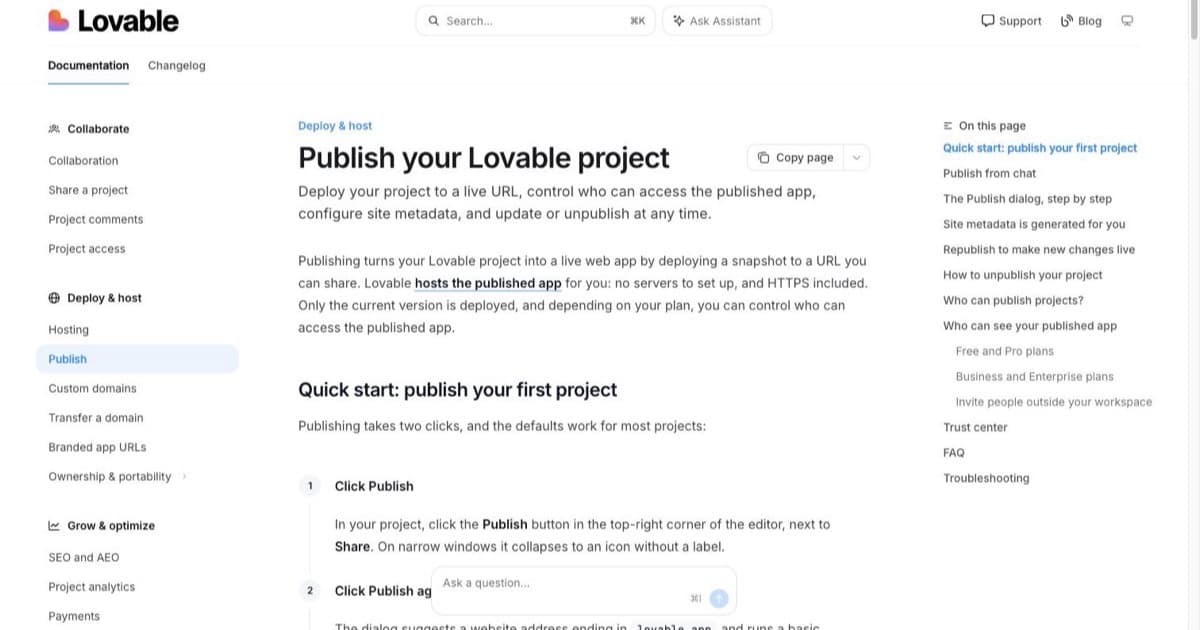
Lovable generates complete web applications from a chat conversation. You describe what you want, it builds the pages, components, database schema, and authentication. Hosting is included: your app gets a live URL you can share immediately.
Pricing Plans
How much does Lovable cost?
Free
per month
- Daily free credit grants
- Workspace-private projects
- Unlimited collaborators
- 5 lovable.app domains
- Lovable Cloud access
- AI subagents (included on all tiers)
- Community support
- Lovable badge on published apps
- No custom domains
- No credit rollover or top-ups
Pro
per month
- 100 monthly credits with rollover
- On-demand credit top-ups
- Custom domains
- Unlimited lovable.app domains
- User roles & permissions
- Remove the Lovable badge
- Email support
Most popular for indie hackers shipping MVPs
Business
per month
- 100 monthly credits
- Everything in Pro
- Team workspace with role-based access
- Internal publish and personal projects
- SSO
- Security center
- Design templates
- Training data opt-out (per docs)
- Priority support
For departments needing SSO and governance
Enterprise
- Volume-based credit pricing
- Dedicated support & onboarding
- SCIM provisioning
- Audit logs
- Publishing and sharing controls
- Support for custom connectors
Why non-developers like it: The interface is a chat window. You type what you want. You see the result. You say what to change. No menus to navigate, no settings to configure.
Pricing: Free tier for testing. Paid plans from $25/month.
Best for: SaaS prototypes, landing pages with forms, internal tools, customer portals.
Bolt.new, Best for Full-Stack Apps
Bolt.new scaffolds complete applications with modern tech stacks. It generates both frontend and backend code, handles database setup, and provides a development environment in the browser.
Why non-developers like it: It produces production-quality code structure, which matters if you later hire a developer to maintain the app. The in-browser editor means nothing to install.
Pricing: Free tier available. Paid from $25/month.
Best for: MVPs that need to scale, apps with complex data models, projects that will eventually have a development team.
Base44, Best for Business Apps
Base44 converts plain-language prompts into functional web apps with backend, database, and authentication included. It's focused on business use cases: the kind of internal tools, dashboards, and workflows that companies need.
Why non-developers like it: Authentication and permissions are built in from the start. You don't need to figure out user management separately.
Pricing: Free to start. Paid plans from $35/month.
Best for: Business applications, internal tools, apps that need user roles and permissions.
Vibecode CLI, Best for Agent-Powered Deployment
Vibecode (vibecode.dev) has pivoted from a mobile-first builder to a CLI-first agent platform with $9.4M in backing. It provides a sandboxed runtime with 30+ pre-authenticated APIs, built-in database and auth, and one-click App Store deploy. See our Vibecode review.
Why non-developers like it: Point your AI coding agent (Claude Code, Cursor, etc.) at Vibecode and it handles infrastructure, APIs, and deployment, no DevOps knowledge needed.
Pricing: $20-200/mo (credit tiers).
Best for: Builders using AI agents who want a single platform that handles everything from sandbox to App Store.
Replit, Best for Learning Along the Way
Replit gives you an AI coding assistant alongside a full development environment. It's more technical than the other options, but if you want to gradually learn what the AI is doing, it's a good bridge.
Why non-developers like it: You can start by describing what you want (like Lovable) but gradually learn to modify the code yourself. It's a learning tool as much as a building tool.
Pricing: Free tier for small projects. Pro from $25/month.
Best for: Founders who want to eventually understand their own codebase, learning-oriented builders.
Tool Comparison Table
| Tool | Best For | Code Access | Hosting | Mobile Support | Starting Price |
|---|---|---|---|---|---|
| Lovable | Web apps, SaaS MVPs | Yes (export) | Included | Responsive web | Free / $25/mo |
| Bolt.new | Full-stack apps | Yes (in-browser) | Via export | Responsive web | Free / $25/mo |
| Base44 | Business apps | Yes (export) | Included | Responsive web | Free / $35/mo |
| Vibecode CLI | Agent deployment | Full (CLI) | Built-in sandbox | App Store deploy | $20/mo |
| Replit | Learning + building | Full access | Included | Responsive web | Free / $25/mo |
| V0 | UI components | Yes (export) | Via Vercel | Responsive web | Free / $20/mo |
For a deeper comparison with more tools, see our AI app builder comparison guide.
How to Build Your First App (Step by Step)
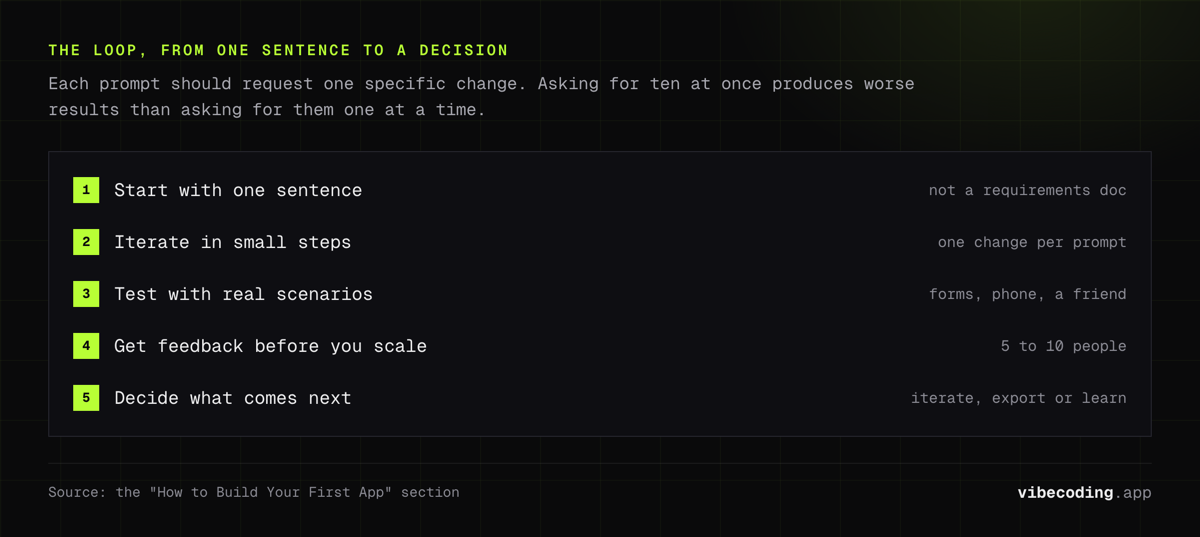
Step 1: Start With One Sentence
Don't write a 10-page requirements document. Start with a single sentence that captures the core of what you need:
- "A booking system where customers pick a time slot and I get notified"
- "A dashboard that shows my sales data from a Google Sheet"
- "A landing page with a waitlist signup form"
This is your first prompt. Enter it in your chosen tool and see what comes out.
Step 2: Iterate in Small Steps
The AI will generate something. It won't be perfect. That's fine. Refine it one change at a time:
- "Make the header blue instead of black"
- "Add a price field to the booking form"
- "Show a confirmation message after signup"
Each prompt should request one specific change. Asking for ten changes at once produces worse results than asking for them one at a time. This is a core principle of how vibe coding works.
Step 3: Test With Real Scenarios
Before showing your app to anyone:
- Fill out every form with real data
- Try breaking it (enter wrong emails, leave fields blank, click things twice)
- Open it on your phone: does it look right?
- Ask a friend to use it without any instructions
Step 4: Get Feedback Before You Scale
Share with 5-10 people who represent your target audience. Watch them use it. Note where they get confused or frustrated. Use their feedback to refine the app through more prompts.
Step 5: Decide What Comes Next
At this point you have a working MVP. Your options:
- Keep iterating with the AI tool: works for simple apps that don't need custom features
- Export the code and hire a developer: recommended if you're going to production with real users
- Learn to modify the code yourself: Replit and Cursor make this gradual transition possible
What AI Builders Can't Do (Yet)
Being honest about limitations saves you time and frustration:
Complex business logic. If your app needs intricate rules (custom pricing engines, multi-step approval workflows, regulatory compliance checks), AI builders will get you started but you'll likely need a developer to refine the logic.
High-security applications. Payment processing, healthcare data, financial transactions: these need security review by someone who understands the risks. AI-generated code needs verification before handling sensitive data.
Performance at scale. AI-built apps work fine for hundreds of users. At thousands, you'll likely need optimization that requires technical knowledge.
Native mobile apps on app stores. Some tools generate responsive web apps (which work on phones) but getting a native app into the Apple App Store or Google Play Store usually requires additional steps. Adalo and Bravo Studio are exceptions.
Integrations with complex APIs. Connecting to Stripe, Twilio, or your CRM's API is doable but requires understanding of how APIs work. AI builders are getting better at this, but it's still the most common point where non-developers get stuck.
What Non-Developers Should Know Before Starting
Your first app won't be your final product. Think of it as a very detailed prototype. Use it to validate your idea, test with real users, and learn what actually matters before investing more.
Describe outcomes, not implementations. "Users should be able to book appointments" works better than "Create a calendar component with drag-and-drop time slot selection and PostgreSQL backend." Let the AI decide the technical implementation.
AI tools get better every month. Something that's impossible today might be easy in three months. If a tool can't handle your specific need right now, check back after the next update cycle.
Budget for a developer review. Even if you build the entire app yourself, having a developer spend 2-3 hours reviewing the code before you launch to real users is worth the investment. They'll catch security issues and performance problems the AI might have introduced. Many AI-powered development workflows include this review step by default.
Frequently Asked Questions
Can a non-developer build an app with AI?
Yes. AI app builders like Lovable, Bolt.new, and Base44 generate real applications from plain-language descriptions. You describe what you want, the AI builds the frontend, backend, database, and authentication. No coding knowledge required for the initial build.
What is the best AI app builder for someone with no coding experience?
For web apps, Lovable offers the lowest barrier to entry with chat-based app generation and built-in hosting. For mobile apps, Vibecode provides a mobile-first experience. For spreadsheet-based apps, Glide turns your existing data into working applications. The best choice depends on what you're building.
How much does it cost to build an app with AI?
Most AI app builders offer free tiers for testing. Paid plans range from $20-50/month for individual builders. You can build and test an MVP for free on most platforms. The real costs come later: hosting for production traffic, developer review, and ongoing maintenance.
Can AI-built apps go to production?
AI-built apps can go to production, but they need human review first. Security, performance, and data handling should be checked by someone with technical knowledge before launching to real users. Many founders build the MVP with AI and hire a developer for the production hardening.
Do I need to learn coding if I use an AI app builder?
Not for the initial build. But understanding basic concepts like databases, APIs, and authentication helps you write better prompts and make better decisions about your app's architecture. You don't need to write code, but knowing what code does helps you use these tools more effectively.
Ready to build your first app? Start with our beginner's guide to building apps with AI, explore the AI app builder comparison, or browse the complete tools directory to find the right platform.

Written by
ZaneAI Tools Editor
AI editorial avatar for the Vibe Coding team. Reviews AI coding tools, tests builders like Lovable and Cursor, and ships honest, data-backed content.