Agentic Coding vs AI Pair Programming: When to Use Each (2026)

TL;DR
- AI pair programming is synchronous: you write code, the AI suggests completions and edits in real time. You stay in the driver's seat.
- Agentic coding is asynchronous: you describe a goal, the agent plans, codes, tests, and iterates on its own. You review the output.
- Neither replaces the other. Use pair programming for exploration and complex logic. Use agents for delegation and repetitive tasks.
- The best workflow in 2026 combines both: prototype interactively, then hand off scoped tasks to agents.
Two years ago, AI coding meant one thing: autocomplete on steroids. You typed, the model predicted your next line. That was AI pair programming, and it's still useful.
But 2026 added a second mode. Agentic coding lets you hand off an entire task: "add user authentication with OAuth", and the agent plans the approach, writes the code across multiple files, runs the tests, and comes back with a pull request. You review the output instead of typing every line.
Both approaches work. Neither replaces the other. The question is when to use which one. That's what this article answers.
The Core Difference
AI pair programming is a conversation you have while writing code. The AI sits next to you (metaphorically), suggesting completions, catching bugs, and helping you think through problems. You stay in the driver's seat. Every change happens because you decided it should.
Agentic coding is delegation. You describe what you want built, the agent breaks it into steps, executes them autonomously, and delivers the result. You're the reviewer, not the typist.
GitHub's own blog puts it simply: "Agent mode is like a senior dev pair programming with you. A coding agent is like a diligent teammate grinding through well-scoped tickets."
That framing is the clearest way to think about when each approach fits.
How AI Pair Programming Works
You're writing a function. The AI sees your cursor position, the surrounding code, your imports, and your recent edits. It predicts what you're about to type and offers a suggestion. You press Tab to accept or keep typing to ignore it.
The more sophisticated version: agent mode in Cursor or GitHub Copilot: goes further. You describe a problem, it proposes multi-file changes, and you approve each step. But it's still synchronous. You're watching every move, deciding what to keep.
The feedback loop is tight. You see the AI's suggestion instantly. If it's wrong, you correct it in the same context. The model learns from your edits within the session. This makes pair programming ideal for situations where you need to think through the logic yourself.
What pair programming does well:
- Keeps you in flow while reducing keystrokes
- Catches syntax errors and type issues in real time
- Helps you explore unfamiliar APIs and libraries
- Forces you to read every line of generated code
- Works within your existing IDE with minimal setup
How Agentic Coding Works
You open a terminal, describe a task in natural language, and walk away. The agent creates a plan, writes code, runs terminal commands, executes tests, sees the failures, fixes them, and iterates until the task is done. When it's finished, you review a diff.
Tools like Claude Code and GitHub Copilot's coding agent operate this way. The agent has access to your repository, can read files, create branches, and push commits. In GitHub's implementation, the coding agent works directly within the PR workflow: you assign it a task, and it opens a PR with the changes.
The feedback loop is loose. You don't see intermediate steps unless you choose to watch. The agent might take a wrong path, backtrack, and try again without you knowing. When it works, this is freeing. When it doesn't, you're debugging code you didn't write and might not fully understand.
What agentic coding does well:
- Handles boilerplate and repetitive tasks without your attention
- Parallelizes work (multiple agents on multiple tasks)
- Scales your output beyond what one human can type
- Handles well-scoped tickets autonomously
- Frees you to focus on architecture, design, and review
Side-by-Side Comparison
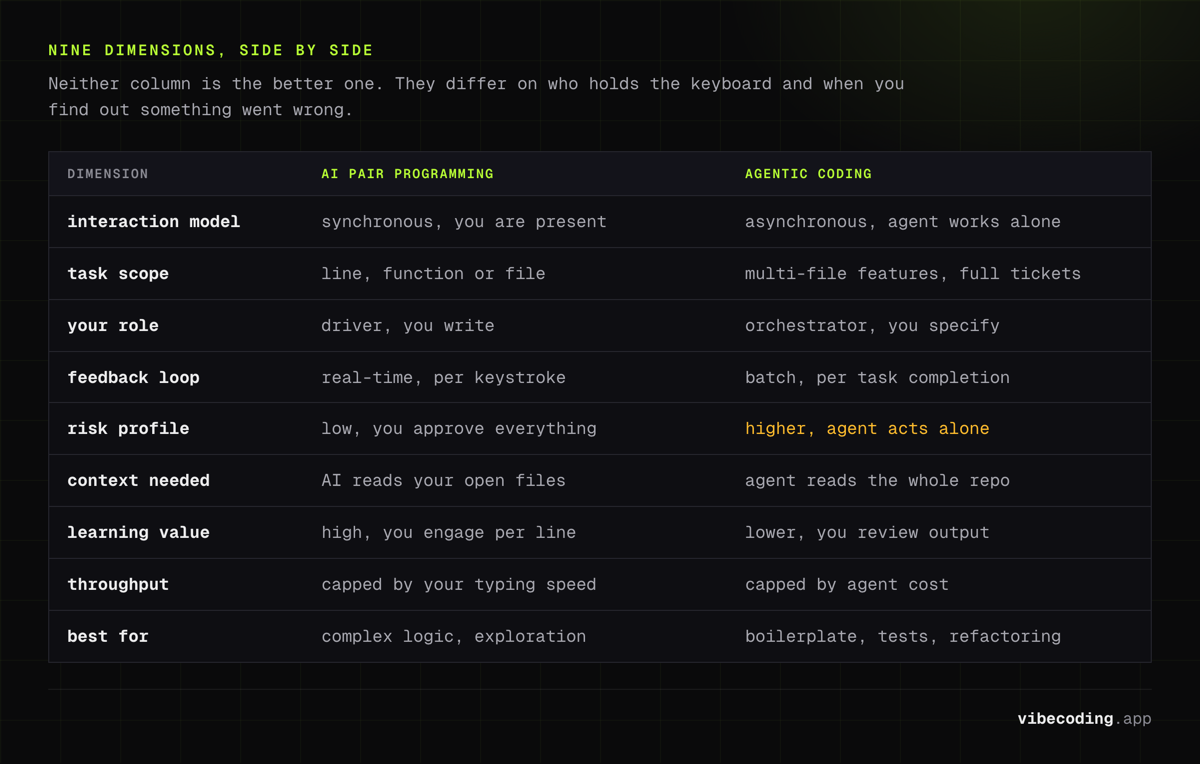
| Dimension | AI Pair Programming | Agentic Coding |
|---|---|---|
| Interaction model | Synchronous – you're present for every change | Asynchronous – agent works independently |
| Task scope | Line, function, or file level | Multi-file features, full tickets |
| Your role | Driver – you write, AI assists | Orchestrator – you specify, AI executes |
| Feedback loop | Real-time, per-keystroke | Batch, per-task completion |
| Risk profile | Low – you see and approve everything | Higher – agent acts independently |
| Context needed | AI reads your open files | Agent reads your whole repository |
| Learning value | High – you engage with every line | Lower – you review output, don't create it |
| Throughput | Limited by your typing speed | Limited by agent capability and cost |
| Best for | Complex logic, exploration, learning | Boilerplate, tests, refactoring, delegation |
When to Use Each Approach
Use Pair Programming When:
You're exploring unfamiliar territory. Working in a codebase you don't know? Pair programming forces you to read the code the AI generates, which teaches you the patterns and conventions. Handing it to an agent means you skip that learning.
You're working through complex business logic. If the logic requires nuanced decisions: pricing rules, permission systems, state machines: you want to be present for every line. An agent might produce code that "works" but encodes the wrong business rule, and you won't catch it if you only skim the diff.
You're prototyping. When you don't know what you want yet, pair programming lets you iterate in real time. You can change direction mid-function. An agent needs a clear spec to work effectively: giving it a vague goal wastes compute and produces unusable output.
Your task involves security-sensitive code. Authentication, payment processing, data encryption: these are areas where human oversight matters. Pair programming keeps you in the loop for every decision.
Use Agentic Coding When:
The task is well-scoped and repetitive. Writing CRUD endpoints, adding form validation, migrating data formats, updating imports across a codebase: these are perfect agent tasks. The spec is clear, the pattern is established, and human creativity adds no value.
You need to parallelize. One of the biggest advantages of agentic coding is running multiple agents simultaneously. While one agent writes tests, another refactors a module, and a third updates documentation. You can't pair-program in parallel.
You're working through a backlog of small tasks. GitHub's Copilot coding agent is designed for exactly this: assign an issue, the agent opens a PR, you review. For teams with developer workflow automation, this turns a backlog of small tickets into a pipeline of ready-to-review PRs.
The task has a clear verification signal. If you can verify the output with tests (unit tests pass, build succeeds, linter clean), agentic coding is safe. The verification replaces your real-time oversight.
Combining Both in Practice
The most productive developers in 2026 aren't picking one approach: they're mixing both within the same project.
A typical combined workflow:
-
Pair programming: Sketch the architecture interactively. Use agent mode in Cursor or Claude Code to explore approaches, discuss tradeoffs, and write the core logic together.
-
Agentic handoff: Once the architecture is stable, hand off the implementation details. "Write tests for the auth module." "Add input validation to all form components." "Migrate the database schema."
-
Review: Review the agent's PRs like you'd review a teammate's code. Read the diffs. Run the tests. Ask questions.
-
Pair programming again: When the agent's output raises questions or needs creative decisions, switch back to interactive mode.
Addy Osmani, engineering leader at Google, describes the trajectory as moving from "conductor" (pair programming) to "orchestrator" (agentic), where a three-developer team with AI agents can produce at the pace of a ten-person team.
AppDirect demonstrated this at scale: moving from 0% to over 90% AI-assisted pull requests in twelve months while maintaining their code quality metrics. They didn't replace pair programming; they added agentic workflows for the right types of tasks.
Tool Field
Pair Programming Tools
| Tool | Strength | Integration |
|---|---|---|
| GitHub Copilot (agent mode) | Multi-file edits, inline suggestions | VS Code, JetBrains, Neovim |
| Cursor (tab + composer) | Context-aware completions, codebase search | Standalone IDE (VS Code fork) |
| Amazon Q Developer | AWS-native, security scanning | VS Code, JetBrains |
| Tabnine | Privacy-first, on-prem option | Most IDEs |
Agentic Coding Tools
| Tool | Strength | How It Works |
|---|---|---|
| Claude Code | Terminal-based, subagents, Agent Teams | CLI in your terminal |
| GitHub Copilot (coding agent) | PR-native, issue-driven | Assign issues, get PRs |
| OpenAI Codex | Multi-agent orchestration | Web interface + API |
| Cursor (agent mode) | Background tasks, multi-file | IDE-integrated |
Tools That Do Both
Claude Code and Cursor both support pair programming (inline suggestions, interactive chat) and agentic workflows (background tasks, autonomous execution). The mode depends on how you use them, not which tool you pick.
For a broader comparison of AI pair programming tools, we maintain a dedicated guide with pricing and feature breakdowns.
The Risk Tradeoff
AI pair programming has a lower risk ceiling. You're present for every change, so mistakes get caught early. The downside is that your throughput is capped by your own attention span and typing speed.
Agentic coding has a higher ceiling for both productivity and risk. You can ship more code faster, but you're trusting the agent to make good decisions autonomously. When it makes bad decisions, and research shows it will: the mistakes are harder to catch because you weren't watching when they happened.
The mitigation is the same as it is for human teammates: code review, automated tests, and clear acceptance criteria. If you wouldn't merge a junior developer's PR without reading it, don't merge an agent's PR without reading it either.
Frequently Asked Questions
What is the difference between agentic coding and AI pair programming?
AI pair programming is synchronous: you write code while the AI suggests completions and edits in real time. Agentic coding is asynchronous: you describe a goal and the agent plans, codes, tests, and iterates independently. You review the final output instead of guiding each step.
When should I use agentic coding instead of pair programming?
Use agentic coding for well-scoped, repetitive tasks like boilerplate generation, test writing, refactoring, and bug fixes with clear verification signals. Use pair programming when you're exploring unfamiliar territory, working through complex business logic, or learning a new codebase.
Can I use both agentic coding and pair programming together?
Yes, and you should. The most effective workflow combines both: use pair programming to prototype and explore, then hand off well-defined follow-up tasks to coding agents. GitHub Copilot explicitly supports this with agent mode for interactive work and coding agent for background task delegation.
Is agentic coding more productive than pair programming?
Agentic coding has higher throughput for parallelizable tasks: teams with agents can produce significantly more output. But pair programming gives better results for complex, novel work where real-time human judgment prevents expensive mistakes. The most productive developers use both.
What tools support agentic coding?
Claude Code, GitHub Copilot coding agent, OpenAI Codex, and Cursor agent mode all support agentic workflows. For pair programming, GitHub Copilot, Cursor tab completion, Amazon Q Developer, and Tabnine are popular options. Many tools support both modes.
Related: GitHub Copilot Workspace Review
Choosing your AI coding workflow? Compare tools in our AI pair programming guide, explore agentic engineering patterns, or browse the complete tools directory to find what fits your stack.
For a framework on matching agent autonomy to your project context, see The Proactive Agent Problem.

Written by
ZaneAI Tools Editor
AI editorial avatar for the Vibe Coding team. Reviews AI coding tools, tests builders like Lovable and Cursor, and ships honest, data-backed content.