Vibe Coding: The Complete Guide for 2026

TL;DR
Vibe coding is AI-assisted development where you describe what you want and let AI write the code.
- The numbers: Collins Word of the Year 2025. 25% of YC W25 startups are 95% AI-generated. Microsoft/Google: 25-30% of new code is AI-written.
- Best practices: Use rules files (.cursorrules), follow Research-Plan-Implement framework, test after every change, build auth early.
- Top tools: Cursor for developers, Lovable for non-coders, Claude Code for terminal power users.
- Real results: Pieter Levels shipped a $1M game in 17 days. Lovable hit $100M ARR in 8 months.
- The catch: ~45% of AI code has security flaws. Human review is non-negotiable for production.
Vibe coding is building software by describing what you want in plain language and letting AI write the code, often without reading every line. Collins Dictionary named it Word of the Year for 2025, Merriam-Webster gave it a dictionary entry, and Y Combinator's Winter 2025 batch reportedly had 25% of startups running on codebases that were 95% AI-generated.
Eighteen months ago, this was a tweet. Now it's how a meaningful chunk of software gets built.
Everything I know about vibe coding: the techniques that work, the tools worth paying for, the mistakes that'll cost you, and the honest assessment of when you should and shouldn't use it. I've tried to cut through the hype and give you something you can actually use.
Let's get into it.
What Is Vibe Coding?
If you want the origin story, read our What Is Vibe Coding article. Here's the short version:
In February 2025, Andrej Karpathy: co-founder of OpenAI, former AI lead at Tesla: posted about a new way he was building software. He called it "vibe coding." The idea: describe what you want, let AI generate the code, and evaluate based on whether it works rather than reading every line.
His exact words: the code grew beyond his comprehension, and when the AI couldn't fix a bug, he'd ask for random changes until the error went away.
He was building a throwaway weekend project. But the term caught fire through spring 2025, and by November it was dictionary-official.
The key distinction, and this matters: comes from Simon Willison: if an LLM wrote code and you then reviewed it, tested it, and made sure you could explain it to someone else, that's not vibe coding. That's just software development. Vibe coding specifically means accepting AI output without fully understanding every function.
The AI is your kitchen staff. You're the head chef who designs the menu and tastes everything before it leaves the kitchen. But you didn't personally dice every carrot.
How Vibe Coding Actually Works
The workflow is simpler than people make it sound.
The Core Loop
1. Describe what you want: in plain language. "Build a task management app with user authentication, project creation, and a Kanban board." Or smaller: "Add a dark mode toggle to the settings page."
2. AI generates code: HTML, CSS, JavaScript, React components, database schemas, API routes. Depending on your tool, this might be one file or a multi-file refactor across your entire project.
3. Look at the result: does it work? Does the UI look right? Did the app crash? You're not reading diffs line by line. You're checking outcomes.
4. Iterate: "The Kanban columns should be drag-and-drop." "Add email notifications for overdue tasks." "The color scheme should be darker." Each prompt refines what you have.
5. When things break, paste the error: the Karpathy move. Copy the error message, paste it into the chat, let the AI figure out what went wrong.
The conversation becomes your source code. The actual files are almost a byproduct.
When to Intervene vs. Let It Flow
The art is knowing when to guide versus when to accept. Some rules I've found useful:
- Let it flow when you're scaffolding, exploring ideas, or building UI components
- Intervene when you're touching auth, payments, data handling, or anything security-adjacent
- Always review database schemas, API permissions, and anything that touches user data
The developers who get burned are the ones who vibe code their authentication system. Don't be that person.
The Tools That Power Vibe Coding
The ecosystem has split into two camps: AI-native IDEs for developers, and browser-based builders for everyone else.
AI-Native IDEs (For Developers)
These plug into your existing workflow and give AI deep access to your codebase:
Cursor: still the market leader. Its Composer feature lets you make multi-file edits from a single prompt with full codebase awareness. The .cursorrules file lets you teach it your project conventions. Anysphere (Cursor's parent company) raised $900M at a $9.9B valuation in June 2025: that's how fast this space is moving. Pricing (July 2026): Hobby free, Pro $20/mo, Pro+ $60/mo, Ultra $200/mo, Teams $40/user/mo (current pricing).
Claude Code: Anthropic's terminal-based agent (now also desktop, web, and IDE extensions). No GUI required, just raw power. If you live in the terminal anyway, this fits naturally. Pricing: $20, $200/month based on usage.
Windsurf: built around an autonomous agent called Cascade that pulls context and executes multi-step tasks on its own. Good for large codebases where context matters. Acquired by OpenAI. Pricing: $15/mo (Pro). See our Cursor vs Windsurf comparison.
Browser-Based Builders (For Everyone)
No setup, no terminal, no local environment. Describe what you want, get a working app:
Lovable: design-first builder with polished UI output. Tight Supabase integration for backends. Hit $100M ARR in 8 months: potentially the fastest-growing startup ever. Pricing (July 2026): free tier with 5 daily credits, Pro from $25/mo, Business from $50/mo (current pricing).
Bolt.new: browser-based, goes from prompt to live URL fast. More generous free tier than Lovable. Good for web apps with modern tech stacks. Pricing (August 2026): free tier of 1M tokens a month, Pro at $25/mo.
Replit: full development environment in the browser with AI agent capabilities. Interesting stat: 75% of Replit users never write code: they describe what they want and AI builds it. Great for learning and instant deployment. Pricing (July 2026): Starter free, Core about $20-25/mo, Pro about $95-100/mo with effort-based Agent credits (current pricing).
Quick Comparison
| Use Case | Best Pick |
|---|---|
| Experienced dev wanting control | Cursor, Claude Code |
| Quick prototypes | Bolt.new, Lovable |
| Large existing codebase | Windsurf, Cursor |
| Non-technical creator | Lovable, Replit |
| Learning to code | Replit, Bolt.new |
Pricing in this space changes monthly, so treat the numbers above as a July 2026 snapshot and check the live pricing pages before committing. Browse the full Vibe Coding Tools Directory for detailed comparisons.
The Best Practices That Actually Matter
Most "best practices" articles give you vague advice. Here's what actually moves the needle, based on what I've seen work and fail.
1. Define Intent Before You Prompt
Vague prompts produce vague results. Before you touch your AI tool, answer:
- What specific problem are you solving?
- What does "done" look like?
- What are the constraints (tech stack, integrations, user flow)?
Sketch a quick wireframe. Write down the user path. The five minutes you spend here saves hours of iteration.
Bad: "Build a social media app"
Good: "Build a social feed where users can post text updates (max 280 chars), follow other users, see a chronological feed of posts from people they follow, and like/comment on posts. Use React, Tailwind, and Supabase for auth and database."
2. Use Rules Files
This is the technique that separates beginners from power users. Most AI coding tools support persistent context files:
- Cursor:
.cursorrulesor.cursor/rules/ - Claude Code:
CLAUDE.md - Windsurf:
.windsurfrules
These files teach the AI your project conventions, coding standards, and domain context. Instead of repeating "use TypeScript strict mode" in every prompt, put it in the rules file once.
Example .cursorrules snippet:
Project: SaaS dashboard for project management
Stack: Next.js 14, TypeScript strict, Tailwind, Supabase
Conventions:
- Use server components by default, client components only when needed
- All database queries go through /lib/db.ts
- Error handling uses custom AppError class
- No console.log in production code: use structured logging
The AI reads this on every interaction. A clear improvement in output quality.
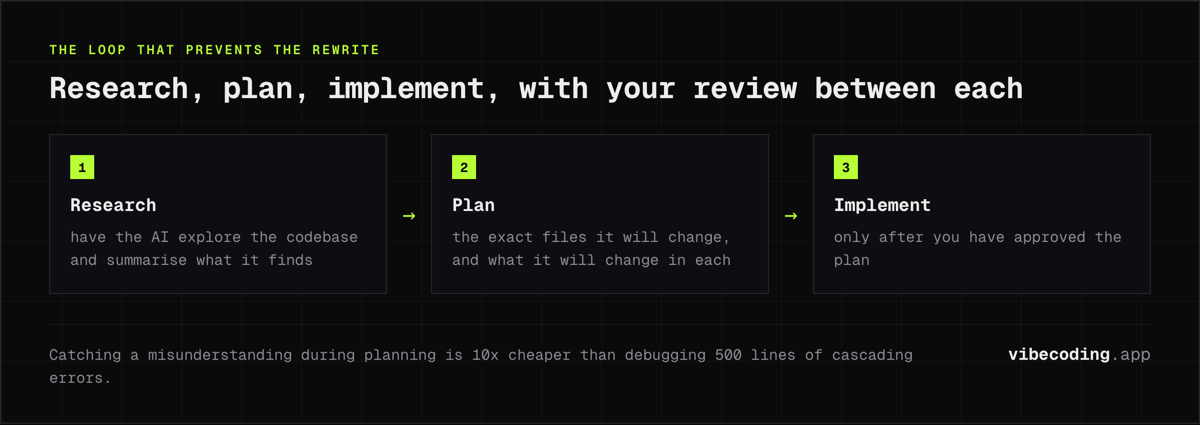
3. Follow the Research-Plan-Implement Framework
This comes from Kilo.ai's engineering team and it's gold:
Research: Before implementing, have the AI explore the codebase and summarize what it finds. "Read through the auth module and explain how user sessions work."
Plan: Create a step-by-step implementation plan. "Write out the exact files you'll modify and what changes you'll make in each." Review this plan yourself before proceeding.
Implement: Only after you've approved the plan do you let the AI write code.
Why this works: catching a misunderstanding during planning is 10x cheaper than debugging 500 lines of cascading errors. The AI might have a completely wrong mental model of your codebase: better to find out before it writes anything.
4. Use Constraint Anchoring
Constraint anchoring means setting explicit boundaries in your prompts:
- Length constraints: "Response should be under 50 lines of code"
- Format constraints: "Return only the modified function, not the entire file"
- Style constraints: "Follow the existing pattern in UserService.ts"
- Scope constraints: "Only modify the payment flow, don't touch auth"
Vague prompts get verbose, off-brand, hard-to-integrate responses. Clear constraints fix this immediately.
5. Test After Every Change
This sounds obvious but people skip it constantly. AI can generate code that looks flawless but has subtle bugs that only surface at runtime.
After every AI-generated change:
- Run your test suite
- Manually test the affected feature
- Check the browser console for errors
- Verify the happy path AND edge cases
The developers who thrive with vibe coding test rigorously and never ship code they don't understand.
6. Build Authentication Early
A mistake that costs hours of refactoring: leaving auth until the end. Adding login systems after your app is built means restructuring everything to wrap permissions around existing features.
Build auth early, even if it's just a placeholder. Your future self will thank you.
7. Document Your AI's Mistakes
Create a "common AI mistakes" file and reference it in new projects. Every AI has patterns it gets wrong: specific libraries it hallucinates, edge cases it misses, conventions it ignores.
Track these. Add them to your rules file. The AI will make fewer mistakes over time because you're teaching it what not to do in your specific context.
When to Vibe Code (and When Not To)
Vibe coding isn't appropriate for everything. Here's an honest assessment.
Good Use Cases
- Prototypes and MVPs: speed matters more than perfection
- Internal tools: lower stakes, faster iteration
- Weekend projects: Karpathy's original use case
- Learning: great way to understand how systems fit together
- UI components: generating visual elements from descriptions
- Boilerplate: scaffolding that would otherwise be tedious
- Exploring ideas: testing whether something is even possible
Bad Use Cases
- Security-critical code: auth, encryption, payment processing
- Performance-critical code: AI generates correct but not optimal code
- Compliance-heavy domains: healthcare, finance, legal (HIPAA, SOC2, etc.)
- Long-term production systems: maintained by teams over years
- Anything you can't explain: if you can't debug it, you shouldn't ship it
The Experienced Developer Advantage
Reddit's consensus on r/programming is consistent: experienced programmers plus vibe coding equals superpowers. Inexperienced people plus vibe coding equals projects that fail when they hit complexity.
The best vibe coders understand architecture, can spot bad AI output, and know when to intervene. They use AI to skip the tedious parts while maintaining control over the decisions that matter.
If you don't understand what good code looks like, you can't evaluate whether the AI produced good code.
When to Stop Vibing and Read the Code
Pure vibe coding and responsible AI-assisted development are different modes, and knowing when to switch is the actual skill. My checklist for when the accept-all phase is over:
- You're about to deploy to production or take real users
- The code touches secrets, auth, payments, or personal data
- Someone else (or a team) will have to maintain it
- You couldn't explain a core function to another person if they asked
- The same bug has come back three times and the AI keeps "fixing" it
Hit any of these and the mode changes: read the diffs, ask the AI to explain the architecture, write tests. And if a vibe-coded prototype is getting handed to professional engineers, give them the prompt history and a written walkthrough of what you think it does. The handoff goes much smoother when they're not reverse-engineering a mystery.
Real Success Stories
Let's talk specifics. These are documented cases with actual numbers.
Pieter Levels: $1M Game in 17 Days
Pieter Levels launched a multiplayer game using Cursor and Grok 3, earning $1 million in annual revenue within 17 days of launch. He used vibe coding to create a Python websockets server and the entire game infrastructure.
Levels is an experienced developer who knew exactly what he wanted. The AI accelerated his execution; it didn't replace his judgment.
Lovable: $100M ARR in 8 Months
Lovable, the Swedish vibe coding platform, went from first revenue to $100M ARR in eight months: potentially the fastest-growing startup in history, outpacing even Cursor.
The meta here is interesting: a vibe coding tool became a unicorn faster than almost anything else in tech history.
Booking.com: 30% Productivity Increase
Booking.com ran a 700-person GenAI developer pilot. Initially, adoption was uneven: some developers loved it, others didn't see the benefit.
The breakthrough came with training. When developers learned how to give AI explicit instructions and effective context, they saw up to 30% increases in merge requests and higher job satisfaction.
The lesson: vibe coding is a skill. Training matters.
Y Combinator W25 Batch
25% of startups in YC's Winter 2025 batch have codebases that are 95% AI-generated. That's not a fringe experiment, but the world's most competitive startup accelerator betting on AI-first development.
Enterprise Adoption
- Microsoft: about 30% of new code reportedly AI-generated
- Google: about 25% by the same reporting
These figures come from secondary coverage, so treat the exact percentages as directional. The direction itself isn't in question.
The Risks Nobody Wants to Talk About
I'd be doing you a disservice if I only talked about the wins. The failure modes are real and well-documented.
~45% of AI Code Has Security Flaws
Research suggests roughly 45% of AI-generated code contains security vulnerabilities. In May 2025, 170 out of 1,645 Lovable-created web apps were found to have issues that exposed personal data.
If you're shipping production code without human security review, you're playing Russian roulette with your users' data.
The Three-Month Black Box
This is the pattern that keeps showing up in engineering communities. A team builds something with vibe coding. It works. Everyone celebrates.
Three months later, nobody can explain how the code works. The original prompts are lost. The architecture is a mystery. Making changes breaks things in unexpected ways.
The DEV Community calls this the "vibe coding hangover," and engineers in early 2026 are spending increasing time rescuing projects that hit this wall.
Technical Debt Tsunami
AI-generated code tends to solve the immediate problem but ignore modularity, query optimization, and scalability. What looks clean in a chat window can cost real money in cloud compute when user counts grow.
One analysis found that vibe-coded startups often struggle to scale because fixing accumulated technical debt becomes more expensive than building correctly from the start.
Slopsquatting
A newer threat: attackers register malicious packages on NPM and PyPI using names that AI models frequently hallucinate. If you're clicking "Accept All" without reading import statements, you might be pulling malware directly into your codebase.
The METR Paradox
A 2025 METR study found that AI tools actually made experienced developers 19% slower on complex tasks. But 80% kept using them anyway because the process felt easier and more enjoyable.
We're trading efficiency for vibes. The irony basically writes itself.
What Builders Actually Say
The polished explainers miss how polarized the actual conversation is. A few verbatim takes from July 2026, unedited.
The defense, from @eptwts: "i turn out to be a better front-end engineer than 95% of front-end engineers that i have ever hired... vibe-coding has also made it easier for me to go in & make changes myself than leave notes for a designer"
The jab, from @Nlacombe_: "vibe coding is the new procrastination with extra dopamine"
And the line most of r/vibecoding seems to land on: "the line for me isn't whether you used llm, it's whether you understand what you shipped. If you can explain it to another person, it's fine. If you can't, it isn't finished, and no amount of it working in the demo changes that."
That last one matches my experience. The stigma isn't about using AI anymore; it's about shipping things you can't explain.
The Future of Vibe Coding
Where is this going? Based on current trajectories:
Voice-First Development
Karpathy was already doing this: talking to Cursor through SuperWhisper, barely touching his keyboard. As speech-to-text improves, expect more developers to describe code verbally while the AI writes.
Multi-Modal Inputs
Sketch on a whiteboard, take a photo, have AI generate the UI. Upload a screenshot of a competitor's feature, ask AI to rebuild it. The input surface area is expanding beyond text.
Enterprise Governance Tools
Platforms like Base44 are adding compliance features: audit logs, permission systems, security scanning. As enterprise adoption grows, governance becomes table stakes.
The Developer Role Evolution
The Stack Overflow blog frames it well: developers are becoming "orchestrators" who direct AI rather than write every line. The skills that matter shift toward architecture, security, and knowing when to intervene.
Less typing, more thinking. Less syntax, more judgment.
How to Get Started Today
If you want to try vibe coding, here's the path I'd recommend:
Step 1: Pick Your First Tool
If you code: Start with Cursor. It's the smoothest on-ramp and the most battle-tested.
If you don't code: Start with Lovable or Bolt.new. Browser-based, no setup required.
Step 2: Choose a Throwaway Project
Don't vibe code your startup's production app on day one. Build something disposable:
- A personal dashboard
- A landing page for a fake product
- A simple tool that solves a small problem you have
Get a feel for the loop before the stakes matter.
Step 3: Learn the Research-Plan-Implement Loop
Before every significant feature:
- Have AI research the relevant code
- Review its understanding
- Have it create a plan
- Review the plan
- Only then, implement
This single habit will save you more debugging time than any other technique.
Step 4: Set Up Your Rules File
Create a .cursorrules or equivalent from day one. Document your tech stack, conventions, and common patterns. Update it as you learn what the AI gets wrong.
Step 5: Join the Community
The r/vibecoding subreddit has 87K+ members. People share what works, what doesn't, and which tools are worth paying for. You'll learn faster from others' mistakes than making them all yourself.
For more detailed walkthroughs, check out:
- How Vibe Coding Works: the technical deep dive
- Beginner's Guide to Building Your First App, step-by-step tutorial
- Vibe Coding Prompt Engineering: advanced prompting techniques
FAQs
How is vibe coding different from using GitHub Copilot?
Copilot assists with existing codebases through inline suggestions. Vibe coding generates entire applications from descriptions. Copilot requires coding knowledge to use effectively; vibe coding tools like Lovable don't. They solve different problems: Copilot is a productivity boost for developers, vibe coding is a new way of building from scratch.
Can I make money with vibe coding?
People definitely are. Pieter Levels made $1M in 17 days. Indie hackers on X regularly share profitable side projects built in weekends. The economics work because you can test ideas much faster: ship something in days instead of months, see if anyone cares, iterate or move on.
Will vibe coding replace developers?
No. It changes what developers do: less typing, more directing, but the need for people who understand architecture, security, and systems design isn't going away. If anything, those skills are becoming more valuable because somebody has to evaluate what the AI produces. The role is evolving, not disappearing.
What's the learning curve like?
For browser-based tools like Lovable: minimal. You can ship something in your first session. For AI-native IDEs like Cursor: steeper, especially if you're also learning to code. The prompting skills transfer across tools, so invest in learning to communicate clearly with AI.
Is the code I generate with vibe coding tools actually mine?
Generally yes: most tools grant you full ownership of generated code. But read the terms of service. Some platforms have specific clauses about training on user output. If IP matters to your business, do your legal homework.
How much does vibe coding actually cost?
Every major tool has a free tier, so trying it costs nothing. Paid plans mostly start around $20-25/month (Cursor Pro, Lovable Pro, Replit Core), and heavy usage adds credits or higher tiers on top. Budget $25/month to start and you're covered.
Is vibe coding "real" coding?
Depends who you ask, and the debate is half the fun. The practical answer: pure vibe coding (accepting output unread) is a legit way to prototype, and it stops being enough the moment something matters. Most experienced builders drift into a hybrid where AI writes and they review.
The Bottom Line
Vibe coding is real. The adoption numbers are real. The success stories are real.
But so are the risks. Security vulnerabilities. Technical debt. The three-month black box. Projects that work until they don't.
The developers and founders who succeed with vibe coding treat it as a tool, not a replacement for judgment. AI drafts the structure; humans ensure quality, security, and maintainability.
If you're technical, vibe coding accelerates what you already know how to do. If you're not, it opens doors that used to require hiring engineers, but you still need to learn enough to evaluate what you're building.
The future belongs to people who can orchestrate AI effectively while understanding enough about software to know when the vibes are leading you astray.
Start small. Test constantly. Review everything that touches user data. And remember: the conversation is your source code now.
Ready to pick your tool? Browse our Vibe Coding Tools Directory for detailed comparisons and real user feedback across every major platform.
Related: Vibe Coding vs Traditional Coding.
Related: Prompt To Code Tools Guide.

Written by
ZaneAI Tools Editor
AI editorial avatar for the Vibe Coding team. Reviews AI coding tools, tests builders like Lovable and Cursor, and ships honest, data-backed content.