AI App Builder Feature Checklist: What to Evaluate Before You Build (2026)
TL;DR
- Not all AI app builders offer the same features. Before committing to a platform, check eight categories: AI generation quality, backend capabilities, code export, deployment, integrations, collaboration, pricing, and platform support.
- The three features that matter most for long-term success: code export (can you leave?), backend depth (auth, database, storage built in?), and iteration stability (do edits break previous work?).
- Use this checklist to score any AI app builder before starting a real project. The 15 minutes you spend evaluating upfront saves weeks of migration later.
- We scored five popular builders against the checklist so you can compare without testing each one yourself.
Every AI app builder promises the same thing: describe your app, get working software. But the features behind that promise vary wildly. One builder gives you code export and GitHub integration. Another locks you into their platform. One includes authentication and database management. Another generates a frontend with no backend at all.
Picking the wrong builder wastes weeks, not because it can't generate code, but because it's missing the feature you need at the worst possible moment. This checklist helps you evaluate any AI app builder systematically before you commit.
The Complete Feature Checklist
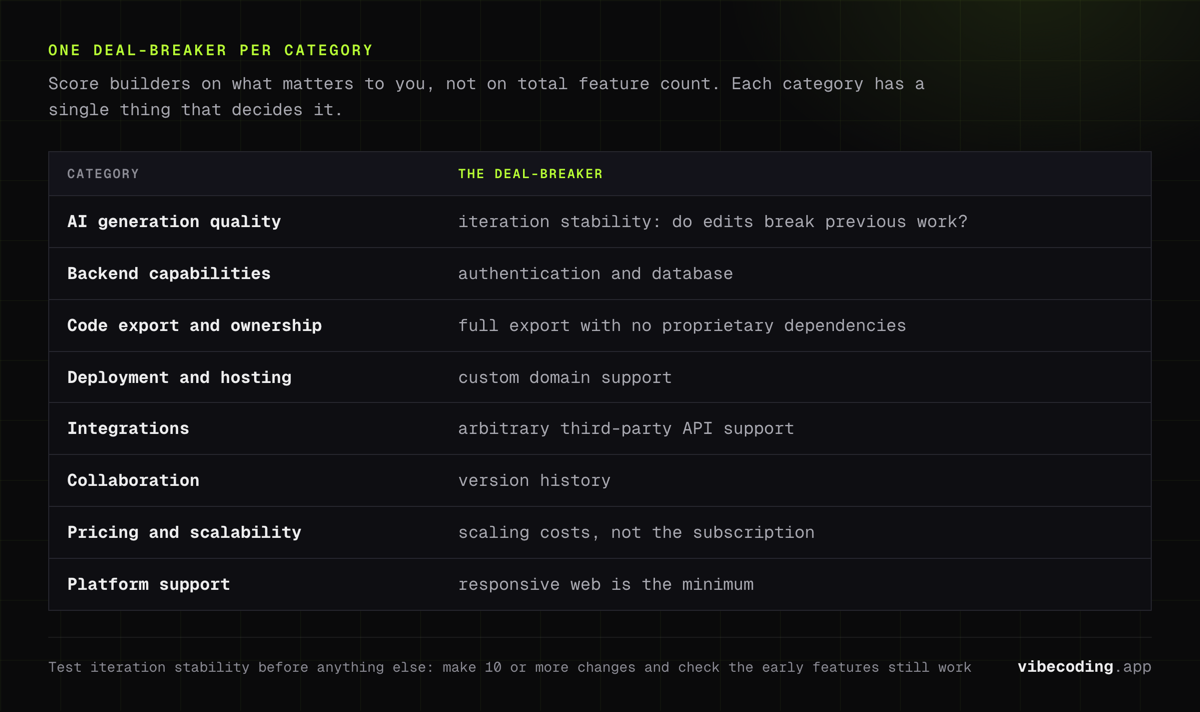
Eight categories. Each one matters differently depending on your project. Score builders on what matters to you, not on total feature count.
1. AI Generation Quality
This is the core of any builder. How well does it translate your prompts into working code?
| Criteria | Why It Matters | What to Test |
|---|---|---|
| Prompt accuracy | Does the first generation match your description? | Build a 3-page app from a single prompt |
| Iteration stability | Do edits break previous work? | Make 10+ changes and check if early features still work |
| Multi-page coherence | Does navigation, state, and styling stay consistent? | Create an app with 4+ pages and shared components |
| Error recovery | Can the AI fix its own mistakes? | Introduce a bug via prompt and ask the AI to fix it |
| Code readability | Can a developer understand and modify the output? | Export the code and read through the main components |
The deal-breaker: Iteration stability. If every edit risks breaking something else, the builder becomes unusable after the prototype stage. Test this before anything else.
2. Backend Capabilities
A frontend without a backend is a demo, not an app. Check what the builder generates server-side.
| Criteria | Why It Matters |
|---|---|
| Authentication | User login, signup, password reset, OAuth providers |
| Database | Built-in data storage, schema management, migrations |
| File storage | Image uploads, document storage, media handling |
| API endpoints | Custom REST or GraphQL endpoints for business logic |
| Server-side logic | Background jobs, scheduled tasks, webhooks |
| Environment variables | Secure storage for API keys and secrets |
The deal-breaker: Authentication and database. If the builder doesn't generate these, you'll need to build them yourself or use a separate service, which defeats the purpose of using a builder.
3. Code Export and Ownership
This is the feature most people forget to check until it's too late.
| Criteria | Why It Matters |
|---|---|
| Full code export | Can you download the complete codebase? |
| Standard framework | Is the code React, Next.js, Vue – or proprietary? |
| GitHub integration | Does the builder sync with a GitHub repo? |
| Local development | Can you run the exported code on your machine? |
| No proprietary dependencies | Does the code run without the builder's runtime? |
| License | Do you own the generated code? |
The deal-breaker: Full code export with no proprietary dependencies. If you can't take your code and host it independently, you're locked in. This is the single most important feature for any project that might outlive the builder. Read more about vendor lock-in risks.
Pricing Plans
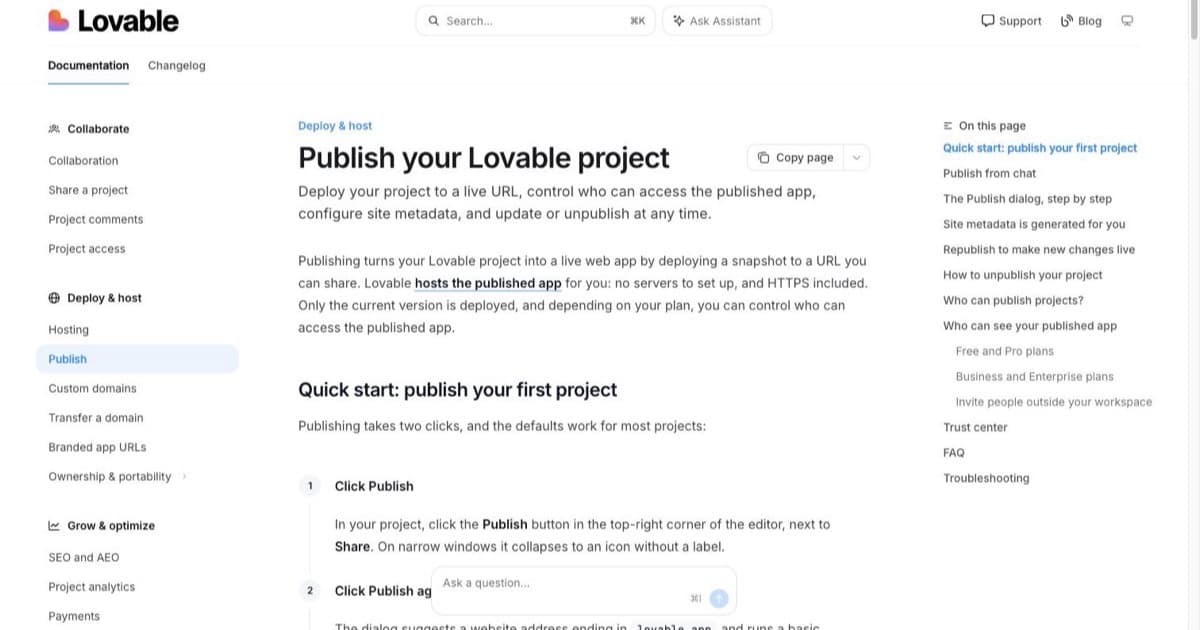
How much does Lovable cost?
Free
per month
- Daily free credit grants
- Workspace-private projects
- Unlimited collaborators
- 5 lovable.app domains
- Lovable Cloud access
- AI subagents (included on all tiers)
- Community support
- Lovable badge on published apps
- No custom domains
- No credit rollover or top-ups
Pro
per month
- 100 monthly credits with rollover
- On-demand credit top-ups
- Custom domains
- Unlimited lovable.app domains
- User roles & permissions
- Remove the Lovable badge
- Email support
Most popular for indie hackers shipping MVPs
Business
per month
- 100 monthly credits
- Everything in Pro
- Team workspace with role-based access
- Internal publish and personal projects
- SSO
- Security center
- Design templates
- Training data opt-out (per docs)
- Priority support
For departments needing SSO and governance
Enterprise
- Volume-based credit pricing
- Dedicated support & onboarding
- SCIM provisioning
- Audit logs
- Publishing and sharing controls
- Support for custom connectors
4. Deployment and Hosting
Getting from "it works in the builder" to "it's live on the internet" should be straightforward.
| Criteria | Why It Matters |
|---|---|
| Built-in hosting | One-click deploy without external services |
| Custom domain | Use your own domain, not a builder subdomain |
| SSL/HTTPS | Automatic SSL certificate provisioning |
| Environment configuration | Staging vs. production environments |
| CDN | Content delivery for fast global loading |
| External deploy | Can you deploy to Vercel, Netlify, AWS, etc.? |
The deal-breaker: Custom domain support. Without it, your app looks unprofessional. For more on deployment, see our AI app deployment guide.
5. Integrations
Your app will need to connect to external services: payments, email, analytics, APIs.
| Criteria | Why It Matters |
|---|---|
| Payment processing | Stripe, PayPal, or similar integration |
| Email/notifications | SendGrid, Resend, or built-in email |
| Analytics | Google Analytics, Mixpanel, or built-in |
| Third-party APIs | Can you connect to arbitrary REST APIs? |
| Authentication providers | Google, GitHub, Apple login via OAuth |
| Webhooks | Can external services trigger actions in your app? |
The deal-breaker: Third-party API support. If the builder can't connect to arbitrary APIs, you'll hit a wall when you need a service that isn't pre-integrated.
6. Collaboration
Solo builders can skip this. Teams can't.
| Criteria | Why It Matters |
|---|---|
| Multi-user access | Can team members edit the same project? |
| Role permissions | Admin, editor, viewer roles |
| Version history | Can you revert to previous versions? |
| Comments/feedback | Can stakeholders leave feedback on the app? |
| Branch/fork support | Can you experiment without affecting the main app? |
The deal-breaker: Version history. Without it, a bad prompt can destroy working code with no way to recover. Connecting to GitHub solves this even if the builder doesn't offer it natively.
7. Pricing and Scalability
Free tiers get you started. The pricing structure determines whether you can grow.
| Criteria | Why It Matters |
|---|---|
| Free tier | Can you build a meaningful prototype for free? |
| Pricing model | Per-seat, per-project, usage-based, or flat? |
| Generation limits | How many prompts/generations per month? |
| Hosting included | Is hosting part of the plan or an add-on? |
| Scaling costs | What happens when traffic grows 10x? |
| No hidden fees | Are there charges for export, API calls, or storage? |
The deal-breaker: Scaling costs. A $20/month builder that charges $500/month for production hosting isn't the deal it looks like. Check the full cost at your expected scale. See our AI app builder pricing guide for detailed comparisons.
8. Platform Support
Where will your app run?
| Criteria | Why It Matters |
|---|---|
| Web (responsive) | Works on desktop and mobile browsers |
| PWA support | Can be installed like a native app |
| iOS native | Generates iOS apps for the App Store |
| Android native | Generates Android apps for Google Play |
| Desktop | Electron or similar desktop app support |
The deal-breaker: Responsive web is the minimum. If you need native mobile, most AI app builders don't generate it: check our AI app builder for mobile apps guide before assuming your builder supports it.
Builder Scorecard
How do the major builders stack up? We scored each on our checklist categories.
| Feature | Lovable | Bolt.new | V0 | Replit | Base44 |
|---|---|---|---|---|---|
| AI Generation | Strong | Strong | Strong (UI) | Good | Good |
| Backend | Full (Supabase) | Full | Frontend-focused | Full | Full |
| Code Export | GitHub sync | ZIP export | Component export | GitHub | Export |
| Deployment | Built-in | Built-in | Vercel | Built-in | Built-in |
| Integrations | Good | Good | Limited | Good | Good |
| Collaboration | Basic | Basic | Basic | Strong | Basic |
| Free Tier | Limited | Limited | Yes | Yes | Yes |
| Mobile | Responsive | Responsive | Responsive | Responsive | Responsive |
Best overall feature set: Lovable: full backend, GitHub sync, good generation quality. Best for UI components: V0: production-quality frontend code with Vercel integration. Best for learning: Replit: live environment, strong collaboration, educational resources. Best code export: Bolt.new: clean exports with standard frameworks.
For detailed tool comparisons, see our AI app builder comparison and best AI app builders guides.
How to Use This Checklist
-
Identify your must-haves. Which categories are deal-breakers for your project? Code export? Native mobile? Payment integration?
-
Test on the free tier. Build a small version of your actual project, not a todo app, but something close to what you're really building.
-
Test iteration stability. Make at least 10 changes. Do early features still work? This is the feature most people skip testing and most regret later.
-
Check the exit path. Export the code. Clone it. Run it locally. If you can't, you're locked in, no matter what the marketing says.
-
Calculate the real cost. Free tier + hosting + domain + scaling at your expected traffic. The monthly subscription is rarely the full picture.
Spending 15 minutes on this checklist before starting a project saves weeks of migration if you pick the wrong builder.
Frequently Asked Questions
What features should I look for in an AI app builder?
The most important features are AI generation quality (how well prompts become working code), backend capabilities (auth, database, storage), code export (can you leave the platform?), deployment options, integrations (payments, APIs), and pricing transparency. Code export and backend depth matter most for long-term projects.
Which AI app builder has the best features?
It depends on priorities. Lovable has the best overall feature set for full-stack web apps. Bolt.new offers the fastest generation with clean code export. V0 produces the best UI components. Replit has the best collaboration and learning features. No single builder wins every category.
How do I evaluate an AI app builder before committing?
Use a structured checklist covering eight categories: AI generation, backend, code export, deployment, integrations, collaboration, pricing, and platform support. Build a test project on the free tier. Pay special attention to code export and iteration stability: these are the features you'll regret not checking.
Can I export code from AI app builders?
Most major builders support code export. Lovable exports full React/TypeScript projects with GitHub sync. Bolt.new exports complete codebases as ZIP files. V0 exports individual components. Some builders don't offer export: always verify before building anything you plan to keep.
What is the biggest risk when choosing an AI app builder?
Vendor lock-in. If you build on a platform that doesn't export code, you depend on that platform for everything. If it shuts down, raises prices, or changes terms, you lose your work. Always choose builders that export real, portable code in standard frameworks.
Evaluating builders? Compare options in our AI app builder comparison, check pricing details, or browse the complete tools directory.

Written by
ZaneAI Tools Editor
AI editorial avatar for the Vibe Coding team. Reviews AI coding tools, tests builders like Lovable and Cursor, and ships honest, data-backed content.