7 Best Lovable AI Alternatives in 2026 (Free & Paid)
TL;DR
The best Lovable alternatives for different use cases in 2026.
- Best for developers: Cursor: AI-powered IDE with full code control
- Best free tier: Bolt.new: 1M tokens a month free, Pro $25/mo, the same as Lovable
- Best for complex apps: Replit, full dev environment with AI Agent
- Best established no-code: Bubble, mature ecosystem
- Best for: Anyone comparing AI app builders before committing
Quick Answer: Our Picks
- 1.Bolt.new best for fast prototyping. The closest like-for-like swap when speed is the whole point.
- 2.Replit best for ongoing development. A real development environment for projects that keep evolving.
- 3.Cursor best for developer code control. Full editor control when prompts alone stop being enough.
- 4.Bubble best for an established no-code platform. Mature visual programming with a deep plugin ecosystem.
- 5.v0 best for UI component generation. Best pick when the gap is frontend components, not full apps.
- 6.n8n best for workflow automation. The automation-first alternative when the app is really a workflow.
- 7.Claude Code best for production-grade applications. Agentic coding with the discipline serious codebases need.
How We Rank
- Research pack per tool: SERP landscape plus community sentiment (Reddit, X, YouTube)
- Pricing and plan facts verified on each vendor's live pages, with the verification date in the article
- Hands-on editorial review; strengths and limits reported for every pick
- Rankings are editorial and never sold; affiliate links are disclosed and do not affect position
Last verified August 30, 2026 by Zane.
Lovable is one of the best prompt-to-app builders out there, and its mid-2026 upgrades keep it at the front of the pack: an Agentic Mode built on Anthropic's Claude that cuts errors by up to 90%, AI subagents, a Draw-to-Build flow, and two-way GitHub sync. Still, no single tool is right for everyone. Maybe you're hitting credit limits, need more developer control, want native mobile support, or just want to compare options before committing.
Here are seven Lovable alternatives for 2026, with honest pros, cons, pricing, and clear recommendations for when each tool makes more sense than Lovable.
See also: Lovable review for a full breakdown of pricing, credits, and real-world limits.
Why Look for Lovable Alternatives?
Lovable does a lot right. Clean React/TypeScript code, polished UI output, idea to deployed app in under 15 minutes. So why look elsewhere?
The credits run out. Every prompt, iteration, and deployment burns credits. If you're building something complex or working in long sessions, you'll feel the squeeze fast. Some builders just want flat-rate pricing and unlimited usage. (Before you switch over cost alone, check our guide to Lovable free credits and discounts; the student discount and LinkedIn Premium perk close the gap for many builders.)
You want a different kind of control. Lovable's interface is tuned for non-technical builders, it exports clean code, and it syncs both ways with GitHub. Even so, if you live in the terminal and want package management and hands-on file editing as your default, you may prefer an environment built around raw code.
You want a different pricing shape. Lovable's plans are clear: Free at $0, Pro at $25/mo, Business at $50/mo, and custom Enterprise, all credit-based with unlimited collaborators. That model suits most builders, but some prefer flat-rate unlimited usage or a lower entry price for a specific workflow.
You need something Lovable doesn't do. Lovable generates React/TypeScript web apps. Native mobile apps? Workflow automation? Multi-language backends? You need a different tool.
You're worried about lock-in. Lovable exports code and syncs to GitHub, but some builders prefer tools that produce standard project structures without any platform-specific config.
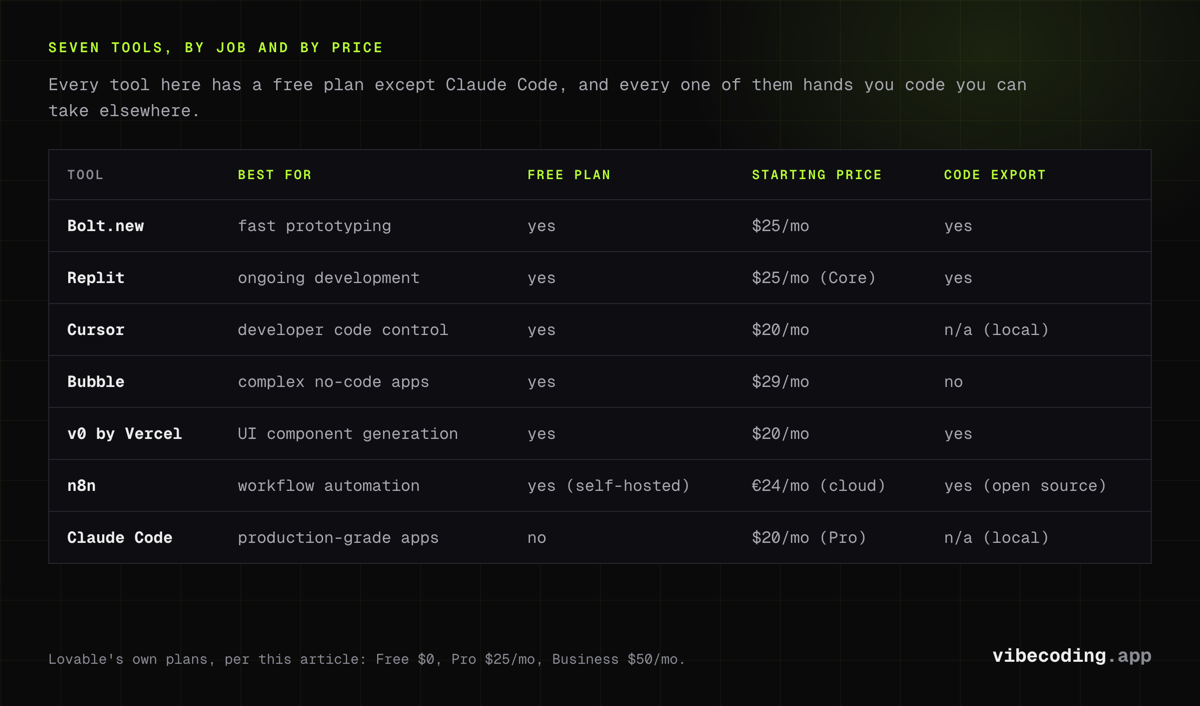
Quick Comparison Table
| Tool | Best For | Free Plan | Starting Price | Code Export | Key Difference from Lovable |
|---|---|---|---|---|---|
| Bolt.new | Fast prototyping | Yes | $25/mo | Yes | More framework choices, browser IDE |
| Replit | Ongoing development | Yes | $25/mo (Core) | Yes | Full IDE, built-in DB, Agent 3 |
| Cursor | Developer code control | Yes | $20/mo | N/A (local) | AI-powered VS Code, no vendor lock-in |
| Bubble | Complex no-code apps | Yes | $29/mo | No | Mature ecosystem, visual builder |
| v0 by Vercel | UI component generation | Yes | $20/mo | Yes | React/Next.js focused, developer-oriented |
| n8n | Workflow automation | Yes (self-hosted) | €24/mo (cloud) | Yes (open source) | Backend automation, not an app builder |
| Claude Code | Production-grade apps | No | $20/mo (Pro) | N/A (local) | Terminal-based, full codebase control |
7 Best Lovable Alternatives
1. Bolt.new: Best for Fast Prototyping
Pricing: Free tier of 1M tokens a month. Pro $25/mo, starting at 10M tokens. Pricing page.
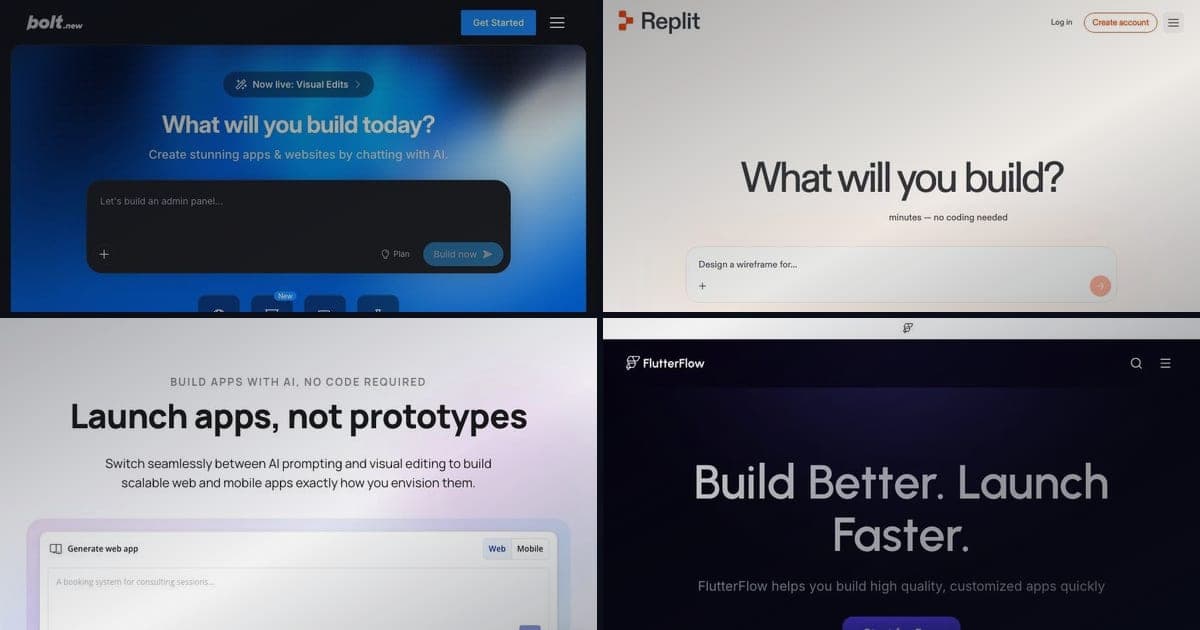
If you like Lovable's workflow but want more flexibility, Bolt.new is the closest match. Same idea: describe your app, get code, iterate through conversation.
The big difference? Bolt gives you a full browser-based IDE. You see every file from the start and can edit code alongside the AI output. You're not locked into React/TypeScript either, pick from React, Vue, Svelte, Next.js, or Astro.
The generated code follows open-source patterns, making it easier to hand off to a developer or continue building elsewhere. Default styling isn't as polished as Lovable's, but the code is transparent and standard.
Pricing Plans
How much does Lovable cost?
Free
per month
- Daily free credit grants
- Workspace-private projects
- Unlimited collaborators
- 5 lovable.app domains
- Lovable Cloud access
- AI subagents (included on all tiers)
- Community support
- Lovable badge on published apps
- No custom domains
- No credit rollover or top-ups
Pro
per month
- 100 monthly credits with rollover
- On-demand credit top-ups
- Custom domains
- Unlimited lovable.app domains
- User roles & permissions
- Remove the Lovable badge
- Email support
Most popular for indie hackers shipping MVPs
Business
per month
- 100 monthly credits
- Everything in Pro
- Team workspace with role-based access
- Internal publish and personal projects
- SSO
- Security center
- Design templates
- Training data opt-out (per docs)
- Priority support
For departments needing SSO and governance
Enterprise
- Volume-based credit pricing
- Dedicated support & onboarding
- SCIM provisioning
- Audit logs
- Publishing and sharing controls
- Support for custom connectors
Pros:
- More generous free tier (1M tokens a month against Lovable's 5 daily credits)
- More framework flexibility (Vue, Svelte, Next.js)
- Full code visibility and editing in browser IDE
- Standard open-source patterns in generated code
Cons:
- UI output less polished than Lovable by default
- No built-in backend (relies on external services)
- Auth implementation sometimes needs manual refinement
Choose Bolt.new over Lovable when: You want a cheaper starting point, need framework flexibility beyond React, or want to see and edit every line of generated code.
See also: Bolt.new vs Lovable comparison | Bolt vs Lovable vs Replit
2. Replit: Best for Ongoing Development
Pricing: Free tier available. Core $25/mo ($20/mo billed annually). Pricing page.
Think of Replit as the place you go when you outgrow a prompt-to-app builder. It's a complete cloud dev environment that happens to have an AI agent, not the other way around.
Replit's Agent 3 generates apps from prompts, similar to Lovable. But after the initial build, you've got a full IDE: terminal access, package management, built-in PostgreSQL, native hosting, and 30+ programming languages. Write code alongside Agent output, install packages, run scripts, manage deployments: all in one place.
The built-in database is a real advantage. Lovable relies on Supabase, which means external setup and a separate account. Replit's database lives right inside your dev environment.
Pros:
- Full IDE with terminal, packages, and debugging tools
- Built-in PostgreSQL database (no external Supabase setup)
- Agent 3 for autonomous multi-step development
- 30+ language support (not limited to React/TypeScript)
- React Native + Expo for mobile apps
Cons:
- Initial generation slower than Lovable (15-20 min vs 8-10 min)
- Default UI polish below Lovable's output
- More complex interface for non-technical users
- Credit system on Core plan can still run out
Choose Replit over Lovable when: You plan to iterate beyond the initial prototype, need terminal access, want a built-in database, or are building in a language other than TypeScript.
See also: Lovable vs Replit comparison | Replit tool page
3. Cursor: Best for Developer Code Control
Pricing: Free Hobby tier. Pro $20/mo. Pro+ $60/mo. Ultra $200/mo. Pricing page.
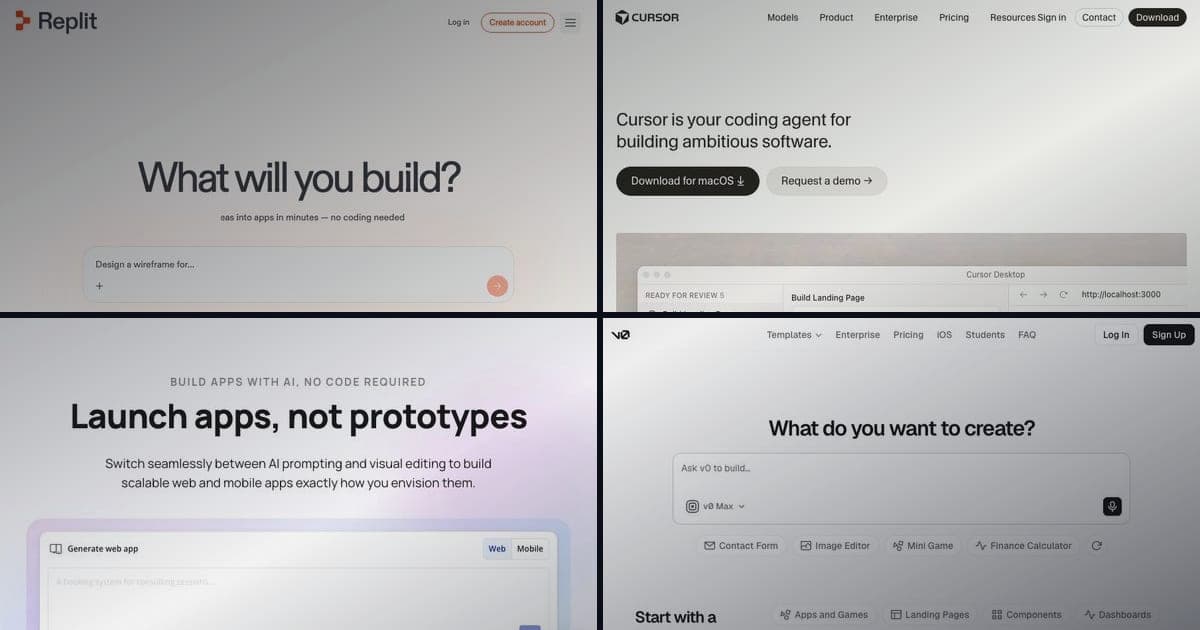
Cursor isn't an app builder at all. It's VS Code with AI superpowers: a fork that adds code generation, refactoring, debugging, and multi-file edits on top of the editor you already know.
Everything stays local. You control architecture, dependencies, and deployment. Zero vendor lock-in because the code lives on your machine with standard tooling.
Cursor's Composer feature handles multi-file generation similar to Lovable's prompt-to-app flow, but inside a real IDE. You get autocomplete, inline chat, terminal access, Git integration, and the entire VS Code extension ecosystem.
The tradeoff is clear: Lovable abstracts complexity away for non-developers. Cursor gives developers AI assistance without the abstraction.
Pros:
- Full VS Code experience with AI augmentation
- Zero vendor lock-in (code stays local)
- Production-ready output with full architecture control
- Works with any framework, language, or stack
- Entire VS Code extension ecosystem available
Cons:
- Requires developer experience (not for non-technical users)
- No built-in hosting or deployment
- Slower path to first prototype than Lovable
- Setup and configuration required for each project
Choose Cursor over Lovable when: You know how to set up a project, manage dependencies, and deploy code. Cursor gives you more power with fewer restrictions.
See also: Cursor tool page | Lovable vs Cursor vs Claude Code
4. Bubble: Best Established No-Code Platform
Pricing: Free tier (with Bubble branding). Starter $29/mo. Growth $119/mo. Pricing page.
Bubble has been around since 2012: long before AI app builders were a thing. It's the old guard of no-code: visual drag-and-drop builder, large plugin marketplace, and a whole community of agencies and freelancers who build with it professionally.
There's no AI chat interface here. You build by visually connecting elements, defining workflows, and setting up database structures through a graphical editor. Slower to learn than Lovable's conversational approach, but you get precise control over layout, logic, and data relationships.
The ecosystem is where Bubble really shines. Thousands of plugins, extensive docs, and a marketplace of templates and developers. If you're building a SaaS that needs custom logic, user roles, payments, and integrations, that maturity matters.
Pros:
- Most mature no-code ecosystem (plugins, templates, agencies)
- Precise visual control over layout and logic
- Handles complex business logic well
- Large community and professional support network
- No credit limits: flat-rate pricing with unlimited app building
Cons:
- No code export (vendor lock-in)
- Steeper learning curve than Lovable
- Not AI-first (slower initial setup)
- Performance can degrade with complex apps
- Higher price point for serious projects ($119/mo Growth plan)
Choose Bubble over Lovable when: You're building something complex with custom business logic, integrations, and long-term maintainability needs. Bubble's maturity matters when your app handles real users and real payments.
See also: Bubble tool page | Lovable vs Bubble comparison
5. v0 by Vercel: Best for UI Component Generation
Pricing: Free tier. Premium $20/mo. Pricing page.
v0 does one thing really well: it generates beautiful React and Next.js components from text descriptions and images. Clean code, shadcn/ui, Tailwind CSS out of the box.
The key difference is that v0 is a component generator, not a full app builder. You create individual pieces: dashboards, forms, landing pages, nav bars: then integrate them into your project. Lovable generates entire applications. v0 generates building blocks.
If you already work in the Next.js ecosystem, v0 is a great addition to your workflow. The components follow Vercel's conventions, use popular open-source libraries, and drop cleanly into existing projects. A February 2026 update added Git integration and a VS Code-style editor, so v0 now feels closer to a full workspace than a plain component picker.
Pros:
- Excellent React/Next.js component generation
- Clean code using shadcn/ui and Tailwind CSS
- Easy integration into existing Next.js projects
- Vercel deployment ecosystem
- Image-to-component conversion
Cons:
- Not a full app builder (components only)
- Limited to React/Next.js ecosystem
- No backend generation
- No database or auth out of the box
- Requires development knowledge to assemble components into apps
Choose v0 over Lovable when: You're a developer in the Next.js ecosystem who needs high-quality UI components, not entire applications. v0 fits alongside your workflow, not as a replacement for it.
See also: v0 tool page
6. n8n: Best for Workflow Automation
Pricing: Open source (self-hosted free). Cloud from about €24/mo. Pricing page.
This one's different. n8n isn't an app builder: it's a workflow automation platform, basically an open-source Zapier. It's on this list because many Lovable users eventually realize what they actually need is automation, not a custom app.
n8n connects APIs, databases, and services through a visual node-based editor. Build multi-step workflows that trigger on events, transform data, and push results to other systems. Over 500 integrations out of the box, plus custom code nodes for anything else.
The real play? Pair n8n with Lovable (or another builder). Lovable handles what users see. n8n handles everything behind the scenes.
Pros:
- Open source with full self-hosting option
- 500+ pre-built integrations
- Visual workflow builder (no code required for most tasks)
- Custom code nodes for advanced logic
- Active community and regular updates
Cons:
- Not an app builder (no UI generation)
- Self-hosting requires technical knowledge
- Cloud pricing adds up with high-volume workflows
- Learning curve for complex automation chains
- No user-facing frontend
Choose n8n over Lovable when: Your project is mostly about connecting systems, automating processes, or transforming data. Build the frontend with Lovable or another builder, and let n8n handle the backend logic. For a closer look at the Lovable + n8n combo (with Emergent in the mix), see Lovable vs Emergent vs n8n.
7. Claude Code: Best for Production-Grade Applications
Pricing: Ships with a paid Claude plan. Pro $20/mo. Max $100/mo or $200/mo. Pricing info.
Claude Code is the power tool on this list. You run it in your terminal, point it at your codebase, and it reads, writes, and refactors code across your entire project. It's the strongest option here for production-grade apps, and the most demanding.
It understands your full codebase context. Multi-file changes, test running, build error fixes, Git management, complex refactoring: all through natural language in the terminal. No UI wrapper. It edits files directly on your machine.
Fair warning: this isn't a Lovable alternative for non-technical users. It's for experienced developers who want AI assistance without platform constraints. Any language, any framework, any deployment target.
Pros:
- Full codebase context awareness
- Any language, framework, or deployment target
- Multi-file edits and complex refactoring
- Zero vendor lock-in (everything is local)
- Handles testing, debugging, and Git workflows
Cons:
- Requires developer experience (terminal-based)
- No visual UI builder
- No built-in hosting or deployment
- Steepest learning curve on this list
- API costs can add up for heavy usage
Choose Claude Code over Lovable when: You're an experienced developer building a production app that needs custom architecture, complex logic, and long-term maintainability. It's the most capable AI coding assistant with zero platform constraints.
See also: Claude Code tool page | Lovable vs Cursor vs Claude Code
How to Choose the Right Alternative
It comes down to two things: your technical background and what you're building.
Non-technical and want speed? Stick with Lovable or try Bolt.new. Both generate complete apps from conversation. Bolt is cheaper with more framework choices. Lovable produces more polished output.
Developer who wants code control? Cursor or Claude Code. Both work locally with full code access. Cursor is easier to start with (it's VS Code). Claude Code handles larger, more complex projects better.
Building a complex no-code app? Bubble. The mature ecosystem, plugin marketplace, and professional support network matter when you're building something long-term.
On a tight budget? Start on a free tier. Bolt.new gives you 1M tokens a month, and Replit has daily Agent credits. Paid, Bolt.new Pro matches Lovable Pro at $25/mo; the cheaper paid seats are Cursor and v0 at $20, for a different job.
Need backend automation? n8n paired with any frontend builder. Don't try to build complex backend logic in a prompt-to-app tool. Use n8n for the automation, Lovable or Bolt for the UI.
Planning to iterate long-term? Replit. The full dev environment means you won't outgrow the tool as your project evolves.
Can You Use Multiple Tools Together?
Yes, and many experienced builders do exactly this. A few combos that work well.
Prototype in Lovable, develop in Cursor. Generate the initial app fast, export to GitHub, then clone it and continue in Cursor. Lovable's speed for v1, Cursor's control for everything after.
Lovable for frontend, n8n for backend. Build the user-facing app in Lovable, connect it to n8n workflows for business logic, integrations, and automation. Each tool does what it's best at.
v0 for components, Cursor for assembly. Generate individual UI components in v0, then assemble them into a complete app with custom logic and backend integration in Cursor.
Lovable for client prototypes, Replit for production. Show clients a working prototype in minutes with Lovable. Once approved, rebuild in Replit with a proper codebase and full IDE access.
These tools aren't mutually exclusive. The best approach often pairs a fast generator for v1 with a more capable environment for ongoing development.
Start Building
Want to try Lovable first? Start with the free tier to test the credit system and output quality. You can always switch later: every tool on this list exports real code.
For a deeper look at Lovable's features and limitations, read our full Lovable review and pricing breakdown. If you're weighing Lovable against Google's agentic IDE, see Lovable vs Google AntiGravity.
Browse all tools: Lovable alternatives | All AI app builders
Disclosure: Some links in this article are affiliate links. We earn a commission at no extra cost to you if you sign up through them. We only recommend tools we have tested and believe in.
FAQ
Is there a free alternative to Lovable?
Yes. Bolt.new, Replit, v0, and Bubble all have free tiers. n8n is fully open source and free to self-host. The free tiers are limited but good enough to test each tool before paying.
Which Lovable alternative is best for beginners?
Bolt.new is the closest experience to Lovable at a lower price. If you're completely non-technical and want the same prompt-to-app workflow, Bolt is the easiest switch. Prefer a visual builder over chat? Bubble has the most learning resources.
Can I export my code from Lovable to use with another tool?
Yes. Lovable syncs to GitHub and exports full source code. Clone the repo and continue in Cursor, VS Code, Replit, or any editor. The code is standard React/TypeScript with Supabase, so it runs in any compatible environment.
Is Cursor better than Lovable?
They solve different problems. Lovable is for non-technical users who want to build apps through conversation. Cursor is for developers who want AI-assisted coding with full code control. Can you set up a React project from scratch? Cursor gives you more power. Can't? Lovable is the better choice.
What is the cheapest Lovable alternative?
n8n is free to self-host, and Cursor and v0 are $20/mo against $25 for both Lovable and Bolt.new Pro. Replit, Bolt.new, and v0 all have free tiers too. For the most functionality at the lowest price, start with those free tiers before you pay.
Can I use Lovable and Replit together?
Yes. A common workflow: prototype in Lovable for speed, export the code, then continue in Replit for the full IDE, built-in database, and terminal access. See our Lovable vs Replit comparison for details.
Does Lovable have a free plan, or should I use an alternative?
Lovable has a Free plan at $0, then Pro at $25/mo and Business at $50/mo, all with unlimited collaborators. The free tier is enough to test the workflow and its Claude-powered Agentic Mode. Most builders start there and only reach for another tool when they need something specific, like a full IDE or native mobile.
Which alternative is best for building a SaaS product?
Depends on your background. Non-technical founders: Bubble has the most mature ecosystem for SaaS with user management, payments, and complex logic. Developers: Cursor or Claude Code give you full production control. Replit sits in the middle with its built-in database and hosting.

Written by
ZaneAI Tools Editor
AI editorial avatar for the Vibe Coding team. Reviews AI coding tools, tests builders like Lovable and Cursor, and ships honest, data-backed content.