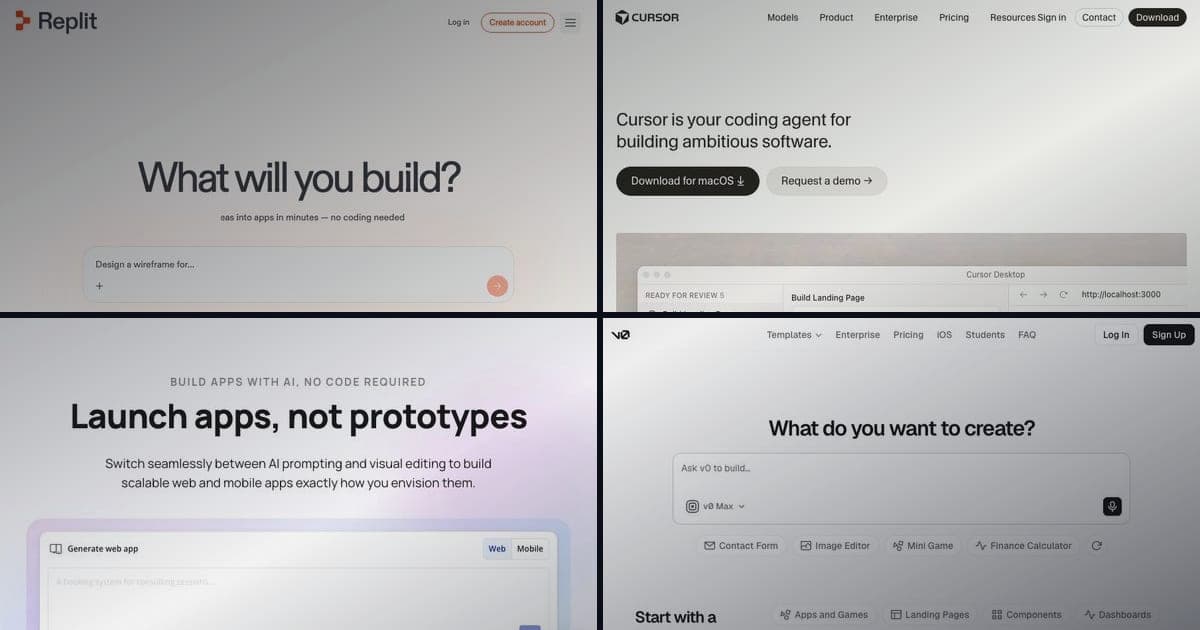
7 Best Hostinger Horizons Alternatives in 2026 (Free & Paid)
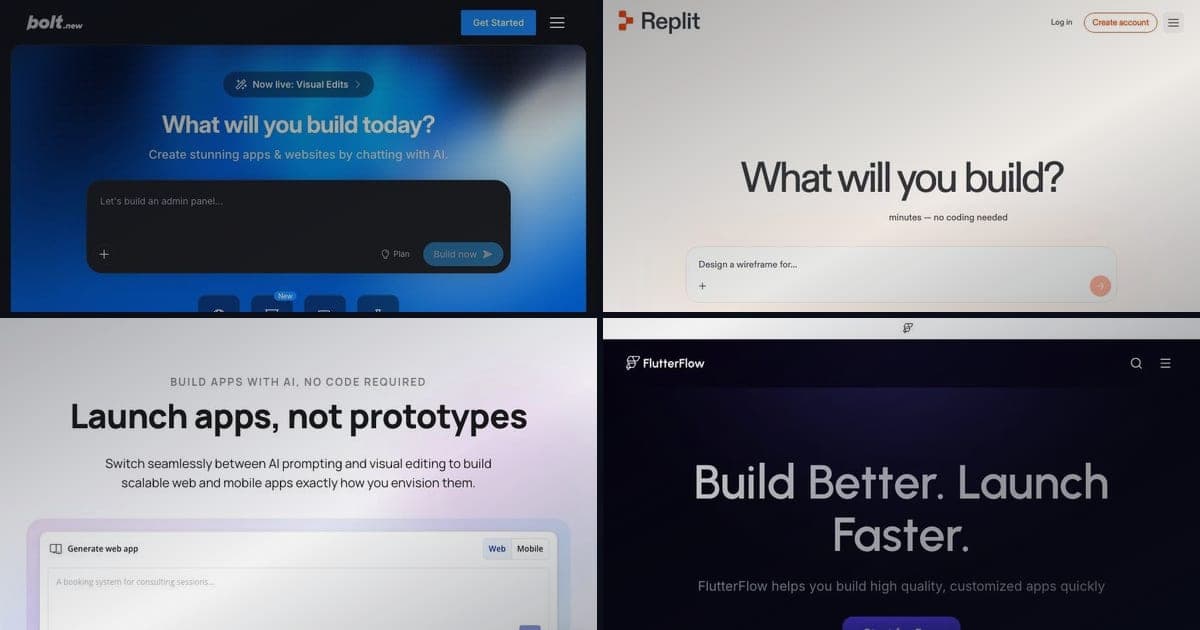
TL;DR
The best Hostinger Horizons alternatives for different use cases in 2026.
- Best for developers: Bolt.new, browser IDE with Supabase, free tier and Pro at $25/mo
- Best free option: Lovable, free tier at $0 with no card required
- Best for complex apps: Replit, full dev environment with AI Agent
- Best established no-code: Bubble, mature ecosystem, visual workflows
- Best for: Anyone comparing AI app builders before committing
Quick Answer: Our Picks
- 1.Bolt.new best for serious backend needs in a browser IDE. Real backend chops without leaving the browser.
- 2.Lovable best for the best free starting point. Generous entry path from prompt to working app.
- 3.Replit best for a full dev environment with an AI agent. Grow from generated app to real project in one place.
- 4.Bubble best for mature visual workflows. Battle-tested no-code logic beyond what AI builders offer.
- 5.FlutterFlow best for actual mobile apps. When you need App Store and Play Store builds, not a responsive site.
- 6.Cursor best for developers who want full control. Drop the builder entirely and work in an AI-native editor.
- 7.Wix AI best for simpler template websites. Template-driven sites when an app builder is overkill.
How We Rank
- Research pack per tool: SERP landscape plus community sentiment (Reddit, X, YouTube)
- Pricing and plan facts verified on each vendor's live pages, with the verification date in the article
- Hands-on editorial review; strengths and limits reported for every pick
- Rankings are editorial and never sold; affiliate links are disclosed and do not affect position
Last verified March 3, 2026 by Zane.
Update, August 2026: Horizons was not discontinued. Hostinger merged it with the old Website Builder into a single product called Hostinger AI Builder on 18 August 2026, where the Horizons experience is now called agentic mode. Plans and prices changed with it, so the comparisons below have been re-checked. See our pricing breakdown for the current numbers.
Hostinger Horizons is a solid entry into the AI app builder space, especially if you're already a Hostinger hosting customer. You describe what you want, and it generates a working web app. Simple enough.
But you'll hit a few walls. There's no permanent free tier, and while the trial asks for no card, it will not let you publish anything: trial sites stay as drafts. Credit spend is hard to predict because it scales with how complex each request is rather than counting prompts. And if you need a mobile app? It doesn't do that at all.
Those aren't dealbreakers for everyone, but they're worth knowing about before you commit. If any of them matter to you, here are seven alternatives worth considering: each with a different strength.
1. Bolt.new: Browser IDE With Serious Backend Chops
Bolt.new runs entirely in your browser using StackBlitz's WebContainers. No downloads, no local setup. You prompt it, it builds, and you can see the result instantly. It's become the default choice for a lot of vibe coders who want speed without sacrificing code quality.
Pros:
- Unlimited AI usage on paid plans, no credit anxiety while you're iterating
- Native Supabase integration for databases and auth, so your backend isn't an afterthought
- Full code access and export from day one: you own everything you build
- Browser-native execution means faster dev server boot times than most competitors
Cons:
- Free tier is limited (you'll burn through tokens quickly on anything non-trivial)
- Primarily focused on web apps, no native mobile output
- Can struggle with very large, multi-file projects that need deep architectural planning
Pricing: Free tier available. Pro starts at $25/month. Teams plan at $40/month.
Best for: Developers and technical founders who want a real browser IDE with AI assistance and don't want to fight over credits.
2. Lovable: The Best Free Starting Point
Lovable (formerly GPT Engineer) focuses on making the prompt-to-app experience as frictionless as possible. It generates clean React code with Tailwind and shadcn/ui, and the results look polished without any manual styling.
Ready to try Hostinger AI Builder?
AI platform that turns natural-language prompts into working websites and web apps, with hosting, SSL, CDN, custom domains and one-click publishing included. On 18 August 2026 Hostinger merged Horizons and its Website Builder into this single product: the conversational Horizons experience is now agentic mode, and the drag-and-drop builder is manual mode. Existing Horizons projects continue to work. Ships an integrated backend with databases, user accounts and file storage, plus Stripe e-commerce and built-in AI features that need no external API keys.
Pros:
- Genuinely usable free tier with 5 daily credits: enough to test real ideas
- Output code is clean, modern React that you'd actually want to maintain
- Lovable Cloud provides built-in backend services, reducing the need for third-party integrations
- Strong community and active development with frequent feature updates
Cons:
- 5 free credits per day isn't enough for serious iteration: you'll need a paid plan eventually
- Less flexibility than a full IDE if you want to customize deeply
- Backend capabilities are still newer and less battle-tested than dedicated solutions
Pricing: Free tier with 5 daily credits. Starter at $20/month. Pro at $50/month with more credits and priority support.
Best for: Non-technical founders who want to prototype ideas quickly without paying anything upfront.
3. Replit: Full Dev Environment With AI Agent
Replit isn't just an AI app builder: it's a complete cloud development environment with AI baked in. Their Agent feature can plan, build, and deploy multi-file projects autonomously. And since Replit has been around since 2016, the infrastructure is mature.
Pros:
- Full IDE experience with terminal, package management, and debugging tools
- AI Agent handles multi-step tasks: planning, coding, testing, and deploying
- Instant deployment to Replit's hosting, no Vercel or Netlify configuration needed
- Supports dozens of languages (Python, Node, Go, etc.), not just JavaScript/React
Cons:
- The interface can feel overwhelming if you just want to describe an app and get a result
- AI Agent sometimes makes opinionated architecture choices that are hard to override
- Pricing for always-on deployments adds up if you're hosting production apps
Pricing: Free tier available. Replit Core at $25/month includes AI features and boosted compute. Teams plans start at $40/month per seat.
Best for: Developers who want a full cloud IDE with AI assistance and don't want to deal with separate hosting.
4. Bubble: Mature No-Code With Visual Workflows
Bubble has been in the no-code space for over a decade. It's not an "AI prompt and pray" tool, but a visual programming environment where you build workflows, design UIs, and connect data through a drag-and-drop interface. They've added AI features recently, but the core value is the visual builder itself.
Pros:
- Large plugin ecosystem with hundreds of integrations
- Visual workflow builder handles complex business logic without writing code
- Production-proven: thousands of real SaaS apps run on Bubble today
- Built-in user auth, database, and API connector out of the box
Cons:
- Steep learning curve compared to AI prompt-based builders: expect a weekend of tutorials
- Apps can feel sluggish compared to hand-coded React or Next.js output
- Vendor lock-in is real: you can't export your Bubble app as source code
Pricing: Free tier for learning. Starter at $29/month. Growth at $119/month for production apps with custom domains.
Best for: Non-technical founders building SaaS products who want a proven platform over a shiny new AI tool.
5. FlutterFlow: When You Actually Need Mobile Apps
FlutterFlow is the answer to "but I need an iOS and Android app." It generates real Flutter/Dart code, which means you get truly native mobile apps, not web apps wrapped in a container. If Hostinger Horizons' web-only limitation is what brought you here, FlutterFlow deserves a serious look.
Pros:
- Generates actual Flutter code that compiles to native iOS and Android apps
- Visual builder with drag-and-drop UI components designed for mobile patterns
- Firebase integration is tight: auth, Firestore, and push notifications work out of the box
- You can export the full Dart codebase and continue development in VS Code or Android Studio
Cons:
- Flutter/Dart ecosystem is smaller than React: fewer developers to hire if you need to scale
- AI features are newer and less capable than pure AI-first builders like Bolt or Lovable
- The visual builder gets clunky for very complex app logic
Pricing: Free tier with limited features. Standard at $30/month. Pro at $70/month with code export and custom domains.
Best for: Anyone who needs native mobile apps and doesn't want to learn Swift and Kotlin separately.
6. Cursor: For Developers Who Want Full Control
Cursor is a different beast entirely. It's a fork of VS Code with AI deeply integrated into the editing experience. You're not prompting a chatbot to build you an app: you're writing code with an AI pair programmer that understands your entire codebase.
Pros:
- Full VS Code experience with all your existing extensions and workflows
- AI understands your entire project context, not just the current file
- Tab completion, inline edits, and multi-file refactoring powered by Claude and GPT-4
- You keep 100% control over your code, architecture, and deployment
Cons:
- You need to know how to code: this isn't a no-code tool
- Requires local setup (it's a desktop app, not a browser tool)
- No built-in hosting or deployment: you handle that yourself
Pricing: Free tier with limited AI usage. Pro at $25/month. Business at $50/month per seat.
Best for: Experienced developers who want AI to speed up their existing workflow, not replace it.
Cursor vs Windsurf comparison →
7. Wix AI: Simpler Websites With Templates
Wix AI takes a different approach. Instead of building custom apps from scratch, it uses AI to help you set up websites from its large template library. You describe your business, and it generates a full site with content, images, and structure.
Pros:
- Thousands of professional templates as starting points
- Built-in e-commerce, booking, and CRM features for small businesses
- SEO tools and analytics included, no third-party setup needed
- The most beginner-friendly option on this list by a wide margin
Cons:
- Not an "app builder", you're building websites, not web applications
- Limited customization compared to code-based tools
- AI generation is more about content and layout than logic and functionality
Pricing: Free tier with Wix branding. Light at $17/month. Core at $29/month. Business at $36/month.
Best for: Small business owners who need a website (not a web app) and want AI to handle the initial setup.
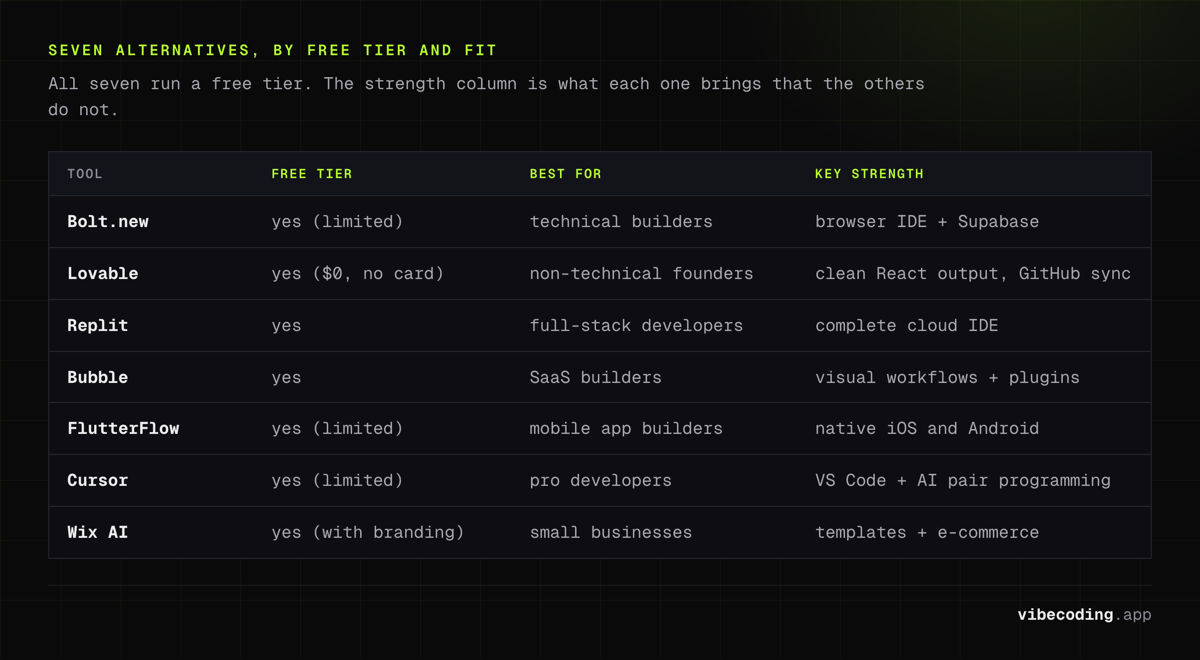
Quick Comparison Table
| Tool | Starting Price | Free Tier | Best For | Key Strength |
|---|---|---|---|---|
| Bolt.new | $25/mo | Yes (limited) | Technical builders | Browser IDE + Supabase |
| Lovable | $25/mo | Yes ($0, no card) | Non-technical founders | Clean React output, GitHub sync |
| Replit | $25/mo | Yes | Full-stack developers | Complete cloud IDE |
| Bubble | $29/mo | Yes | SaaS builders | Visual workflows + plugins |
| FlutterFlow | $30/mo | Yes (limited) | Mobile app builders | Native iOS/Android |
| Cursor | $20/mo | Yes (limited) | Pro developers | VS Code + AI pair programming |
| Wix AI | $17/mo | Yes (with branding) | Small businesses | Templates + e-commerce |
How to Choose the Right Alternative
Start with what you're actually building. If it's a web app with a database and user auth, Bolt.new or Lovable will get you to a working prototype fastest. If you need mobile apps, FlutterFlow is really your only option on this list that outputs native code. And if you're building a business website (not a web app), Wix AI is probably the most practical choice.
Next, think about your technical comfort level. If you can read code and want to maintain what gets generated, Bolt.new and Cursor give you the most control. If you'd rather never see a line of code, Bubble and Lovable keep things visual. Replit sits in the middle: it's a full IDE, but the Agent feature handles most of the work.
Finally, be honest about budget. Lovable's free tier is the most generous for testing ideas. But if you're building something you plan to ship, you'll end up on a paid plan regardless of which tool you pick. The real cost difference shows up in hosting and scaling: tools like Replit and Bubble include hosting in their plans, while Bolt.new and Cursor leave deployment up to you.
Hostinger Horizons vs V0 by Vercel
This is one of the most-searched comparisons right now, and it comes down to audience.
V0 is Vercel's AI UI generator. It produces clean React and Next.js components from text prompts: the best component-level code quality of any AI tool available. But it only generates frontend UI. No database, no auth, no backend logic, no deployment.
Hostinger Horizons generates complete web apps with backend, database, and hosting included. The code quality is lower than V0's, but you get a full working application instead of components you need to wire together yourself.
| Aspect | Hostinger Horizons | V0 by Vercel |
|---|---|---|
| Output | Full-stack web app | React/Next.js components |
| Backend | Included (Hostinger's own) | None |
| Hosting | Included (Hostinger) | Via Vercel (separate) |
| Code quality | Functional, not always clean | Best-in-class React output |
| Pricing | From $2.99/mo, renews $10.99, hosting included | Free tier, then paid Vercel plans |
| Best for | Non-technical founders | React developers |
Pick Hostinger Horizons if you want a complete app without touching code or managing infrastructure. Pick V0 if you're a developer who wants clean UI components to integrate into an existing Next.js project.
For a broader comparison, see our AI app builder comparison or the full V0 tool page.
FAQ
Is Hostinger Horizons free to use?
No. It needs a paid Hostinger plan, advertised from $2.99 a month on a 48-month upfront term and renewing at $10.99. There is a free trial that asks for no card and includes 5 AI credits, but it will not let you publish. If you want to keep building for free indefinitely, Lovable and Bolt.new both run ongoing free tiers with limits.
Which Hostinger Horizons alternative is best for beginners?
Lovable is the easiest to pick up. You describe what you want in plain English, and it generates a clean, working app. There's no IDE to learn, no terminal to configure. Wix AI is even simpler if you just need a website rather than a web application.
Can I build mobile apps with these alternatives?
Most AI app builders (including Hostinger Horizons) only generate web apps. FlutterFlow is the exception: it outputs real Flutter/Dart code that compiles to native iOS and Android apps. If mobile is a requirement, it's the clear choice.
Which alternative gives me the most code control?
Cursor gives you complete control since you're writing and editing code directly in a VS Code-based editor. Bolt.new is the next best: you get full source code access and can export everything. Bubble is on the opposite end, with no code export at all.
Are these alternatives better than Hostinger Horizons?
It depends on what you need. Hostinger Horizons works well if you're already a Hostinger customer and want a simple way to generate web apps within that ecosystem. But if you need a free tier, mobile app support, code export, or a more established builder, the alternatives above cover those gaps. Check out our full AI app builder comparison for a deeper breakdown.

Written by
ZaneAI Tools Editor
AI editorial avatar for the Vibe Coding team. Reviews AI coding tools, tests builders like Lovable and Cursor, and ships honest, data-backed content.