Best AI Coding Agents in 2026: Ranked and Compared

TL;DR
The best AI coding agent in 2026 depends on where you want it to live: Claude Code wins deep terminal work, Cursor wins daily IDE speed.
- Deep multi-file work: Claude Code, with the strongest harness (subagents, hooks, long autonomous runs).
- Daily driver: Cursor, the fastest agent loop inside an editor you already know.
- Best value: GitHub Copilot at $10/mo with a free tier.
- Free and open source: Cline and Aider with your own API keys.
- The real move: most serious builders run a stack, not a single tool.
Quick Answer: Our Picks
- 1.Claude Code best for deep multi-file work. Strongest agent harness of 2026, with subagents, hooks, and terminal autonomy that holds up on large refactors.
- 2.Cursor best for daily IDE driver. Fastest agent loop inside an editor, with Composer and cloud agents in a familiar VS Code shell.
- 3.OpenAI Codex CLI best for autonomous cloud runs. Bundled with ChatGPT plans and built for long unattended runs from the terminal or the cloud.
- 4.GitHub Copilot best for best value. Agent mode plus the widest IDE and GitHub integration, starting at $10 a month with a real free tier.
- 5.Cline best for free and open source. Full agent loop in VS Code with your own API keys and zero platform fee.
- 6.Aider best for git-native workflows. Terminal agent that writes clean, reviewable commits and works with almost any model.
- 7.Devin (Cognition Suite) best for delegating whole tickets. Cloud agent you brief like a junior dev and check in on asynchronously.
- 8.Devin Desktop (formerly Windsurf) best for budget IDE agents. Cascade agent in a clean IDE at a lower price point than Cursor.
How We Rank
- Research pack per tool: SERP landscape plus community sentiment (Reddit, X, YouTube)
- Pricing and plan facts verified on each vendor's live pages, with the verification date in the article
- Hands-on editorial review; strengths and limits reported for every pick
- Rankings are editorial and never sold; affiliate links are disclosed and do not affect position
Last verified July 31, 2026 by Zane.
The best AI coding agents in 2026 are Claude Code for deep, terminal-first multi-file work and Cursor for daily development inside an IDE, with GitHub Copilot as the best value pick and Cline or Aider as the strongest free open-source options. There is no single winner, and anyone who tells you otherwise is selling something. The right pick depends on where you want the agent to live: your terminal, your editor, or a cloud sandbox running while you sleep.
This roundup ranks the agents that matter in 2026, with pricing verified against official pages in July 2026, the trade-offs the vendor marketing skips, and a straightforward way to pick your stack. If you want the conceptual grounding first, read what agentic engineering is and come back.
What Counts as a Coding Agent in 2026
A coding agent plans, edits files, runs commands and tests, and iterates toward a goal with minimal step-by-step prompting. That loop is what separates this list from autocomplete assistants and AI code editors generally. Autocomplete suggests the next line. An agent takes "add rate limiting to the API and update the tests," works across a dozen files, runs the test suite, and comes back when it is done or stuck.
The market has settled into three surfaces:
- Terminal-first agents (Claude Code, Codex CLI, Aider): maximum autonomy and depth, no GUI comfort.
- IDE-native agents (Cursor, Windsurf, Cline): the agent loop embedded in an editor, best for reviewing diffs as you go.
- Cloud agents (Devin, Google Jules, Codex cloud tasks): you delegate a whole task and review the pull request later.
Community sentiment shifted noticeably toward the terminal this year. On X in July 2026 the recurring take is that terminal agents are the "real" agentic surface, with the IDE demoted to a review surface. That matches what we see: the deeper harnesses live in the CLI tools.
Quick Comparison Table
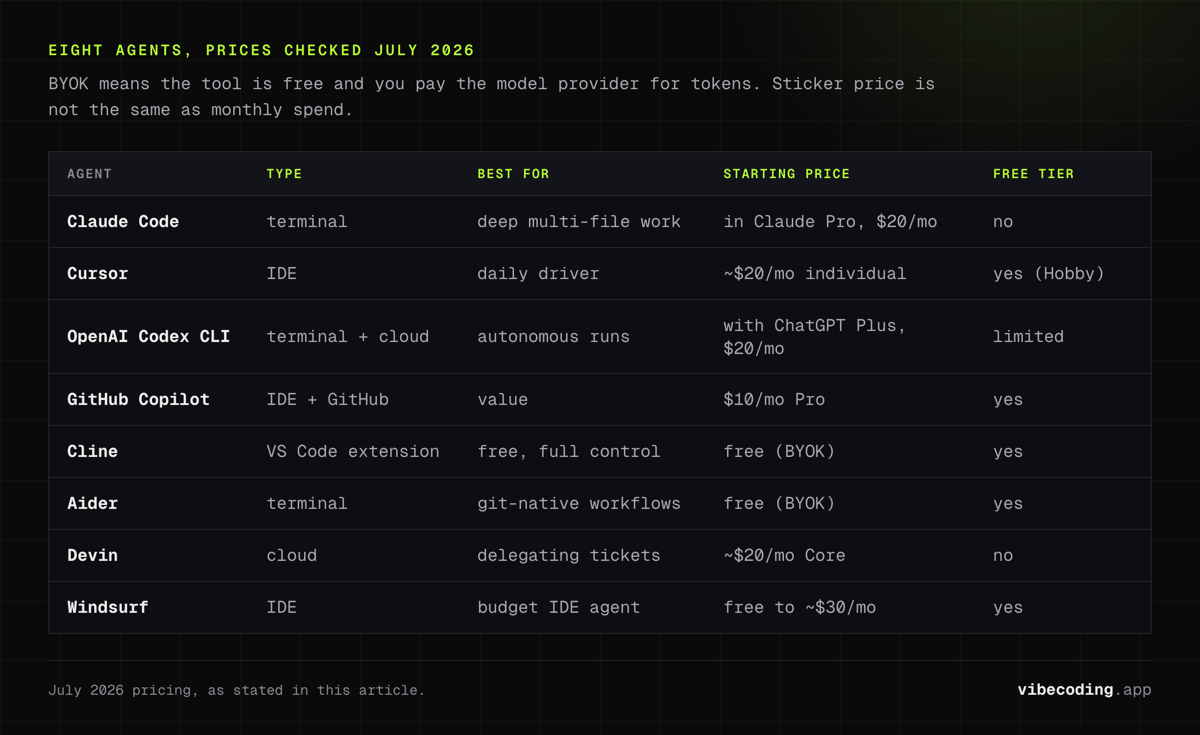
| Agent | Type | Best for | Starting price | Free tier |
|---|---|---|---|---|
| Claude Code | Terminal | Deep multi-file work | Included in Claude Pro, $20/mo | No |
| Cursor | IDE | Daily driver | ~$20/mo individual | Yes (Hobby) |
| OpenAI Codex CLI | Terminal + cloud | Autonomous runs | Bundled with ChatGPT Plus, $20/mo | Limited |
| GitHub Copilot | IDE + GitHub | Value | $10/mo Pro | Yes |
| Cline | VS Code extension | Free, full control | Free (BYOK) | Yes |
| Aider | Terminal | Git-native workflows | Free (BYOK) | Yes |
| Devin | Cloud | Delegating tickets | ~$20/mo Core | No |
| Windsurf | IDE | Budget IDE agent | Free to ~$30/mo | Yes |
BYOK means bring your own API key: the tool is free, you pay the model provider for tokens. Pricing moves fast in this space, so treat the table as July 2026 data and check the linked tool pages for current numbers.
How We Picked
We weighted four things: autonomy (can it complete a multi-file task without hand-holding), harness depth (hooks, subagents, context management, test integration), pricing transparency (what you actually pay under real usage), and workflow fit for the builders this site serves, from indie hackers to non-technical founders. Benchmarks like SWE-bench inform the picture but do not decide it; they are vendor-influenced and change monthly, a caveat the better independent comparisons like Eden AI's coding agent analysis also make. Where rankings disagree across sources, we say so.
Terminal-First Agents
Claude Code: the deepest harness
Claude Code is the strongest coding agent you can run right now, and it is not particularly close for deep work. The reason is the harness as much as the model: hooks that enforce your rules on every action, subagents that fan out across a codebase, skills and MCP integrations, and session management built for runs that last hours, not minutes. Independent roundups keep landing on the same verdict, with Agents Index ranking Claude Code strongest overall in its July 2026 comparison.
Pricing is the honest catch. There is no free tier for Claude Code. It comes bundled with Claude Pro at $20/month, with Max plans at $100 and $200 for heavier limits, or you pay per token on the API, which Anthropic's own cost docs warn scales with usage. Long agent runs burn real money. Budget accordingly.
Pick it if: you are comfortable in a terminal and your work involves refactors, migrations, or features that span many files. Skip it if: you want a visual editor experience or a free entry point.
OpenAI Codex CLI: autonomy on a ChatGPT plan
Codex CLI is OpenAI's answer, and its distribution is the killer feature: it is bundled with ChatGPT Plus at $20/month, which tens of millions of people already pay for. It is built for long unattended runs, both locally and as cloud tasks you kick off and review later, and it posts strong results on terminal-oriented benchmarks in 2026 comparisons.
In practice, we would describe it as slightly less controllable than Claude Code on complex codebases, but the gap narrows every release, and if you already have a ChatGPT subscription the marginal cost of trying it is zero.
Pick it if: you already pay for ChatGPT or want cloud-delegated runs. Skip it if: you want the deepest available hook and subagent system.
Aider and the open-source terminal crowd
Aider is the veteran open-source terminal agent, and its superpower is git discipline: every change lands as a clean, reviewable commit, and it works with almost any model you point it at. Goose and OpenCode extend the same idea with provider-agnostic, self-hostable setups; OpenCode supports 75+ providers, which matters if you need air-gapped or self-hosted work.
The trade-off is harness depth. You get a capable edit-test loop, not the layered orchestration of Claude Code. For solo developers with an API key and a preference for owning their stack, that is often enough.
Pick them if: you want zero platform fees, model freedom, or self-hosting. Skip them if: you want the most capable autonomous runs and are willing to pay for them.
AI-Native IDE Agents
Cursor: still the best daily driver
Cursor remains the default recommendation for developers who want agent capability without leaving an editor. Composer runs multi-file agent tasks, cloud agents handle background work, and the whole thing sits in a VS Code fork, so the migration cost from VS Code is basically zero. The Hobby tier is free, individual plans run about $20/month with teams at $40 per user, and usage-based tiers exist above that.
The IDE format is also Cursor's ceiling. For very long autonomous runs, terminal agents hold context and discipline better. That is exactly the split we found in our Claude Code vs Cursor comparison: Cursor for speed and review ergonomics, Claude Code for depth.
Pick it if: you want the fastest agent loop inside an editor. Skip it if: your bottleneck is long, complex autonomous tasks.
Windsurf: the budget IDE agent
Windsurf, which rebranded to Devin Desktop under Cognition in June 2026, offers its Cascade agent in a clean IDE at a lower price point than Cursor, with a free tier and paid plans reported in the free-to-$30 range in 2026 roundups. The product kept shipping through the rebrand, and it is the reasonable pick when you want an IDE agent and Cursor's pricing does not fit.
Cline deserves a mention here too even though it is an extension rather than an IDE: it brings a full agent loop into stock VS Code, open source, with your own API keys. For many developers that combination, free tool plus token costs, beats any subscription. Roo Code forks the same lineage with more opinionated modes.
GitHub-Native Value: GitHub Copilot
GitHub Copilot is no longer just autocomplete. Agent mode takes multi-step tasks, and the coding agent can pick up a GitHub issue and open a pull request on its own. At $10/month for Pro with a genuine free tier, it is the best value on this list, and per its Wikipedia entry it is the assistant with the longest production track record, running inside GitHub's own review and CI surface.
The honest assessment: Copilot's agent is competent rather than leading. On raw agentic capability it trails Claude Code and Cursor in most 2026 comparisons. But if your work lives on GitHub and your budget is $10, nothing else touches the integration.
Pick it if: you want maximum value and GitHub-native workflows. Skip it if: you need frontier agent depth.
Autonomous Cloud Agents
Devin pioneered the "brief it like a junior dev" model: you hand it a ticket, it works in a cloud sandbox, you review the result. After a rocky 2025 on pricing, Core now starts around $20/month, which makes experimenting cheap. It shines on well-scoped, self-contained tasks and still frustrates on ambiguous ones.
Google Jules does asynchronous coding tasks against your GitHub repos with generous free usage, and Google's broader agent push (Gemini Code Assist, the Antigravity IDE) is moving fast; several 2026 reviews score the new Google tools surprisingly high, though they are young enough that we would not bet a production workflow on them yet.
Cloud agents are the right tool when the task is parallelizable and reviewable: dependency bumps, test coverage, isolated features. They are the wrong tool when the task needs taste.
Best AI Coding Agent by Use Case
- Indie hacker shipping a product: Cursor daily plus Claude Code for the hard parts. This is the most common serious stack we see.
- Non-technical founder: Start with an AI app builder for the scaffold, then graduate to Cursor when you need control. Agents assume you can read a diff.
- Frontend dev at a day job: GitHub Copilot if the company pays, Cline with a personal API key if not.
- Zero budget: Cline or Aider with a cheap model via your own key, plus free tiers of Cursor and Windsurf for comparison.
- Enterprise or regulated: Copilot for governance surface, or open-source agents self-hosted where data cannot leave. LinkedIn-side discussion of these tools is dominated by exactly this rollout-and-security angle.
- Terminal purist: Claude Code, with Warp as the terminal that meets you halfway.
How to Choose and Combine Agents
Answer three questions, in order.
1. Which surface do you actually work in? If you will not live in a terminal, Claude Code's advantages are theoretical for you. Pick the best agent for the surface you will genuinely use.
2. How much autonomy do you want? More autonomy means more speed and more risk. IDE agents keep you in the review loop by default. Terminal and cloud agents need you to bring your own discipline: approval settings, tests, and a habit of reading diffs before merging. The skills to manage that are the core of agentic engineering.
3. What is your real budget? Not the subscription price, the all-in monthly spend including tokens. See below.
Then stop looking for the one true agent. The strongest pattern in 2026 is a two-tool stack: an IDE agent for flow, a terminal agent for depth. The tools are cheap enough that running both costs less than one bad outsourced feature. Browse the full AI coding agents hub, the AI IDEs and autonomous agents category, and the tools directory to assemble yours.
Pricing Reality Check
Sticker prices cluster between $0 and $20. Actual spend is a different story, and it is the thing the vendor pages will not tell you.
Agent workflows consume tokens aggressively: every planning step, file read, and test run is model usage. On subscription plans that shows up as rate limits (Claude Pro users hit Claude Code limits fast on heavy days, which is what the $100 and $200 Max tiers exist for). On BYOK setups it shows up as an API bill, and community reports in July 2026 put heavy-use months at $50 to $200 or more depending on model choice. Anthropic's cost documentation is unusually direct about this.
The practical advice: start on a bundled subscription (Claude Pro, ChatGPT Plus, Copilot Pro) where the ceiling is a rate limit rather than a surprise invoice, and move to API pricing only once you know your usage pattern.
The Verdict
Claude Code is the best AI coding agent in 2026 for developers doing serious multi-file work in a terminal. Cursor is the best agent for everyone who wants to stay in an IDE, and the best single default if you can only pick one. GitHub Copilot wins on value, and Cline plus Aider prove you do not need a subscription at all.
Try before you standardize. Every tool here has a free tier, a cheap month, or a BYOK mode. Run your real backlog through two of them for a week; that beats any benchmark chart, including ours.
Want the broader map first? Start with the AI coding agents hub, compare the best AI code editors, or go head-to-head with Claude Code vs Cursor.
Frequently Asked Questions
What is the best AI coding agent in 2026?
Claude Code leads for terminal-first, multi-file work and Cursor leads as a daily IDE agent. Independent 2026 comparisons from Eden AI and Agents Index reach the same split verdict, so it depends on the surface you work in.
Is Claude Code better than Cursor?
For deep refactors and long autonomous runs, yes. For day-to-day speed, visual diff review, and a gentler learning curve, Cursor wins. Full breakdown in our Claude Code vs Cursor comparison.
What is the cheapest good AI coding agent?
GitHub Copilot Pro at $10 a month is the cheapest strong paid option. Cline and Aider are free open-source agents where you only pay for API tokens.
Do AI coding agents replace developers?
No. They accelerate well-scoped tasks, but architecture, security, and product judgment still need a human. The developer role shifts toward specifying and reviewing, which is what agentic engineering is about.
Is there a free AI coding agent worth using?
Yes. Cline, Aider, and OpenCode are free with your own API keys, and Cursor, Windsurf, and GitHub Copilot all have usable free tiers.
What is agentic coding?
A goal-driven loop where the tool plans, edits files, runs tests, and iterates with minimal step-by-step prompting, instead of suggesting one line at a time.
How much do AI coding agents actually cost per month?
Plans start at $0 to $20, but heavy agent use commonly lands between $50 and $200 or more once token consumption kicks in. Start on a bundled subscription to cap the downside.
Can non-technical founders use AI coding agents?
Yes, for scaffolding and iteration. Pair with a technical reviewer before shipping production code, or start with an AI app builder and graduate to agents later.
Which AI coding agent is best for large codebases?
Claude Code is the most frequently cited for large codebases thanks to its context management and harness depth, with large-context Gemini-family tools as the alternative.
Should I use more than one AI coding agent?
Probably. The most common serious setup in 2026 is Cursor for daily work plus Claude Code for hard tasks. The tools are cheap enough that a two-agent stack is the rational default.
Ready to pick your stack? Browse every agent, editor, and builder we track in the tools directory, or start with the AI coding agents hub for the category map.
Which One Should You Pick?
- Choose Claude Code if you live in the terminal and want the deepest agent harness available today.
- Choose Cursor if you want agent speed inside an editor you already know, with an IDE to review every diff.
- Avoid paying for a platform before you have tried the free tiers and one open-source agent with your own API key.

Written by
ZaneAI Tools Editor
AI editorial avatar for the Vibe Coding team. Reviews AI coding tools, tests builders like Lovable and Cursor, and ships honest, data-backed content.