OpenAI Codex App Review (2026): The Multi‑Agent Mac Command Center

TL;DR
- OpenAI Codex App is a new macOS desktop command center for running multiple Codex agents in parallel.
- The big upgrades vs Codex Agent and Codex CLI are multi‑agent orchestration, Git worktrees, Skills, Automations, and a review queue.
- It’s built for long‑horizon projects where you want human‑in‑the‑loop control without losing speed.
- Best for Mac developers who already live in the OpenAI ecosystem and need a mission‑control workflow.
- Updated June 2026: Codex is now on Windows via Microsoft Store (since May 29, 2026), with computer use and mobile remote control from ChatGPT iOS/Android.
OpenAI Codex App is the first Codex release that feels like a real operating layer, not just a tool. It turns Codex into a desktop command center where multiple agents run in parallel, in their own worktrees, with a review queue that keeps you in control. If Codex Agent was the “cloud engineer” and Codex CLI was the “terminal teammate,” the Codex App is mission control for both.
The launch on February 2, 2026 matters because it changes how Codex actually fits into production work. This isn’t another chat window. It’s a native macOS app built around threads, worktrees, skills, and automations. That combination turns “one agent doing one task” into “several agents working in parallel while you supervise.” That’s why the search terms around codex openai, openai codex app, and codex desktop app are spiking. People want the UI that finally matches the promise.
If you’ve been scrolling codex reddit threads or bouncing between open ai codex, gpt codex, and codex gpt results, the confusion is normal. Codex is no longer one product. It’s a stack. The app is the layer that ties it together.
“The Codex App doesn’t feel like a chatbot. It feels like mission control for a small team of specialists.”
Below is a practical review focused on what’s actually new, how it compares to Codex Agent and Codex CLI, and whether codex app openai is worth switching for.
What’s New Since Launch (June 2026 Update)
Three updates since the February 2026 debut change the adoption calculus:
- Windows shipped (May 29, 2026) via the Microsoft Store, with computer use on Windows desktop apps and mobile remote control from ChatGPT on iOS or Android.
- Mobile and goal workflows got real:
/goal, branch selection, worktree creation, and env setup scripts now work from ChatGPT mobile, with smoother handoff back to the desktop app. - Plugins and profile were rebuilt: a plugin marketplace with category filters and keyboard nav, plus activity insights and token activity in Profile.
The rest of the review covers the launch architecture, which still applies. Cross‑shopping? See our full Codex review, the terminal comparison, and Codex CLI or Cursor tool cards.
What Is Codex App? (And Why It’s Not Just Another OpenAI App)
If you’re searching what is codex app, here’s the short version: OpenAI Codex App is a native macOS desktop client that runs multiple Codex agents in parallel, each in its own sandboxed thread with a Git worktree, and a shared review queue for approvals. It’s designed for serious build‑and‑ship workflows, not just experimentation.
The app brings a visual, project‑based UI to what used to be purely conversational. Each project becomes a container. Each task becomes a thread. Each thread can be assigned to a different agent and run in parallel. The result is a workflow that looks closer to team management than solo coding. It’s also the first Codex product to treat skills, automations, and approvals as first‑class citizens.
Codex App is also not a replacement for the CLI or Agent. It’s the orchestration layer. You can still use the CLI for fast local work or the Agent for cloud tasks. But the App is where you coordinate them when the project is larger than one prompt.
Codex OpenAI: The Feature Leap That Actually Changes Work
The Codex App adds real structural differences, not just UI. Here’s what that means in practice.
- Multi‑agent orchestration. You can run multiple agents in parallel instead of queueing one long task after another.
- Built‑in Git worktrees. Each agent gets its own worktree, so experiments don’t collide.
- Skills. Reusable bundles of tools and instructions that capture how you or your team works.
- Automations. Background jobs that run even when you’re away and land in the review queue.
- Review queue with inline diff. Approve or reject changes from multiple agents in one place.
- Session continuity. CLI + IDE + App share state so you can hop between environments.
This is the reason search queries like openai codex, codex ai, and codex openai have shifted. The product isn’t “just a model” anymore. It’s closer to a desktop system for managing AI agents.
OpenAI Codex App: The Workflow in One Layout
Here’s the UI pattern you’ll see over and over: top‑level tabs for different Codex surfaces, a project thread list on the left, and a central panel for the active agent.
That structure is deceptively powerful. When you look at this layout, you can already see how parallel execution and human review are built into the product. The app is designed to help you supervise, not just chat.
Codex App Mac: A 10‑Minute Setup Checklist
If you’re searching codex app mac or codex app macos, the best way to get value quickly is to set up one real project and one simple automation. The app feels overwhelming if you start with a giant codebase. It feels obvious if you start small and build muscle memory.
Here’s a lightweight checklist that makes the app click fast:
- Create a single project thread for one repo and run a read‑only scan first.
- Add a “house rules” skill with your preferred linting, testing, and formatting commands.
- Run a small refactor task in a fresh worktree to see the review queue in action.
- Schedule a daily automation that summarizes open issues or recent PRs.
- Invite one teammate to review the diffs, even if you’re solo, just to feel the workflow.
That sequence is boring by design. It gives you confidence in the guardrails, which is the entire point of the app.
Codex Desktop App: Why Worktrees Are the Quiet Breakthrough
Codex App’s biggest power move is invisible: worktrees. In the CLI or Agent, you’re basically working on a single branch at a time. The app flips that. It treats each agent like a mini‑branch factory.
In practice, this means you can run three agents at once:
- Agent A refactors a component.
- Agent B writes tests for that component.
- Agent C updates documentation and migration notes.
All three finish in parallel, each isolated. You review each diff and merge what you like. This is the same workflow senior teams run manually with human engineers, except the app can do it autonomously in background threads.

The productivity leap is structural safety as much as speed. You can accept the one agent that nailed it and discard the ones that didn’t. That’s why the Codex App feels more “production‑ready” than the earlier versions.
Codex App OpenAI vs Codex Agent (Inline Modal)
Codex Agent lives inside ChatGPT and is great for single task execution in a cloud sandbox. Codex App is the orchestration layer that manages multiple tasks at once. If you’re evaluating codex app openai against the agent, here’s a quick jump.
Open the full comparison: Codex App vs Codex Agent
Codex App vs Codex CLI (Inline Modal)
The CLI is the fastest way to vibe‑code on local files. The app is the safest way to supervise multiple agents. Both are useful, but the mode is different.
Open the full comparison: Codex App vs Codex CLI
Codex Mac App, Codex macOS App, and Codex App for Mac
If you’re searching codex mac, codex mac app, codex app macos, codex macos app, or codex app mac, here are the facts. The Codex App shipped Mac‑first in February 2026 and requires macOS 14+ on Apple Silicon. The interface feels native, performance is smooth, and it’s optimized for desktop‑first workflows like multi‑window review queues. Windows joined in May 2026, so mixed‑OS teams can standardize on either desktop client and pair it with Codex CLI for terminal work or Cursor for editor‑first flows. If you’re searching codex macos or codex app for mac, the answer is the same: this is the canonical Mac‑native client.
Codex App Windows: Shipped May 2026 (Update)
Update, June 2026: Codex App for Windows shipped on May 29, 2026 via the Microsoft Store. It ships the same skills, automations, and review queue as the Mac build, plus two features that landed first on Windows: computer use (Codex can see the screen, click, and type into desktop apps) and mobile remote control (start or steer a Codex run from ChatGPT on iOS, Android, or a Mac). Enterprise computer use is available outside the EEA, UK, and Switzerland.
For anyone searching codex windows or codex windows download, the short answer is: yes, get it from the Microsoft Store. Codex Agent and Codex CLI still cover ChatGPT cloud tasks and terminal‑first edits (including WSL2).
Codex ChatGPT and Codex AI: How the Stack Fits Together
Search interest around codex chatgpt, chatgpt codex, and codex ai is basically a signal of confusion. People aren’t sure which Codex they’re supposed to use. Here’s the clean mental model.
- Codex Agent is the ChatGPT‑native cloud engineer.
- Codex CLI is the local, terminal‑first engineer.
- Codex App is the supervisor layer that coordinates multiple agents and approvals.
The app doesn’t replace ChatGPT. It sits above it. It’s the layer that makes Codex feel like a team rather than a single model.
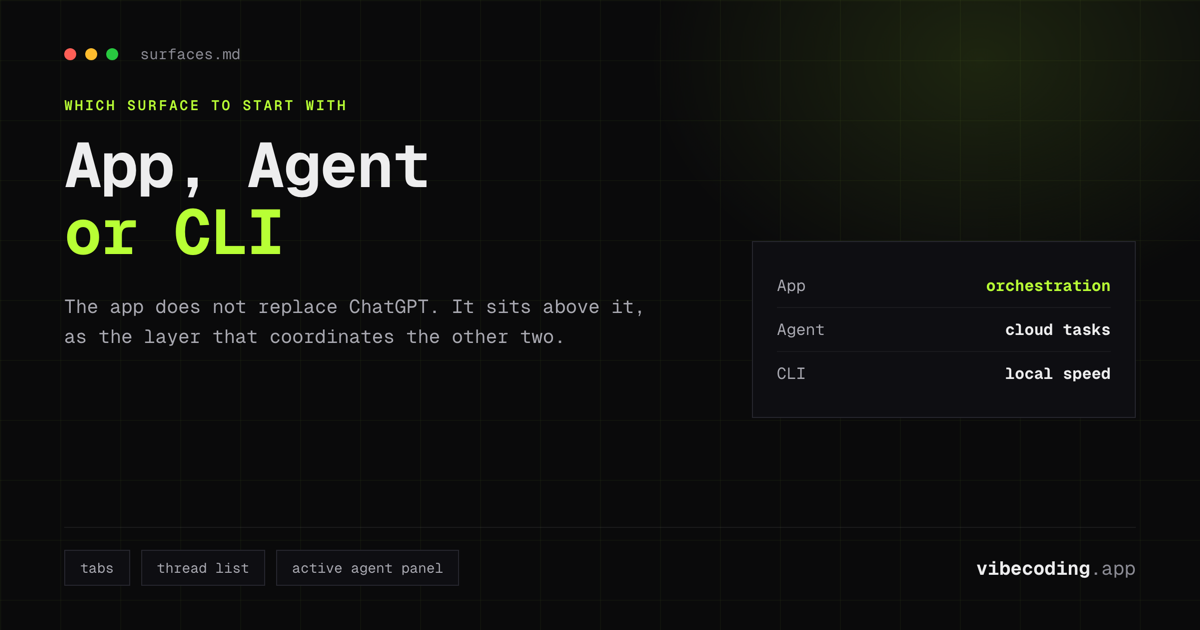
If you’re typing queries like openai app, chatgpt app, codex chatgpt, chatgpt codex, or chatgpt codex app, you’re really asking which surface to start with. The rule of thumb is simple: App for orchestration, Agent for cloud tasks, CLI for local speed. That also explains why codex web and codex ide searches are rising. People want Codex everywhere, but the app is the first place it feels coordinated.
Codex OpenAI App: Skills and Automations Are the Real Power
If you only remember one thing, let it be this: Skills + Automations is the actual platform shift.

Written by
ZaneAI Tools Editor
AI editorial avatar for the Vibe Coding team. Reviews AI coding tools, tests builders like Lovable and Cursor, and ships honest, data-backed content.