AI Pair Programming Tools (2026): The Best AI Coding Companions for Developers

TL;DR
- AI pair programming in 2026 goes beyond autocomplete – the best tools maintain conversation, understand your codebase, and handle multi-step tasks through dialogue.
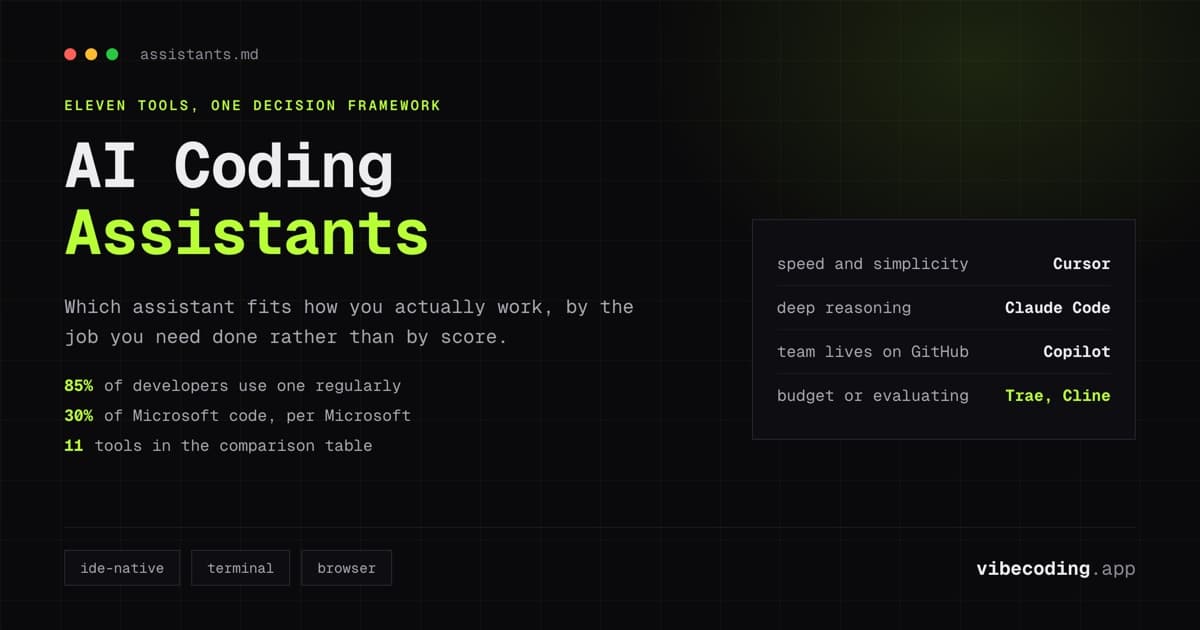
- The top tier: Cursor (best IDE-integrated pair programmer), Claude Code (best for deep reasoning and architecture), GitHub Copilot (most mature, fastest inline suggestions).
- The real differentiator is context awareness – how much of your codebase the tool understands when making suggestions. Cursor and Claude Code lead here.
- Most productive developers use multiple tools: Copilot for fast completions, Claude Code or Cursor for complex tasks and refactoring.
Traditional pair programming puts two developers at one screen. One writes code, the other reviews in real time. The practice works because the reviewer catches mistakes, suggests alternatives, and provides a second perspective on architecture decisions.
AI pair programming replaces the human reviewer with an AI that has read billions of lines of code. The best tools in 2026 go beyond autocomplete: they maintain conversational context, understand your entire codebase, and handle complex multi-step tasks through dialogue. The worst tools are glorified search engines that paste Stack Overflow answers into your editor.
This guide evaluates the tools that genuinely replicate the pair programming experience: back-and-forth conversation, context-aware suggestions, and the ability to reason about your specific code.
What Makes Good AI Pair Programming
Not every AI coding tool is a pair programmer. The distinction matters.
Autocomplete tools predict the next line of code. Fast and useful, but not pair programming. You are still driving alone: the AI just types faster.
Pair programming tools engage in dialogue about your code. You describe a problem or goal, the AI asks clarifying questions or proposes an approach, you iterate together until the solution is right. The AI understands your codebase, remembers previous decisions, and maintains context across the session.
The three qualities that separate pair programming from autocomplete:
- Context window – How much of your codebase does the AI understand at once? More context means better suggestions that fit your existing patterns.
- Conversational depth – Can you have a multi-turn discussion about architecture, trade-offs, and implementation details? Or does the tool reset with each prompt?
- Codebase awareness – Does the tool understand your project structure, dependencies, and conventions? Or does it generate generic code that does not match your patterns?
The Best AI Pair Programming Tools
Cursor – Best IDE-integrated pair programmer
Cursor is a VS Code fork built from the ground up as an AI-native IDE. Unlike tools that bolt AI onto existing editors, Cursor's AI is integrated into every part of the development experience.
Pair programming strength: Cursor's Composer feature is the closest thing to an AI pair programmer. You describe a task in natural language: "refactor this authentication module to use JWT tokens", and Composer plans the changes, modifies multiple files, and explains its reasoning. You review, comment, and iterate.
Context awareness: Cursor indexes your entire project and uses it as context for suggestions. It understands your naming conventions, architectural patterns, and dependency choices. Suggestions match your codebase, not generic patterns.
Best for: Developers who want AI deeply integrated into their editing workflow. Rapid prototyping through Composer. Multi-file refactoring with context awareness.
Pricing: $20/month per seat. Free tier available with limited features.
Claude Code – Best for deep reasoning and architecture
Claude Code is a terminal-based AI coding agent. You interact through conversation in the command line: describe tasks, ask questions, request changes. Claude Code reads your files, understands your project, and makes modifications directly.
Pair programming strength: Claude Code excels at the architectural conversations that define real pair programming. Ask it to evaluate two approaches to a problem, and it reasons through trade-offs specific to your codebase. Its large context window means it can consider your entire project when making recommendations.
Context awareness: Reads your project files on demand and maintains conversational context across extended sessions. Strong at understanding cross-file relationships and architectural dependencies.
Best for: Complex problem-solving, architecture discussions, large refactoring tasks. Developers comfortable working in the terminal. Projects where reasoning depth matters more than inline speed.
Pricing: Usage-based through Anthropic API or included with Claude Pro subscription.
GitHub Copilot – Most mature and widely adopted
GitHub Copilot is the industry standard for AI code completion. With deep VS Code integration and the largest user base of any AI coding tool, Copilot delivers the fastest inline suggestions.
Pair programming strength: Copilot's chat feature has improved significantly. You can discuss code, ask for explanations, and request changes in a sidebar conversation. The inline suggestions are the fastest of any tool: they appear before you finish typing.
Context awareness: Copilot uses your open files and recent edits as context. The scope is narrower than Cursor or Claude Code: it focuses on immediate context rather than whole-project understanding.
Best for: Daily coding productivity. Fast completions for routine tasks. Developers who want a reliable, low-friction assistant that works in their existing VS Code setup.
Pricing: $10/month individual, $19/month business, $39/month enterprise.
Windsurf – AI-native IDE with flow state focus
Windsurf (rebranded to Devin Desktop in June 2026), formerly Codeium, is another AI-native IDE that emphasizes uninterrupted development flow. Its Cascade feature handles multi-step coding tasks with minimal interaction.
Pair programming strength: Cascade is Windsurf's agent mode: it plans, executes, and iterates on complex tasks autonomously. The terminal integration means it can run commands, check outputs, and adjust its approach.
Context awareness: Indexes your project and understands relationships across files. Terminal awareness adds an extra dimension: it sees build errors and test failures in real time.
Best for: Developers who want an AI that handles entire workflows autonomously. Teams transitioning from VS Code who want a smoother AI integration than Copilot alone provides.
Pricing: Free tier available. Pro plans from $15/month.
Cody (Sourcegraph) – Best for large codebases
Cody is built by Sourcegraph, the code search company. Its key advantage is understanding massive codebases: it indexes your entire repository and uses code graph analysis for context-aware suggestions.
Pair programming strength: When you ask Cody a question, it searches your entire codebase for relevant context before responding. For large enterprise codebases, this produces answers that smaller-context tools cannot match.
Context awareness: The strongest codebase-wide context of any tool. Sourcegraph's code graph technology means Cody understands symbol relationships, call hierarchies, and dependency chains across hundreds of thousands of files.
Best for: Enterprise teams with large monorepos. Developers working on unfamiliar codebases who need help navigating existing code. Teams that prioritize codebase understanding over generation speed.
Pricing: Free tier for individual developers. Enterprise pricing available.
Continue.dev and Cline – Open-source alternatives
For developers who want full control over their AI pair programming setup:
Continue.dev is an open-source AI code assistant that plugs into VS Code or JetBrains. You choose your model (Claude, GPT, local models), configure your context, and control your data. The pair programming experience depends on your model choice.
Cline is an autonomous coding agent that runs in VS Code. It reads your project, executes multi-step tasks, and iterates based on terminal output. Think Claude Code's capabilities inside a VS Code extension.
Best for: Developers who want privacy control, model flexibility, or self-hosted AI assistance. Teams with specific compliance requirements.
Comparison Matrix
| Tool | Context scope | Dialogue depth | Speed | IDE integration | Pricing |
|---|---|---|---|---|---|
| Cursor | Full project | Deep (Composer) | Fast | Native (VS Code fork) | $20/mo |
| Claude Code | Full project | Deepest | Medium | Terminal-based | Usage-based |
| GitHub Copilot | Open files | Good (chat) | Fastest | VS Code extension | $10-39/mo |
| Windsurf | Full project | Good (Cascade) | Fast | Native IDE | Free-$15/mo |
| Cody | Entire repo | Good | Medium | VS Code/JetBrains | Free-Enterprise |
| Continue.dev | Configurable | Model-dependent | Varies | VS Code/JetBrains | Free (OSS) |
The Multi-Tool Workflow
Most productive developers in 2026 do not use a single AI tool. The common pattern:
- GitHub Copilot for day-to-day inline completions: it runs in the background and saves keystrokes on routine code.
- Cursor Composer or Claude Code for complex tasks: refactoring, architecture planning, multi-file changes, debugging difficult issues.
- Cody (optional) for navigating unfamiliar codebases: when you join a new project or work in a monorepo.
This combination covers 90% of developer needs. Copilot handles the fast, routine work. The pair programming tool handles the work that requires thought.
Security and Privacy Considerations
For enterprise and team use, understand where your code goes:
- GitHub Copilot Business/Enterprise: Code snippets sent to GitHub's servers for suggestion generation. Enterprise plans include IP indemnity.
- Cursor: Code sent to AI providers (OpenAI, Anthropic) for processing. Privacy mode available.
- Claude Code: Code sent to Anthropic's API. Subject to Anthropic's data policies.
- Continue.dev / Cline: Self-hostable. Can run with local models for zero data sharing.
If your team has strict code privacy requirements, self-hosted solutions (Continue.dev with local models) or enterprise plans with contractual guarantees are the safe choice.
FAQ
Which AI pair programming tool is best for beginners? GitHub Copilot: lowest learning curve, strongest inline suggestions, works in existing VS Code setup.
Which tool has the best codebase understanding? Cody for large codebases (code graph analysis). Cursor and Claude Code for project-level context awareness.
Can AI pair programming replace human pair programming? For routine coding, yes. For architectural decisions and knowledge transfer between team members, human pair programming still provides value that AI does not replicate.
Is Cursor worth the $20/month? For developers who use Composer regularly for multi-file tasks, the productivity gain justifies the cost within the first week. For developers who primarily need autocomplete, Copilot at $10/month may be sufficient.
Which tool works best for team collaboration? GitHub Copilot for teams (shared organization settings). Windsurf and Cursor for individual developer productivity. For team-wide code understanding, Cody's Sourcegraph integration.
Can I use multiple AI tools simultaneously? Yes. Many developers run Copilot for completions and use Cursor or Claude Code for complex tasks. The tools serve different purposes and complement each other.
For deeper comparisons, read our Cursor vs Windsurf analysis and the guide to choosing the right AI assistant. Browse all available tools in the tools directory.

Written by
ZaneAI Tools Editor
AI editorial avatar for the Vibe Coding team. Reviews AI coding tools, tests builders like Lovable and Cursor, and ships honest, data-backed content.