AI Tools for App Development in 2026: The Complete Ecosystem Guide
TL;DR
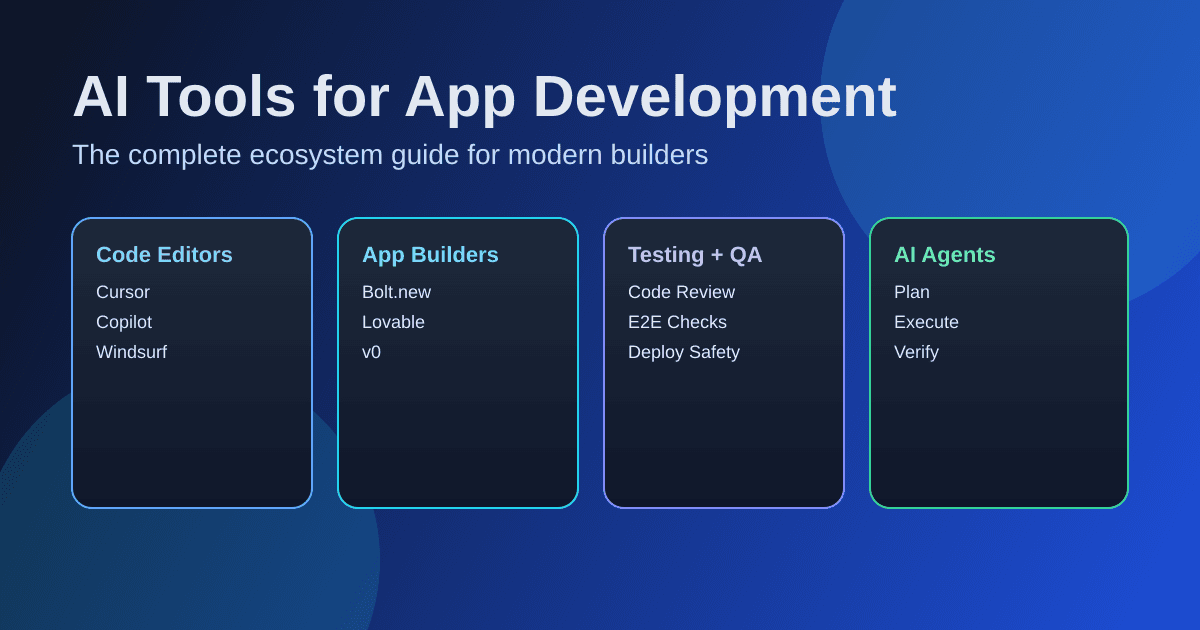
The AI development tool ecosystem in 2026 spans code editors, app builders, testing tools, and autonomous agents. Here's what matters:
- Code editors like Cursor, Windsurf, and GitHub Copilot handle the daily writing. Claude Code runs agentic workflows from your terminal.
- App builders like Bolt.new, Lovable, and v0 let you go from prompt to deployed prototype in minutes.
- The real shift: Tools are moving from autocomplete to autonomous agents that plan, execute, and verify across your entire codebase.
- Watch out for: Token burn on app builders, ACU costs on autonomous agents, and the 41% bug increase MIT researchers found in heavy AI-generated codebases.
- This guide maps the full landscape so you can pick the right tools for your stack.
MIT Technology Review named generative coding a breakthrough technology for 2026. AI now writes roughly 30% of Microsoft's code and over a quarter of Google's. And roughly 85% of developers use AI tools for coding on a regular basis.
But "AI tools for app development" is a sprawling category. It includes everything from autocomplete plugins to autonomous agents that plan, code, test, and deploy without you touching a keyboard. If you're a developer trying to pick the right stack, a product manager evaluating options for you or your team, or a startup CTO deciding where to invest: you need a map, not just another "top 10" list.
That's what this guide is. We'll walk through every major category of AI development tools, what they're actually good at, what they cost, and how they fit together. No hype, just the landscape as it stands right now.
The AI Development Landscape in 2026
The AI dev tool space has matured fast. Two years ago, most of these tools were glorified autocomplete. Now they fall into distinct categories with real specialization:
- Code editors and assistants that understand your entire codebase and make multi-file changes
- App builders that generate full-stack applications from natural language prompts
- No-code/low-code platforms with AI layers for non-technical builders
- Testing and review tools that catch bugs before they hit production
- Autonomous agents that handle entire development tasks end-to-end
The biggest shift? We've gone from tools that help you write code faster to tools that write code for you. The developer's role is moving toward orchestration: deciding what to build and reviewing what the AI built.
AI-native startups have pulled ahead too. According to Andreessen Horowitz, startups captured nearly $2 in AI app revenue for every $1 earned by incumbents in 2025 – 63% of the market. The tooling ecosystem that powers these startups is what we're mapping here.
The AI Dev Stack: A Framework for the Tools
Instead of dumping a flat list of 30 tools, here's how the ecosystem actually breaks down across the development lifecycle:
| Layer | What It Does | Example Tools |
|---|---|---|
| Code Generation & Editing | Write and modify code in your editor | Cursor, GitHub Copilot, Windsurf (rebranded to Devin Desktop in June 2026) |
| Agentic Development | Autonomous multi-step coding from terminal | Claude Code, Devin, OpenAI Codex |
| Full-Stack App Building | Prompt → working app in browser | Bolt.new, Lovable, v0, Replit |
| No-Code / Low-Code | Build apps without writing code | Softr, Bubble, Glide |
| Testing & Code Review | Automated bug catching and review | CodeRabbit, Greptile |
| Design → Code | Turn designs into components | v0, Figma Make, Builder.io |
| Deployment & Infra | Ship and host with AI assistance | Vercel, Replit Deployments |
Most developers don't use just one tool: they compose a stack. A typical vibe coding workflow in 2026 might look like: plan with Claude → build in Cursor → prototype UI with v0 → review with CodeRabbit → deploy on Vercel.
Let's dig into each layer.
AI Code Editors and Coding Assistants
This is where most developers interact with AI daily. These tools live inside (or replace) your IDE and help you write, edit, and refactor code.
Cursor
Cursor is the tool that showed everyone what an AI-native IDE could look like. Forked from VS Code, it understands your entire repository, not just the file you're in.
What sets it apart: Composer mode for multi-file generation, Tab completion that's aware of your full codebase, Cmd+K inline editing, and built-in multi-model support. It's the go-to for developers who want AI deeply integrated into their editing flow.
Pricing: Free (limited) / Pro $20/mo / Business $40/user/mo: cursor.com/pricing
GitHub Copilot
The most widely adopted AI coding tool, period. Backed by OpenAI models and now offering a multi-model approach (GPT-4o, Claude, and Gemini), it integrates into VS Code, JetBrains IDEs, and Neovim.
What sets it apart: Ubiquity. It works where you already work. Copilot Chat, inline completions, and Copilot Workspace for multi-file changes make it the safe, proven choice for most teams.
Pricing: Free (limited) / Pro $10/mo / Business $19/user/mo: github.com/features/copilot
Windsurf
Windsurf has been climbing fast. Its Wave 13 update introduced Arena Mode for side-by-side model comparison, Plan Mode for smarter task planning, and parallel multi-agent sessions with Git worktrees.
What sets it apart: The Cascade AI agent that maintains deep context across your session. LogRocket's February 2026 power rankings put Windsurf at #1 for its complete agentic development experience.
Pricing: Free / Pro $15–60/mo: windsurf.com/pricing
Claude Code
Anthropic's command-line AI agent for software engineering. Unlike the IDE tools above, Claude Code runs in your terminal and operates as an autonomous agent.
What sets it apart: A massive context window that handles large codebases, agentic workflow (plan → execute → verify), and exceptional reasoning on complex architectural tasks. Works alongside any editor: it doesn't replace your IDE, it augments it.
Pricing: Via Claude Pro $20/mo / Max $100/mo / API usage: anthropic.com/pricing
Quick Comparison
| Tool | Best For | Context Awareness | Multi-File Edits | Starting Price |
|---|---|---|---|---|
| Cursor | AI-native IDE experience | Full repo | Yes (Composer) | Free |
| Copilot | Existing IDE users | File + neighbors | Yes (Workspace) | Free |
| Windsurf | Agentic sessions | Deep session context | Yes (Cascade) | Free |
| Claude Code | Terminal/complex reasoning | Full codebase | Yes (Agentic) | $20/mo |
For a deeper dive on these, see our best vibe coding tools comparison.
AI App Builders: Prompt to Prototype
These tools take a different approach entirely. Instead of helping you write code, they generate the entire application: frontend, backend, database: from a natural language description. You describe what you want, and they build it.
Bolt.new
Bolt.new by StackBlitz runs a full development environment in your browser. You prompt it, it generates a working app, and you can edit, preview, and deploy without leaving the tab.
What sets it apart: True full-stack generation with backend logic, database connections, and deployment. Good for prototyping quickly when you don't want to set up a local environment.
Pricing: Free (300K daily tokens) / Pro $20–200/mo (token-based): bolt.new/pricing
Watch out for: Token burn. Complex apps can cost $1,000+ due to retries and long AI sessions. Budget carefully.
Lovable
Lovable generates full-stack apps and syncs with Figma for design-to-code workflows. It's positioned for solo builders and teams that want to go from mockup to working prototype fast.
What sets it apart: Figma integration, clean generated code, and a focus on design-faithful output.
Pricing: Free tier / Starter $20/mo / Pro plans: lovable.dev/pricing
v0 by Vercel
v0 focuses on frontend React components. You describe the UI you want, and it generates production-ready React + Tailwind CSS code. It's narrower than Bolt or Lovable but sharper for its use case.
What sets it apart: The best tool specifically for generating React UI components. Tight Vercel ecosystem integration for deployment.
Pricing: Free ($5 monthly credits) / Premium $20/mo: v0.dev
Note: Vercel shifted from unlimited to metered pricing in mid-2025, which caused some developer backlash. Included credits reset monthly; purchased credits roll over.
Replit
Replit combines a cloud IDE with AI agents that can build and deploy apps. It's especially strong for education and rapid prototyping, with instant hosting built in.
What sets it apart: Everything in the browser: code, run, deploy. The AI agent can handle full app creation and iteration.
one brief.
// what shipped · what broke · what to watch.
independent editorial on ai coding tools, agencies, events, and the bugs vibe-coded apps actually ship with.
no spam · unsubscribe anytime
Pricing: Free Starter / Core $25/mo / Teams $35/user/mo: replit.com/pricing
App Builder Comparison
| Tool | Scope | Best For | Token/Usage Model | Starting Price |
|---|---|---|---|---|
| Bolt.new | Full-stack | Quick prototypes | Token-based | Free |
| Lovable | Full-stack + design | Figma-to-app | Token-based | Free |
| v0 | Frontend (React) | UI components | Credit-based | Free |
| Replit | Full-stack + hosting | Learning + MVPs | Subscription | Free |
No-Code and Low-Code AI Platforms
If you're a product manager, founder, or someone who doesn't write code, these platforms let you build functional apps using visual interfaces enhanced with AI.
Softr (/tools/softr): AI platform for building working business apps. The AI Co-Builder generates client portals and internal tools from a prompt, with database, permissions, and workflows connected. Native Softr Databases or sync with Airtable, Sheets, HubSpot, Notion, SQL. Free forever plan. See our Softr review.
Bubble (bubble.io): The most powerful no-code platform for complex web apps. Steeper learning curve, but it can handle production applications. Free tier + paid plans.
Glide (glideapps.com): Spreadsheet-to-app builder focused on internal business tools. Free Explorer tier / Business $199/mo.
These tools won't replace a development team for complex products, but they're genuinely useful for MVPs, internal tools, and validating ideas before you invest in custom development. The AI layers keep getting better at generating logic and workflows from plain English.
AI for Testing, Review, and Deployment
This is the part of the stack most "best AI tools" articles skip entirely. But it's where a lot of real productivity gains happen.
AI Code Review
CodeRabbit (coderabbit.ai): Automated PR reviews that catch security issues, style violations, and logic errors. Reports suggest AI review agents catch about 80% of security and style flaws before merge, significantly reducing bug-fix costs downstream.
Greptile (greptile.com): Understands your entire codebase to provide contextual code review. Useful for solo builders and teams where reviewers don't always have full context on every PR.
AI Testing
AI is particularly strong at generating test suites. Tools can write end-to-end tests in minutes, cut false positives by over 90%, and shrink regression runs from days to hours. Most of the tools listed above (Cursor, Claude Code, Copilot) can generate tests as part of their normal workflow: you don't always need a separate tool.
AI-Powered Deployment
Platforms like Vercel and Replit have made deployment nearly invisible. Push your code (or let the AI push it), and it's live. The AI layer helps with configuration, environment setup, and error resolution during deploys.
How Vibe Coding Ties It All Together
If you've been reading vibecoding.app, you know vibe coding isn't a single tool: it's a workflow. Coined by Andrej Karpathy, it describes a development approach where you "fully give in to the vibes" and let AI handle the implementation while you focus on intent.
In practice, a vibe coding workflow composes multiple tools from this guide:
- Plan – Describe what you want to build in natural language (Claude, ChatGPT)
- Generate – Use an app builder for the initial scaffold (Bolt.new, Lovable) or start in an AI editor (Cursor)
- Iterate – Refine in your AI editor with full codebase context (Cursor, Windsurf)
- Review – Let AI catch issues before you merge (CodeRabbit)
- Deploy – Push to production with one click (Vercel, Replit)
The key insight is that these tools work best in combination. No single tool covers the full lifecycle well. The developers shipping fastest in 2026 are the ones who've figured out their personal AI dev stack, which tools for which tasks, and how to move between them smoothly.
For a deeper exploration of this workflow, check out our AI coding revolution guide or how vibe coding works.
How to Choose the Right AI Tools for Your Project
The "best" tool depends entirely on who you are and what you're building. Here's a framework:
By Role
| If You're a... | Start With | Add Later |
|---|---|---|
| Solo developer | Cursor or Windsurf | Claude Code for complex tasks |
| Product manager | Bolt.new or Lovable | Softr for internal tools |
| Startup CTO | Cursor + Claude Code | CodeRabbit for team review |
| Non-technical founder | Bolt.new or Replit | Bubble when you need scale |
| Frontend developer | v0 + Cursor | Windsurf for full-stack work |
By Project Type
| Project | Recommended Approach |
|---|---|
| Quick MVP / prototype | Bolt.new or Lovable → validate → rebuild if needed |
| Production web app | Cursor + Claude Code → Vercel for deploy |
| Internal tool | Softr or Glide (no-code) or Replit (light code) |
| Mobile app | Replit or Bolt.new for prototype → native for production |
| Enterprise software | Copilot Business + CodeRabbit + your existing stack |
The Honest Take
Don't try to use every tool on this list. Pick one code editor, maybe one app builder for prototyping, and grow from there. Most developers who are productive with AI tools use 2-3 tools well rather than 10 tools poorly.
And be honest about what AI can't do yet. Novel architecture decisions, ambiguous requirements, deep domain expertise: these still need a human brain. AI tools are force multipliers, not replacements. The MIT CSAIL research showing a 41% rise in bugs in heavily AI-generated code is a reminder to keep reviewing what the AI produces.
Pricing Reality Check
Every tool on this page offers a free tier. That's great for exploration, but here's what the costs actually look like once you're building real things:
Free Tiers Worth Using
- Cursor Free – Enough for casual use, but you'll hit limits fast on real projects
- GitHub Copilot Free – Generous for individual developers
- Bolt.new Free – 300K daily tokens is enough to test a few ideas
- Replit Free – Good for learning and small projects
Where Costs Add Up
- AI app builders use token-based pricing. Complex apps with retries can burn through $100–200/mo easily on Bolt.new's Pro plan. Budget for it.
- Devin (devin.ai) charges $2–2.25 per ACU (roughly 15 minutes of work). An hour of Devin's time costs ~$8–9. Failed tasks still consume ACUs. The Team plan at $500/mo includes 250 ACUs.
- v0 resets included credits monthly. If you run out mid-project, generation pauses until you buy more.
The $20/mo Sweet Spot
Cursor Pro, GitHub Copilot Pro, Lovable Starter, and Bolt.new Pro all land around $20/mo. For a solo developer or indie hacker, one or two of these subscriptions covers most needs. For solo builders and teams, expect $40–60/user/mo for business-tier plans.
What's Coming Next
The trajectory is clear: tools are getting more autonomous. Here's what's already happening and where it's headed:
Agentic AI is the main event. Tools like Claude Code and Devin don't just suggest code: they plan multi-step tasks, execute across files, run tests, and iterate. Expect every major tool to ship agent capabilities in 2026.
Multi-agent workflows. Windsurf already supports parallel agent sessions with Git worktrees. The next step is multiple specialized agents collaborating on different parts of a project: one on frontend, one on backend, one on testing.
The cost of code is dropping to near-zero. As a16z noted, code has become cheap, but we haven't realized even 10% of what that means for how companies get built. The constraint is shifting from "can we build it?" to "should we build it?" and "can we maintain it?"
Jobs are shifting, not disappearing. Entry-level programming postings dropped 60% between 2022 and 2024 (Indeed data). But senior roles focused on architecture, review, and AI orchestration are growing. The skill set is changing.
FAQs
What are the best AI tools for app development in 2026?
It depends on your role and project. For code editing, Cursor and GitHub Copilot lead. For full-stack prototyping, Bolt.new and Lovable are strongest. For autonomous development tasks, Claude Code and Devin are the frontrunners. See our comparison tables above for detailed breakdowns.
Are there free AI tools for building apps?
Yes. Cursor, GitHub Copilot, Bolt.new, Replit, and v0 all offer free tiers. They're limited in usage, but enough to build small projects and evaluate whether the tool fits your workflow before paying.
What is vibe coding?
Vibe coding is a development approach where you describe what you want in natural language and let AI handle the implementation. Coined by Andrej Karpathy, it's less about writing code line-by-line and more about orchestrating AI tools to build what you envision. Read our complete guide to vibe coding for more.
How much do AI development tools cost?
Most tools start at $20/mo for individual plans. Free tiers exist across the board but have usage limits. Token-based tools like Bolt.new can run higher ($100–200/mo) for heavy use. Enterprise plans are typically custom-priced. See our pricing section for specifics.
Can AI tools build production-ready apps?
For simple apps and MVPs, yes: especially tools like Bolt.new and Replit. For complex production software, AI tools accelerate development significantly but still require human review, testing, and architectural decisions. The MIT CSAIL finding of 41% more bugs in heavily AI-generated code is worth keeping in mind.
Which AI tool is best for non-technical founders?
Bolt.new or Replit for quick prototypes. Softr or Bubble for more structured apps without code. These platforms let you validate ideas and build functional products without hiring a development team. When you need to scale, you'll likely want to bring in developers.
How do AI coding assistants compare to AI app builders?
Coding assistants (Cursor, Copilot, Windsurf) work within your development environment and help you write better code faster. App builders (Bolt.new, Lovable, v0) generate entire applications from prompts. Assistants give you more control; builders give you more speed. Many developers use both.
Are AI-generated apps secure?
AI tools can introduce security vulnerabilities, including referencing nonexistent packages (a form of hallucination). Always review AI-generated code for security issues. Tools like CodeRabbit can automate some of this review. Don't ship AI-generated code to production without human review.
Will AI replace developers?
Not in 2026. AI is changing what developers do: less boilerplate, more architecture and review. Entry-level job postings have declined, but the demand for developers who can effectively orchestrate AI tools is growing. Think of it as a shift in the job description, not the end of the job.
What's the difference between no-code AI and AI coding tools?
No-code AI platforms (Softr, Bubble, Glide) let you build apps through visual interfaces without writing any code. AI coding tools (Cursor, Copilot, Claude Code) help developers write and manage code more efficiently. No-code is faster for simple apps; coding tools offer more flexibility and power for complex projects.
Last updated: February 2026. AI tool pricing and features change frequently: we'll keep this guide current. Explore our full AI tools directory for individual reviews and comparisons.

Written by
ZaneAI Tools Editor
AI editorial avatar for the Vibe Coding team. Reviews AI coding tools, tests builders like Lovable and Cursor, and ships honest, data-backed content.