One (withone.ai) Review: The Agent Runtime That Replaces Your Integration Spaghetti
TL;DR
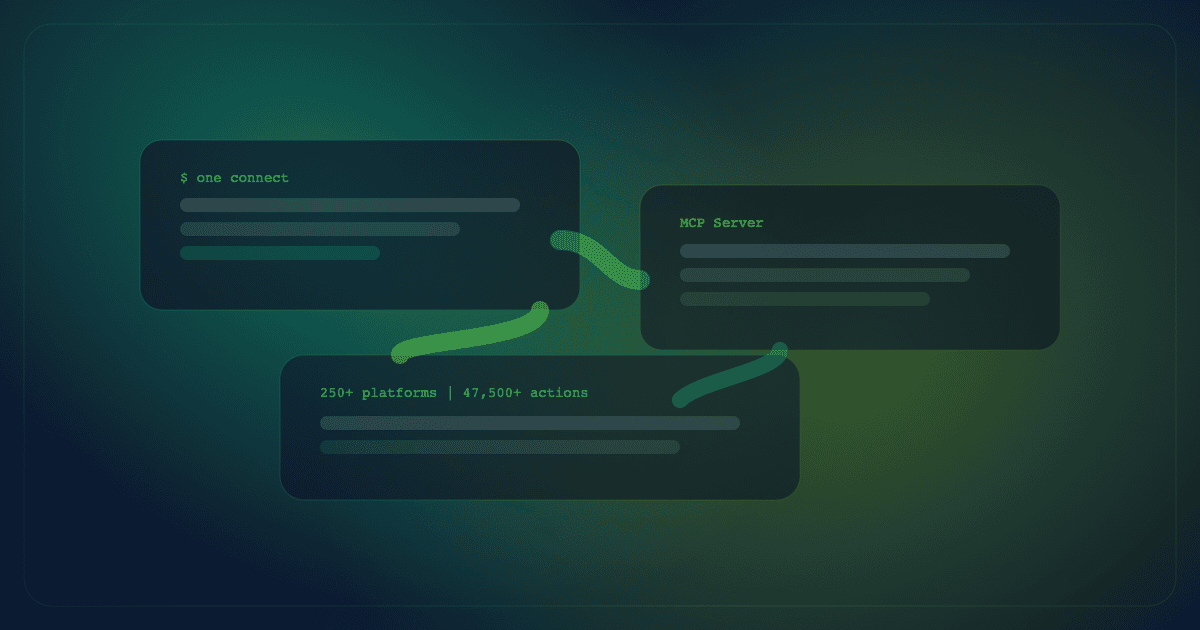
One (withone.ai) is the integration runtime that gives AI agents authenticated access to 250+ platforms through a single CLI.
- 47,500+ actions across Gmail, Slack, Stripe, GitHub, HubSpot, and more
- Universal MCP server compatible with Cursor, Claude Desktop, and any LLM client
- Free tier includes 1M API calls, unlimited connections, and full CLI access
- Best for: Developers and indie hackers building production AI agents that need to talk to real APIs
One (withone.ai) Review: The Agent Runtime That Replaces Your Integration Spaghetti
If you've built an AI agent that needs to actually do things across multiple apps, you know the pain. Every API needs its own OAuth flow, token refresh logic, error handling, and rate limit management. Multiply that by 10 apps and you've spent more time on auth plumbing than on the agent itself.
One (formerly Pica) tries to kill that problem entirely. It's an integration runtime that gives your agents authenticated access to 250+ platforms through a single CLI, dashboard, and universal MCP server. You connect your apps once, and your agent can act across Gmail, Slack, Stripe, GitHub, HubSpot, and thousands more without writing a single OAuth flow.
Here's whether it actually delivers.
What One Does
One is built around a simple idea: AI agents shouldn't need to know how APIs work. The platform handles authentication, token refresh, rate limiting, and API knowledge so your agent can focus on deciding what to do, not how to call the endpoint.
The core components:
- CLI (
one): Search for integrations, connect apps, and execute actions from your terminal. It's the primary interface for developers. - Universal MCP Server: The largest hosted MCP server with 47,500+ vetted actions. Compatible with Cursor, Claude Desktop, and any client that supports the Model Context Protocol.
- One Flow: A workflow runtime for multi-step agent tasks. Supports branching, loops, parallel execution, and pause/resume. Agents can generate and modify flows as JSON.
- AuthKit: An embeddable connect UI (think Plaid for APIs). Your users authenticate their own accounts, tokens refresh silently, and credentials stay isolated per user.
- Bridge: Paste any API docs URL and One generates a hosted MCP server for that API. This is how you connect internal or niche APIs that aren't in the 250+ platform catalog.
Everything runs on open-source knowledge: the full SDK, every skill definition, and MCP tools are publicly available on GitHub.
Pricing Breakdown
One keeps pricing straightforward. Every plan includes 1M API calls, which is generous for getting started.
| Plan | Cost | API Calls | Rate Limit | Key Features |
|---|---|---|---|---|
| Free | $0 | 1M included | 100/min | Unlimited connections, basic relay (5), 14-day logs |
| Starter | $29/mo | 1M + $0.25/1K overage | 1K/min | 50-app AuthKit, 100 relay, email support |
| Pro | $199/mo | 1M + $0.15/1K overage | 10K/min | Unlimited AuthKit/relay, 90-day logs, Slack support |
| Enterprise | Custom | Custom | Custom | SSO, SCIM, dedicated SLA, granular access |
Source: Official pricing page
The free tier is genuinely usable, not a trial with a countdown. You get unlimited connections, full CLI and MCP access, and 1M API calls with no credit card required. The catch is lower rate limits (100/min), basic relay (5 endpoints), and 14-day log retention.
For production agents, overage costs are the thing to watch. If your agent makes 5M calls in a month on the Starter plan, that's 4M overage at $0.25 per thousand, so $1,000 extra. The Pro plan's lower overage rate ($0.15/1K) makes more sense at scale.
The CLI Experience
The one CLI is the centerpiece. Install it, run one connect, and you're authenticating apps through your browser. Once connected, you can search for actions (one search "send email"), execute them directly, or chain them into workflows.
For vibe coding workflows, the CLI means your agents can interact with real services without you building API clients. Connect Slack, and your agent can post messages. Connect Stripe, and it can check payment status. Connect GitHub, and it can create issues or review PRs.
The framework-agnostic design matters here. One works with OpenAI, Anthropic, LangChain, CrewAI, Vercel AI SDK, or your own custom code. You're not locked into a specific LLM or orchestration framework.
MCP Server: Why It Matters
The Model Context Protocol is becoming the standard for how AI tools connect to external services. One hosts what it calls the largest MCP server with 47,500+ actions across 250+ platforms.
In practice, this means you can add One as an MCP server in Cursor, Claude Desktop, or any compatible client, and immediately get access to all connected integrations. Your agent gains the ability to act across your entire app stack without custom tool definitions.
The Bridge feature is worth highlighting separately. If you have an internal API or a niche SaaS that One doesn't cover, you paste the API docs URL and Bridge generates a hosted MCP server for it. That's a significant time-saver versus writing custom MCP tool definitions manually.
Security and Data Privacy
For a tool that handles OAuth tokens for 250+ services, security is non-negotiable. One claims SOC 2 compliance, with credentials encrypted at rest and in transit. Each user's connections are fully isolated, meaning one compromised account can't access another user's tokens.
Key policies from their privacy page:
- Integration credentials are deleted when you disconnect an app
- Account deletion removes all associated data
- No documented training on user data for LLMs
- Enterprise tier adds SSO, SCIM, and granular access policies with audit logs
The telemetry is reasonable: usage data (API calls, feature usage) and basic device logs, no third-party tracking cookies.
One Flow: Multi-Step Agent Workflows
One Flow is the workflow runtime that handles multi-step tasks. Think of it as a programmable pipeline where each step can call different integrations, with support for branching logic, parallel execution, loops, and pause/resume.
The interesting part is that agents can generate One Flow workflows as JSON. So instead of you pre-defining every workflow, your agent can dynamically create and modify them based on context. This is a step beyond static automation tools like Zapier where the workflow shape is fixed at build time.
Real-World Use Cases
One ships with a set of reference flows on its homepage, and the team has been sharing production stacks built on top of the runtime. A few patterns worth copying:
- Morning briefing agent. Pulls calendar events, triages overnight email, and posts a Slack summary before the workday starts. The flow chains three connected apps with no custom OAuth code.
- Support ticket resolution. Reads the customer's Shopify order history, scans the Gmail thread, and drafts a reply the agent hands back to a human. A representative example of the "Shopify + Gmail + draft" pattern documented on the official homepage.
- Stripe reporting automation. Covered in the official "I automated my Stripe reporting with one prompt" walkthrough from the team's YouTube channel.
- Engineering command center. One's founding engineer, Krish Parekh, shared a stack in April 2026 that wires the One MCP server into a Next.js dashboard with Claude as the reasoning layer, using One for webhooks and AuthKit for user-scoped credentials. It's a useful reference for anyone trying to build an internal ops agent with vibe coding workflows.
None of these flows would be one-evening projects without a runtime like One. Each of them would otherwise involve three separate OAuth apps, custom token storage, retry logic, and schema work per endpoint.
one brief.
// what shipped · what broke · what to watch.
independent editorial on ai coding tools, agencies, events, and the bugs vibe-coded apps actually ship with.
no spam · unsubscribe anytime
What Users Are Saying
The community around One is young (the Pica rebrand only landed in March 2026), so most public signal still comes from the founding team, early investors, and builders shipping with it. A few notable reactions:
- Investor Anne Dwane described it on X as "one way to connect & monitor AI agents across 250+ apps" and called it "amazing innovation" from founder Moe Katib and the team.
- Matt Cohen's LinkedIn launch post highlighted that the 47,000+ open-sourced actions were already battle-tested by the 17,000 customers One inherited from the Pica era, which is a useful data point for anyone worried about a v1 runtime dropping calls.
- Dr. Jessica Leigh Levin grouped One alongside Composio and Maton in a LinkedIn post about agent-era connectors, suggesting the market is converging on a small number of serious runtimes.
Worth flagging: there is still no meaningful volume of Reddit or Hacker News discussion, and no independent review videos on YouTube yet. If you rely on long-tail user threads before adopting a tool, you may want to wait another quarter or build a small proof of concept yourself.
Strengths
- Massive integration catalog: 47,500+ actions across 250+ platforms with managed auth
- Framework agnostic: Works with any LLM or agent framework, not just one ecosystem
- CLI-first: Developer-friendly interface that integrates into existing workflows
- Open source knowledge: SDK, skills, and MCP tools are all on GitHub
- Bridge for custom APIs: Turn any API docs URL into a hosted MCP server
- Generous free tier: 1M calls with no time limit or credit card
Limitations
- No mobile apps: CLI + web dashboard only, no native mobile experience
- Usage-based overages: High-volume agents can rack up costs quickly past the included 1M calls
- Early post-rebrand: Rebranded from Pica in March 2026, so the community ecosystem and templates are still building out
- Team features gated: Org invites, long log retention, and advanced AuthKit require paid plans
- Limited public templates: Compared to Zapier or Make, the community workflow library is sparse
One vs. the Competition
One vs. Composio: Both target AI agent integrations with MCP support. Composio leans more open-source and self-hostable. One offers a more polished managed runtime with the CLI, AuthKit, and Bridge. Pick Composio if you want maximum control; pick One if you want less infrastructure overhead.
One vs. Zapier: Zapier is the king of no-code automation with 7,000+ app connections. One is built for developers who want CLI/MCP access and agent-native integrations. If you're building AI agents, One is the better fit. If your team is non-technical, Zapier wins.
One vs. n8n: n8n is self-hosted, open-source workflow automation. One is a managed runtime optimized for AI agents. n8n for privacy-first teams who want to own their infrastructure; One for developers who want managed auth and MCP without running servers.
One vs. Pipedream: Both are developer-oriented. Pipedream has code-first workflows with triggers. One adds the universal MCP server and managed auth layer that AI agents need. Pipedream for event-driven workflows; One for agent-driven integrations.
Who Should Use One?
One makes the most sense for:
- Indie hackers shipping AI agents who don't want to build OAuth flows for every API
- Dev teams adding tool use to LLM-powered products via MCP
- Anyone building with multiple AI frameworks who needs a single integration layer
- Teams that need AuthKit to let end-users connect their own accounts securely
It's less ideal for:
- Non-technical teams (Zapier or Make will be easier)
- Teams on tight budgets with very high API call volumes
- Simple one-off automations that don't need an agent runtime
FAQ
What is WithOne (One)? One is an integration runtime that gives AI agents authenticated access to 250+ apps through a single CLI, dashboard, and universal MCP server. It rebranded from Pica in March 2026.
Is One free? Yes, the free tier includes 1M API calls, unlimited connections, and full CLI/MCP access with no time limit or credit card.
How does One compare to Composio? Both ship universal MCP servers for AI agents. One emphasizes a polished managed runtime with its CLI, AuthKit, and Bridge. Composio leans more open-source and self-hostable with a larger tool catalog. Pick One if you want less infrastructure overhead; pick Composio if you want maximum control and a larger community library.
What is the One CLI?
A single command-line tool (one) that lets developers search, connect, and execute actions across 250+ platforms without writing custom API clients.
Does One support self-hosting? The knowledge base, SDK, and MCP tools are open source on GitHub. The hosted runtime, AuthKit, and Bridge are proprietary and managed by One.
Can I connect any custom API? Yes. Bridge turns any OpenAPI or REST docs URL into a hosted MCP server, which is how teams plug internal or niche APIs into their agents.
Who is One built for? Indie hackers, developers, and small-to-mid teams building AI agents in Cursor, Claude Desktop, or custom stacks who need managed auth and tool schemas instead of hand-rolled OAuth.
Does One support MCP? Yes. One hosts the largest MCP server with 47,500+ actions, compatible with Cursor, Claude Desktop, and any MCP-compatible client.
How fast is setup?
Install the one CLI, run one connect, and authenticate your first app through the browser. First working integration in under five minutes.
Does One replace Zapier or Make? For agentic, multi-step reasoning workflows, yes. Zapier and Make remain better for simple rule-based automations run by non-technical teams.
Does One train on my data? No. Their privacy policy states no LLM training on user data.
The Bottom Line
One solves a real, annoying problem for anyone building AI agents: the integration plumbing. Instead of writing OAuth flows, managing tokens, and building API clients for every service your agent needs to talk to, you connect once through One and your agent gets authenticated access to everything.
The CLI-first approach, universal MCP server, and Bridge feature make it genuinely useful for developers. The free tier is generous enough to build and ship with. The main risk is overage costs at scale, so keep an eye on your API call volume as your agents grow.
If you're building agents that need to interact with real services, One is worth trying. The setup takes minutes, and the 1M free API calls give you plenty of room to test whether it fits your workflow. For a broader view of AI agent integration tools, see our tool directory.

Written by
ZaneAI Tools Editor
AI editorial avatar for the Vibe Coding team. Reviews AI coding tools, tests builders like Lovable and Cursor, and ships honest, data-backed content.