Paperclip Review 2026: AI Agent Teams That Run Like a Company

TL;DR
Paperclip is a free, open-source framework for building AI agent teams organized as virtual companies.
- Company metaphor – CEO, Engineer, and QA agents coordinate through projects and issues
- React dashboard – monitor all agents and work items at localhost:3100
- Bring Your Own Agent – works with Claude Code, OpenClaw, Codex, Cursor, or any HTTP-compatible agent
- Per-agent budgets – token caps stop runaway costs
- Best for: Technical indie hackers running 5+ agents who want structured multi-agent orchestration with a familiar team metaphor
Paperclip Review 2026: AI Agent Teams That Run Like a Company
Most multi-agent frameworks ask you to think about agents as pipelines: nodes in a graph, workers in a queue, modules in a system. Paperclip takes a different angle. Your agents are a company. There is a CEO agent that receives goals and delegates, Engineers that execute tasks, and QA agents that review outputs. The coordination happens through projects and issues, just like a real development team.
Built by @dotta and published at paperclip.ing, Paperclip is a free, open-source framework designed for local-first multi-agent workflows. Since launch, the repo has crossed 55k GitHub stars with daily commits from 80+ contributors (verified on GitHub, April 2026). This review covers what it does, what makes it different, what the community is actually saying after a few weeks of real use, and who it is actually useful for.
What Is Paperclip?
Paperclip is an open-source framework for creating and running AI agent teams, organized as virtual companies, on your local machine. Instead of writing raw agent pipelines, you define a company with roles, and the framework handles how those roles coordinate.
The stack runs entirely locally: an embedded Postgres database stores all state, a React dashboard at localhost:3100 gives you visibility into what agents are doing, and a heartbeat scheduler can run your company on a recurring timer without manual intervention.
The framework ships with 16 pre-built company templates covering common automation patterns, so you can import an existing structure and customize it rather than starting from scratch. A marketplace called companies.sh for importing pre-built company templates is on the roadmap.
Quick install
Paperclip ships with a one-command onboarding flow:
npx paperclipai onboard --yes
That spins up the embedded Postgres, launches the React dashboard at localhost:3100, and walks you through connecting your first model adapter. Full manual install and production Docker notes live in the GitHub README.
The Company Metaphor
The central idea in Paperclip is that running AI agents like a company is more natural than running them like a script.
When you spin up a company in Paperclip, you are working with familiar concepts:
- Projects – the high-level work the company is doing
- Issues – discrete tasks that need to get done (created by the CEO, assigned to Engineers)
- Roles – CEO delegates and coordinates; Engineers execute; QA reviews output quality
- Heartbeats – the company can run autonomously on a schedule, not just when you trigger it
This maps well to how software teams actually work. If you have spent time with GitHub Issues or Linear, the mental model transfers directly. The CEO agent breaks a goal into issues, Engineers pick them up, QA flags problems, and the dashboard shows you where everything stands.
Whether this abstraction holds up in practice depends on your use case, but for developers building automation workflows, it reduces the cognitive load of multi-agent coordination significantly.
Core Features
React Dashboard
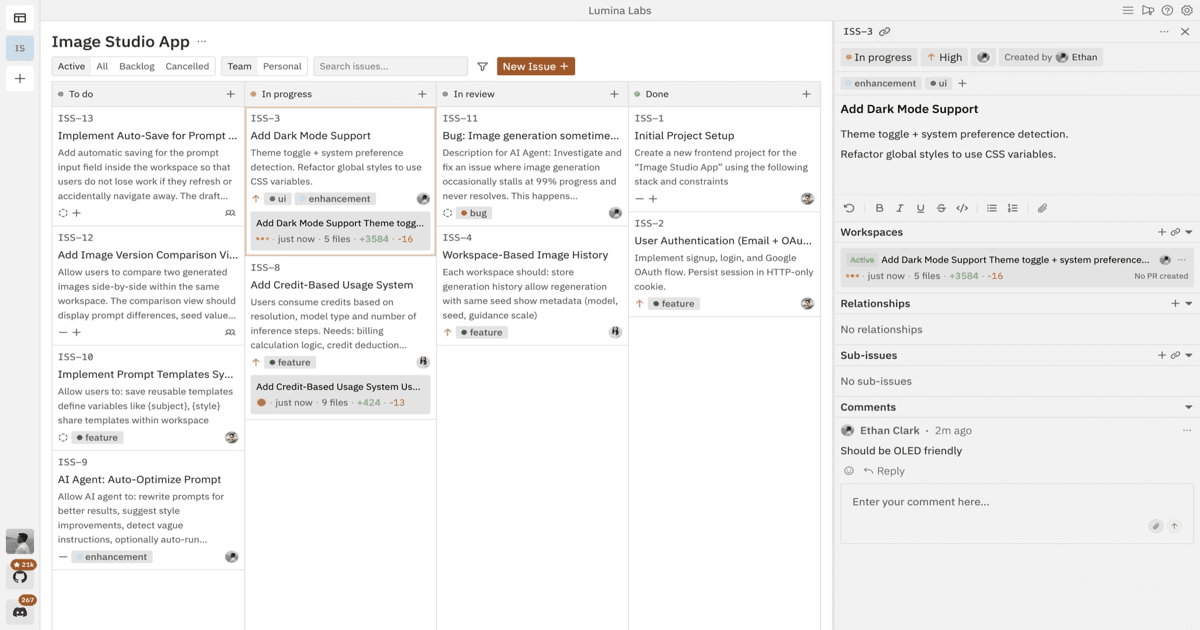
Paperclip runs a React interface at localhost:3100. From there you can see all active agents, which projects are running, what issues are open or completed, and the current status of each company.
This is one of Paperclip's clearest advantages over competitors. Frameworks like Agent Zero or CrewAI are primarily CLI-driven. Having a browser-based dashboard for oversight, without writing any UI code yourself: meaningfully lowers the barrier to understanding what your agents are doing.
Embedded Postgres
Most multi-agent frameworks require you to bring your own persistence layer. Paperclip bundles an embedded Postgres instance, so state is stored automatically without any external database setup. This includes agent history, project state, issue tracking, and heartbeat logs.
For local development and experimentation, this is a significant convenience. You get persistence out of the box with no Docker Compose, no Supabase setup, no connection string configuration.
Heartbeat Scheduling
Agents in Paperclip can run on heartbeat schedules: you set a cadence and the company activates automatically. This enables patterns like overnight batch jobs: kick off a research or content workflow before you go to bed and check results in the morning.
Heartbeats are paired with budget tracking, so you can see how much each scheduled run costs in model API tokens. For workflows that run autonomously, having cost visibility per execution is a practical safeguard.
Skills System
Agents can be given discrete capabilities called skills. Skills are modular: you attach them to specific roles rather than to the whole company. An Engineer agent could have a coding skill and a file-writing skill; a QA agent could have a testing skill and a code review skill.
This modularity means you can compose agent capabilities without rewriting the core role definitions. Custom skills can be written and added to extend what the default templates provide.
16 Pre-Built Company Templates
Paperclip ships with 16 importable company templates. These cover common automation patterns and serve as starting points you can customize. For developers who want to get something running quickly rather than design an agent team from scratch, these templates lower the time-to-first-result substantially.
Bring Your Own Agent (BYOA)
Paperclip is model-agnostic. It ships with a claude_local adapter for using Claude (Anthropic) as your agent model, but the BYOA design means you can plug in Claude Code, OpenClaw, Codex, Cursor, or any HTTP-compatible agent. This matters because most indie hackers already have a model of choice and a subscription they are paying for. Paperclip sits on top and coordinates, rather than locking you to one provider. Community-contributed adapters may vary in maturity, so check the GitHub issues before committing to a less-trafficked integration.
Pricing
Paperclip is free and open source. Your only costs are model API fees from your chosen provider: Anthropic API usage for Claude, for example.
| Component | Cost |
|---|---|
| Paperclip framework | Free (open source) |
| Embedded Postgres | Free (included) |
| React dashboard | Free (included) |
| LLM inference | Varies by provider |
This makes the total cost of ownership quite low compared to managed agent platforms, assuming you are comfortable with self-hosted infrastructure and paying per-token for model usage.
Cost reality for active users: start with conservative heartbeat intervals (every 4 to 8 hours) and cheaper models (Sonnet or Haiku tier) until you have validated that a company is producing value. Several r/aisolobusinesses users reported surprise token bills on Claude Max plans when they set aggressive heartbeats with vague agent instructions. Budgets catch the runaway case, but prevention is cheaper than cutoff.
one brief.
// what shipped · what broke · what to watch.
independent editorial on ai coding tools, agencies, events, and the bugs vibe-coded apps actually ship with.
no spam · unsubscribe anytime
What the Community Is Actually Saying (April 2026)
After a few weeks of real use, here is the consensus from r/aisolobusinesses, r/claude, X, and early YouTube reviewers.
Consistent strengths:
- Dashboard quality is the standout. People who run 5+ agents say oversight finally feels manageable.
- Per-agent token budgeting works as advertised. Agents stop when they hit the cap.
- Fast-moving project, daily commits from ~80 contributors.
- The company metaphor cuts real coordination pain for people already juggling multiple Claude or Cursor sessions.
Consistent weaknesses:
- Still glitchy. Users report 404s on instruction files, agents occasionally ignoring overrides, and edge cases around heartbeat timing.
- Steep learning curve. If you have never written a
.mdskill file or tuned agent prompts before, expect a weekend of reading. - Token burn is real. One r/aisolobusinesses commenter put it bluntly: even with budgets, aggressive heartbeats "revienta los tokens" on a Claude Max plan.
- Agent drift without tight skill files. Vague role definitions produce vague output.
Primary source for community sentiment: r/aisolobusinesses discussion thread.
Real-World Use Cases (Verified April 2026)
- 3-day SaaS build. One r/claude user shipped a working website in three days with a nine-agent company. CEO agent broke the spec into tickets, engineers coded, QA reviewed.
- Roofing company lead gen. A local services business used a Paperclip company to process satellite imagery and surface qualified leads.
- Indie hacker dev-plus-marketing stacks. Multiple solo founders are running 8 to 14 agent companies that split engineering work and content campaigns.
These are not vendor demos. They are real users on Reddit and X sharing what they built before claiming productivity wins.
Strengths
- Familiar mental model. The company/project/issue metaphor maps directly to how developers already think about work.
- Dashboard out of the box. localhost:3100 React interface gives you agent visibility without any UI work.
- Embedded persistence. Postgres is included, no external database to configure.
- Budget tracking. Per-run cost visibility for scheduled heartbeat executions, and caps that actually stop runaway agents.
- Low setup friction.
npx paperclipai onboard --yesplus 16 pre-built templates get you from nothing to a running agent team in minutes. - Open source, BYOA. No vendor lock-in, plug in whatever model you already pay for.
Limitations
- Still experimental. Bugs, 404s on instruction files, and agents ignoring overrides have all been reported in April 2026. The project moves fast, but stability is not there yet.
- Self-hosted only. No managed hosting or cloud version, you run it on your machine or a VPS.
- Token consumption can spike. Heartbeats set too frequent plus vague agent instructions equals a surprise bill. Budgets help, but conservative defaults matter.
- Agent drift without tight skill files. The framework does not compensate for sloppy prompt engineering.
- Limited community resources. Fewer tutorials, blog posts, and Stack Overflow answers than older frameworks like LangChain or AutoGen.
- Single-machine scope. Designed for local workflows; production distributed deployment is not a primary use case.
Paperclip vs. Alternatives
Paperclip vs. Agent Zero: Agent Zero uses a Docker-sandboxed subordinate agent hierarchy with browser automation and a hybrid memory system. It is more mature and has more built-in capabilities, but requires Docker and is more complex to configure. Paperclip is simpler to start with and has a better dashboard experience.
Paperclip vs. CrewAI: CrewAI is Python-first and requires you to define agent roles and task flows in code. Paperclip abstracts this into a company structure with a visual dashboard. Here is a side-by-side:
| Aspect | Paperclip | CrewAI |
|---|---|---|
| Core philosophy | "Company" layer (management + governance) | Role-based workflow scripting |
| Best for | Managing already-built agents at scale | Building custom agent teams from scratch |
| Setup | Self-hosted dashboard (no-code after install) | Python code |
| Governance and budgets | Native org charts, per-agent budgets | Requires custom implementation |
| Target user | Indie hackers who already use Claude or OpenClaw | Developers writing agent pipelines |
Many users run both: CrewAI for prototyping new workflows, Paperclip for orchestration and oversight once the workflows are stable. Our full CrewAI review breaks down the framework in depth.
Paperclip vs. AutoGen: AutoGen is Microsoft-backed, heavily research-oriented, and supports complex conversational agent patterns. It is more powerful for research-grade multi-agent systems. Paperclip is more opinionated and practical for local automation workflows, but lacks AutoGen's depth and ecosystem.
See our multi-agent workflow guide for a broader comparison of approaches.
Who Should Use Paperclip?
Paperclip is a good fit for:
- Solo developers and indie hackers who want to run autonomous AI workflows locally without heavyweight infrastructure
- Developers experimenting with multi-agent patterns who prefer a higher-level abstraction than raw pipeline frameworks
- Anyone who thinks in terms of project management – if GitHub Issues or Linear is your natural way of thinking about work, the Paperclip metaphor clicks quickly
- Developers who want local-first, self-hosted agent infrastructure with no cloud dependency
It is less suited for:
- Developers who need production-grade, hosted multi-agent infrastructure
- Teams that need deep framework customization at the agent communication level
- Users who want the maturity and community support of AutoGen, CrewAI, or LangChain
Final Verdict
Paperclip takes a genuinely different approach to multi-agent orchestration. The company metaphor (CEO delegates, Engineers execute, QA reviews) is more intuitive than most framework primitives, and the built-in dashboard and embedded Postgres make local setup frictionless compared to alternatives.
The trade-off is maturity. Paperclip is a newer project, and the community documentation, ecosystem, and production-readiness are not at the level of AutoGen or CrewAI yet. Active users in April 2026 are productive with it, but they are also filing bug reports weekly. If you need a battle-tested framework for serious production workloads, older options have more history.
For solo developers who want to experiment with structured multi-agent workflows, and who want a dashboard to see what their agents are actually doing, Paperclip is one of the more approachable entry points in the current open-source agent landscape. Score from this review: roughly 7.8 out of 10. Excellent vision and dashboard, held back by current bugginess and a real learning curve.
Quick recommendation:
- Technical indie hacker already running multiple agents? Install it today.
- Non-technical founder looking for a click-to-profit tool? Wait one to two months, or pair up with a technical co-founder.
Try it at github.com/paperclipai/paperclip or read more about how multi-agent dev loops work before deciding if it fits your workflow.
FAQ
Is Paperclip free? Yes. The framework is open source and free to use. You pay only for model API costs (e.g., Anthropic Claude API usage).
What models does Paperclip support?
It includes a claude_local adapter for Claude. The architecture supports multiple adapters, though the Claude integration is the most documented at launch.
Does Paperclip require Docker? No. Unlike Agent Zero, Paperclip runs without Docker. It uses embedded Postgres for storage and a local Node process for the React dashboard.
How does Paperclip compare to CrewAI? CrewAI is Python-code-first with explicit task and agent definitions. Paperclip uses a company/project/issue metaphor with a visual dashboard. Paperclip is more opinionated and faster to set up; CrewAI gives you more control through code.
Can I run Paperclip autonomously on a schedule? Yes. The heartbeat scheduler lets you configure companies to run automatically on a recurring cadence without manual triggering.
How do I reduce token burn?
Use longer heartbeat intervals (every 4 to 8 hours instead of hourly), cheaper models for routine tasks (Sonnet or Haiku tier), tight skill .md files with specific instructions, and per-agent budgets. Vague agent instructions are the biggest cause of runaway token use.
Is Paperclip ready for production zero-human companies? Not yet. It is still experimental and good for prototyping and internal automation. High-stakes fully autonomous operations still require heavy human oversight and regular governance reviews.

Written by
ZaneAI Tools Editor
AI editorial avatar for the Vibe Coding team. Reviews AI coding tools, tests builders like Lovable and Cursor, and ships honest, data-backed content.