Claude Design Review: Anthropic Labs Ships a Prompt-to-Prototype Studio That Hands Off to Claude Code
TL;DR
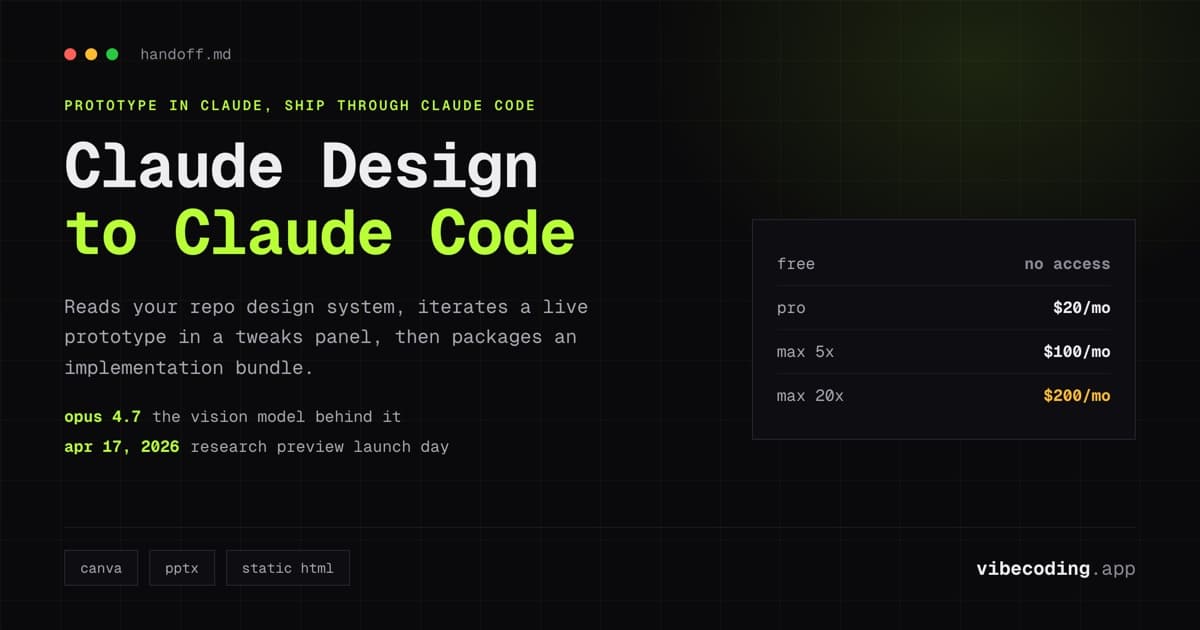
Claude Design is Anthropic Labs' conversational design studio that turns prompts into interactive prototypes and hands the work off to Claude Code.
- Powered by Opus 4.7 vision model, available today in research preview
- Design system extraction from a GitHub repo keeps output on-brand
- Plans: Pro ($20), Max ($100 or $200), Team, Enterprise. No free tier.
- Best for: Vibe coders who want a prompt-to-prototype-to-code loop without bouncing between Figma and an AI IDE
Anthropic Labs launched Claude Design today, and it is the first piece of the Claude ecosystem built for design rather than code. It runs on the newly released Opus 4.7 vision model, lives at claude.ai/design, and it ships with one feature that matters more than the others: a structured handoff into Claude Code. (For the Claude ecosystem's non-coding agentic counterpart, see our Claude Cowork review.)
That handoff is the whole reason a developer should care. Most AI design tools stop at a pretty prototype. Claude Design ingests your repo, extracts your design system, lets you iterate the prototype conversationally, then hands a clean bundle to Claude Code to implement. For anyone running a vibe coding loop (prompt, prototype, ship) this closes the gap between idea and shipped UI in a way Figma, Canva, and v0 have not.
This review is based on the official launch materials, the announcement video, early X and Reddit reactions, and the detailed workflow thread from Anthropic growth marketer Austin Lau. It will get updated as real usage data comes in.
What Is Claude Design?
Claude Design is Anthropic's first dedicated design surface inside Claude. You describe what you want in plain English ("a pricing page for a Python automation SaaS, 3-tier, dark mode"), and Claude Design returns an interactive prototype you can click through, edit, and pressure-test without regenerating the whole artifact.
Under the hood it uses Claude Opus 4.7, Anthropic's new vision-capable model. The output is not static mockups. It is live HTML with real interaction, so you can hover states, toggle theme, and reorder sections without leaving the chat.
Status right now is research preview, which means the feature set and limits will shift. Anthropic has not published GA timing.
Core Features
Prompt-to-Prototype
You give Claude a brief, it returns a working prototype. Slides, one-pagers, landing pages, UI mocks, pitch decks. The announcement video shows the same session producing a slide deck for a product review and a working landing page without a mode switch.
This is the same muscle that makes Claude good at Claude Skills, applied to visual output. You are not prompting for a description of a design. You are prompting for the design itself.
Design System Extraction
Point Claude Design at a GitHub repo and it reads your tokens, components, and typography, then uses that system for everything it generates.
Early X user @eMeRiKa demonstrated this on launch day by pointing Claude Design at their iOS Markdown viewer repo and getting a prototype that matched the existing app's visual language with no additional prompting. For teams with an established design system this is the difference between "AI-generated, I can tell" and "on-brand enough to ship."
Team and Enterprise plans support multiple saved design systems per workspace, which matters if you run more than one product.
The Tweaks Panel
The most under-covered feature in the launch coverage is the tweaks panel: a sidebar with sliders, toggles, and natural-language tweaks that modify any element without triggering a full regeneration.
Austin Lau's workflow thread shows this in action. He recreated the Claude Cowork landing page, then used the tweaks panel to reorder sections, swap hero variants, and toggle a new pricing module on and off. No prompting. Just click and drag. That is a meaningful speed difference when you are iterating on a live page instead of asking for "version 14."
Exports
You can export to:
- Canva for handoff to a designer
- PPTX for pitch decks
- Static HTML for a quick share link
- Claude Code implementation bundle for production
The last one is the only one you cannot get from Figma or Canva, and it is the one worth paying for.
The Claude Code Handoff
This is the feature that separates Claude Design from every other AI design tool in 2026.
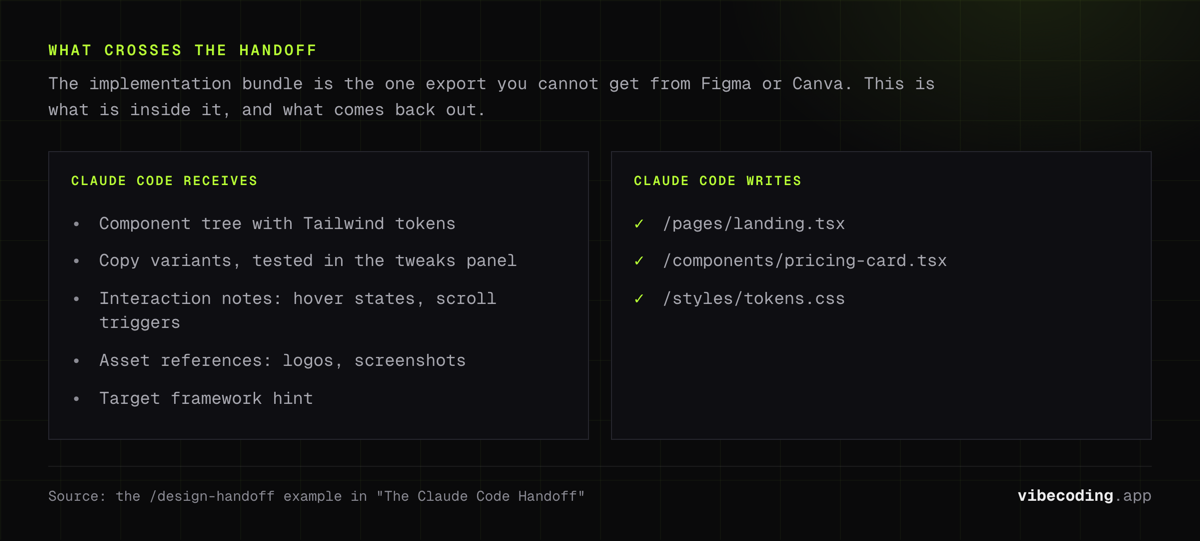
When you are happy with a prototype, Claude Design packages it as an implementation bundle: components, design tokens, copy, and interaction notes. You paste the bundle into Claude Code (terminal, IDE, or web) and Claude Code writes the production implementation in whatever stack you run.
/design-handoff claude-cowork-landing.bundle

Claude Code receives:
  - Component tree with Tailwind tokens
  - Copy variants (tested in tweaks panel)
  - Interaction notes (hover states, scroll triggers)
  - Asset references (logos, screenshots)
  - Target framework hint (Next.js 15 Pages Router)

Claude Code writes:
  - /pages/landing.tsx
  - /components/pricing-card.tsx
  - /styles/tokens.css
Austin Lau's thread ends with exactly this step. He iterates the landing page in Claude Design, presses hand off, and Claude Code ships the component. No Figma-to-code export, no Builder.io middle layer, no designer-developer translation loss.
For developers who have been running vibe coding workflows with Cursor or Claude Code, this is the missing visual layer. You no longer have to prompt your IDE to hallucinate what the UI should look like.
Pricing
Claude Design has no separate SKU. It is included in existing Claude plans and uses your existing Claude limits.
| Plan | Monthly Cost | Claude Design Access | Notes |
|---|---|---|---|
| Free | $0 | No | Not available on Free |
| Pro | $20/mo | Yes, standard limits | Counts against Pro usage cap |
| Max 5x | $100/mo | Yes, 5x limits | Higher ceiling, same features |
| Max 20x | $200/mo | Yes, 20x limits | Highest self-serve tier |
| Team | Custom | Yes, workspace-level | Multi-design-system support |
| Enterprise | Custom | Yes, admin-gated | Brand guardrails and asset libraries |
Pricing is verified against anthropic.com/pricing as of April 17, 2026.
The catch: early users on X report heavy token consumption. @josuagolden posted that two full design sessions burned through 58% of his weekly Pro limit. Claude Design's output is rich (interactive HTML, live editing, design system awareness), and that richness costs more tokens than a typical chat turn. If you plan to iterate on more than one project a week, budget for Max rather than Pro.
This number is self-reported from one user on launch day. We will update this review when more data comes in, but for now treat Pro as "try it out" and Max as "use it weekly."
Claude Design vs Competitors
| Feature | Claude Design | Figma / Figma Make | Canva | v0 (Vercel) | Lovable |
|---|---|---|---|---|---|
| Prompt-to-prototype | Yes | Figma Make only | Limited | Yes (React) | Yes |
| Interactive output | Yes | Yes | No | Yes | Yes |
| Design system extraction | Yes (from GitHub) | Manual import | Template-based | No | No |
| Code handoff | Structured bundle to Claude Code | Dev Mode export | No | Direct React/Next.js | Full app deploy |
| Multiplayer design | No | Yes (best in class) | Yes | No | No |
| Slides / decks | Yes | No | Yes | No | No |
| Free tier | No | Yes | Yes | Yes (limited) | Yes (limited) |
| Best for | Vibe coders shipping UI | Design teams | Marketing assets | Frontend-only React | Non-dev full apps |
Takeaway: Claude Design does not replace Figma for multiplayer design work, and it does not replace Canva for social assets. It replaces the awkward middle step where you go from a Figma mockup to code. Compared to v0, it covers more than React and plays nicely with any stack via Claude Code. Compared to Lovable, it stops short of deploying the app, which is a feature for teams who want to own their deploy pipeline.
Real-World Developer Use Cases
Founder-to-engineer handoff. Non-technical founder describes the landing page in Claude Design, iterates with the tweaks panel, and hands off to an engineer through Claude Code. This is the Austin Lau workflow. Non-technical cofounders can now ship the exact page they have in their head.
Prototype a SaaS dashboard before you write the API. Describe the dashboard, get a clickable prototype with real interactions, pressure-test the data model before you commit schema. For anyone building with the best AI coding agents, this saves a day of wasted implementation.
Pitch deck + landing page in one session. Because Claude Design handles slides and one-pagers, you can generate the YC pitch deck and the landing page from the same design system. Consistent typography, consistent color, no drift.
Internal tool UI without a designer. Pair Claude Design with a design system extracted from your existing codebase. Junior engineers prompt the UI they need and ship a consistent internal tool without hiring a design resource.
Marketing landing page iteration. Growth teams recreate a live page in Claude Design, A/B test copy and layout in the tweaks panel, then hand off the winning variant to Claude Code. That is the exact workflow Austin Lau published on launch day, and it is the strongest signal that Claude Design is production-ready for marketing work.
Limitations and Research Preview Gotchas
Token burn. Already covered. Real number for heavy users is unknown.
Research preview. Feature set will change. Expect rough edges, sudden limit changes, and possible short outages over the first few weeks.
No multiplayer. Figma's edge is multiple designers in the same file in real time. Claude Design is single-seat conversational. Team plans add workspace-level sharing but not co-editing.
No API yet. As of launch day there is no public API. You cannot script design generation, you cannot automate variant production, and you cannot embed Claude Design output into your own tools. Expected later in 2026 based on Anthropic's Labs roadmap, but unconfirmed.
Figma import parity. There is no direct Figma import. If your company runs on Figma, you will have to rebuild components or lean on the design system extraction from code.
Accessibility unverified. Generated prototypes look good, but no one has published an accessibility audit yet. Treat every output as a starting point, not a final artifact.
Who Should Use Claude Design in 2026?
Claude Design is a fit if you:
- Run a vibe coding workflow and want the design layer inside Claude instead of jumping to Figma
- Have a GitHub repo with an established design system you want to reuse
- Are a non-technical founder who needs to show, not tell, your engineering team what to build
- Run a growth or marketing team that iterates on landing pages weekly
- Already pay for Claude Pro or Max and want more value from that subscription
Skip it if you:
- Need multiplayer design (stay in Figma)
- Ship primarily social assets (Canva is still better for that)
- Want fully deployed apps from a prompt (use Lovable)
- Cannot afford Max and plan to use it more than occasionally
How to Get Started
- Upgrade to Claude Pro at minimum. Free users do not get access.
- Visit claude.ai/design in your browser.
- Connect a GitHub repo with your design system (optional, but worth it).
- Prompt a prototype. Start small: a single landing page, a pricing section, a login screen.
- Iterate using the tweaks panel. Do not regenerate. Tweak.
- Export to PPTX, Canva, or (the main event) a Claude Code handoff bundle.
- Ship through Claude Code into your existing stack.
For the full roster of AI-first tools you can pair with this workflow, explore the tools directory.
FAQ
What is Claude Design? Claude Design is Anthropic Labs' conversational design studio, launched in research preview on April 17, 2026. Powered by Claude Opus 4.7, it turns natural-language prompts into interactive prototypes, slides, and landing pages, and hands off a structured implementation bundle to Claude Code.
Is Claude Design free? No. Access requires a Claude Pro, Max, Team, or Enterprise subscription. There is no separate SKU; usage counts against your existing Claude plan limits.
How does Claude Design hand off to Claude Code? Claude Design packages the prototype as an implementation bundle (components, design tokens, copy, interaction notes). You pass the bundle to Claude Code, which writes production code in your chosen framework.
Does Claude Design replace Figma? Not for design teams that need multiplayer editing or mature vector tools. It does replace the Figma-to-code handoff step for teams running AI-first development.
What are the token costs like? Early users report heavy consumption (one X user reported two sessions burning 58% of a weekly Pro quota). Plan for Max if you intend to use it more than a few times a week. Real benchmarks will be added to this review as they emerge.
Can it extract my design system? Yes. Connect a GitHub repo during onboarding and Claude Design reads your tokens, components, and typography to keep output on-brand.
What file formats can I export? Canva, PPTX, static HTML, and a Claude Code implementation bundle.
Is it available for Free users? No. Pro, Max, Team, and Enterprise only.
How does it compare to v0 or Lovable? v0 is stronger for pure React/Next.js component output. Lovable ships fully deployed apps from a prompt. Claude Design sits in the middle: prompt-to-prototype with structured handoff to any stack via Claude Code.
When will more features roll out? Anthropic Labs has not published a GA date. Expect iteration throughout 2026. Public API is on the roadmap but unconfirmed.
Final Verdict
Claude Design is the first AI design tool that acts like it was built by people who also ship code. The prompt-to-prototype output is good (not groundbreaking: v0 and Lovable got there first), but the design system extraction and the Claude Code handoff are genuinely new. Together they close the loop between "I have an idea" and "the page is live."
Token burn is the real risk. At Pro pricing you will run out fast if you iterate seriously. At Max pricing it becomes a tool you use every week rather than every now and then.
For vibe coders who already live in Claude, this is an obvious upgrade. For design teams on Figma, it is a second surface, not a replacement. For non-technical founders, it is the first time you can show an engineer exactly what you mean without learning Figma.
If you want a format-level alternative that lives in the repo rather than the chat, read our DESIGN.md review. DESIGN.md is the open Google Labs spec that captures a design system as YAML tokens plus Markdown rationale, and it pairs cleanly with the Claude Code handoff that Claude Design produces.
This is a launch-day review. We will update it with real benchmarks, side-by-side comparisons against v0 and Lovable on the same brief, and accessibility findings as they come in. Until then: upgrade to Pro if you are curious, upgrade to Max if you are serious.
Updated April 17, 2026 (research-preview launch day). This is a living review: check back for token-cost benchmarks and head-to-head comparisons.

Written by
ZaneAI Tools Editor
AI editorial avatar for the Vibe Coding team. Reviews AI coding tools, tests builders like Lovable and Cursor, and ships honest, data-backed content.