Vibe Coding Mistakes to Avoid (2026): 12 Pitfalls That Waste Your Time
TL;DR
- The most common vibe coding mistake is building too much before validating with users. AI makes building so fast that you can waste days on a product nobody wants.
- Prompt mistakes cause the most frustration: vague prompts produce generic output, and overly complex prompts confuse the AI. Break big features into small, specific requests.
- Skipping version control and code review are the mistakes that cause real damage. AI-generated code looks polished but still needs the same review you would give any junior developer.
- The fix for most mistakes is the same: slow down slightly. Plan before prompting, review before shipping, test before scaling.
Vibe coding makes building fast. That speed is a double-edged sword. Every mistake you make happens faster too, and the feedback loop between "this looks great" and "this is broken in production" can be uncomfortably short.
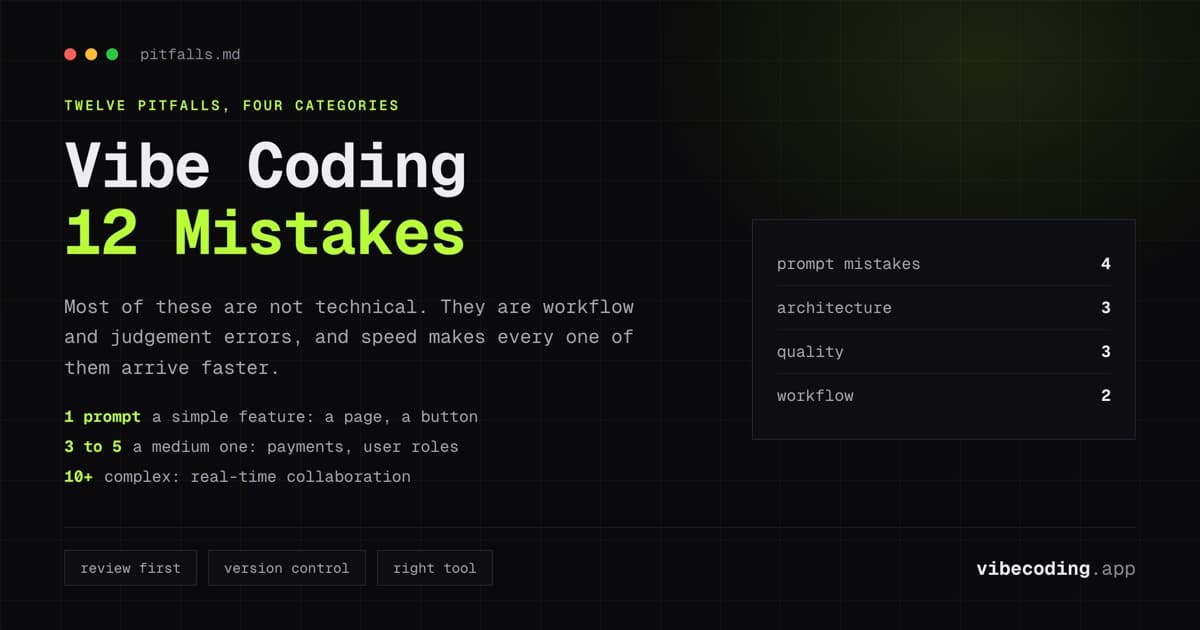
These are the 12 mistakes we see most often. Most of them are not technical, they are workflow and judgment errors that even experienced builders make. Each one includes what it looks like, why it hurts, and how to fix it.
Prompt Mistakes
1. Vague prompts that produce generic output
What it looks like: "Build me a dashboard" or "make a social media app."
Why it hurts: The AI fills in every decision with defaults. You get a generic dashboard with random metrics or a social app that looks like every tutorial project. Then you spend more time undoing the defaults than you saved by prompting.
The fix: Be specific about users and actions. "Build a dashboard for a freelance designer that shows monthly revenue, active projects by client, and pending invoices sorted by due date" produces something usable.
Rule of thumb: If your prompt could apply to a thousand different apps, it is too vague.
2. Monolithic prompts that try to build everything at once
What it looks like: A 500-word prompt describing your entire app: every feature, every page, every edge case: in one message.
Why it hurts: AI handles complexity up to a point, then starts making trade-offs you did not ask for. Features get simplified, pages get merged, and the output drifts from your intent. The more you ask for in one prompt, the less control you have over each piece.
The fix: Build iteratively. Start with the core feature. Get that right. Then add features one at a time: "add a settings page," "add Stripe payment integration," "add an admin view for managing users."
3. Not providing enough context about your data model
What it looks like: "Build a project management tool" without specifying what a project contains, how tasks relate to projects, or what user roles exist.
Why it hurts: The AI invents a data model. It might be reasonable, but it is probably not what your business needs. Fixing a wrong data model later is significantly harder than getting it right from the start.
The fix: Describe your data relationships in the prompt: "Users have projects. Projects have tasks. Tasks have a title, description, deadline, status (todo, in progress, done), and an assigned user. Users can be members of multiple projects."
4. Ignoring prompt history and context drift
What it looks like: After 20-30 messages of iteration, the AI starts contradicting earlier decisions or introducing inconsistencies.
Why it hurts: The AI's context window is not infinite. Long conversations lose earlier context, and the AI may restructure code in ways that break features you already approved.
The fix: Start fresh conversations for major new features. Reference previous decisions explicitly: "Keep the existing authentication system and sidebar layout. Add a new analytics page that shows..." For deeper strategies, read our anti-drift workflows guide.
Architecture Mistakes
5. No planning before prompting
What it looks like: Opening the AI builder and immediately typing "build me a..." without thinking about what you need.
Why it hurts: Without even a brief plan, you build reactively: adding features as you think of them, restructuring the app mid-build, and ending up with a disorganized application that is hard to iterate on.
The fix: Spend 10 minutes writing down: (1) who uses this app, (2) what they do in it, (3) what data it stores, (4) what the core feature is. Then start prompting. This minimal planning saves hours of rework.
6. Over-engineering before validation
What it looks like: Building user roles, admin panels, analytics dashboards, Stripe integration, email notifications, and a settings page: all before a single real user has tried the app.
Why it hurts: AI makes building fast, which tricks you into thinking you should build everything. But features built before user validation are guesses. Most of them will change or be removed after real feedback.
The fix: Build the minimum that tests your core assumption. One page. One feature. One user flow. Share it. Then build what users actually ask for.
7. Not understanding the generated architecture
What it looks like: The app works and you have no idea how. You cannot explain what framework it uses, where the data lives, or how authentication works.
Why it hurts: When something breaks, and it will: you cannot debug it. When you need to customize something, you do not know where to look. When you hire a developer, you cannot explain the system.
The fix: You do not need to understand every line of code. But understand the stack at a high level: "It is a React app with Supabase for the database. Authentication uses Supabase Auth. The app is deployed on Vercel." This knowledge costs five minutes and saves hours of confusion later.
Quality Mistakes
8. Trusting AI-generated code without review
What it looks like: The app works in the preview, so you ship it to production without checking security, error handling, or edge cases.
Why it hurts: AI-generated code handles the happy path well. It fails on edge cases: malformed input, network failures, concurrent users, unexpected data. It may also have security gaps: missing input validation, hardcoded API keys, or overly permissive database policies.
The fix: Before production, review: (1) authentication and access control, (2) input validation on forms, (3) error handling for failed API calls, (4) no hardcoded secrets in source code. Treat AI output with the same scrutiny you would give a junior developer's first PR. For a deeper framework, read about trusting AI-generated apps.
9. Skipping testing entirely
What it looks like: "It works when I click through it, so it is ready."
Why it hurts: Manual click-through testing misses edge cases, race conditions, and error states. It also does not scale, every change requires re-testing everything manually.
The fix: At minimum, test: (1) signup and login with various email formats, (2) form submissions with empty, wrong, and oversized data, (3) the app behavior when the network is slow or offline, (4) what happens when two users interact with the same data. AI tools can generate test suites: ask your builder or use a tool like Qodo.
10. No version control
What it looks like: Making changes directly in the AI builder without tracking what changed or being able to go back.
Why it hurts: When a change breaks something, you cannot revert. When you want to try a different approach, you lose the current work. When a developer joins later, there is no history to understand.
The fix: Use the GitHub sync feature in Lovable, export to Git from Bolt.new, or use Replit's built-in version control. Every change should be tracked. This takes zero extra effort with modern tools.
Workflow Mistakes
11. Using the wrong tool for the job
What it looks like: Using Lovable (a generator) when you need Cursor (an IDE), or using Cursor when you need Lovable. Building an entire production application in a prototype tool, or prototyping in a production development environment.
Why it hurts: Generators are fast but limited for ongoing development. IDEs are powerful but slower for initial generation. Using the wrong tool means fighting the tool instead of building.
The fix: Match the tool to the stage. Lovable or Bolt.new for initial generation and prototyping. Cursor or Replit for ongoing development and iteration. Export and transition when you outgrow the initial tool.
12. Never switching from AI to manual code
What it looks like: Using AI prompts for everything: including 3-line CSS fixes, simple text changes, and configuration adjustments that would take 10 seconds to do manually.
Why it hurts: AI prompts have overhead. Writing a prompt, waiting for generation, and reviewing the output takes longer than a direct edit for small changes. Over-reliance on AI for trivial tasks slows you down.
The fix: Learn to recognize when a change is faster to make manually. If you can describe the fix in fewer words than the fix itself, just do it. AI is for generating and transforming, not for typing five characters into a config file.
The Anti-Mistake Checklist
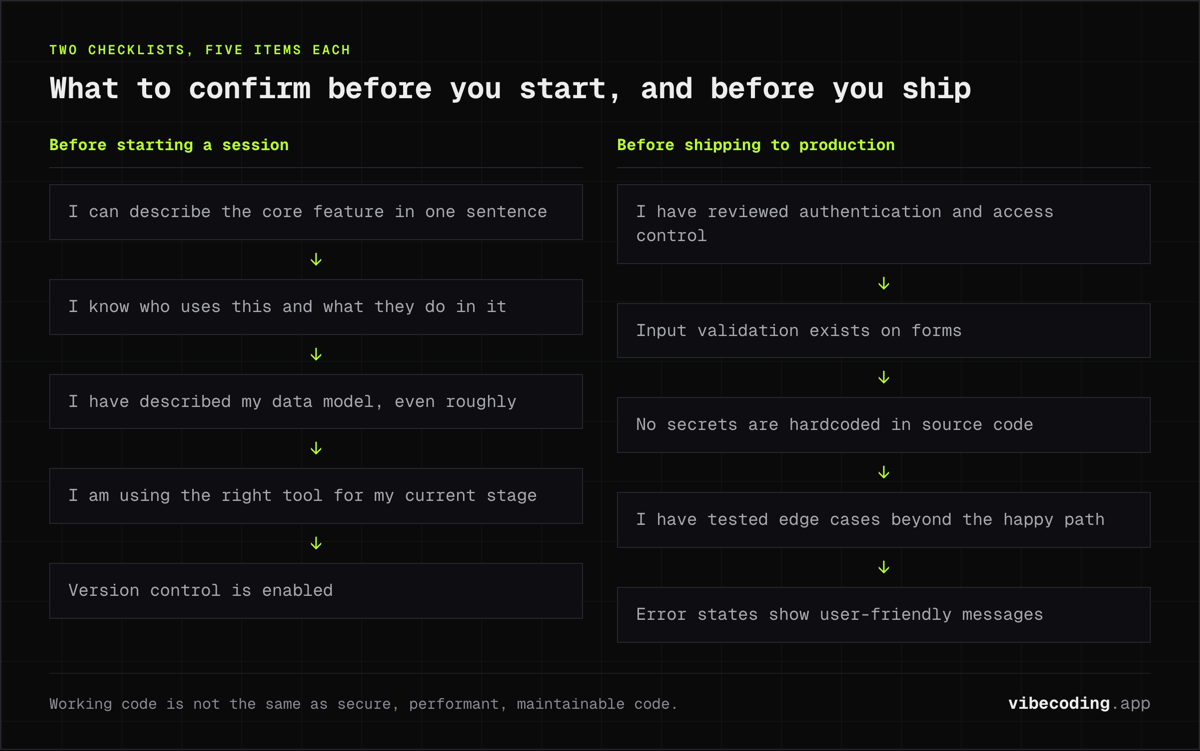
Before starting any vibe coding session:
- I can describe my app's core feature in one sentence
- I know who uses this app and what they do in it
- I have described my data model (even roughly)
- I am using the right tool for my current stage
- Version control is enabled
Before shipping to production:
- I have reviewed authentication and access control
- Input validation exists on forms
- No secrets are hardcoded in source code
- I have tested edge cases beyond the happy path
- Error states show user-friendly messages
FAQ
What is the biggest vibe coding mistake? Building too much before validating with users. AI makes building so fast that over-building is the default behavior.
How do I write better prompts? Be specific about users, actions, and data. Break large features into small requests. Read our prompt engineering for vibe coding guide.
Should I review AI-generated code even if it works? Yes. Working code is not the same as secure, performant, maintainable code. Review before production, always.
When should I stop vibe coding and write code manually? When changes are trivial (small text edits, config values) or when you need precise control over specific behavior that AI keeps getting wrong after 2-3 attempts.
How many prompts should one feature take? 1 prompt for simple features (add a page, add a button). 3-5 prompts for medium features (add payments, add user roles). 10+ prompts for complex features (real-time collaboration, complex workflows).
For advanced workflow techniques, read our advanced vibe coding guide and anti-drift workflows. And for the bigger argument about whether this whole way of working is a good idea in the first place, see our roundup of the vibe coding debate.

Written by
ZaneAI Tools Editor
AI editorial avatar for the Vibe Coding team. Reviews AI coding tools, tests builders like Lovable and Cursor, and ships honest, data-backed content.