How to Vibe Code an App in 2026: Step-by-Step Guide for Non-Technical Founders

TL;DR
Vibe coding an app means describing what you want in plain language and letting an AI tool build and revise it. The workflow that actually works: write a one-page mini PRD, pick one tool (Lovable or Base44 for pure beginners, Replit if you want to learn, Bolt.new for fast prototypes), generate a first version, then iterate with small outcome-focused prompts instead of one giant one. Test with messy input, fix the security basics, and deploy with the tool's built-in hosting. Expect a working prototype in 30 to 120 minutes and a real credit-card moment after the free credits run out.
You have an app idea, you can't code, and you keep hearing that people are shipping real products by just telling an AI what they want. That's vibe coding, and yes, it works. This guide walks you through the whole path: writing the first prompt, picking a tool that won't burn your weekend, iterating without losing your mind, and getting a live link you can send to actual humans. Budget 30 to 120 minutes for a working prototype.
One note before we start. If you want the broader skill guide with a 30-day roadmap, that's our complete beginner's guide to vibe coding. This article is the focused version: one app, start to finish.
What Vibe Coding Actually Is
Andrej Karpathy coined the term in a post on X in February 2025, and his original description is still the best one:
"There's a new kind of coding I call 'vibe coding', where you fully give in to the vibes, embrace exponentials, and forget that the code even exists. [...] I 'Accept All' always, I don't read the diffs anymore. When I get error messages I just copy paste them in with no comment, usually that fixes it."
That was written about throwaway weekend projects. A year later, Karpathy himself noted that agent-driven coding has become a default professional workflow, "except with more oversight and scrutiny", and he now prefers the term "agentic engineering" for the serious version. We wrote about that shift in our agentic engineering explainer.
For you, the practical takeaway is this: vibe coding is describing outcomes in plain language and letting the AI write the code. It's different from classic no-code (you're not dragging blocks around, and you get real exportable code at the end) and different from AI pair-programming (you're not reading the code line by line). You steer, the tool builds.
Before You Start: Pick the Right Tool
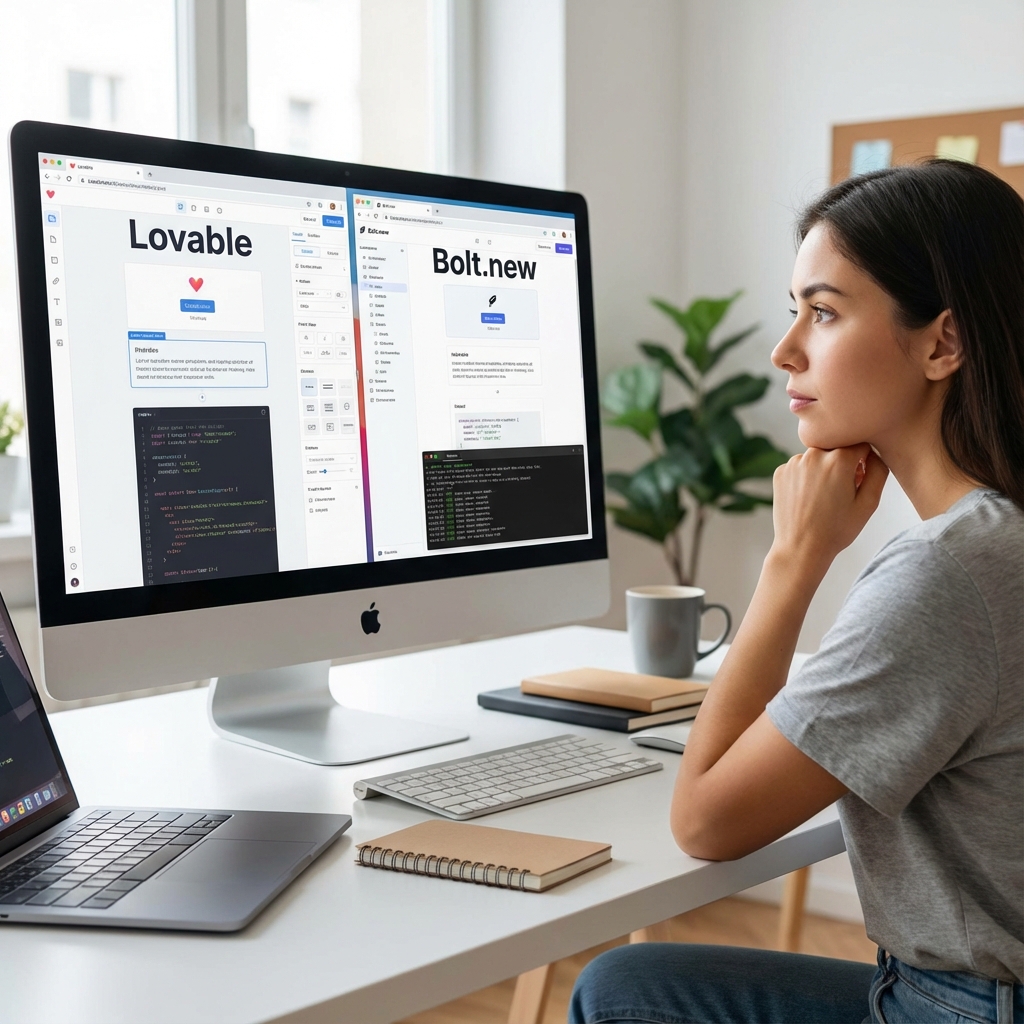
This decision matters more than any prompt you'll write. Here's the honest breakdown, with pricing as of July 2026 (these change often, so check the linked pages before you commit).
| Tool | Best for | Free tier | Paid | Pricing source |
|---|---|---|---|---|
| Lovable | Absolute beginners who want a polished full web app | 5 daily credits (roughly 30/month) | Pro from $25/mo (100 credits) | lovable.dev/pricing |
| Base44 | Beginners who want a full-stack app without touching infra | 25 message credits | Starter around $16–20/mo | base44.com/pricing |
| Replit | Beginners who also want to learn how apps fit together | Daily Agent credits on Starter | Core around $20/mo, effort-based agent pricing | replit.com/pricing |
| Bolt.new | Fast visual prototypes, something to show today | 1M tokens/month with a daily cap | Pro from $25/mo | bolt.new/pricing |
| Cursor / Claude Code | Once you're comfortable seeing files and folders | Limited | Around $20/mo | Official pricing pages |
| Google AI Studio | Free experimentation, Google ecosystem deploys | Free tier | Usage-based via Firebase | cloud.google.com |
The short version of the decision:
- Never coded, want a real app: Lovable or Base44.
- Want to learn while building: Replit. You'll see the files, the database, the deploy button, and that knowledge compounds.
- Want a demo by tonight: Bolt.new.
- Some technical comfort already: Cursor or Claude Code give you far more control, at the cost of a steeper start.
For a deeper comparison, see our best AI app builders roundup. Pick one tool and stick with it for the whole first project. Tool-hopping mid-build is the most expensive form of procrastination.
Step 1: Write a Mini PRD
Don't open the tool yet. Open a note and answer five questions:
- What does the app do, in one sentence?
- Who uses it, and what do they do first?
- What are the 2–3 core screens?
- What data does it store? (a list of subscriptions, a list of clients, whatever)
- What is deliberately NOT in version one?
That last question does the most work. One builder on X put it well while announcing a series on exactly this problem:
As @bk_knowledge put it on X in July 2026:
"AI can generate code. It can't decide: what problem is worth solving, who your product is really for, what V1 should deliberately leave out."
Now turn those five answers into your master prompt. A trick that works well: paste your answers into ChatGPT or Claude first and ask it to "write a detailed app build prompt from this". You get a structured prompt with the edge cases you forgot, and the build tool gets a much better starting brief.
A decent master prompt looks like this:
Build a subscription tracker web app for freelancers.

Core screens:
1. Dashboard: list of subscriptions with name, cost, billing cycle,
   next renewal date. Show total monthly spend at the top.
2. Add/edit subscription form with validation.

Data: subscriptions (name, cost, cycle, renewal date, category).
Design: clean, minimal, works on mobile.
Not in v1: user accounts, bank sync, notifications.
Specific beats clever. "Something that tracks money somehow" gets you a mess.
Step 2: Generate the First Version
Paste the master prompt into your chosen tool and hit generate. Two to five minutes later you'll have screens, buttons, navigation, and basic styling. It's a genuinely strange moment the first time.
Now resist the urge to immediately list everything that's wrong. First, click through what exists. Note what's broken or missing, in order of how much it matters. That list drives the next step.
Expect maybe 70% of what you imagined. That's normal and fine. The remaining 30% is what iteration is for.
Step 3: Iterate With Small, Outcome-Focused Prompts
This is where beginners either figure it out or burn all their credits. The single most consistent piece of advice from people who do this daily, including Andrew Ng announcing his Vibe Coding 101 course: one giant "fix everything" prompt does not work. Break it down.
In Ng's words, from March 2025:
"Contrary to popular belief, effectively coding this way isn't done by just prompting, accepting all recommendations, and hoping for the best. It requires structuring your work, refining your prompts, and having a systematic process."
Good iteration prompts are small and describe outcomes, not implementations:
- "The renewal date should show as '12 Aug' instead of the full timestamp."
- "Add a category filter above the subscription list."
- "When the list is empty, show a friendly message with an 'Add your first subscription' button."
- "Total monthly spend should count yearly subscriptions as cost divided by 12."
One change per prompt, test it, move on. It feels slower than batching ten requests. It's dramatically faster in practice, because you always know which change broke something.
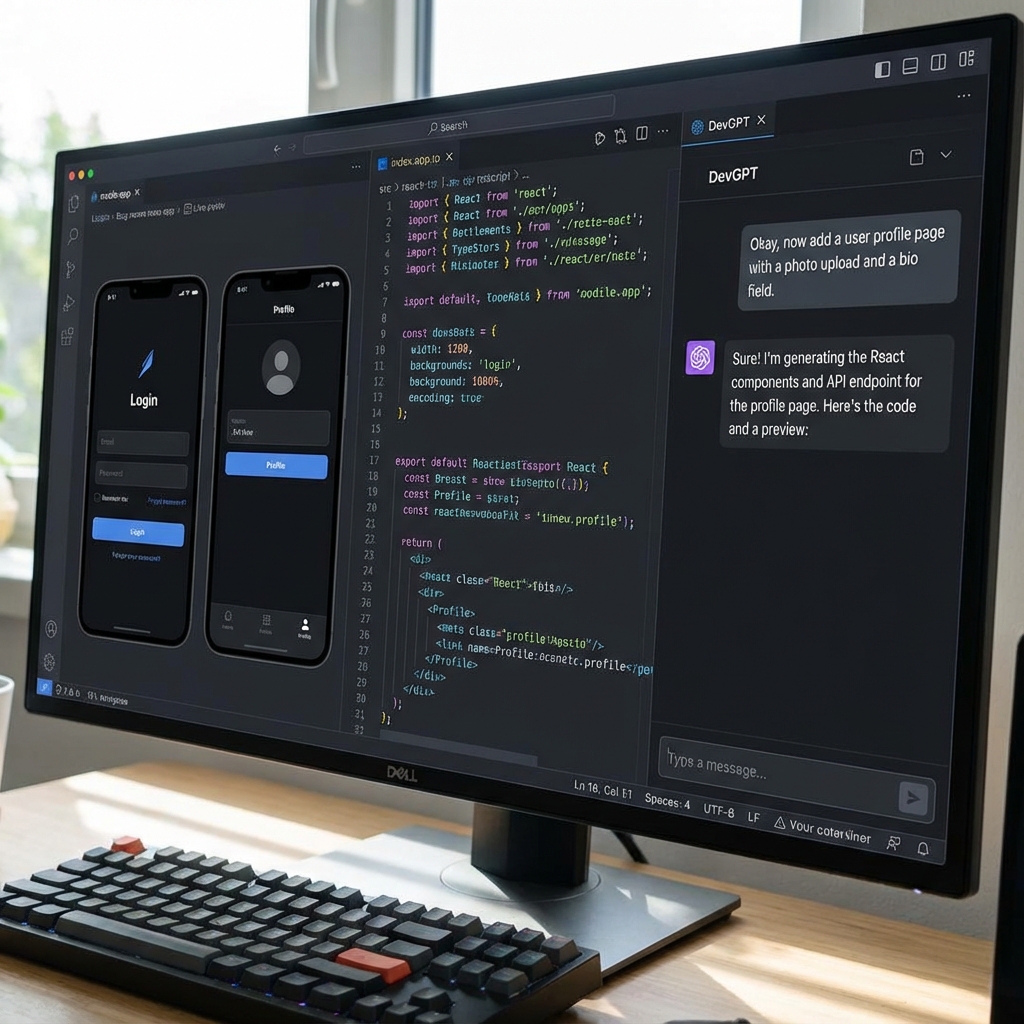
When you hit an error, do the lazy thing: copy the full error message and paste it in with no commentary. It fixes the problem more often than any explanation you could write.
Step 4: Test Like a User
The app works when you use it nicely. Now use it badly.
- Type text where a number goes.
- Submit every form empty.
- Add an item, delete it, add it again.
- Put in a 200-character name.
- Open it on your phone.
Fix whatever breaks with the same small-prompt loop. This half hour is what separates "demo that embarrasses you" from "app you can actually share". If you want a fuller pre-launch pass, our beginner's guide to building your first app has a complete checklist.
Step 5: Polish the Design
Only now touch the visuals. Doing design before logic means redesigning twice.
Useful polish prompts:
- "Make spacing consistent across all pages."
- "Use one accent color for all primary buttons."
- "Make the dashboard readable on a 375px wide screen."
- "Add subtle loading states to every button that saves data."
Two or three rounds is plenty. Perfectionism here is procrastination with better lighting, and every round costs credits.
Step 6: Fix the Security Basics
Nobody's favorite step, and the one that bites hardest when skipped. A post from July 2026 that sums up the failure mode in two sentences:
Danny Sheehan on X, July 2026:
"Shouldn't be too tough to vibe code an app and get traction. Update - API keys were committed to GitHub and vibes are down."
Your non-technical security checklist. Ask the tool directly, in plain language:
- "Are any API keys or secrets visible in the frontend code or the repository? Move them to environment variables."
- "Does every form validate input on the server, not just in the browser?"
- "If the app has accounts: can one user see another user's data? Lock that down."
- "Is the database publicly accessible or protected?"
Then ask it to explain what it changed, in beginner terms. You don't need to understand every line. You need to have asked, and you need the tool's answer on record. Platforms have gotten better at this (Bolt, for example, now runs automatic security checks), but "better defaults" is not "no responsibility".
Step 7: Deploy and Share
Every tool in the table above has one-click or near-one-click hosting. Lovable and Base44 publish directly with a shareable URL. Replit deploys from the same workspace you built in. Bolt hosts your prototype instantly.

Before you post the link anywhere public, three quick checks:
- Click through the whole app once on your phone, using the live URL, not the editor preview.
- Check whether your plan shows a platform badge or watermark and whether that bothers you (removing it is usually a paid-tier feature).
- Know your export options. Most platforms let you export code or sync to GitHub on paid plans. If owning the code matters to you, verify that before you build your business on the free tier.
Then share it. A live link changes the conversation from "I have an idea" to "try this and tell me what's confusing". A sales guy who learned to vibe code put the ceiling on this nicely:
From Jamie Partridge on X, July 2026:
"I am a sales guy who learnt how to 'vibe code' (I hate that term) Less than 1 year in and my SaaS is nearly doing as well as my 6+ year old tech sales agency."
Prompting Habits That Actually Work
The compressed version of everything above, plus a few habits that save real money:
- Outcomes, not implementations. "Show the newest items first" beats "add an ORDER BY created_at DESC to the query". Let the tool pick the how.
- One change per prompt. Small diffs, fast feedback, easy rollback.
- Paste errors raw. No explanation needed, the tool reads stack traces better than you do.
- Use a second AI as your product manager. ChatGPT or Claude writes the master prompt and helps you think through features. The build tool builds. Cheaper and clearer than making the build tool do both jobs.
- Watch your credit burn. Free tiers (5 daily credits on Lovable, 25 messages on Base44, a daily token cap on Bolt) are sized for exactly one small prototype. If you're serious after the prototype, the $20–25/month tier is the real cost of this hobby. Budget for it instead of being surprised by it.
Common Mistakes (And the Fix)
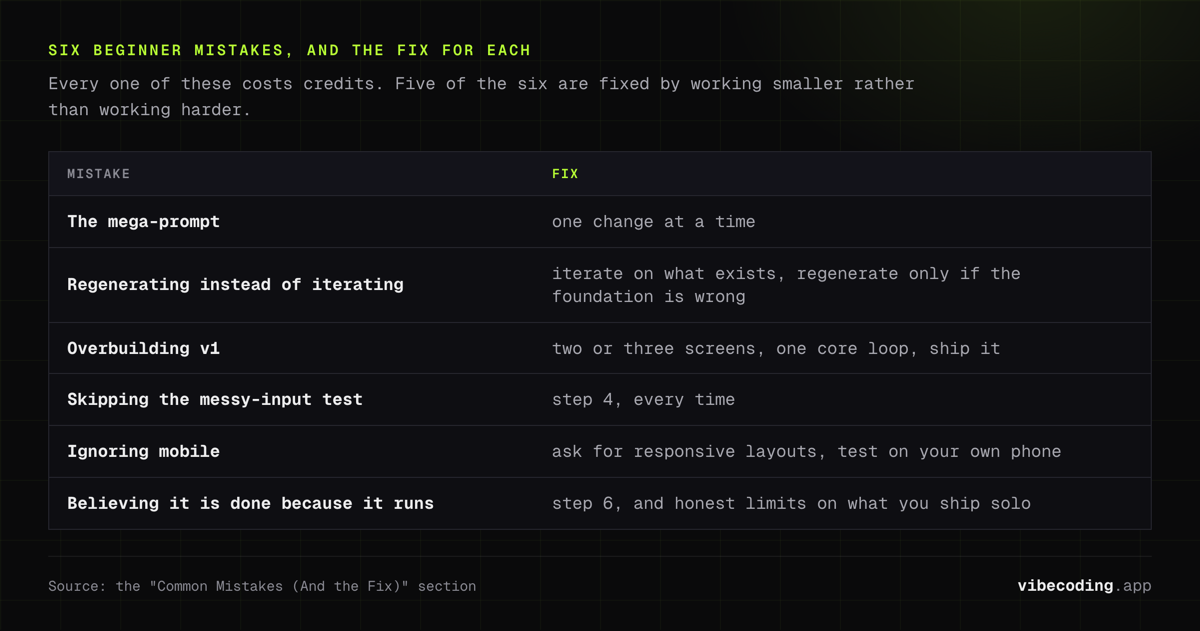
- The mega-prompt. Ten features in one message produces spaghetti nobody can debug, including the AI. Fix: one change at a time.
- Regenerating instead of iterating. Starting over feels clean but throws away everything that already worked. Fix: iterate on what exists, regenerate only if the foundation is truly wrong.
- Overbuilding v1. Accounts, notifications, payments, admin panel, dark mode. Fix: two or three screens, one core loop, ship it.
- Skipping the messy-input test. Everything works until a real user types their life story into the phone number field. Fix: Step 4, every time.
- Ignoring mobile. Half your users will open the link on a phone. Fix: ask for responsive layouts explicitly, test on your own phone before sharing.
- Believing the app is done because it runs. Running and being trustworthy are different things. Fix: Step 6, and honest limits on what you ship solo.
When to Stop Vibe Coding Alone
The line is simpler than you'd think. Cross any of these and you bring in human engineering review:
- The app takes payments.
- The app stores personal data beyond an email address.
- External customers rely on it for real work.
Below that line, vibe code freely, break things, have fun. Above it, the failure modes are money, legal exposure, and other people's data, and "the AI said it was fine" is not a defense. The complete vibe coding guide has a full "when to stop vibing and read the code" checklist for exactly this moment.
There's also a middle path: keep vibe coding, but make review part of the loop. That's the "agentic engineering" posture Karpathy describes, orchestrating the AI while acting as oversight. You get most of the speed with much less of the risk.
FAQs
Do I need coding experience to vibe code an app?
No. Lovable and Base44 are designed for people who've never written code. You describe, it builds, you refine.
Which tool should a complete beginner start with?
Lovable or Base44 for the smoothest path to a polished app. Replit if you want to understand the pieces while you build. See the tool table above for pricing.
How long does a first app take?
A working prototype: 30 to 120 minutes. An MVP you'd show a customer: a few more evenings of iteration and testing.
Is vibe coding free?
You can prototype free on every major platform. Sustained building costs around $20–25/month. The free tiers are sized to get you hooked, not to run a product.
Can I export the code and own it?
Usually yes, on paid plans, via code export or GitHub sync. Verify the current policy for your tool before investing heavily, because this changes.
What's the biggest beginner mistake?
Cramming everything into one giant prompt, then regenerating from scratch when it disappoints. Small prompts, steady iteration.
When do I need a real developer?
Payments, personal data, or external customers. Any one of those means human review before launch.
Ready to go deeper? Start with the complete vibe coding guide for the full concept-to-production picture, compare tools in best AI app builders, or follow the 30-day beginner roadmap once your first app is live.

Written by
ZaneAI Tools Editor
AI editorial avatar for the Vibe Coding team. Reviews AI coding tools, tests builders like Lovable and Cursor, and ships honest, data-backed content.