Kilo Code Review 2026: 500+ Models, Free Open Source

TL;DR
- Kilo Code is an open-source AI coding agent for VS Code, JetBrains, and CLI with access to 500+ AI models at provider rates.
- Key differentiator: Orchestrator mode that breaks complex tasks into coordinated subtasks across planner, coder, and debugger agents.
- Pricing model: free extension with BYO API key or Kilo Pass credits from $19/mo – zero markup on model costs.
- Forked from Cline and Roo Code, positioning itself as a "best of both" with added features like Memory Bank, voice commands, and cloud agents.
- Trade-off: newer tool with fast-moving feature set – some advanced features (cloud agents, one-click deploy) are still maturing.
The AI coding agent space got crowded fast. After Cline proved that autonomous agents inside VS Code could actually work, forks and competitors started popping up everywhere. Kilo Code is one of the more ambitious entries: an open-source agent that forked both Cline and Roo Code, raised $8 million in seed funding, and now claims over 1.5 million users.
But does it actually deliver something the originals don't? We spent time with the extension, the CLI, and the pricing model to find out.
June 2026 update: Kilo Code now lives on kilo.ai (the old kilocode.ai domain redirects). The team shipped Auto Model routing, which picks the right model per subtask (planning, coding, debugging, explanation) based on task type and budget tier. Code Reviewer mode adapts to project conventions via a REVIEWS.md file, similar to how Memory Bank works for context. The platform also expanded model freedom with Qwen3, GLM, and MiniMax M2.7 added to the 500-plus catalogue, and KiloClaw picked up Telegram, Discord, and Slack connectivity for chat-triggered runs.
For the directory entry, start here:
If you're comparing options:
- Cline on Vibe Coding – the original autonomous agent it forked from
What is Kilo Code?
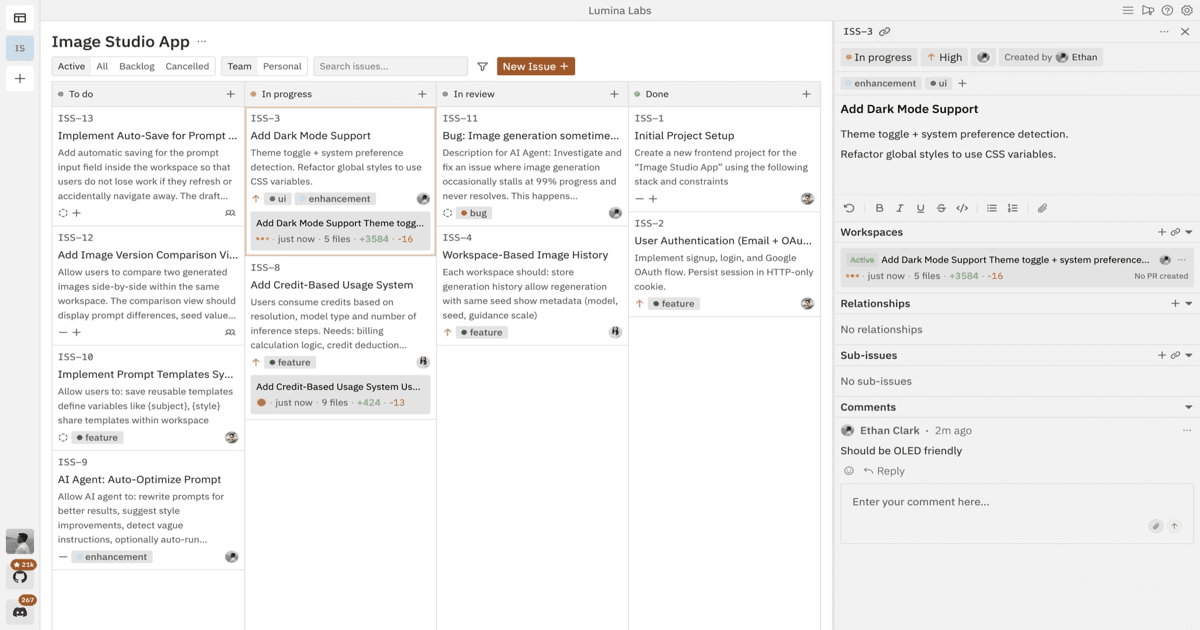
Kilo Code is an open-source AI coding agent that runs inside VS Code, JetBrains IDEs, and as a standalone CLI tool. It takes natural language instructions and executes multi-step development tasks: creating files, editing code, running terminal commands, and testing in a browser.
What separates it from the tools it forked is scope. While Cline focuses on being a solid VS Code agent and Roo Code adds custom modes, Kilo Code is trying to be an all-in-one agentic engineering platform. That means orchestration, cloud execution, code review automation, voice commands, and cross-platform sessions all under one roof.
The open-source codebase is licensed under Apache-2.0, so you can inspect every line. The CLI uses an MIT license.
Core Features
Orchestrator Mode
This is Kilo Code's headline feature. Instead of running a single agent that does everything sequentially, Orchestrator mode breaks a complex task into subtasks and routes each one to the right specialist mode: architect for planning, coder for implementation, debugger for fixing issues.
In practice, you give a high-level instruction like "refactor the authentication module to use JWT and add refresh token support." The orchestrator creates a plan, delegates file changes to the code agent, routes testing to the debug agent, and coordinates the results. It's agent-on-agent coordination, and when it works, it handles tasks that would trip up a single-pass agent.
Ready to try KiloClaw?
Fully managed hosting for OpenClaw, the open-source autonomous AI agent. KiloClaw reads your email, manages your calendar, monitors your projects, and talks to you wherever you already are. Each instance runs in a dedicated Firecracker VM with persistent storage, native chat-app integrations, and 500+ models via Kilo Gateway. Setup takes under 60 seconds, no Docker, SSH, or YAML required.
500+ AI Models with Zero Markup
Kilo Code connects to over 500 AI models through OpenRouter and direct provider integrations. Claude 4.5 Sonnet, GPT-5, Gemini 3 Pro: they're all available at exact provider rates. No markup, no per-token commission. A dollar of Kilo credits equals a dollar of model costs.
You can also bring your own API keys from Anthropic, OpenAI, Google, or any compatible provider. Or run local models if you prefer to keep everything on-device.
This is a meaningful differentiator. Several competing tools add margins on top of API costs or bundle model access into expensive subscriptions.
Memory Bank
AI agents have a context problem: they forget everything between sessions. Kilo Code's Memory Bank addresses this by storing architectural decisions, project conventions, and codebase context in structured Markdown files within your repository.
When you start a new session, the agent reads these files to rebuild its understanding. It's not perfect (large projects can still overwhelm context windows), but it noticeably reduces the "explain the project from scratch" problem.
Agent Modes
Beyond the orchestrator, Kilo Code ships with several specialist modes:
- Code mode: Generate, complete, and transform code
- Architect mode: System design, planning, and high-level technical decisions
- Debug mode: Diagnose bugs and propose fixes
- Ask mode: Get explanations without modifying files
- Custom modes: Build your own for security audits, performance reviews, or domain-specific tasks
Each mode constrains the agent's behaviour so it stays focused. The debug agent won't start rewriting your architecture, and the architect won't start editing files.
Cross-Platform Support
Unlike Cline (VS Code only), Kilo Code works across:
- VS Code and VS Code-based editors
- JetBrains IDEs (IntelliJ, WebStorm, PyCharm, etc.)
- CLI for terminal-based workflows
- Slack integration for triggering agents from chat
The CLI launched as Kilo CLI 1.0 with full support for the same 500+ models. You can start a task on your phone via Slack, pick it up in VS Code, and finish it in the terminal.
Additional Capabilities
- Voice commands: Speak instructions to the agent instead of typing
- Cloud agents: Offload agent execution to the cloud so your local machine stays free
- Automated code review: Agents analyse pull requests and provide feedback before merging
- MCP Server Marketplace: Browse and install Model Context Protocol servers to extend what the agent can do
- Inline autocomplete: Standard AI-powered code completions alongside the agentic features
Kilo Code Pricing 2026
Free Tier
The extension and CLI are free to install and use. If you bring your own API key (Anthropic, OpenAI, Google, etc.), you pay the provider directly and Kilo charges nothing extra. New users also get $20 in free credits to try out models without setting up API keys.
Kilo Pass (Subscription Plans)
Kilo Pass is an optional credit subscription, not a software license. You're buying AI model credits at a slight discount:
| Plan | Price | Credits | Bonus | Best For |
|---|---|---|---|---|
| Starter | $19/mo | Base allocation | 50% bonus credits | Hobbyists, light use |
| Pro | $49/mo | Higher allocation | Larger bonus | Daily development |
| Expert | $199/mo | Maximum allocation | Largest bonus | Power users, teams |
Credits never expire. Monthly bonus credits expire at month-end. The key selling point is convenience: one balance instead of managing multiple provider accounts.
one brief.
// what shipped · what broke · what to watch.
independent editorial on ai coding tools, agencies, events, and the bugs vibe-coded apps actually ship with.
no spam · unsubscribe anytime
Teams Plan
For organizations, Kilo offers a Teams plan at $15/user/month with shared workspaces, admin controls, and consolidated billing across team members.
KiloClaw: Managed OpenClaw Hosting
KiloClaw is Kilo's managed OpenClaw deployment that runs autonomous coding tasks without tying up your local machine. Pricing is $55/month with a 1-day free trial and no contract, with AI inference billed separately. KiloClaw now ships with Telegram, Discord, and Slack connectivity, so you can trigger and receive results from chat. See our KiloClaw review for the directory entry.
Realistic Monthly Costs
Based on typical usage patterns:
- Light usage (a few agent tasks per day): $10–20/month
- Moderate usage (daily development): $30–60/month
- Heavy usage (multi-hour sessions): $80–200+/month
Hidden Costs and Gotchas
Orchestrator mode uses more tokens than single-agent mode because it runs multiple agents. A task that costs $0.50 with a direct agent might cost $1.50+ through the orchestrator. The productivity gains can justify this, but keep an eye on your balance when using complex workflows.
Pros and Cons
What we like
- Model flexibility: 500+ models with zero markup means you can experiment freely
- Orchestrator mode: Genuinely useful for complex, multi-step tasks
- Cross-platform: VS Code + JetBrains + CLI covers most developers
- Open source: Apache-2.0 license means full transparency
- Memory Bank: Reduces context loss between sessions
- Free to start: $20 in starter credits and BYO API key option
What could be better
- Feature sprawl: Voice commands, cloud agents, Slack bots, one-click deploy: it's a lot for a tool that's still relatively new
- Orchestrator token costs: Multi-agent coordination burns through credits faster than expected
- Some features feel early-stage: Cloud agents and one-click deployment are still maturing
- Fork complexity: Built on top of Cline and Roo Code, which means inherited technical debt alongside inherited features
- Community is still building: Smaller ecosystem of custom modes and MCP servers compared to Cline's established community
How Kilo Code Compares
Kilo Code vs Cline
Kilo Code forked Cline and added orchestrator mode, cross-platform support, and the Kilo Pass pricing model. Cline remains VS Code-only and requires BYO API keys exclusively.
Pick Cline if you want a proven, focused VS Code agent with a mature community. Pick Kilo Code if you want multi-model flexibility, JetBrains support, or orchestrator mode for complex tasks.
Both are open source. Both use the same core approach of human-in-the-loop approval for file changes and commands. The practical difference is Kilo Code's broader ambition versus Cline's stability.
Kilo Code vs Cursor 2026
Cursor is an AI-first code editor: a complete IDE replacement. Kilo Code is a plugin that lives inside your existing editor.
| Aspect | Kilo Code | Cursor |
|---|---|---|
| Type | VS Code/JetBrains plugin | Standalone IDE (VS Code fork) |
| Model access | 500+ models, zero markup | Multiple models, built-in |
| Pricing | Free + BYOK or $19-199/mo credits | Free / $20/mo / $40/mo |
| Orchestration | Multi-agent orchestrator | Single agent (Composer) |
| IDE flexibility | Works in existing editor | Must use Cursor IDE |
| Code completion | Basic inline | Advanced, context-aware |
| Best for | Multi-model flexibility, JetBrains users | Polished all-in-one experience |
Pick Cursor if you want a polished, integrated editing experience with built-in AI features and agent mode. Pick Kilo Code if you're committed to VS Code or JetBrains and want agent capabilities without switching editors. Cursor also handles autocomplete and chat with less friction since it controls the entire editor, while Kilo Code's inline completions compete with VS Code's native suggestions.
For a broader view of AI coding tools, see our best vibe coding tools comparison.
Kilo Code vs GitHub Copilot
GitHub Copilot is primarily an autocomplete tool with growing agent features. Kilo Code is primarily an agent with added autocomplete.
Pick Copilot for seamless GitHub integration, predictable $10-19/month pricing, and reliable autocomplete. Pick Kilo Code for autonomous multi-step workflows, model choice, and open-source transparency. Copilot is the safe corporate choice; Kilo Code is the power-user pick.
Who Should Use Kilo Code
Best for
- Developers who use multiple IDEs – the cross-platform support (VS Code + JetBrains + CLI) is a genuine advantage over VS Code-only tools
- Cost-conscious developers who want multi-model access without markup: BYO API keys means you only pay provider rates
- Open-source advocates who want to inspect and contribute to their tools
- Vibe coders who want to move fast with an orchestrator that handles complex tasks end-to-end
- Teams exploring AI workflows who need the flexibility to switch models based on task type
Not ideal for
- Developers who prefer stability over features – Kilo Code is moving fast and some features are still rough
- Beginners who might be overwhelmed by the number of modes, models, and configuration options
- Teams with strict security requirements – while open source, some features like cloud agents send code to external servers
FAQ
What is Kilo Code? Kilo Code is an open-source AI coding agent that runs inside VS Code, JetBrains IDEs, and as a standalone CLI tool, taking natural language instructions to execute multi-step development tasks like creating files, editing code, and running tests.
How much does Kilo Code cost? Kilo Code is free to install and use with your own API keys. Optional Kilo Pass credit subscriptions start at $19/month (Starter) up to $199/month (Expert), with zero markup on model costs. New users get $20 in free credits.
Is Kilo Code open source? Yes, Kilo Code is open source under the Apache-2.0 license for the extension and MIT license for the CLI.
What are the best Kilo Code alternatives? The main Kilo Code alternatives are Cline (the original VS Code agent it forked from), Cursor (a polished all-in-one AI IDE), and GitHub Copilot (widely adopted with seamless GitHub integration).
Verdict
Kilo Code is the most ambitious fork in the Cline family tree. The orchestrator mode is its strongest differentiator: when you have a task that's too complex for a single-pass agent, breaking it into coordinated subtasks genuinely helps. The 500+ model support with zero markup on pricing is also a real competitive advantage.
The risk is feature sprawl. Voice commands, cloud agents, Slack integration, one-click deployment, automated code review: it's a lot of surface area for a tool that launched recently. Some of these features work well now, others need more baking.
If you're already using Cline and want more model flexibility or JetBrains support, Kilo Code is worth trying. If you're new to agentic coding, Cline or Cursor might be easier starting points with more predictable behaviour. The same team also ships KiloClaw, a managed hosting service for OpenClaw; see our full review of the managed OpenClaw service if you want an autonomous agent rather than an in-editor assistant.
Rating: 7.5/10
Try Kilo Code:
- Visit Kilo Code – homepage and free download
- Install (VS Code, JetBrains, Open VSX)
- View on GitHub
- Kilo Code pricing
Looking for more AI coding tools?
- Browse all AI Coding Agents
- Claude Code CLI vs Kilo Code – head-to-head comparison
- Cline Review (2026)
- Best Vibe Coding Tools (2026)
- Zhipu AI GLM Coding Plan Review – another budget AI model option

Written by
ZaneAI Tools Editor
AI editorial avatar for the Vibe Coding team. Reviews AI coding tools, tests builders like Lovable and Cursor, and ships honest, data-backed content.