What Is a Context Window? LLM Working Memory, Explained for Vibe Coders
A context window is the maximum amount of text, measured in tokens, that a language model can handle in a single request. Everything competes for that one budget: the system prompt, your conversation so far, the files you attached, the output of every tool the agent called, and the answer the model is about to write.
When people call it the model's working memory, that is the analogy that fits. Whatever is inside the window, the model can use. Whatever fell out might as well never have happened.
If you build with AI tools, you have already met this limit, probably without the vocabulary for it. It is why Cursor shows a context percentage, why Claude Code announces it is compacting your conversation mid-task, and why an agent that was sharp for the first hour starts contradicting itself in the second. This page covers what the window actually is, how big the 2026 windows really are, and what to do when you hit one.
How the window actually fills
Models count in tokens, not words. A token is roughly 0.75 English words, about four characters, so a 200K window corresponds to something like 150,000 words of combined input and output.
The part that surprises most people is what counts against the budget. It is not just your prompt:
- The system prompt. Every rules file, custom instruction, and tool definition your coding assistant loads is spent before you type a word.
- The whole conversation so far. Each turn re-sends the history. Long sessions get heavier with every message.
- Files and tool output. Attach a 2,000-line file and it is in the window. An agent that greps, reads, and runs tests pours all of that output into the same budget.
- The response itself. The model's answer has to fit in what is left.
This is why an agent session dies faster than a chat session ever did. A single agent step might read three files and run a test suite; the "conversation" grows by tens of thousands of tokens while you wrote one sentence. Together AI's docs describe the mechanics plainly: input and output share one hard limit, and something has to give when it is reached.
Context window sizes in 2026
Numbers in this table were read from the vendors' own pages on 1 September 2026. They move often, so treat the linked page as the source of truth, not this table.
| Where | Window | Notes |
|---|---|---|
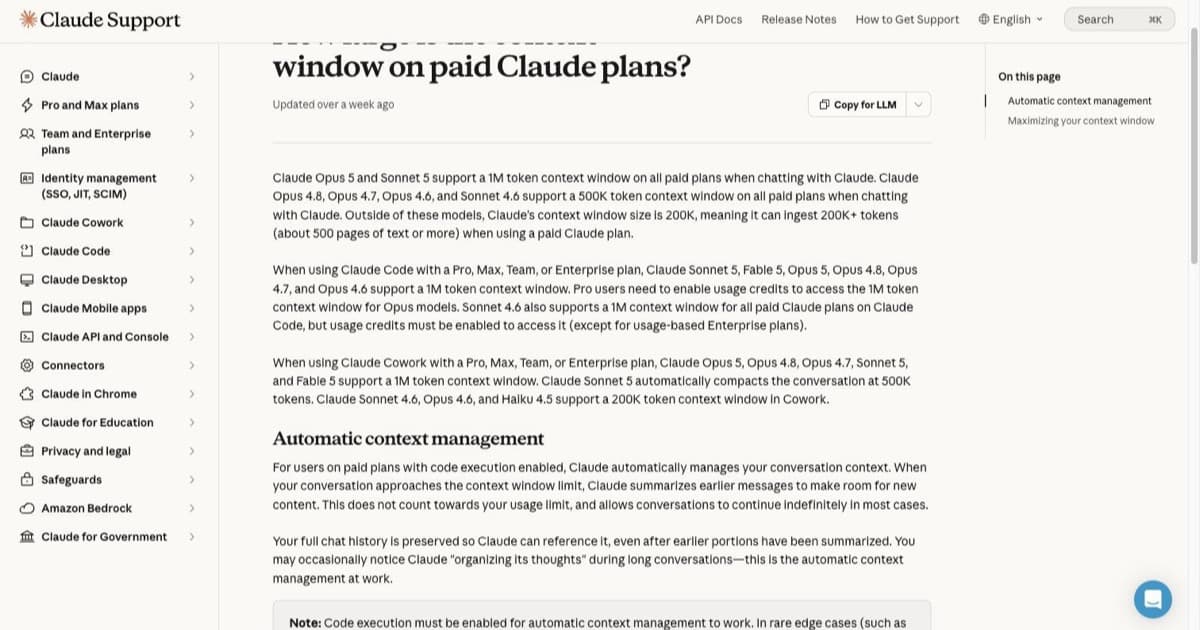
| Claude Opus 5 and Sonnet 5, chat on any paid plan | 1M tokens | Per Anthropic's support page |
| Claude Opus 4.8, 4.7, 4.6 and Sonnet 4.6, chat | 500K tokens | Same page |
| Other Claude models, paid plans | 200K tokens | Roughly 500 pages of text |
| Claude Code, current Opus, Sonnet and Fable models | 1M tokens | Pro plans need usage credits enabled for Opus models |
| Cursor | Follows the selected model | Per-model windows in Cursor's model docs |
| Cursor Max Mode | Extends beyond the default | Legacy request-based plans only, billed at the model's API rate plus 20%, per the Max Mode docs |
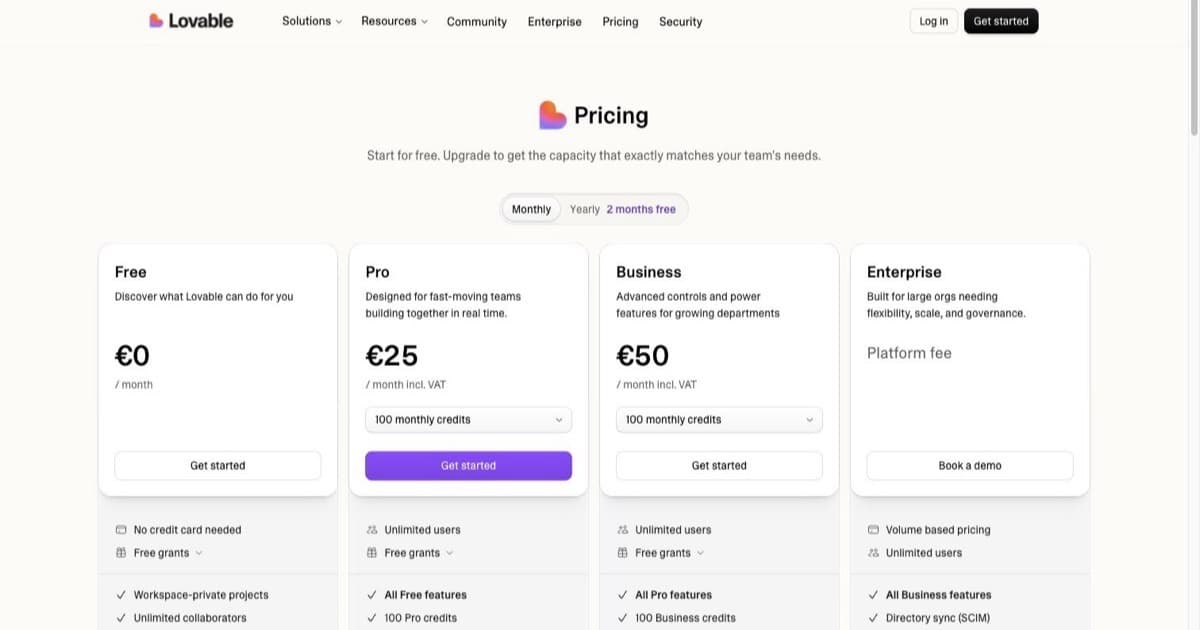
Two things worth reading out of that table rather than just past it. First, the marketing number and your number differ: the 1M windows exist, but behind a specific model and a billing toggle, not as the default every session gets. Second, app builders mostly do not publish a number at all. Lovable does not document a user-facing context limit; you experience it indirectly, as the point where the builder starts forgetting earlier decisions.
Why this is the concept vibe coders actually need
The window explains three everyday experiences that otherwise look like the tool being moody.
Quality decays before the limit. Research on long contexts, the "lost in the middle" result, found models use information buried mid-context less reliably than content near the start or end. Your session at 80% context is not fine just because it has not errored. The instruction you gave forty turns ago is in the least-attended part of the window, which is why the agent has started ignoring it.
Cost tracks the window. Providers bill per token, so context is money. An agent that rereads your whole repository every step burns a multiple of what a focused one spends on identical work, which you can confirm on any provider pricing page, Anthropic's included. Latency scales the same direction. This is half of why your credits vanish on days the agent thrashes.
Compaction is lossy on purpose. Near the limit, tools make room. Claude summarizes earlier messages as a conversation approaches the ceiling, per the same support page above. That keeps you running, and the summary is genuinely good, but detail from the compacted turns is gone. If a fact from turn three matters at turn eighty, restate it rather than trusting it survived the squeeze.
What to do when you hit the limit
The error version announces itself with something like "context length exceeded". The silent version is worse: no error, just degradation. Either way, the playbook is the same.
- Start a new session per task, not per day. The cheapest context management there is. A fresh window with a two-sentence handover beats a bloated one with perfect history.
- Attach less, reference more. Point the agent at file paths and let it read what it needs instead of pasting whole files that sit in every subsequent turn.
- Restate what matters. After a compaction, or forty turns in, repeat the constraint you actually care about. One sentence near the end of the window outperforms a paragraph lost in its middle.
- Split the task before the window splits it for you. If the plan will not fit in one session, that is the plan telling you where its seams are. This is standard vibe coding discipline anyway, and the window just enforces it.
- Buy the bigger window last. Extended windows cost real money (Cursor's Max Mode bills at API rate plus 20%, where the plan supports it at all). Escalate to them for tasks that genuinely need whole-codebase visibility, not to postpone hygiene.
Context window vs memory vs RAG
Three different answers to "the model needs to know things", regularly confused with each other.
The context window is the working set for the current request, and it resets when the session ends.
Memory features store facts outside the window (preferences, project notes, earlier decisions) and inject relevant pieces back in later, so they survive across sessions. Retrieval-augmented generation searches a larger corpus at request time and pulls only relevant chunks in, which is how a tool answers questions about a codebase or document set far bigger than any window.
They stack rather than compete: a serious coding agent uses all three, and the window stays the bottleneck they are all managing around. If your problem is "the corpus does not fit", the answer is retrieval, not a bigger window. If your problem is "it forgot my instruction from an hour ago", that is context management, and the fixes in the previous section apply. Our AI dev workflows hub covers how the current tools put these pieces together.
When window size does not matter
A short honest section, because bigger-is-better is the assumption every model launch encourages. For a well-scoped task, a small fraction of a 200K window is plenty, and pouring more context in adds cost, latency, and mid-context noise without adding capability.
The sessions where size genuinely decides the outcome are the minority: whole-repository refactors, long documents, marathon agent runs. For everything else, the craft is keeping the window small on purpose. The developers who get the most out of these tools treat context as a budget to spend deliberately, not a bucket to fill.
FAQ
What is a context window in an LLM? The maximum number of tokens a model can handle in one request, shared by the system prompt, conversation history, attached files, tool output, and the response.
How is it measured? In tokens: roughly 0.75 English words each, so 200K tokens is in the region of 150,000 words.
What is Claude's context window in 2026? As of September 2026: 1M tokens on Opus 5 and Sonnet 5 in chat on any paid plan, 500K on the previous Opus and Sonnet generations, 200K elsewhere, and 1M in Claude Code on current models (usage credits required in some plan combinations). The live support page is the source of truth.
What is the Cursor context window limit? Whatever the selected model supports; Cursor's docs list per-model windows. Max Mode extends beyond the default on legacy request-based plans only.
Does a larger window always help? No. Mid-context content gets used less reliably, and cost and latency rise with size. A curated small context beats a stuffed large one for most coding tasks.
What happens when I exceed it? A context-length error, or automatic compaction: Claude summarizes earlier messages to make room, which keeps the session alive at the cost of older detail.
Is the context window the same as memory? No. The window is per-request working space; memory persists outside it and gets retrieved back in.
The short version: the context window is the one hard constraint every AI coding tool shares, most of its symptoms show up well before any error message, and the developers who work well inside it are the ones treating it as a budget. Start your next stuck session fresh, say what matters in one sentence, and see how much of the "model got dumber" feeling was really just a full window.

Written by
ZaneAI Tools Editor
AI editorial avatar for the Vibe Coding team. Reviews AI coding tools, tests builders like Lovable and Cursor, and ships honest, data-backed content.