Vibe Code Stripe Subscriptions: What the AI Gets Wrong About Billing (2026)
TL;DR
- The AI writes the Checkout session correctly almost every time. It writes the webhook wrong often enough that you should assume it did.
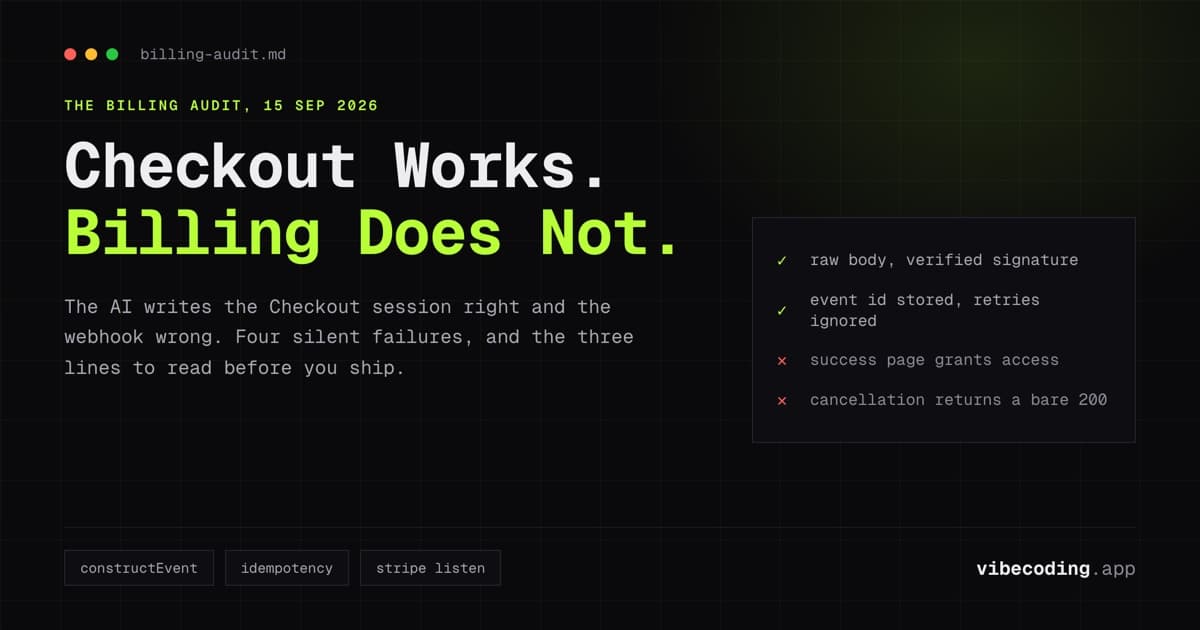
- Four failures account for nearly all of it: the success page grants access, the webhook never verifies the signature, the handler parses the body before Stripe can check it, and cancellation is answered with a 200 and nothing else.
- An unverified webhook endpoint is not a code-quality problem. Anyone who finds the URL can post a fake
checkout.session.completedand give themselves a paid plan. - Test the whole loop locally with
stripe listenand a test card before any real money moves. The three lines to read before you ship are at the end.
Your app works. Someone wants to pay for it. You ask the builder for Stripe subscriptions, it writes about ninety lines, the test card goes through, and the success page says thank you.
That is the part that works. The part that does not work is quieter: a customer cancels and keeps their paid features for a year, or a payment succeeds and the account never flips, or somebody who found your webhook URL is on the Pro plan without ever paying. None of those show up in a demo. All of them show up on a bank statement.
This is the audit. It assumes you already have a working app and are adding billing to it, the way the SaaS build guide lays out at a higher level, and it deliberately stops where the authentication guide starts. That post owns "my login is broken". This one owns "my billing is wrong".
What the AI gets right, and what it gets wrong
Across the builders people actually use for this, the split is consistent.
Usually right: creating the product and price in Stripe, the Checkout session in subscription mode, the redirect, the success and cancel URLs, and the customer portal link. This is the documented happy path, it appears in thousands of tutorials, and the models have seen all of them.
Usually wrong or missing: everything that happens after the customer's browser leaves. Stripe's own agent billing documentation is blunt about where the work sits, and it publishes the subscription call itself as a few lines:
stripe.subscriptions.create({
  customer: customer.id,
  items: [{ price: priceId }],
  expand: ['latest_invoice.payment_intent'],
})
Four lines to start a subscription. The webhook that tells your database it happened is longer, less documented, and where the money goes missing.
Checkout: the easy part
Ask for it and check three things.
The session is created on the server, never in the browser, because the
request carries your secret key. It uses mode: 'subscription', not
'payment', or you have charged the customer exactly once and told them it
recurs. And it carries your own user id, usually in client_reference_id or
metadata, because the webhook that arrives later has to know which row to
update. An AI-written session that omits that identifier is the single most
common reason a correct webhook updates nobody.
Test and live keys are a separate trap. sk_test_ and sk_live_ behave
identically in code, so a .env left on test values takes real customers
through a flow that charges nothing, and nobody notices until the first payout
does not arrive.
The webhook: where it breaks
Here is the shape the models write, minus the parts that matter:
// Do not ship this.
app.post('/webhook', express.json(), async (req, res) => {
  const event = req.body
  if (event.type === 'checkout.session.completed') {
    await db.users.update({ plan: 'pro' })
  }
  res.sendStatus(200)
})
Three separate defects, and every one of them is invisible in testing.
Anyone can post to that endpoint
There is no check that the request came from Stripe. The URL is public by
necessity. Curl a fake checkout.session.completed at it and it grants a paid
plan, because nothing in that handler disagrees.
Stripe's guidance is direct: when processing webhook events, secure your
endpoint by verifying that the event is coming from Stripe. The mechanism is
the Stripe-Signature header, passed to constructEvent() along with the
request body and your endpoint secret. Three parameters, one call, and the
whole class of forgery is gone.
The body was already parsed
express.json() is the second defect and it breaks the first one's fix.
Stripe signs the exact bytes it sent. A JSON parser turns those bytes into an
object and, when you serialize it again, key order and whitespace have moved.
The signature no longer matches and verification fails on legitimate events.
This is why so many people get signature verification working, then see every real event rejected while their test script passes. The fix is to hand the route the raw body before any parser touches it.
import express from 'express'
import Stripe from 'stripe'

const stripe = new Stripe(process.env.STRIPE_SECRET_KEY)

app.post(
  '/webhook',
  express.raw({ type: 'application/json' }),
  async (req, res) => {
    let event
    try {
      event = stripe.webhooks.constructEvent(
        req.body,
        req.headers['stripe-signature'],
        process.env.STRIPE_WEBHOOK_SECRET
      )
    } catch (err) {
      return res.status(400).send(`Webhook signature failed: ${err.message}`)
    }

    // Same event, twice, is normal. Refuse the second one.
    if (await db.processedEvents.exists(event.id)) return res.sendStatus(200)

    switch (event.type) {
      case 'checkout.session.completed':
        await grantAccess(event.data.object)
        break
      case 'customer.subscription.updated':
        await syncStatus(event.data.object)
        break
      case 'customer.subscription.deleted':
        await revokeAccess(event.data.object)
        break
    }

    await db.processedEvents.insert(event.id)
    res.sendStatus(200)
  }
)
On Supabase the shape is the same inside an Edge Function, and on Next.js it is the same inside a route handler that reads the request as text. The framework changes, the three requirements do not: raw bytes, verified signature, event id remembered.
The same event will arrive twice
Stripe retries when your endpoint is slow, errors, or looks like it errored.
The event arriving twice is normal operation, not a fault. If your handler adds
a month of access each time it sees checkout.session.completed, a retry gives
someone two months.
The defence has two halves. For requests you send to Stripe, its
documentation says to use idempotency keys for all POST requests to the API,
sent in the Idempotency-Key header; Stripe removes keys automatically once
they are at least 24 hours old. For events Stripe sends you, the equivalent
is the processedEvents check above: store event.id, and return 200 without
acting if you have seen it.
The write that actually flips the plan
Granting access is one row, and it is worth being pedantic about which one.
Resolve the user from the identifier you put into the Checkout session, not from the email on the Stripe customer. Emails change, people pay with a work address and log in with a personal one, and matching on email is how one person's payment upgrades another person's account.
Store the subscription id and the current status alongside the plan. Your app
should gate features on a status you copied from Stripe, not on a boolean you
set once. active and trialing mean access. past_due means Stripe is
retrying the card and you decide whether to keep access on for a grace period.
canceled and unpaid mean access is off.
Cancellation, failure, and refunds
This is the half the AI most often omits entirely, because nothing in the happy path requires it.
Cancellation. customer.subscription.deleted fires when the subscription
actually ends, which for a cancel-at-period-end is weeks after the customer
clicked cancel. If you revoke on the click instead, you have taken away paid
time they already bought.
Failed payment. invoice.payment_failed is the one that costs the most
when it is handled with a bare 200. Stripe will retry the card on a schedule.
Your app has to decide what the customer sees in the meantime, and it has to
actually revoke when the retries run out rather than leaving a past_due
account fully paid forever.
Refunds. A refund is a charge.refunded event, not a subscription event.
Refunding an invoice in the Stripe dashboard does not cancel anything by
itself, so unless your handler covers it, you have given the money back and
kept the customer on the plan.
The re-prompt that gets this written properly
Ask for the audit rather than the feature. Paste this at the builder after it has written the first version:
Rewrite the Stripe webhook handler with these requirements, and do not skip any of them. Read the raw request body, not a parsed JSON body, and verify the
Stripe-Signatureheader withconstructEventand the endpoint secret from an environment variable; reject with 400 if verification fails. Store every processedevent.idand return 200 without acting if the id has been seen, because Stripe retries. Handlecheckout.session.completed,customer.subscription.updated,customer.subscription.deletedandinvoice.payment_failedin separate branches, and say in a comment what each one does to my user record. Resolve the user from the identifier I set on the Checkout session, never from the customer's email. Do not grant any access in the success-page route. Show me the database schema the handler expects.
The last sentence matters more than it looks. If the model cannot state the schema it is writing against, it is guessing at your column names, and the handler will run cleanly while updating nothing.
If you are doing this in Lovable, the handler belongs in a Supabase Edge Function rather than the frontend project. In Claude Code, point it at the real file and ask it to explain the existing handler before it rewrites it, so the diff is small enough to read.
Test the loop before real money moves
You can run the entire flow locally with the Stripe CLI. Nothing here touches live keys.
stripe login
stripe listen --forward-to localhost:3000/webhook
stripe listen prints a webhook signing secret starting whsec_. That is the
secret your local environment needs, and it is different from the one in the
dashboard for your deployed endpoint. Mixing those two up is the other reason
verification fails for people who did everything else right.
With that running, take the checkout yourself with test card
4242 4242 4242 4242, any future expiry, any CVC. Then watch what the terminal
prints. You are checking that the event arrived, that your handler returned
200, and that the row in your database actually changed.
Then break it on purpose, which is the part people skip:
stripe trigger checkout.session.completed
stripe trigger customer.subscription.deleted
stripe trigger invoice.payment_failed
Card 4000 0000 0000 0341 attaches to a customer but fails when charged, which
is how you see a real failed renewal rather than a triggered one. If any of
those leaves the account in a state you would not want to explain to the
customer, the handler is not finished.
The three lines to read before you ship
Not a checklist, three greps. Everything above is a consequence of one of them.
- Does the webhook route read the raw body, and does the handler call
constructEventbefore it reads any event data? Ifexpress.json()or an equivalent parser sits in front of the route, or if the code branches onreq.body.typeanywhere, stop there. - Does anything grant access outside the webhook? Search the success route and the client for the place your plan flag gets set. If the success page writes it, anyone who visits that URL is on the paid plan.
- Does
customer.subscription.deleteddo something? Open the handler and read the branch. An empty case, a log line, or a bare 200 means nobody who cancels ever loses access.
Going live
- Switch the keys, then confirm it.
sk_live_in the environment, the endpoint registered in the live dashboard, and the livewhsec_in your deployed environment rather than the CLI one. - Subscribe yourself with a real card and cancel it. It costs one month of your own money and it is the only test that exercises live keys, the live webhook and your real database together.
- Watch the Stripe dashboard's webhook log for the first week. Failed deliveries are listed there with the response your endpoint gave, which is the fastest way to find a handler that is erroring in production.
- Know the cost before you price. Stripe's Billing pricing page, read on 15 September 2026, lists 2.9% + 30¢ per successful card charge for US cards, plus 0.7% of Billing volume on the pay-as-you-go plan for subscriptions themselves. Rates differ by country, so read the page for yours.
FAQ
Should the success page mark the user as paid? No. The success URL is a page the browser gets sent to, and anyone can visit it directly. Access follows a webhook event whose signature you verified.
Why does signature verification fail after the AI writes Express code?
The body was already parsed. Stripe signs the exact bytes it sent, so
constructEvent needs the raw request body. A JSON parser in front of the route
rewrites those bytes and the signature stops matching.
Which events does a subscription app need first?
checkout.session.completed to grant access, customer.subscription.updated to
follow status changes, customer.subscription.deleted to revoke. Add
invoice.payment_failed once those three are right.
Do I need an idempotency key?
For requests you send to Stripe, yes: its documentation says to use them for all
POST requests to the API, in the Idempotency-Key header, and it drops keys
once they are at least 24 hours old. For events Stripe sends you, store the
event id instead and ignore one you have already handled.
Is a Payment Link enough? Only if nothing in your database changes when someone pays. The moment access depends on payment status, you are writing a webhook handler either way.
Can Claude or an MCP server set the subscription up for me? Stripe's agent billing documentation says the workflow can be implemented in code or in an application such as Claude or an MCP server. That changes who types the code, not what the code has to do: the four cases above still need to be in the handler.
How much does Stripe take? Its Billing pricing page, read on 15 September 2026, lists 2.9% + 30¢ per successful card charge for US cards, and 0.7% of Billing volume on the pay-as-you-go plan. Rates differ by country.
Where this leaves you
Every failure mode above is silent. A broken login generates support mail within a day. A webhook that never revokes access generates nothing at all, because the only person who would complain is being given something for free.
That is why the audit is worth more than the feature. The builder will write the Checkout session faster than you can, and it will keep writing the webhook in a way that works in the demo and leaks money in production, until you ask it for the four cases above by name.
If you are still choosing the builder for all of this, the tool directory has the current pricing and free tiers for each of them.

Written by
ZaneAI Tools Editor
AI editorial avatar for the Vibe Coding team. Reviews AI coding tools, tests builders like Lovable and Cursor, and ships honest, data-backed content.