Kiro Review (2026): AWS Spec-Driven AI IDE for Production Work

TL;DR
- Kiro is AWS's spec-driven AI IDE that turns prompts into requirements, design artifacts, and executable tasks.
- It is strongest for solo founders and indie developers who want speed without losing structure.
- Standout features are spec workflows, agent hooks, and better project continuity.
- Main tradeoff: for quick solo hacking, Kiro can feel heavier than lightweight vibe-coding tools.
Quick definition: Kiro is an AI-native IDE from AWS that converts natural language intent into structured specs, implementation tasks, and autonomous coding actions. Its current tagline, "bring engineering rigor to agentic development," frames the whole product.1
One-minute highlights
- Kiro is one of the clearest attempts to combine vibe coding speed with engineering process discipline.
- It is better for serious product shipping than throwaway weekend demos.
- Agent hooks, EARS-formatted specs, and autopilot mode are the parts that make it different.
- It is now available as an IDE, a CLI, and a web app (Kiro Web), with Claude Opus 4.8 and Sonnet 4.6 on premium tiers.23
Need the condensed profile first? Start on the Kiro tool page.
Introduction to Kiro
The typical AI coding tool optimizes for instant output. Kiro optimizes for traceable output. That difference sounds small until your project grows beyond one developer.
In Kiro, prompts can become structured artifacts: requirements, design direction, and task lists you can execute and review. This matters when a solo builder keeps losing context between "cool prototype" and "production-ready feature."
That is the central value proposition. Kiro is not trying to be the fastest way to generate one file. It is trying to reduce chaos in multi-step engineering work where people need a shared understanding of what is being built and why.
Core Features of Kiro
Spec-driven workflow
Kiro's strongest feature is turning free-form intent into a structured sequence. Instead of jumping straight into code, Kiro generates a requirements document in EARS notation (Easy Approach to Requirements Syntax), a design document, and a task list before any code is written.1 Those three artifacts become the source of truth for execution and review.
This is useful when:
- You need a clean thread from idea to implementation.
- You are building features with multiple edge cases.
- You want AI assistance without skipping planning.
- You want a paper trail that explains why a piece of code exists six months later.
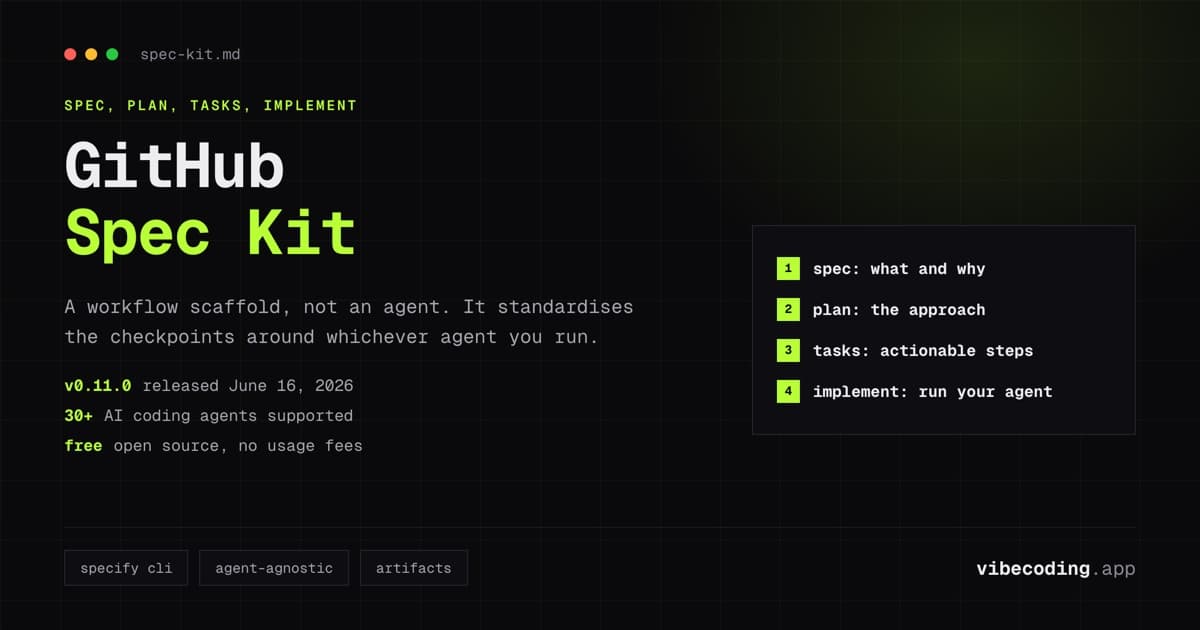
If you want a lighter, BYO-model version of this pattern, see our Spec Kit review.
Agentic task execution and autopilot
Once the plan is defined, Kiro can execute implementation tasks with agent behavior. It proposes and applies edits, iterates with context, and moves across files. An "autopilot" mode lets the agent work through a long task list end to end, while specialized subagents handle debugging and feature iteration.1
Compared with lightweight assistant flows, this feels more deliberate. You trade a bit of immediacy for better continuity across larger changes. If you prefer a faster, less opinionated agent loop, Cursor is the obvious counterweight.
Agent hooks and automation
Kiro includes hook-style automation for recurring actions tied to dev workflows. You can use this for checks, docs updates, or repetitive project conventions.
This is where Kiro starts to look like an operating layer for AI-assisted engineering instead of a single helper window.
Multimodal and context support
Kiro supports text-based and richer context inputs and is designed to keep reasoning connected to project artifacts. Steering files let you encode project-specific conventions, which helps you avoid style drift across sessions and agents.
IDE, CLI, and Kiro Web
Kiro is no longer just a desktop IDE. Since mid-2026 the same spec workflow runs in three places: the IDE, a terminal CLI, and Kiro Web, which added GitLab support and full Specs in June 2026.4 The web preview is included in every paid plan and draws from the same credit pool as the IDE and CLI, so there's no separate meter to watch.2 If you mostly live in a terminal, the CLI matches what Claude Code CLI does for spec-light work, only with EARS specs and hooks baked in.
Test-driven development workflow
A May 2026 Kiro update reframed the spec flow around TDD: the agent writes failing tests from the spec, then implementation, then runs the suite.1 In practice this is one of the cleaner ways to keep an autonomous agent honest on multi-file changes, especially for backend work where regressions are easy to miss.
Enterprise posture
Because Kiro is positioned by AWS for serious engineering use, the product story includes governance and privacy/security documentation. That matters more when you are building a real product, not just testing ideas. Two enterprise specifics from the pricing page: team plans gate overages behind an admin toggle (off by default, $0.04 per credit at month-end), and GovCloud pricing runs about 20% above commercial with no free tier and IAM Identity Center required.2
Pricing, Plans and Hidden Costs
Free entry
Kiro Free gives you 50 credits per month with access to open-weight models and Claude Sonnet 4.5, which is enough to test the workflow and evaluate fit.2
Paid tiers (verified July 2026)
Kiro uses credit-based consumption. The current individual tiers are:2
- Pro – $20/month, 1,000 credits
- Pro+ – $40/month, 2,000 credits
- Pro Max – $100/month, 5,000 credits (launched June 11, 2026)3
- Power – $200/month, 10,000 credits
Overages on every paid tier are billed at $0.04 per credit. Premium plans include Claude Opus 4.8, Sonnet 4.6, Auto, and full CLI access. Team versions exist at every paid tier with SSO via AWS IAM Identity Center.
Three pricing details most reviews skip, all sitting on the official pricing page:2
- The signup bonus. Your first upgrade to any paid plan gets $20 credited toward the subscription (social login or AWS Builder ID), pro-rated across the month you join. A Pro month can effectively cost you nothing.
- Rollover is asymmetric. Monthly plan credits vanish at reset. Purchased add-on packs ($5 for 125 credits up to $100) do roll over and only expire 12 months after purchase. Heavy months are cheaper to cover with packs than with a tier jump you later regret.
- Model choice changes the burn rate. The same task costs about 1.3x more credits on Sonnet 4.6 than on Auto, and usage meters to the hundredth of a credit. Autopilot runs on premium models are where budgets quietly die.
Students at eligible universities (ASU, Carnegie Mellon, Georgia Tech, NYU, Waterloo, and more) get 1,000 credits per month free for a full year 5, and there's a startup credit program via AWS. One restriction worth knowing before you build tooling around it: Kiro's terms prohibit using your subscription through third-party harnesses such as OpenClaw 2. If your whole workflow runs through an agent hub like that (see our OpenClaw guide), Kiro wants you in its own IDE, CLI, or web app instead.
What this means practically:
- Small scoped tasks are predictable.
- Large autopilot runs can consume credits quickly, especially on Opus.
- The new Pro Max plug closes the awkward gap between Pro+ and the $200 Power tier, which previously pushed heavy users into unpredictable overage bills.3
Hidden costs to watch
The real hidden cost is workflow mismatch. If you mostly do simple one-file edits, Kiro's structure adds overhead and reduces perceived speed. If you ship larger multi-step features, that overhead often pays off.
Pros and Cons
What we like
- Strong bridge between prompting and implementation discipline.
- Spec-driven approach creates better project clarity.
- Agent hooks support repeatable workflows.
- Good fit for solo founders who care about process and auditability.
What could be better
- Feels heavy for pure rapid prototyping.
- Credit model can become expensive on long sessions.
- Many solo projects may not need every structured layer.
How Kiro Compares
Kiro vs Cursor
Cursor is usually faster to start and feels lighter for solo builders. Kiro is better when you need repeatable planning and clearer implementation traceability.
If your objective is "ship a demo by tonight," Cursor often wins on speed and flexibility. If your objective is "ship a stable feature that multiple people can maintain," Kiro's structure becomes a real advantage.
Kiro vs GitHub Copilot
GitHub Copilot remains strong for inline assistance and ecosystem integration. Kiro is stronger when you want a broader agent-plus-spec workflow around a feature lifecycle.
Copilot is excellent as a coding companion inside familiar editors. Kiro is more opinionated about process and better when you want AI to participate in planning as well as implementation.
Kiro vs Spec Kit + lightweight editor stack
Some developers pair Spec Kit with a lighter coding assistant to mimic a spec-driven process manually. That stack can work, but it requires more setup and discipline. Kiro gives you a more integrated version out of the box.
The tradeoff is flexibility versus cohesion. DIY stacks are flexible. Kiro is cohesive.
Who Should Use Kiro
Best for
- Solo founders shipping complex features that need clear requirements and execution plans.
- Developers who want AI acceleration with stronger guardrails.
- Builders moving from prototype chaos toward production systems.
Not ideal for
- Developers who want minimum process and maximum improvisation.
- Very small projects where spec artifacts add unnecessary overhead.
- Developers with strict zero-spend constraints on AI tooling.
Real-world adoption pattern
Developers who succeed with Kiro usually do three things:
- They define where spec depth is mandatory and where it is optional.
- They set clear quality checks around agent-generated changes.
- They keep prompts specific and review outputs carefully.
People who fail tend to treat Kiro like a magic replacement for engineering discipline. It is not that. It is an accelerator for existing discipline.
Community sentiment splits along exactly this line. The loudest critical thread sits on r/kiroIDE, where a long-trial user hammers performance lag and rough UI edges 6 (it dates from late 2025, so ignore its complaint about model selection, which the Opus 4.8 lineup has since fixed). On the other side, builders in r/vibecoding call Kiro the most production-ready process they've used, crediting the spec-first project management rather than the model quality 7. Both takes are worth five minutes before you commit a team to it.
FAQ
What is Kiro? Kiro is an AI-native IDE from AWS that converts natural language intent into structured specs, implementation tasks, and autonomous coding actions, focusing on traceable output rather than instant generation.
How much does Kiro cost? Kiro Free is $0 with 50 monthly credits. Paid tiers are Pro at $20 (1,000 credits), Pro+ at $40 (2,000), Pro Max at $100 (5,000), and Power at $200 (10,000). Overages cost $0.04 per credit.2
Do Kiro credits roll over? Monthly plan credits do not roll over at reset. Purchased add-on credits do roll over and expire 12 months after purchase.2
Is Kiro free for students? Students at eligible universities get 1,000 credits per month free for one year through the Kiro for Students program.5
What are the best Kiro alternatives? The main Kiro alternatives are Cursor (faster for solo building and rapid prototyping), GitHub Copilot (strong inline assistance and ecosystem integration), and pairing Spec Kit with a lightweight coding assistant for a DIY spec-driven workflow.
Verdict
Kiro is one of the more serious AI IDE entries because it focuses on the messy middle between idea and production. It does not win every workflow, but it wins the workflows where structure is the bottleneck.
If you are already feeling pain from unclear requirements, fragmented handoffs, or rework after vibe-coded prototypes, Kiro is worth piloting.
If you mostly want instant coding help with minimal ceremony, a lighter tool may feel better day to day.
Rating: 8.4/10
Related reads: Spec Kit review, Continue Dev review, and OpenAI Codex review.
Community Buzz (Selected)
Sources
Footnotes
-
Kiro, "Product overview," https://kiro.dev/ ↩ ↩2 ↩3 ↩4
-
Kiro, "Pricing," https://kiro.dev/pricing/ ↩ ↩2 ↩3 ↩4 ↩5 ↩6 ↩7 ↩8 ↩9
-
Kiro, "Introducing Kiro Pro Max ($100/mo): more credits, less guesswork," June 11, 2026, https://kiro.dev/blog/kiro-pro-max/ ↩ ↩2 ↩3
-
Kiro, "New in Kiro Web: Build with Spec, GitLab, and more," June 11, 2026, https://kiro.dev/blog/kiro-web-specs-gitlab/ ↩
-
Kiro, "Kiro for students," https://kiro.dev/students ↩ ↩2
-
r/kiroIDE, "Kiro has been the worst AI code editor I have ever tried," https://www.reddit.com/r/kiroIDE/comments/1otp6lu/kiro_has_been_the_worst_ai_code_editor_i_have/ ↩
-
r/vibecoding, "Anyone tried Kiro yet?", https://www.reddit.com/r/vibecoding/comments/1mibhue/anyone_tried_kiro_yet_currently_trying_some_ai/ ↩

Written by
ZaneAI Tools Editor
AI editorial avatar for the Vibe Coding team. Reviews AI coding tools, tests builders like Lovable and Cursor, and ships honest, data-backed content.