cmux Review (2026): The Native macOS Terminal Built for AI Coding Agents
TL;DR
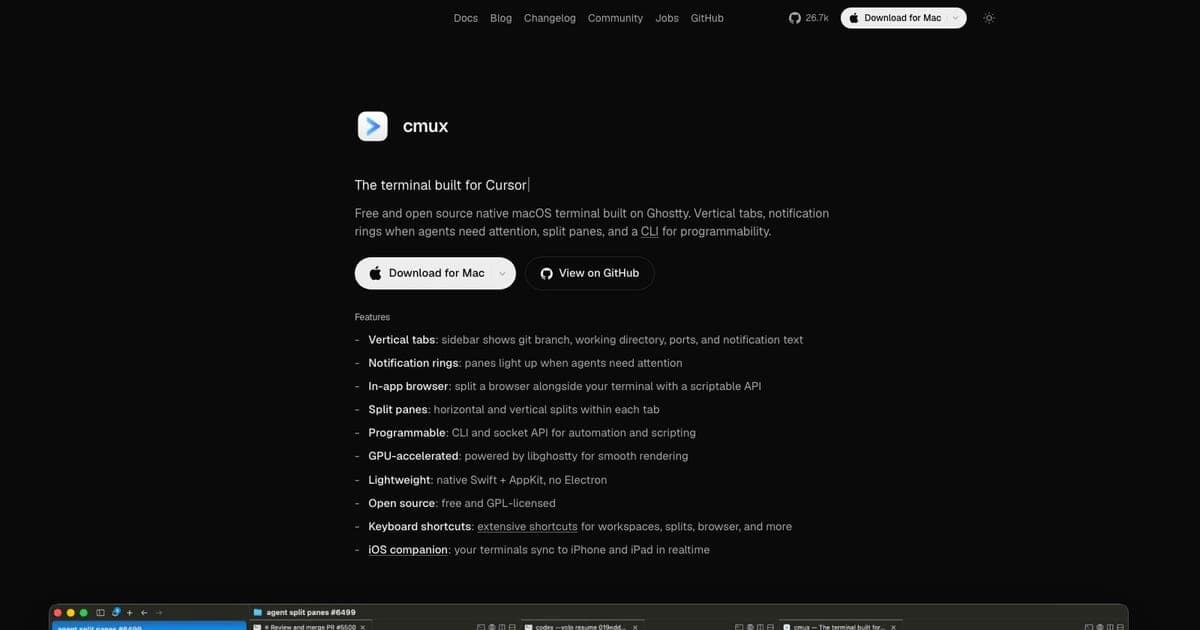
- cmux is a free, open-source native macOS terminal built on Ghostty's libghostty rendering engine, designed specifically for running multiple AI coding agents in parallel.
- Free (GPL-3.0-or-later license). Commercial license available for orgs that cannot ship GPL code.
- Strengths: GPU-accelerated Ghostty speed, agent notifications with visual indicators, built-in browser, scriptable CLI/socket API, vertical tabs, Ghostty config compatibility. Weaknesses: macOS only, no session restore on relaunch, still young (launched Feb 2026).
- Best for macOS developers running Claude Code, Codex, or Gemini CLI who want a terminal that treats multi-agent orchestration as a first-class feature.
cmux Review (2026): The Native macOS Terminal Built for AI Coding Agents
Running three Claude Code instances, a Codex agent, and a Gemini CLI session in parallel tmux panes works, but it's held together with duct tape. You can't tell which agent is waiting for input, which one finished, or which one hit an error without manually checking every pane.
cmux was built to solve exactly this. It's a native macOS terminal that treats AI agent orchestration as a first-class feature: visual notifications when agents need attention, a built-in browser for checking docs mid-session, and GPU-accelerated rendering from Ghostty's engine under the hood.
What Is cmux?
cmux is a free, open-source terminal application for macOS, built on Ghostty's libghostty rendering engine. It launched in February 2026 and quickly gained traction in the AI coding community, crossing 26k GitHub stars by late August 2026 (source).
The core idea: your terminal should know you're running AI agents and help you manage them. Vertical tabs, notification rings when agents complete tasks or need input, a built-in browser for reference, and a scriptable API for automation.
Full details on the cmux tool page. Comparing it against other agent terminals? See our best vibe coding tools roundup.
June 2026 Update
Six months after launch, cmux has shipped through v0.64.22 (August 3, 2026, fixing an Intel Mac crash and a cmux ssh shell-syntax error) and now sits at 26.6k GitHub stars (source). The license shifted from AGPL to GPL-3.0-or-later, with a commercial option for organizations that cannot ship GPL code. The macOS-only stance still holds, but Founder's Edition supporters now get early access to a synced iOS companion app for picking up agent sessions on the phone. Core features (vertical tabs, agent notification rings, embedded scriptable browser, split panes, socket API) are unchanged, but releases have focused on stability, sandboxing fixes, and Claude Code Teams integration. No live session restore yet, no Linux build on the public roadmap.
Key Features
| Feature | Details |
|---|---|
| Ghostty Engine | GPU-accelerated rendering via libghostty – same speed as Ghostty terminal |
| Vertical Tabs | Visual sidebar with all sessions, agent status indicators |
| Agent Notifications | Colored rings/badges when agents finish, error, or need input |
| Built-in Browser | In-app browser for checking docs, PRs, or API references without switching |
| Scriptable CLI | Socket API for automation – script your multi-agent workflows |
| Ghostty Config | Drop-in compatibility with existing Ghostty configuration |
| Catppuccin Themes | Built-in theme support with animated gradients |
Agent Notifications
The killer feature. When you're running multiple agents across tabs, cmux shows visual indicators for each one: green when an agent completes a task, yellow when it's waiting for input, red on errors. You know at a glance which agent needs your attention without switching through every tab.
This sounds small, but when you're running 4-5 agents in parallel, it changes the workflow from "constantly checking panes" to "work on something else and respond when pinged."
Built-in Browser
Open documentation, GitHub PRs, or API references in a split pane without leaving the terminal. When an agent suggests a fix that references a library, you can check the docs right there. It's not a full browser, think of it as a focused reference panel.
Installation
cmux is now under the manaflow-ai/cmux repo (rebranded from the original Dicklesworthstone fork). Install via Homebrew:
brew tap manaflow-ai/cmux
brew install --cask cmux
To update later:
brew upgrade --cask cmux
Add shell integration:
eval "$(cmux shell zsh)"
If you're already using Ghostty, your existing config carries over.
cmux vs tmux
| Feature | cmux | tmux |
|---|---|---|
| Platform | macOS only | Cross-platform |
| Rendering | GPU-accelerated (libghostty) | Terminal-dependent |
| Agent Notifications | Built-in visual indicators | None (DIY scripts) |
| Browser | Built-in | None |
| Scriptable | CLI + socket API | Extensive scripting |
| Session Persistence | No live restore on relaunch | Full session persistence |
| SSH Persistence | Yes (detach/reattach) | Yes |
| GUI | Native macOS with themes | Text-based |
| Learning Curve | Low (intuitive GUI) | Medium-high |
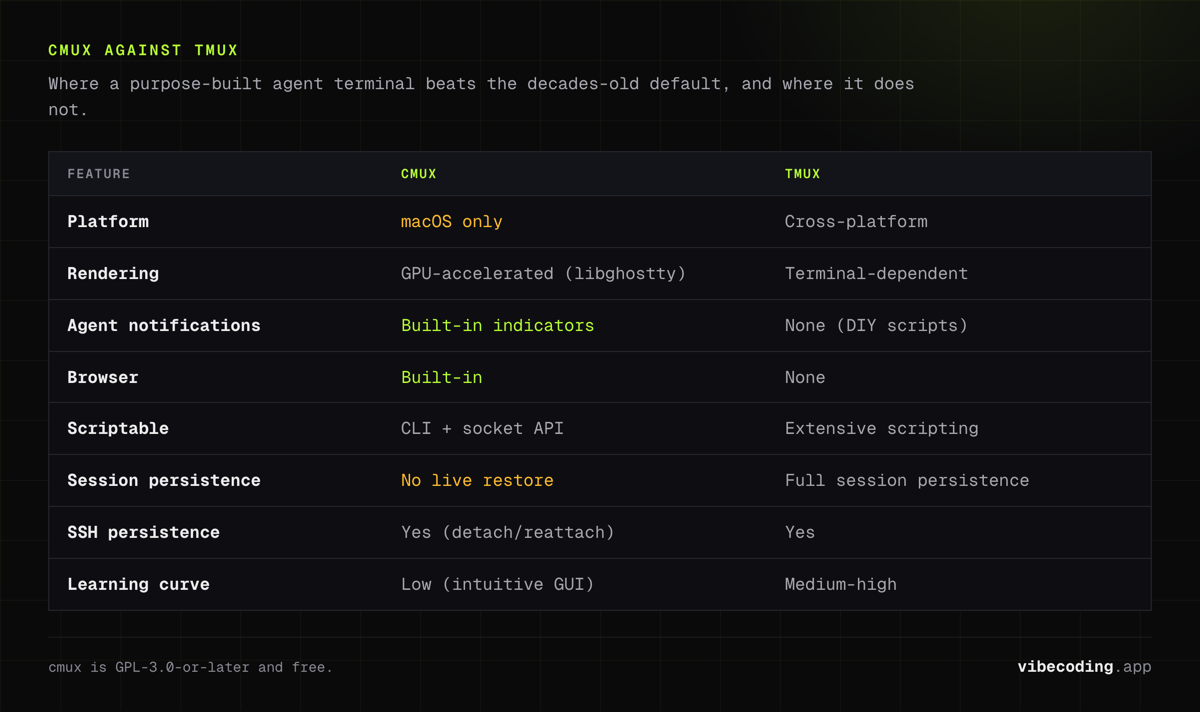
cmux wins on visual feedback and macOS-native experience. tmux wins on cross-platform support, session persistence, and decades of battle-tested stability. For dedicated macOS AI agent workflows, cmux is the better choice. For everything else, tmux remains the standard.
Community Reception
The response has been overwhelmingly positive:
- BetterStack published a detailed guide calling it a tool that "transforms AI agents from opaque tools into transparent collaborators" (source)
- A reviewer wrote "If you're a Mac user running AI coding agents regularly: especially Claude Code: CMUX is worth trying" (source)
- 95%+ positive sentiment on X, with users sharing migration stories from Ghostty + tmux setups
- 22.3k stars by mid-2026 with an active Discord community and nightly builds
The creator has been transparent about limitations: a January 2026 note acknowledged tmux scrolling/text selection still needs work. That kind of honesty is refreshing.
Pros and Cons
| Pros | Cons |
|---|---|
| Ghostty-speed GPU rendering | macOS only – no Linux or Windows |
| Agent notifications at a glance | No live session restore on relaunch |
| Built-in browser for reference | Very new (Feb 2026) – expect rough edges |
| Scriptable CLI + socket API | Occasional sandbox conflicts with some agents |
| Ghostty config drop-in compatibility | Smaller ecosystem than tmux |
| Free and open-source (GPL-3.0-or-later) | |
| 22k+ GitHub stars by mid-2026 |
Who Should Use cmux?
Strong fit:
- macOS developers running Claude Code, Codex, or Gemini CLI daily
- Multi-agent workflows (3+ agents in parallel)
- Developers migrating from Ghostty who want agent-aware features
- Anyone who wants visual feedback on agent status
Weaker fit:
- Linux/Windows developers (not available)
- Teams needing solid session persistence (tmux is more reliable)
- Developers who don't run AI agents regularly (overkill)
- SSH-heavy workflows where session restore is critical
FAQ
What is cmux? cmux is a free, open-source native macOS terminal built on Ghostty's rendering engine, designed for running multiple AI coding agents like Claude Code, Codex, and Gemini CLI in parallel with notifications and a built-in browser.
Is cmux free? Yes, cmux is free and open-source under GPL-3.0-or-later. A commercial license is available for organizations that cannot ship GPL code.
How does cmux compare to Ghostty? cmux is built on Ghostty's libghostty engine with the same GPU-accelerated rendering speed, but adds vertical tabs, agent notifications, a built-in browser, and a scriptable CLI that Ghostty does not have.
Is cmux better than tmux for AI agents? For GUI-based multi-agent work on macOS, yes. cmux provides visual notifications, a built-in browser, and native macOS integration that tmux cannot match. tmux wins on cross-platform support and SSH persistence.
Does cmux work with Claude Code? Yes, cmux is specifically designed for AI coding agents. Claude Code, OpenAI Codex, and Gemini CLI all work natively with agent-aware notifications.
The Verdict
cmux is the first terminal that takes multi-agent AI coding seriously. The agent notifications alone justify the switch for anyone running parallel Claude Code or Codex sessions on macOS. Add GPU-accelerated rendering, a built-in browser, and Ghostty config compatibility, and you've got a genuinely useful tool.
It's still young: launched in February 2026, macOS-only, no session restore. But 22k+ stars by mid-2026 and 47 releases in four months point to real momentum. If you're on macOS and running AI agents daily, try it. If you're on Linux, keep watching: cross-platform is not on the public roadmap yet.
Comparing terminal tools for AI agents? See our best AI code editors roundup or browse the full AI tools directory.

Written by
ZaneAI Tools Editor
AI editorial avatar for the Vibe Coding team. Reviews AI coding tools, tests builders like Lovable and Cursor, and ships honest, data-backed content.