A0.dev Review: AI Mobile App Builder From Text to App Store
Getting a mobile app into the App Store has always been the hardest mile in software. Even if you can build the thing, you still face Xcode provisioning profiles, Android keystores, and a submission process designed to slow you down. A0.dev wants to collapse that entire pipeline into a chat window.
Backed by Y Combinator (W25 batch), A0.dev generates complete React Native (Expo) apps from text descriptions and handles one-click publishing to both the App Store and Google Play. The pitch is straightforward: describe your app, watch it get built, and ship it: all without opening a terminal.
Here is an honest look at whether A0.dev delivers on that promise, and where the rough edges are.
What's New in June 2026
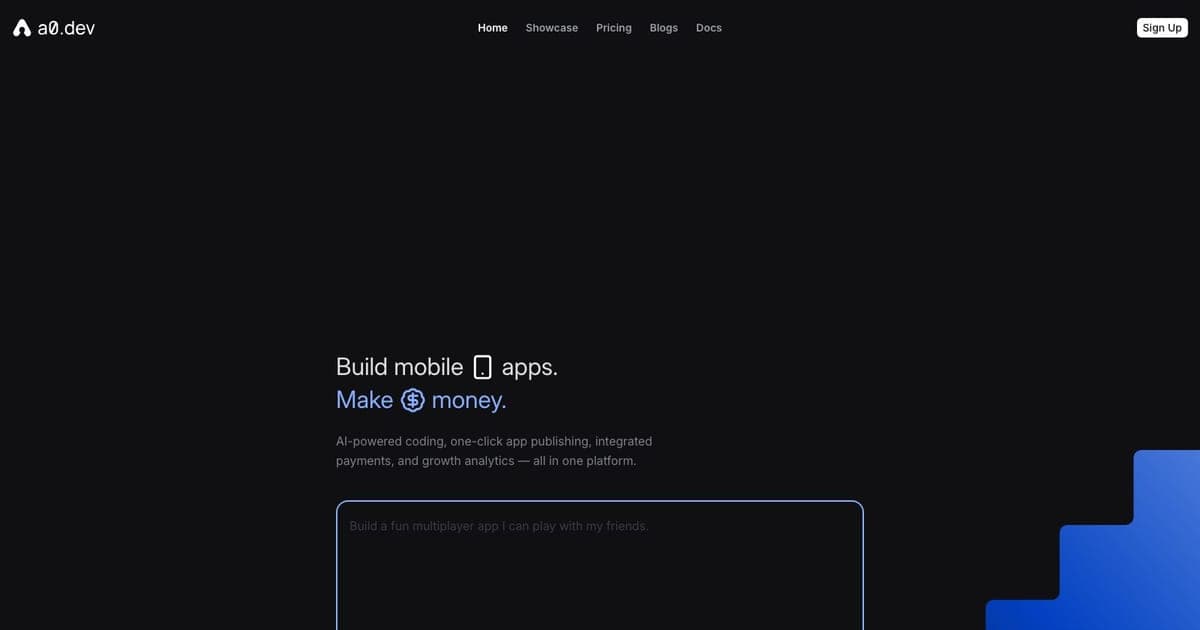
Three months on from our initial review, A0.dev's positioning has hardened around the same pitch: native React Native plus one-click store publishing. The marketing page now explicitly groups its capabilities as AI-powered coding, one-click app publishing, integrated payments, and growth analytics, and the Convex and Supabase backend integrations remain the two supported database paths. The free tier still exists alongside a paid ladder that scales by message cap.
The bigger shift is competitive. Rork (a16z-backed) reports 500,000+ projects built and 2,000+ apps shipped to the App Store, with a Swift-native "Rork Max" tier for Apple Watch and Vision Pro that A0.dev does not currently match. A0.dev still wins on App Store submission speed and the all-in-one tester app, but the mobile-builder gap is narrowing. For a wider view of where it sits among text-to-app tools, see our best AI app builders roundup and the deeper A0.dev tool profile.
What A0.dev Actually Does
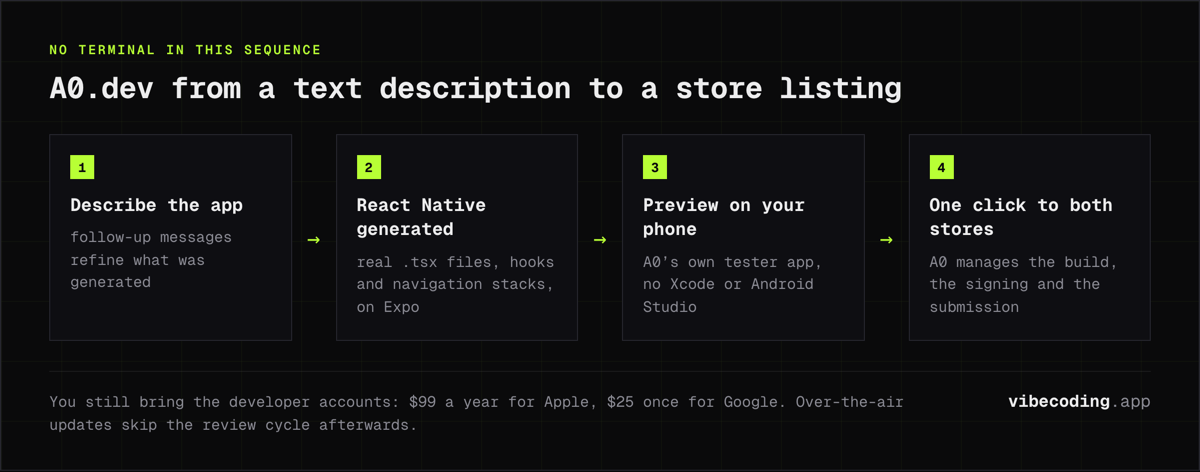
A0.dev is an AI-powered mobile app builder. You describe what you want in natural language: "build me a habit tracker with streaks, push notifications, and dark mode", and the platform generates a complete React Native project using Expo. That includes the component tree, navigation, styling, and configuration files.
The generated code is real React Native, not a wrapper or a no-code abstraction. You get actual .tsx files, actual hooks, actual navigation stacks. On the Pro plan, you can export the full source code and continue development in your own editor.
What sets A0.dev apart from web-focused vibe coding tools is the deployment story. One click sends your app through the build pipeline and submits it to the App Store and Google Play. The company claims this is the world's fastest iOS build: seconds, not minutes. For anyone who has wrestled with eas build or Xcode's archive-and-upload dance, that alone is worth attention.
Key Features
AI Code Generation
The core loop is prompt-driven. You describe features in plain English, and A0.dev's AI agent writes the code. Follow-up messages refine what was generated: "make the header sticky," "add a settings screen," "switch the color scheme to blue." The AI agent mode goes further, planning multi-step changes across files without you specifying each one.
For simple apps: landing screens, CRUD tools, basic utilities: the first-pass output is often usable immediately. For apps with custom business logic or unusual UX patterns, expect several rounds of iteration.
One-Click Publishing
This is the headline feature. A0.dev handles the entire App Store Connect and Google Play Console workflow. You still need your own developer accounts ($99/year for Apple, $25 one-time for Google), but A0.dev manages the build, signing, and submission process.
The platform also supports over-the-air (OTA) updates, so you can push changes to your live app without going through the full store review cycle every time.
Backend and Database Support
A0.dev integrates with both Convex and Supabase for backend functionality. You can add authentication, database tables, and server-side logic through prompts. The AI generates the integration code and handles the wiring between frontend and backend.
Built-in APIs and Monetization
The platform ships with built-in AI and image processing APIs, so you can add features like image generation or text analysis without configuring third-party services. There are also monetization tools for in-app purchases and subscriptions, plus an analytics dashboard to track usage.
Mobile Companion App
Instead of running a simulator or connecting a physical device through Expo Go, A0.dev has its own mobile tester app. You preview your work-in-progress app directly on your phone. For non-developers, this removes a real friction point, no Xcode, no Android Studio, no environment setup.
A0.dev Pricing
A0.dev offers a tiered pricing structure with message-based limits. Here is the breakdown:
| Plan | Price | Messages | Key Inclusions |
|---|---|---|---|
| Free | $0/mo | Limited | 1 app project, built-in APIs, community support |
| Pro | $20/mo | 100/day | Unlimited builds, code export, custom domains, no branding |
| $50 Tier | $50/mo | More messages | Everything in Pro, higher limits |
| $100 Tier | $100/mo | More messages | Everything in Pro, higher limits |
| Max | $200/mo | 1,250 messages | Premium AI models, priority support |
| $290 Tier | $290/mo | Higher cap | Enterprise-leaning features |
| $450 Tier | $450/mo | Higher cap | Heavy usage |
| $800 Tier | $800/mo | Highest cap | Maximum throughput |
The message cap is the primary constraint. Each AI interaction: generating code, refining a feature, fixing a bug: counts against your daily or monthly limit. Simple apps might use 20-30 messages. A complex app with multiple screens, custom logic, and edge-case handling can burn through a full day's allocation in a single session.
On the Pro plan at $20/month with 100 messages per day, most indie builders will have enough headroom for steady development. But if you are iterating rapidly on something complex, the caps become noticeable.
Pros and Cons
What Works Well
- Speed to App Store. The fastest path from idea to published mobile app available today. No other tool matches the prompt-to-store pipeline.
- Real code output. React Native (Expo) means you get actual source code you can take elsewhere. No vendor lock-in on Pro.
- Backend integration. Convex and Supabase support is built in, not bolted on. Auth, database, and API routes come through prompts.
- No dev environment needed. No Xcode, no Android Studio, no terminal. The mobile tester app handles previews.
- Monetization built in. Payment processing, analytics, and subscription tooling ship with the platform.
Where It Falls Short
- Mobile only. A0.dev does not generate web apps. If you need a website or SaaS dashboard, this is the wrong tool.
- Limited backend depth. The Convex/Supabase integration covers common patterns, but complex server-side logic, custom APIs, or microservices architecture is beyond scope.
- Message caps add pressure. On complex projects, you can feel the meter running. This encourages careful prompting but penalizes exploration.
- No enterprise compliance. No SOC 2, no HIPAA, no audit logs. This is built for indie hackers, not regulated industries.
- Very new platform. YC W25 means A0.dev launched recently. The platform is evolving fast, but documentation, community resources, and edge-case handling are still maturing.
- AI iteration limits. Like all AI code generators, the agent can lose context on large projects, overwrite files, or produce inconsistent patterns across sessions.
A0.dev vs Alternatives
How does A0.dev stack up against the other tools in the space? Here is a direct comparison.
| Feature | A0.dev | Bolt.new | Lovable | FlutterFlow | Rork App |
|---|---|---|---|---|---|
| Platform | Mobile (iOS + Android) | Web | Web | Cross-platform | Mobile |
| Tech Stack | React Native (Expo) | React, Next.js | React | Flutter (Dart) | React Native |
| AI Code Gen | Yes | Yes | Yes | Partial (visual + AI) | Yes |
| App Store Publish | One-click | No | No | Manual export | Yes |
| Backend | Convex / Supabase | Various | Supabase | Firebase / custom | Limited |
| Code Export | Yes (Pro) | Yes | Yes | Yes | Limited |
| Free Tier | Yes (1 app) | Yes (limited) | Yes (limited) | Yes (limited) | Yes |
| Starting Price | $20/mo | ~$20/mo | ~$20/mo | $19/mo | Free |
| Best For | Mobile apps, non-devs | Web apps, prototypes | Web apps, designers | Cross-platform apps | Quick mobile MVPs |
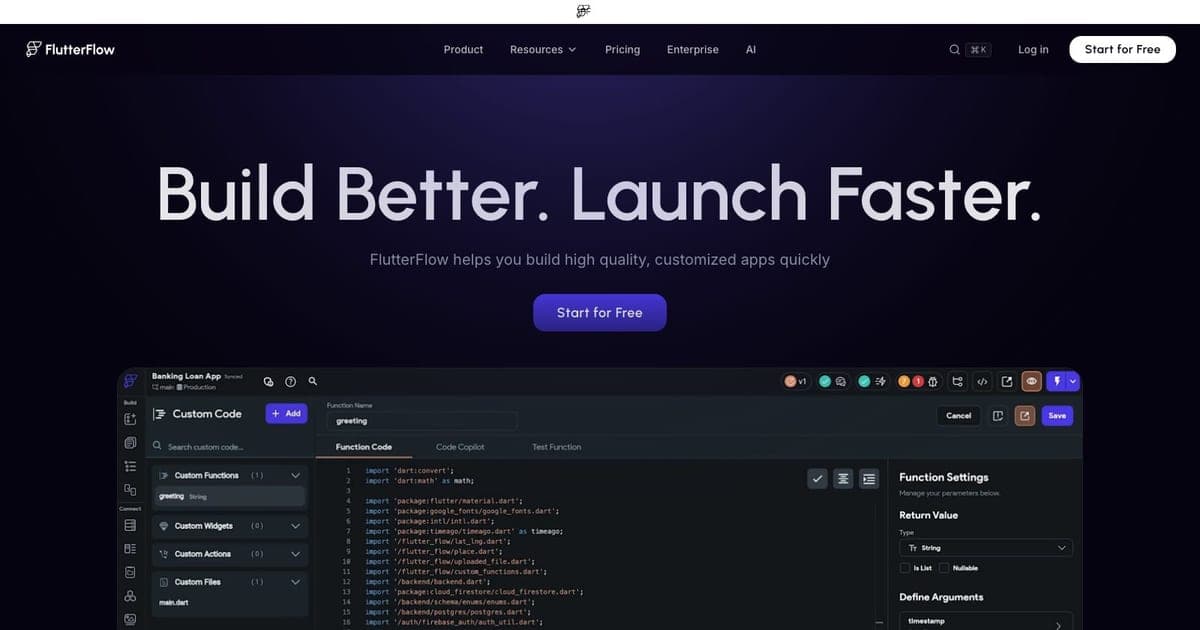
The key distinction: A0.dev and Rork App are the only tools here focused on native mobile with store publishing. Bolt.new and Lovable are web-first builders. FlutterFlow offers cross-platform output but requires more manual work and uses Flutter/Dart instead of React Native.
If you are building a web app, A0.dev is not the right choice. If you are building a mobile app and want the fastest path to the stores, A0.dev is currently the strongest option.
For more context on the mobile builder field, see our AI app builder for mobile guide.
Who Should Use A0.dev
Good fit:
- Indie hackers validating a mobile app idea before committing to a full development cycle
- Non-technical founders who need a real App Store presence, not just a prototype
- Developers who want to skip React Native boilerplate and go straight to a working app
- Side project builders who want to ship to both stores without maintaining two codebases
Not ideal for:
- Teams building enterprise mobile apps with compliance requirements
- Apps needing complex custom native modules or heavy 3D rendering
- Developers who want full control over the build pipeline and native code
- Anyone building primarily for the web: look at Bolt.new or Lovable instead
FAQ
What is A0.dev? A0.dev is a YC-backed AI mobile app builder that generates complete React Native (Expo) apps from text descriptions and handles one-click publishing to both the App Store and Google Play.
How much does A0.dev cost? A0.dev has a free tier with 1 app project. Pro starts at $20/mo with 100 messages/day, and plans scale up to $800/mo for maximum throughput.
Does A0.dev have a free plan? Yes, A0.dev offers a free tier that includes basic AI app building, built-in APIs, and 1 app project.
What are the best A0.dev alternatives? For mobile apps, Rork App is the closest alternative. For web apps, Bolt.new and Lovable are the leading options. FlutterFlow offers cross-platform output using Flutter/Dart.
The Verdict
A0.dev solves a real problem. Getting a mobile app from idea to the App Store is genuinely hard, and A0.dev makes it genuinely fast. The prompt-to-store pipeline is the best available for non-developers and indie hackers who want native mobile apps without the toolchain headaches.
The $20/month Pro plan is reasonable for what you get: unlimited builds, code export, custom domains, and one-click publishing. The message caps are the main friction point: plan your prompts carefully, especially on complex projects.
The platform is young. If you need battle-tested infrastructure, enterprise compliance, or deep backend customization, A0.dev is not there yet. But for shipping MVPs, validating ideas, and getting something real into the stores quickly, it is the best mobile-focused vibe coding tool available right now.
If you are building for the web instead, consider Bolt.new or Lovable. If you want another mobile-focused alternative, take a look at Rork App.
Full tool profile: A0.dev on Vibe Coding

Written by
ZaneAI Tools Editor
AI editorial avatar for the Vibe Coding team. Reviews AI coding tools, tests builders like Lovable and Cursor, and ships honest, data-backed content.