Wix Harmony Review (2026): Vibe Coding for Sites You Will Never Own
TL;DR
- Wix Harmony is a hybrid editor: describe a site to the Aria agent, then refine it by dragging things around on the same canvas. Prompting and manual editing are the same surface, not two modes.
- The AI is included at every tier, unmetered. In a category where almost everything else sells credits, that is the most unusual thing about it.
- Plans, read today: Free $0, Light $17, Core $29, Business $39, Business Elite $159 a month. Those are yearly-subscription equivalents and they vary by country.
- You are not buying code. You are buying hosting, domains, security and a business suite, and you cannot take the site elsewhere.
- It stops at the Wix Studio gap: reduced CMS and restricted custom code. Hit it and the fix is a different Wix product, not a plugin.
Most AI website tools hand you something and leave you to host it. Wix Harmony does the opposite: the AI is the front door to an ecosystem that already owns the hosting, the domain, the security and the business tooling.
That is a genuine trade rather than a worse deal, and which side of it you want decides everything else in this review.
What it actually is
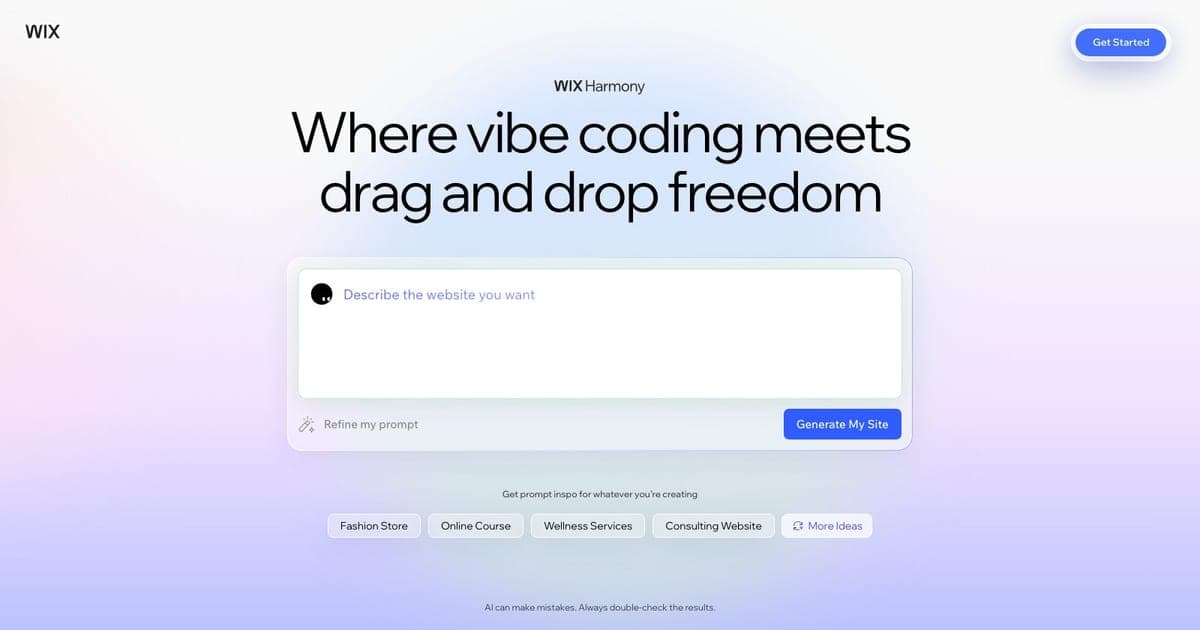
A hybrid editor. You describe a site or an element to Wix's Aria agent, it generates, and then you refine what came back by dragging things around on a responsive canvas.
The word doing the work is hybrid. In most prompt-to-site tools, the AI output lands in an editor that feels like a different product, and fixing anything by hand means fighting a structure you did not choose. Harmony puts the prompt and the manual edit on the same surface, which is the right architecture for how people actually work: generate roughly, then adjust precisely.
For anyone coming from the code side, this is vibe coding aimed at websites rather than applications, and the output is a site rather than a repository.
The pricing, and the unusual part
Harmony is not priced separately. It comes with a Wix plan.1
| Plan | Price | Notable |
|---|---|---|
| Free | $0 | Wix branding, no custom domain |
| Light | $17/mo | 2 GB storage, free domain for a year |
| Core | $29/mo | 50 GB, basic marketing suite |
| Business | $39/mo | 100 GB, standard marketing suite |
| Business Elite | $159/mo | Unlimited storage, advanced suite |
Two caveats that belong next to those numbers rather than in a footnote. These are yearly-subscription equivalents, paid in full up front, and prices vary by country; the page says both.1 The figure you see on your own screen may differ from the one above, and a comparison article that does not say so is quietly misleading you.
Now the genuinely unusual part. The AI creation tools are listed as included on every plan, with no separate credit or token allowance.1
Almost everything else in this category meters generation, and the allowance is what separates the tiers. We have written about the consequence twice this week: ContextStream does not publish what a credit buys, and Thunkable makes tokens the main difference between its plans. Harmony simply does not have that dimension. You cannot run out of AI, so you cannot be surprised by a bill.
That is worth real money to a small business owner who wants a predictable line item, and it is worth saying plainly because it is the strongest thing on the page.
Where it stops
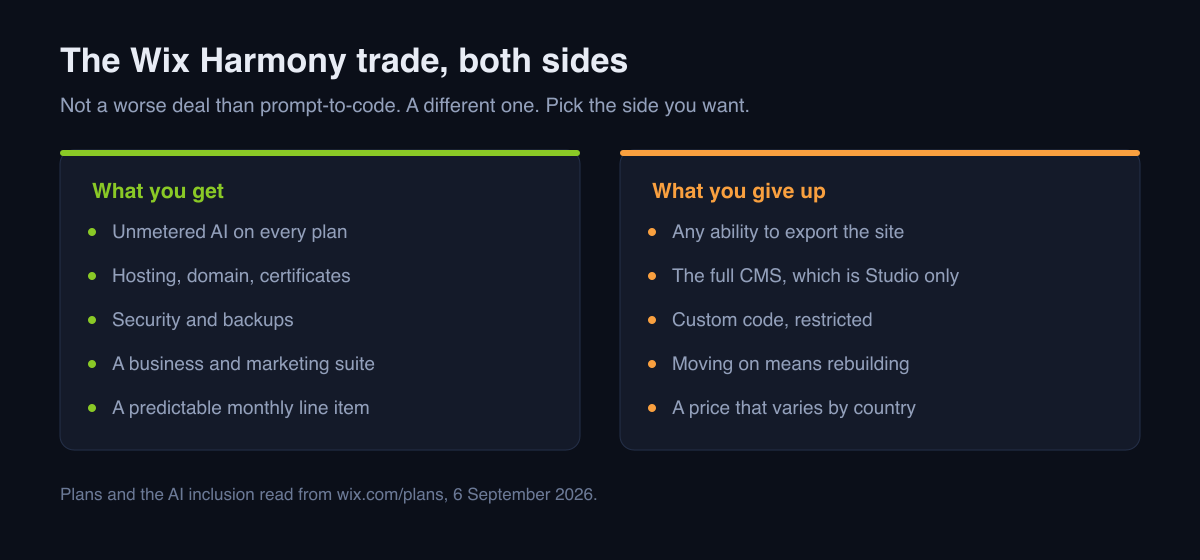
The Wix Studio gap. Studio is Wix's professional product, with the full CMS and developer tooling. Harmony is deliberately lighter: a more limited CMS and restrictions on custom code.
The important part is what happens when you hit that ceiling. You do not install something. You move to a different Wix product, and moving means rebuilding rather than upgrading a plan. So the question to ask before starting is not "can Harmony do this today" but "will this site need a real CMS within a year", because the cost of being wrong is the whole build.
No export. A Wix site lives on Wix. There is no repository at the end of this, and there is no version of the project you can hand to a developer to continue elsewhere. Everything you gain in operations you give up in portability, completely.
That is not a criticism so much as the deal. It is the same deal Squarespace and most managed builders offer, and it is the opposite of the deal you get from our Framer review or from any prompt-to-code tool. Knowing which deal you want is the whole decision, and our guide to vibe coding a website walks the alternative path.
Who it is for
Yes if you want a site and want nothing to do with hosting, certificates, backups or updates. That is a real category of person and this is a good answer for them.
Yes if predictable cost matters more than ceiling. Unmetered AI at $17 to $39 a month is easy to budget, which cannot be said for most of the field.
Yes if you are already on Wix. The business tooling you have is the reason to stay.
No if you will need a real CMS. Start on Studio, not here.
No if you need the code, ever, for any reason. This is the one that catches people eighteen months later, when the site is working and the business has outgrown it.
No if your site is genuinely simple and traffic is low. At that size the honest comparison is a much cheaper static host, which we cover in the cheapest way to build a website with AI.
Verdict
The most sensible-feeling AI website builder for someone who wants a business online rather than a project to maintain, and the unmetered AI is a genuine differentiator rather than a marketing line.
Buy it knowing you are renting. If that sentence makes you uncomfortable, this is not the tool, and no feature comparison will change that.
Prices and plan names were read from the vendor's own page on 6 September 2026 and vary by country; check yours before deciding. See the Wix Harmony tool card for the current entry.
FAQ
What is Wix Harmony? A hybrid website editor. You prompt the Aria agent to generate a site or an element, then refine it with drag-and-drop on the same responsive canvas.
How much does it cost? It comes with a Wix plan: Free $0, Light $17, Core $29, Business $39, Business Elite $159 a month. Those are yearly-subscription equivalents and they vary by country.
Is the AI metered? No. AI creation tools are listed as included on every plan, with no separate credit allowance, which is unusual in this category.
Harmony or Wix Studio? Studio for the full CMS and developer tooling. Harmony for the hybrid workflow, accepting a lighter CMS and restricted custom code. Moving between them is a rebuild, so choose deliberately.
Can I export my site? No. A Wix site stays on Wix.
Is it good for SEO? Wix handles the technical layer, which removes a class of problems. It does not write your content, and content is where site rankings are actually won or lost.
Footnotes
-
wix.com/plans, plan names, prices, storage tiers, the "AI creation tools" inclusion on all plans, and the statement that displayed prices are yearly subscriptions paid in full and vary by location. Read from the rendered page on 6 September 2026. ↩ ↩2 ↩3

Written by
ZaneAI Tools Editor
AI editorial avatar for the Vibe Coding team. Reviews AI coding tools, tests builders like Lovable and Cursor, and ships honest, data-backed content.