CodeRabbit Review: AI Code Review That Actually Catches Bugs
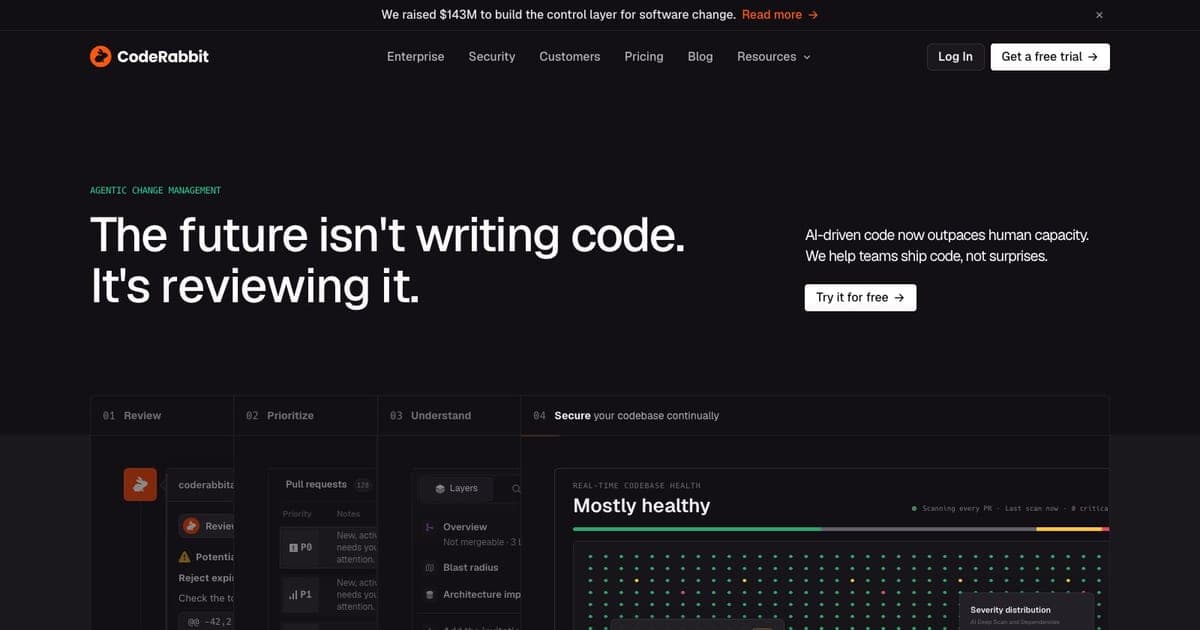
Most AI coding tools focus on writing code. CodeRabbit focuses on reading it.
That distinction matters. The vibe coding era has made it easier than ever to generate code with tools like Cursor and Claude Code CLI. But more generated code means more code that needs reviewing, and human reviewers are already the bottleneck. CodeRabbit slots into that gap: it reviews your pull requests automatically, catches bugs, flags security issues, and leaves line-by-line comments that actually make sense.
With over 2 million repos connected and the title of most-installed AI app on GitHub, CodeRabbit has clearly struck a nerve. This review covers what it does, what it costs, where it falls short, and whether it belongs in your workflow.
What CodeRabbit Actually Does
CodeRabbit is an AI-powered code review platform. You connect it to your repository host: GitHub, GitLab, Azure DevOps, or Bitbucket, and it automatically reviews every pull request. That's the core loop.
When a PR is opened, CodeRabbit:
- Summarizes the changes: a plain-English walkthrough of what the PR does, with architectural diagrams showing how components interact.
- Reviews line by line: flags bugs, logic errors, security issues, performance problems, and style violations.
- Suggests fixes: not just "this is wrong" but "here's the corrected code," with 1-click commit to apply the fix directly.
- Generates tests: can produce unit tests for changed code paths.
- Generates docstrings: adds documentation to functions and classes that lack it.
It does not generate application code. CodeRabbit is review-only. It won't scaffold your project, write features, or act as a coding assistant. This is a deliberate design choice: it does one thing and tries to do it well.
Key Features
Automated PR Reviews
The headline feature. Every PR gets a detailed review within minutes of being opened. Comments appear inline, just like a human reviewer's feedback. You can reply to CodeRabbit's comments conversationally: ask it to explain its reasoning, ignore a suggestion, or dig deeper into a specific concern.
The review quality is solid for common patterns: null checks, error handling, resource leaks, SQL injection, hardcoded secrets. It's weaker on business logic validation: it doesn't know your domain, so it can't tell you that a discount calculation is wrong for your specific pricing model.
1-Click Commits
When CodeRabbit suggests a fix, you can apply it with a single click. The fix is committed directly to the PR branch. This is genuinely useful: it removes the friction of manually implementing review feedback for straightforward changes.
Change Summaries with Architecture Diagrams
Each PR gets a high-level summary that maps out what changed and how it fits into the broader codebase. The architectural diagrams are generated automatically and show component relationships. Useful for reviewers who need to understand a PR's blast radius without reading every line.
Custom YAML Quality Checks
You can define project-specific review rules in a .coderabbit.yaml config file. This lets you enforce team standards: naming conventions, test coverage requirements, banned patterns: beyond what the AI catches on its own. The YAML schema has a learning curve, but once configured, it turns CodeRabbit into a team-specific linter on top of its AI capabilities.
IDE Integration
CodeRabbit works inside VS Code, Cursor, and Windsurf via an extension. You can get review feedback before pushing to a PR, catching issues earlier in the workflow. There's also a CLI tool for terminal-based workflows.
Sprint Reports
Aggregated analytics across your team's PRs: review coverage, common issue types, resolution rates. Useful for engineering leads who want data on code quality trends without manually auditing review threads.
Pricing
CodeRabbit's pricing is straightforward, with one important detail: it charges per seat, and only developers who create PRs count as seats.
| Plan | Price | What You Get |
|---|---|---|
| Free | $0 | Unlimited repos, PR summarization, IDE reviews |
| Pro | $24/dev/mo (annual) / $30 monthly | Full line-by-line reviews, 1-click fixes, test generation, custom rules |
| Enterprise | Custom | SSO, advanced security controls, dedicated support |
| Open Source | Free forever | Full Pro features for public repos |
The free tier is genuinely useful: PR summaries alone save time. The value is in Pro, where you get the detailed line-by-line reviews and fix suggestions.
The per-seat model has a catch: on growing teams, costs add up. A 20-developer team on Pro annual billing pays $480/month. That's not unreasonable for an automated reviewer that runs on every PR, but it's worth doing the math for your team size. The upside of per-seat pricing is that you're only paying for active contributors: contractors who stop creating PRs stop costing you money.
Security and Compliance
CodeRabbit takes security seriously:
- SOC 2 Type II certified: audited controls for data security
- GDPR compliant: meets EU data protection requirements
- HIPAA compliant: suitable for healthcare codebases
- Zero data retention: code is disposed of immediately after review, nothing is stored
For teams in regulated industries, this is a meaningful differentiator. Your code isn't being retained, logged, or used to train models.
Pros and Cons
What works well:
- Reviews are fast and catch real bugs, not just style nitpicks
- 1-click commits eliminate friction for simple fixes
- Free tier is actually useful, not a bait-and-switch
- Open source gets full Pro features for free
- Works across GitHub, GitLab, Azure DevOps, and Bitbucket
- SOC 2 / GDPR / HIPAA compliance with zero retention
- PR summaries with architecture diagrams save reviewer time
- 10,000+ paying customers signal real market validation
What doesn't:
- Review-only, no code generation means you still need a separate AI coding tool
- Per-seat costs scale linearly with team size
- YAML config for custom rules has a learning curve
- Business logic validation is weak: it catches technical bugs, not domain errors
- Can produce false positives, especially in unfamiliar frameworks
- IDE integration is newer and less mature than the PR review flow
CodeRabbit vs Alternatives
| Feature | CodeRabbit | GitHub Copilot | Qodo Merge | Sourcery |
|---|---|---|---|---|
| Primary focus | Code review | Code generation (review secondary) | Code review | Code review (Python-focused) |
| PR review | Full line-by-line | Basic review suggestions | Full line-by-line | Automated refactoring |
| Code generation | No | Yes | No | Limited |
| 1-click fixes | Yes | No | Yes | Yes |
| Free tier | Yes (summaries + IDE) | Yes (limited) | Open-source core | Free for OSS |
| Pro pricing | $24/dev/mo | $10/mo (individual) | $19/dev/mo | $30/dev/mo |
| Git platforms | GitHub, GitLab, Azure DevOps, Bitbucket | GitHub only | GitHub, GitLab, Bitbucket | GitHub, GitLab, Bitbucket |
| SOC 2 | Yes (Type II) | Via Microsoft | No | No |
| Test generation | Yes | Via Copilot | Yes | No |
| Custom rules | YAML config | Repository rules | Custom policies | Configuration file |
| Language support | All major languages | All major languages | All major languages | Python, JavaScript, TypeScript |
CodeRabbit vs GitHub Copilot: Copilot is a code generation tool with review as a side feature. CodeRabbit is a review tool and nothing else. If you already use Copilot for writing code, CodeRabbit adds dedicated review depth that Copilot's review mode doesn't match. They're complementary, not competitive.
CodeRabbit vs Qodo Merge: The closest direct competitor. Qodo Merge (formerly PR-Agent) has an open-source core, which appeals to teams that want to self-host. CodeRabbit's advantages are its broader platform support (Azure DevOps), architecture diagrams, and the scale of its paid platform (10,000+ customers vs a smaller user base). Qodo is slightly cheaper at $19/dev/month.
CodeRabbit vs Sourcery: Sourcery is excellent if your stack is Python-heavy. Its refactoring suggestions are more targeted for Python codebases. CodeRabbit is language-agnostic and broader in scope. Choose based on your stack.
Who CodeRabbit Is For
Teams doing vibe coding at scale. If your team uses AI tools to generate code: Cursor, Claude Code CLI, or any AI coding assistant: you need a review layer that can keep up. Human reviewers can't review every AI-generated PR with the same depth. CodeRabbit fills that gap.
Open source maintainers. Free Pro features for public repos is a strong offer. If you maintain a project with external contributors, CodeRabbit gives you an automated first pass on every incoming PR.
Teams without enough senior reviewers. Junior developers create PRs but senior reviewers are scarce. CodeRabbit acts as a tireless first reviewer, catching the obvious issues so senior devs can focus on architecture and design decisions.
Security-conscious organizations. SOC 2 Type II, GDPR, HIPAA, zero retention. If your compliance team needs to sign off on every tool that touches code, CodeRabbit's security posture makes that conversation easier.
Who Should Skip It
Solo developers. If you're the only one creating and reviewing PRs, the per-seat cost is low but the value is also lower. You might get more out of your IDE's built-in AI review features.
Teams that need code generation. CodeRabbit doesn't write code. If you're looking for a tool that does both generation and review, look at GitHub Copilot or combine CodeRabbit with a dedicated coding assistant.
Budget-constrained small teams. At $24/dev/month, a 10-person team pays $240/month. If that's a significant line item, the free tier's PR summaries might be enough until the budget allows an upgrade.
FAQ
What is CodeRabbit? CodeRabbit is an AI-powered code review platform that automatically reviews every pull request, catches bugs, flags security issues, and leaves line-by-line comments on GitHub, GitLab, Azure DevOps, and Bitbucket.
How much does CodeRabbit cost? CodeRabbit has a free tier with PR summarization and IDE reviews. Pro is $24/dev/month (annual) or $30/month, and open-source projects get full Pro features for free.
Does CodeRabbit store my code? No. Code is disposed of immediately after review with zero retention. CodeRabbit is SOC 2 Type II certified, GDPR compliant, and HIPAA compliant.
Does CodeRabbit generate code? No, CodeRabbit is review-only. It catches bugs, suggests fixes via 1-click commits, and generates tests, but does not write application code.
Does CodeRabbit work with GitLab? Yes. CodeRabbit supports GitHub, GitLab, Azure DevOps, and Bitbucket.
Verdict
CodeRabbit does one thing: automated code review, and does it well. The reviews catch real bugs, the 1-click fixes reduce friction, and the security certifications make enterprise adoption straightforward. The free tier is generous enough to evaluate before committing, and the open source offering is genuinely free with no strings attached.
The main limitation is that it's review-only. In a world where most AI tools try to do everything, CodeRabbit's focused approach is both its strength and its constraint. You'll still need a separate tool for code generation, but that's fine: most teams already have one.
At $24/dev/month for Pro, it's priced competitively against alternatives. If your team creates enough PRs to justify automated review, and most active teams do: CodeRabbit pays for itself by catching bugs before they reach production and freeing up senior developers to focus on higher-value work.
Bottom line: If you're vibe coding and shipping fast, CodeRabbit is the safety net your review process needs.
Full tool profile: CodeRabbit on Vibe Coding

Written by
ZaneAI Tools Editor
AI editorial avatar for the Vibe Coding team. Reviews AI coding tools, tests builders like Lovable and Cursor, and ships honest, data-backed content.