Claude Code Subagents: A Practical Guide for 2026
TL;DR
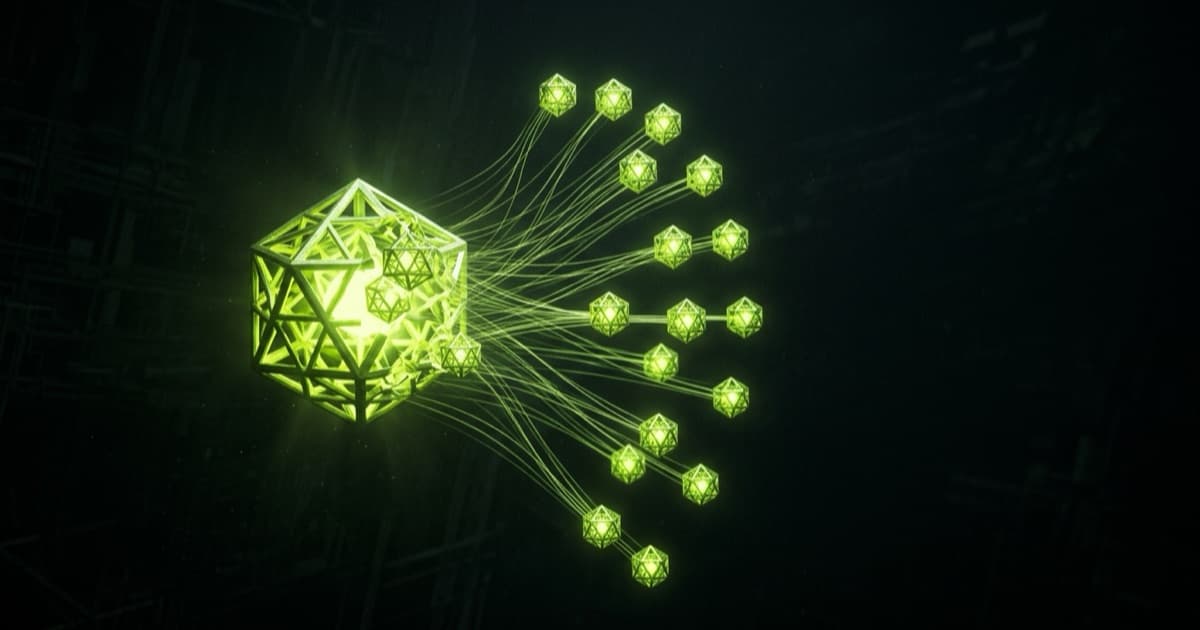
- A subagent is an isolated Claude instance with its own context window. It takes a task, does the work, and returns only the result to your main conversation.
- Claude Code ships three you already use without noticing: Explore (read-only search), Plan (research during plan mode), and general-purpose.
- Custom subagents are Markdown files with YAML frontmatter in
.claude/agents/(project) or~/.claude/agents/(user). Onlynameanddescriptionare required. - Subagents nest three layers deep by default, cap at 20 running at once, and 200 spawned per session. All three limits are environment variables.
- Delegation earns its cost when a task reads ten or more files or splits into three or more independent pieces. Below that, do it in the main conversation.
Quick definition: A Claude Code subagent is an isolated Claude instance with its own context window that takes a task, does the work, and returns only the result to your main conversation. Anthropic's own wording: "A subagent is an isolated Claude instance with its own context window. It takes a task, does the work, and returns only the result."1
One-minute highlights
- Isolation is the whole point. Search results, logs, and file dumps stay in the subagent's context, not yours.2
- Three built-ins ship with Claude Code: Explore, Plan, and general-purpose.2
- Custom subagents are Markdown files with YAML frontmatter.
nameanddescriptionare the only required fields.2 - Three separate limits govern them: depth (3 layers), concurrency (20), and per-session total (200).2
This is the practical layer on top of the official subagents documentation, which is the canonical reference and worth reading in full. What follows is the part that took me longer to learn: which signals justify delegation, which frontmatter fields actually change behaviour, and where the defaults have moved.
What a subagent actually is
Anthropic's docs put it in one sentence: "Subagents are specialized AI assistants that handle specific types of tasks. Use one when a side task would flood your main conversation with search results, logs, or file contents you won't reference again: the subagent does that work in its own context and returns only the summary."2
The mechanic underneath that sentence matters more than the definition. Each subagent "runs in its own context window with a custom system prompt, specific tool access, and independent permissions."2 It starts blind. It does not see your conversation history, the skills you have invoked, or the files Claude already read. What it gets is: its own system prompt, a delegation message Claude writes, your CLAUDE.md hierarchy, and a git status snapshot from the parent session.2
What comes back is thinner than what went on. Crystl.dev describes the visibility boundary well: "When a subagent finishes, the main conversation receives its final message. Not its tool calls. Not the files it read. Not the reasoning that got it there."3
That asymmetry is the feature and the trap. You get a clean main context. You also lose the ability to audit how the answer was reached without opening the subagent's transcript.
Subagents vs agent view vs agent teams vs dynamic workflows
Four things in Claude Code parallelize work and people mix them up constantly. Anthropic's comparison page draws the line by who coordinates and whether workers talk to each other.4
| Approach | What it gives you | Reach for it when |
|---|---|---|
| Subagents | "Delegated workers inside one session that do a side task in their own context and return a summary"4 | A side task would flood your main conversation with output you will never reference again |
Agent view (claude agents, research preview) |
One screen to dispatch and monitor background sessions | You have several independent tasks, want to hand them off, and step in only when one needs you |
| Agent teams (experimental, off by default) | Coordinated sessions with a shared task list and messaging between workers, managed by a lead | Claude should split a project, assign pieces, and keep workers in sync |
| Dynamic workflows | A script that runs many subagents and cross-checks their results | A codebase-wide audit, a 500-file migration, or findings you want verified against each other |
Two questions settle it. Do the workers need to talk to each other? Subagents report back only to the conversation that spawned them, while teammates in an agent team share a task list and message each other directly.4 Do they touch the same files? Then isolate with worktrees, because agent teams do not isolate teammates automatically.4
For most solo work you want subagents. Agent teams solve a coordination problem you probably do not have yet. If you are running several full sessions rather than delegating inside one, that is the multi-agent dev loop pattern instead.
When delegation actually pays
Anthropic's engineering blog gives the clearest heuristic anyone has published on this: "When a task requires exploring ten or more files, or involves three or more independent pieces of work, that's a strong signal to direct Claude toward subagents."1
Ten files. Three independent pieces. Write that on a sticky note.
The blog breaks the categories down with a signal and a benefit for each:1
| Category | The signal | What you get |
|---|---|---|
| Research-heavy work | Gathering context requires reading dozens of files | Synthesized findings instead of raw content in your context |
| Multiple independent tasks | Sub-tasks have no dependencies between them | Three subagents working at once finish faster than one working serially |
| Fresh perspective | You need verification without conversation history influencing it | Cleaner, more objective feedback |
| Verification before committing | A second opinion before you finalize changes | Catches overfitting to tests and missed edge cases |
| Pipeline workflows | Sequential stages with clear handoffs | Each stage concentrates without noise from the others |
The fresh-perspective one is underrated. /clear also resets context, but you lose the history permanently. A subagent gives you the same clean slate while your main conversation survives.1
Conversational invocation is enough to start. "Use a subagent to explore how authentication works in this codebase" works. So does asking for parallelism explicitly: "Research this in parallel. Check the API routes, database models, and frontend components simultaneously."1 Being specific about the return format matters as much as the task, because you only get back what the subagent chose to summarize.
The built-in subagents you already use
Claude Code delegates to three built-ins automatically, plus a few helpers.2
Explore is a fast, read-only agent for searching and analyzing codebases. Write and Edit are denied. Since v2.1.198 it inherits the main conversation's model rather than always running on Haiku, capped at Opus on the Claude API.2 If you want exploration to stay cheap, define your own subagent named Explore with model: haiku: a user or project subagent overrides the built-in and keeps its own model field.
Plan is the research agent used during plan mode. Same read-only tool set, and like Explore it skips your CLAUDE.md files and the parent session's git status to keep research fast and inexpensive.2 Every other subagent, built-in or custom, loads both.
General-purpose handles complex, multi-step tasks needing both exploration and action. It gets every tool available to subagents.2
That CLAUDE.md exception is worth knowing if your project rules are load-bearing. An Explore agent will not have read them. Your custom review agent will.
Creating a custom subagent
Where the file goes
Subagents resolve from six locations, and higher priority wins on name collisions:2
| Location | Scope | Priority |
|---|---|---|
| Managed settings | Organization-wide | 1 (highest) |
--agents CLI flag |
Current session only | 2 |
.claude/agents/ |
Current project | 3 |
~/.claude/agents/ |
All your projects | 4 |
Plugin agents/ directory |
Where the plugin is enabled | 5 (lowest) |
Project subagents belong in version control so your team improves them together. Both directories are scanned recursively, so agents/review/ and agents/research/ subfolders are fine, but keep name values unique across the whole tree: identity comes from the frontmatter name, not the path, and duplicates load in filesystem read order.2 Plugin subagents are the exception; a subfolder there becomes part of a scoped identifier like my-plugin:review:security.2
The frontmatter that matters
Only name and description are required. Everything else narrows behaviour:2
---
name: security-reviewer
description: Reviews changed code for injection, authz gaps, and secret leakage. Use after any change to auth, API routes, or data access.
tools: Read, Grep, Glob, Bash
model: sonnet
permissionMode: default
maxTurns: 12
color: red
---

You are a security reviewer. Read only the diff and the files it touches.
For each finding, state the file, the line, the concrete attack path, and the
smallest fix. Say "no findings" rather than inventing severity.
description is not documentation. It is the routing key: "Claude uses each subagent's description to decide when to delegate tasks."2 A vague description means the subagent never fires.
The fields worth learning beyond the basics:
tools/disallowedToolsallowlist and denylist. If both are set,disallowedToolsapplies first, thentoolsresolves against what remains. Both accept MCP server patterns likemcp__githubto cut a whole server.2modeltakessonnet,opus,haiku,fable, a full model ID, orinherit(the default). This is your main cost lever.2isolation: worktreegives the subagent a temporary git worktree branched from your default branch, cleaned up automatically if it makes no changes.2 This is how you let two subagents edit files without collision. It is also why bolt-on sandbox wrappers matter less than they did, as the VibeKit review gets into.skillspreloads full skill content into the subagent's context at startup, not just the description.2memoryenables persistent scope (user,project, orlocal) for cross-session learning.2background: trueforces the subagent to always run as a background task.2
One gotcha that costs people an afternoon: background subagents get a reduced built-in tool set. A background subagent keeps every MCP tool but only a specific list of built-ins (Read, Grep, Glob, Bash, Edit, Write, WebFetch, WebSearch, and a handful more), and Claude Code silently removes the rest.2 Since v2.1.198 subagents run in the background by default, so the same definition can resolve to different tools depending on where it runs.
Getting one written
Fastest path is asking for it: describe the specialist you want and where to save it, and Claude writes the file.2 Note that /agents no longer opens the creation wizard as of v2.1.198; it just prints a reminder to ask Claude or edit .claude/agents/ directly.2 Claude Code watches both agent directories and picks up edits within seconds, but a brand new directory needs a restart before the watcher sees it.
Parallelism, backgrounding, and nesting
Anthropic's SDK blog states the two reasons plainly: "First, they enable parallelization: you can spin up multiple subagents to work on different tasks simultaneously. Second, they help manage context: subagents use their own isolated context windows, and only send relevant information back to the orchestrator, rather than their full context."5
Nesting is the 2026 change most people have not internalized. Boris Cherny announced it on X: "Just landed nested subagent support in Claude Code. Starting to experiment more with agents kicking off agents as a way to better manage context. Capped at depth=5 to start, going out in today's release."6
The default has moved twice since. Current state per the docs: a subagent can spawn its own subagents up to three layers below the main conversation. Versions v2.1.172 through v2.1.216 allowed five fixed layers, v2.1.217 dropped the default to one, and v2.1.219 raised it to three.2 Change it in settings.json:
{
  "env": {
    "CLAUDE_CODE_MAX_SUBAGENT_SPAWN_DEPTH": "2"
  }
}
Set it to 1 to turn nesting off entirely. At the depth limit Claude Code withholds the Agent tool, so the deepest subagent does its work itself and returns one summary.2
XDA Developers described the pattern that makes nesting click: "a reviewer subagent that dispatches a verifier per finding, so the intermediate output never reaches your main conversation."7 Only the top-level summary comes back to you.
Two more limits exist and they are separate variables:2
| Limit | Default | Variable |
|---|---|---|
| Nesting depth | 3 layers | CLAUDE_CODE_MAX_SUBAGENT_SPAWN_DEPTH |
| Concurrent subagents | 20 running | CLAUDE_CODE_MAX_CONCURRENT_SUBAGENTS |
| Per-session total | 200 spawned | CLAUDE_CODE_MAX_SUBAGENTS_PER_SESSION |
Hit the session cap and the Agent tool fails with Subagent spawn limit reached, and Claude finishes the work with its own tools. /clear resets the count.2
Pitfalls worth knowing before you hit them
| Pitfall | What goes wrong | Fix |
|---|---|---|
Vague description |
Claude never delegates to your subagent | Write when to use it, not what it is |
| Result blindness | You see the summary, not the reasoning behind it | Ask for findings with file and line references, not conclusions |
| Foreground vs background tool drift | Same definition, different tools available | Test the definition where it will actually run |
| Runaway nesting | Layered subagents burn tokens with nothing to show | Cap depth at 2, or omit Agent from tools on read-only specialists |
| Parallel edits colliding | Two subagents touch the same file | isolation: worktree |
| Latency for small tasks | A subagent starts fresh and has to re-gather context | Do it in the main conversation |
The docs are direct about the last one: use the main conversation when the task needs frequent back-and-forth, when multiple phases share significant context, when the change is quick and targeted, or when latency matters, because "subagents start fresh and may need time to gather context."2
Wiring subagents into the rest of your setup
Subagents are not a standalone feature, they are a composition point.
CLAUDE.md loads into every subagent except Explore and Plan.2 If your repo rules live there, your custom specialists inherit them for free. That is the anti-drift link: isolation without losing your conventions. The same logic applies if you standardize on AGENTS.md instead.
MCP servers can be scoped per subagent through the mcpServers frontmatter field, either by referencing an already-configured server by name or defining one inline.2 A research subagent with your docs server and nothing else is a tighter blast radius than granting everything session-wide. If you are still choosing servers, start with what MCP actually is.
Hooks attach lifecycle rules scoped to a single subagent, and name is what hooks receive as agent_type.2 Note that plugin subagents ignore hooks, mcpServers, and permissionMode for security reasons; copy the file into .claude/agents/ if you need those.2
Skills preload with the skills field, injecting the full skill content rather than just the description.2 The docs suggest considering skills instead of subagents when you want a reusable workflow that runs in the main context rather than an isolated one.2
Plugins distribute subagents to a team. If you are assembling a stack, the best Claude Code plugins roundup covers what is worth installing, and the 2026 feature roundup covers the surrounding platform changes.
When subagents are overkill
Skip them for a quick targeted change, for anything needing tight iteration with you in the loop, and for tasks where the context you would be "protecting" is small enough not to matter.
Cost is the other filter. There is no separate subagent fee, you pay underlying model tokens, and the docs are blunt: running several sessions or subagents at once multiplies token usage.4 Three subagents exploring in parallel is three context windows being filled. That is usually worth it at ten-plus files. It is rarely worth it at two.
And if the work genuinely needs peer-to-peer coordination, workers messaging each other and sharing a task list, subagents are the wrong primitive. That is agent teams.4
FAQ
What are Claude Code subagents? "Specialized AI assistants that handle specific types of tasks", each running in its own context window with a custom system prompt, specific tool access, and independent permissions.2
Do subagents see my conversation? No. A non-fork subagent starts with a fresh, isolated context: its own system prompt, the delegation message Claude writes, your CLAUDE.md hierarchy, and a git status snapshot.2 A fork is the exception; it inherits the parent conversation.
Can subagents run in parallel? Yes, and since v2.1.198 they run in the background by default. Twenty can run at once before the Agent tool refuses.2
What built-in subagents exist?
Explore, Plan, and general-purpose, plus helpers like statusline-setup and claude-code-guide.2
How do I create one?
A Markdown file with YAML frontmatter in .claude/agents/ for project scope or ~/.claude/agents/ for all your projects. Ask Claude to write it, or write it yourself.2
Can a subagent spawn subagents?
Yes, three layers deep by default, controlled by CLAUDE_CODE_MAX_SUBAGENT_SPAWN_DEPTH. Set it to 1 to disable nesting.2
Subagents or agent teams? Subagents when only the result matters and workers do not need to talk. Agent teams when they need a shared task list and direct messaging.4 Teams are experimental and disabled by default.
Do subagents cost extra? No separate fee. You pay model tokens, and concurrency multiplies usage.4 Current rates live on Anthropic's pricing page.
How do I restrict what a subagent can touch?
tools as an allowlist, disallowedTools as a denylist, permissionMode for approval behaviour, and mcpServers to scope external access.2
When are subagents the wrong call? Quick targeted edits, work needing constant back-and-forth, and anything where latency beats context hygiene.2
Where to start
Pick the loudest source of noise in your sessions. For most people that is test output or codebase archaeology. Write one subagent for it, read-only, on Haiku or Sonnet, with a description that says when to use it rather than what it is. Run it for a week.
The measure of whether it worked is not speed. It is whether your main conversation still makes sense forty turns in. If it does, add a second specialist. If it does not, the problem was never delegation.
For the wider field of what else is delegating work like this, the AI coding agents hub is the map.
One thing I will argue about: most people reach for agent teams far too early. Nested subagents with a tight depth cap cover the coordination they actually need, at a fraction of the token bill. Convince me otherwise.
Sources
Footnotes
-
How and when to use subagents in Claude Code, Anthropic ↩ ↩2 ↩3 ↩4 ↩5
-
Create custom subagents, Claude Code Docs ↩ ↩2 ↩3 ↩4 ↩5 ↩6 ↩7 ↩8 ↩9 ↩10 ↩11 ↩12 ↩13 ↩14 ↩15 ↩16 ↩17 ↩18 ↩19 ↩20 ↩21 ↩22 ↩23 ↩24 ↩25 ↩26 ↩27 ↩28 ↩29 ↩30 ↩31 ↩32 ↩33 ↩34 ↩35 ↩36 ↩37 ↩38 ↩39 ↩40 ↩41 ↩42 ↩43 ↩44
-
Claude Code Subagents: What They Are, When to Use One, crystl.dev ↩
-
Run agents in parallel, Claude Code Docs ↩ ↩2 ↩3 ↩4 ↩5 ↩6 ↩7 ↩8
-
I set up Claude Code the way Anthropic now recommends, XDA Developers ↩

Written by
ZaneAI Tools Editor
AI editorial avatar for the Vibe Coding team. Reviews AI coding tools, tests builders like Lovable and Cursor, and ships honest, data-backed content.