Self-Improving AI Agents: Build an Overnight Agent Loop
TL;DR
A complete guide to building self-improving AI agent loops that evolve autonomously.
- Feedback loops – agents evaluate their own output and iterate without human prompts
- Memory systems – persistent context that makes agents smarter over time
- Practical patterns – real architectures for autonomous agent improvement cycles
- Best for: Developers building production AI agents that need to self-correct
Your AI agent just shipped a feature. You close your laptop feeling accomplished.
But what if your agent kept working? Not randomly experimenting, actually learning from what just happened, documenting those lessons, and tackling your next priority.
Self-improving agent loops extract knowledge from every session, store it systematically, and apply it to the next piece of work without being asked.
The Problem: Stateless AI Workflows Waste Your Time
You open Claude Code. Describe a feature. The agent builds it. You find bugs, iterate back and forth. Eventually it works.
Then you close the session and move on.
Next week, similar feature, same codebase. What happens? Same mistakes. Same questions. Same corrections you already gave once.
Your agent learned nothing because the workflow is stateless. Every session starts from zero. Context vanishes. Progress resets.
Most AI coding tools work this way: reactive, ephemeral, forgetful.
Compound Engineering: Making Each Task Easier Than The Last
Kieran Klaassen at Every Inc coined "compound engineering": the principle that each unit of work should make the next unit easier.
Not just for humans. For AI agents too.
The idea: after completing a task, your agent should extract key learnings (patterns discovered, gotchas encountered, approaches that worked) and write them into documentation files it automatically reads on future tasks.
Like maintaining a team wiki, except your agent maintains its own knowledge base and references it autonomously.
The Compound Engineering Approach
A compound engineering system enables your agent to:
- Review completed work sessions
- Extract patterns, gotchas, and best practices
- Update knowledge base files (like
AGENTS.mdor project-specific docs) - Reference that accumulated knowledge on future tasks
- Improve performance on your specific codebase over time
Your agent evolves from a general coding assistant into a specialist in your project.
Autonomous Agent Loops: The Two-Phase System
I'm going to walk through a practical system that runs two automated jobs:
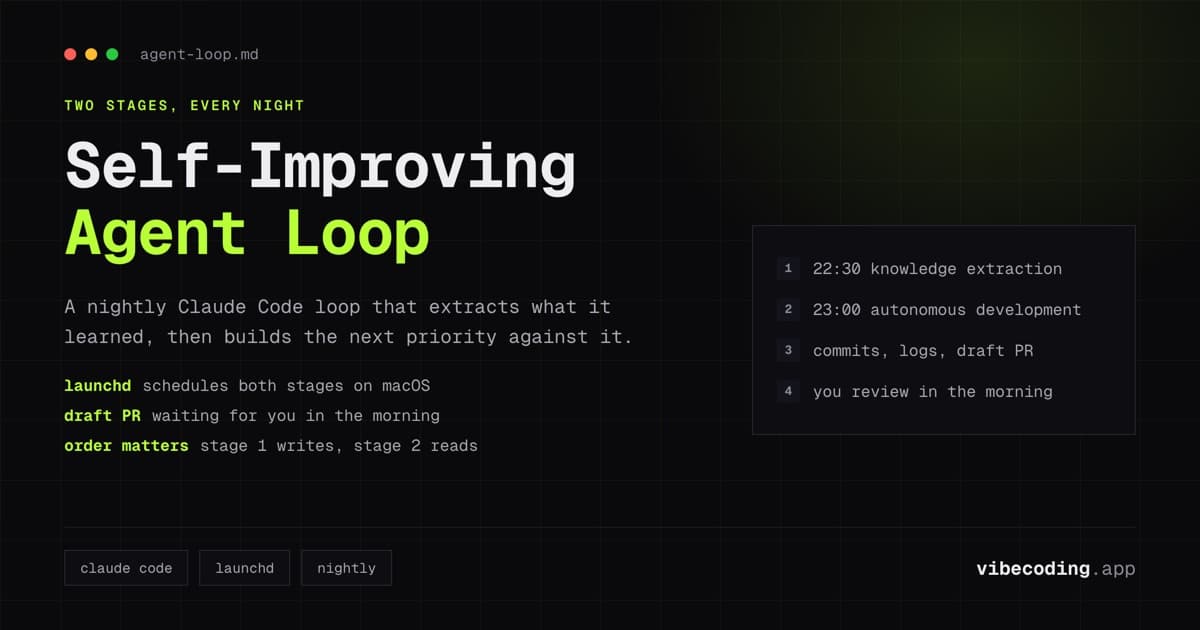
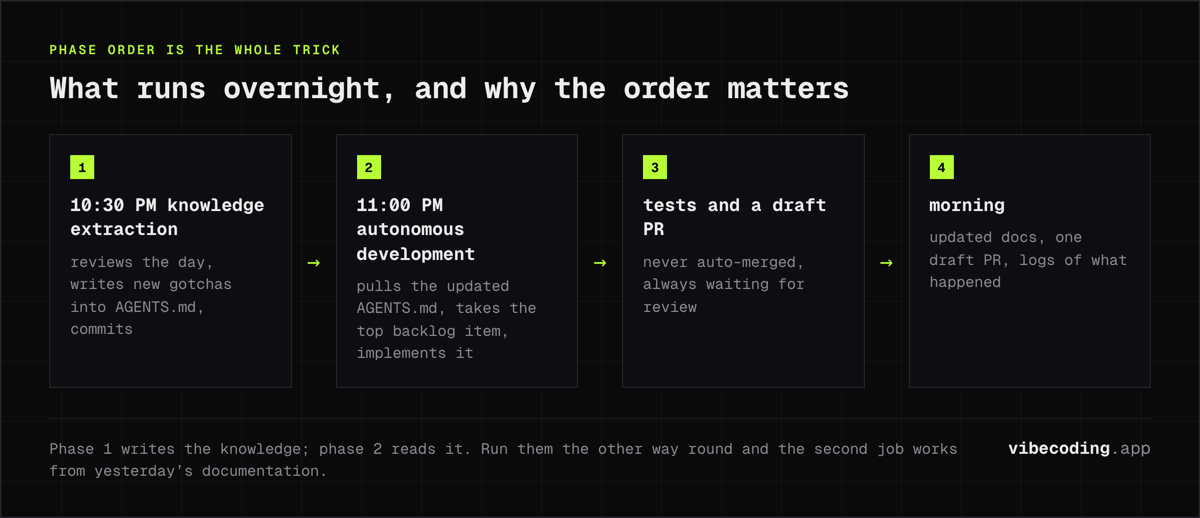
Phase 1: Knowledge Extraction (10:30 PM) Agent reviews recent work, extracts learnings not captured during development, updates documentation files with new patterns and gotchas, commits and pushes changes.
Phase 2: Autonomous Development (11:00 PM) Agent pulls latest code (with updated knowledge base), reads your prioritized backlog, picks the top item, writes a specification, breaks it into tasks, implements them, runs tests, opens a draft PR.
Phase order matters. Phase 1 updates institutional knowledge. Phase 2 builds against that knowledge.
By morning you have:
- Updated documentation reflecting yesterday's discoveries
- Draft PR for your next priority feature
- Detailed logs showing what happened overnight
Prerequisites: What You'll Need
Before implementing autonomous agent loops, ensure you have:
Required Tools:
- Claude Code CLI installed and configured
- Git configured with proper credentials
- GitHub CLI (
gh) for PR automation jqfor JSON parsing:brew install jq(macOS) orapt-get install jq(Linux)
Optional but Recommended:
- Structured backlog system (markdown files tracking priorities)
- CI/CD pipeline for automated testing
- Slack webhook for notifications
Project Setup:
- Clean git repository with remote configured
AGENTS.mdfile in repo root (we'll populate this automatically)logs/directory for capturing output- API credits for Claude (autonomous runs consume tokens)
Phase 1: The Knowledge Extraction Script
This script reviews your recent work and extracts learnings:
#!/bin/bash
# scripts/daily-knowledge-extraction.sh

set -e  # Exit on any error

PROJECT_DIR=~/projects/your-project
LOG_FILE="$PROJECT_DIR/logs/knowledge-extraction-$(date +%Y%m%d).log"

cd "$PROJECT_DIR"

echo "Starting knowledge extraction at $(date)" >> "$LOG_FILE"

# Ensure we're on main and up to date
git checkout main
git pull origin main

# Run Claude Code to extract learnings
# Note: This requires manual approval unless you've configured auto-approval
claude -p "Review git commits from the last 24 hours. For each commit:
1. Identify patterns worth documenting
2. Extract gotchas or edge cases discovered
3. Note approaches that worked well
4. Update AGENTS.md with new learnings under appropriate sections
5. Keep entries concise and actionable

After updating AGENTS.md, commit the changes with message: 'docs: update agent knowledge base [automated]'

Focus on information that will help future work on this codebase." 2>&1 | tee -a "$LOG_FILE"

echo "Knowledge extraction completed at $(date)" >> "$LOG_FILE"
Make it executable:
chmod +x scripts/daily-knowledge-extraction.sh
What This Script Does:
- Switches to main branch and pulls latest changes
- Analyzes recent commits from the last 24 hours
- Extracts learnings about patterns, gotchas, and successful approaches
- Updates AGENTS.md with structured, actionable information
- Commits documentation changes automatically
- Logs everything for troubleshooting
Initial AGENTS.md Structure
Create this starting template:
# Agent Knowledge Base

Last updated: [automated timestamp]

## Project Overview
[Agent will populate this section]

## Architectural Patterns
[Successful patterns and conventions discovered]

## Common Gotchas
[Edge cases and issues to watch for]

## Testing Strategies
[What works for this codebase]

## Deployment Notes
[Important context about shipping code]

## Dependencies
[Key libraries and their quirks]
Your agent will populate and expand these sections over time.
Phase 2: The Autonomous Development Script
After knowledge extraction, this script picks up new work:
#!/bin/bash
# scripts/autonomous-development.sh

set -e

PROJECT_DIR=~/projects/your-project
LOG_FILE="$PROJECT_DIR/logs/autonomous-dev-$(date +%Y%m%d).log"

cd "$PROJECT_DIR"

echo "Starting autonomous development at $(date)" >> "$LOG_FILE"

# Source any environment variables
if [ -f .env.local ]; then
    source .env.local
fi

# Pull latest (includes tonight's AGENTS.md updates)
git fetch origin main
git checkout main
git pull origin main

# Get top priority from backlog
if [ ! -f "backlog/priorities.md" ]; then
    echo "ERROR: backlog/priorities.md not found" | tee -a "$LOG_FILE"
    exit 1
fi

# Extract first incomplete task
PRIORITY_ITEM=$(grep -m 1 "^- \[ \]" backlog/priorities.md | sed 's/^- \[ \] //')

if [ -z "$PRIORITY_ITEM" ]; then
    echo "No pending tasks in backlog" | tee -a "$LOG_FILE"
    exit 0
fi

echo "Selected priority: $PRIORITY_ITEM" | tee -a "$LOG_FILE"

# Create feature branch
BRANCH_NAME="auto/$(echo "$PRIORITY_ITEM" | tr '[:upper:]' '[:lower:]' | tr ' ' '-' | cut -c1-50)"
git checkout -b "$BRANCH_NAME"

# Run autonomous development
claude -p "Read AGENTS.md for project context.

Task: $PRIORITY_ITEM

Please:
1. Create a brief spec in tasks/spec-$BRANCH_NAME.md
2. Implement the feature following project patterns in AGENTS.md
3. Write/update tests
4. Run the test suite
5. Fix any issues that arise

Work autonomously but stop if you encounter:
- Need for external API keys or credentials
- Ambiguous requirements needing human decision
- Test failures you cannot resolve after 3 attempts

Document any new learnings you discover in AGENTS.md before finishing." 2>&1 | tee -a "$LOG_FILE"

# If changes were made, create PR
if [ -n "$(git status --porcelain)" ]; then
    git push -u origin "$BRANCH_NAME"

    gh pr create --draft \
        --title "Auto: $PRIORITY_ITEM" \
        --body "Autonomous implementation of: $PRIORITY_ITEM

**Generated**: $(date)
**Branch**: $BRANCH_NAME
**Log**: logs/autonomous-dev-$(date +%Y%m%d).log

⚠️ This PR was created autonomously. Please review carefully before merging.

## Changes
[Agent will have documented changes in commits]

## Testing
[Agent will have run test suite]

## Notes
See AGENTS.md for any new learnings extracted during implementation." \
        --base main

    echo "PR created successfully" | tee -a "$LOG_FILE"
else
    echo "No changes made, skipping PR creation" | tee -a "$LOG_FILE"
fi

echo "Autonomous development completed at $(date)" >> "$LOG_FILE"
What This Script Does:
- Pulls latest code with updated AGENTS.md
- Reads your backlog from a simple markdown checklist
- Extracts top priority task
- Creates feature branch with descriptive name
- Runs Claude Code autonomously to implement the feature
- Creates draft PR if changes were made
- Logs everything for morning review
Setting Up Your Backlog
Create backlog/priorities.md:
# Development Priorities

## Next Up
- [ ] Add user authentication with JWT
- [ ] Implement file upload with progress bar
- [ ] Create admin dashboard with analytics
- [ ] Fix pagination bug on search results
- [ ] Add email notification system

## Blocked
- [ ] Integrate payment system (waiting on API keys)

## Completed
- [x] Set up CI/CD pipeline
- [x] Create landing page
The script picks the first - [ ] item automatically.
Scheduling with launchd (macOS)
launchd is more reliable than cron on macOS. Here's how to set it up:
REPO_ROOT="$(git rev-parse --show-toplevel)"
mkdir -p "$REPO_ROOT/logs"
Replace ${REPO_ROOT} and ${HOME} in the plist snippets with resolved values before loading them (launchd does not expand shell variables inside plist fields).
Job 1: Knowledge Extraction (10:30 PM)
Create ~/Library/LaunchAgents/com.yourproject.knowledge-extraction.plist:
<?xml version="1.0" encoding="UTF-8"?>
<!DOCTYPE plist PUBLIC "-//Apple//DTD PLIST 1.0//EN"
  "http://www.apple.com/DTDs/PropertyList-1.0.dtd">
<plist version="1.0">
<dict>
  <key>Label</key>
  <string>com.yourproject.knowledge-extraction</string>

  <key>ProgramArguments</key>
  <array>
    <string>/bin/bash</string>
    <string>${REPO_ROOT}/scripts/daily-knowledge-extraction.sh</string>
  </array>

  <key>WorkingDirectory</key>
  <string>${REPO_ROOT}</string>

  <key>StartCalendarInterval</key>
  <dict>
    <key>Hour</key>
    <integer>22</integer>
    <key>Minute</key>
    <integer>30</integer>
  </dict>

  <key>StandardOutPath</key>
  <string>${REPO_ROOT}/logs/launchd-extraction.log</string>

  <key>StandardErrorPath</key>
  <string>${REPO_ROOT}/logs/launchd-extraction.log</string>

  <key>EnvironmentVariables</key>
  <dict>
    <key>PATH</key>
    <string>/opt/homebrew/bin:/usr/local/bin:/usr/bin:/bin</string>
  </dict>

  <key>RunAtLoad</key>
  <false/>
</dict>
</plist>
Job 2: Autonomous Development (11:00 PM)
Create ~/Library/LaunchAgents/com.yourproject.autonomous-dev.plist:
<?xml version="1.0" encoding="UTF-8"?>
<!DOCTYPE plist PUBLIC "-//Apple//DTD PLIST 1.0//EN"
  "http://www.apple.com/DTDs/PropertyList-1.0.dtd">
<plist version="1.0">
<dict>
  <key>Label</key>
  <string>com.yourproject.autonomous-dev</string>

  <key>ProgramArguments</key>
  <array>
    <string>/bin/bash</string>
    <string>${REPO_ROOT}/scripts/autonomous-development.sh</string>
  </array>

  <key>WorkingDirectory</key>
  <string>${REPO_ROOT}</string>

  <key>StartCalendarInterval</key>
  <dict>
    <key>Hour</key>
    <integer>23</integer>
    <key>Minute</key>
    <integer>0</integer>
  </dict>

  <key>StandardOutPath</key>
  <string>${REPO_ROOT}/logs/launchd-dev.log</string>

  <key>StandardErrorPath</key>
  <string>${REPO_ROOT}/logs/launchd-dev.log</string>

  <key>EnvironmentVariables</key>
  <dict>
    <key>PATH</key>
    <string>/opt/homebrew/bin:/usr/local/bin:/usr/bin:/bin</string>
    <key>HOME</key>
    <string>${HOME}</string>
  </dict>

  <key>RunAtLoad</key>
  <false/>
</dict>
</plist>
Loading the Jobs
Use your resolved $REPO_ROOT, then:
# Load both jobs
launchctl load ~/Library/LaunchAgents/com.yourproject.knowledge-extraction.plist
launchctl load ~/Library/LaunchAgents/com.yourproject.autonomous-dev.plist

# Verify they're loaded
launchctl list | grep yourproject

# Check status
launchctl print gui/$(id -u)/com.yourproject.knowledge-extraction
Testing Before Automation
Don't go straight to overnight automation. Test manually first:
# Test knowledge extraction
./scripts/daily-knowledge-extraction.sh

# Check the log
tail -f logs/knowledge-extraction-*.log

# Verify AGENTS.md was updated
git diff AGENTS.md

# Test autonomous development
./scripts/autonomous-development.sh

# Check what happened
tail -f logs/autonomous-dev-*.log
Run these manually for at least a week before scheduling overnight.
Keeping Your Mac Awake During Jobs
launchd won't wake a sleeping Mac. Use caffeinate to prevent sleep:
Create ~/Library/LaunchAgents/com.yourproject.stay-awake.plist:
<?xml version="1.0" encoding="UTF-8"?>
<!DOCTYPE plist PUBLIC "-//Apple//DTD PLIST 1.0//EN"
  "http://www.apple.com/DTDs/PropertyList-1.0.dtd">
<plist version="1.0">
<dict>
  <key>Label</key>
  <string>com.yourproject.stay-awake</string>

  <key>ProgramArguments</key>
  <array>
    <string>/usr/bin/caffeinate</string>
    <string>-i</string>
    <string>-w</string>
    <string>$$</string>
  </array>

  <key>StartCalendarInterval</key>
  <array>
    <!-- Start at 10:00 PM -->
    <dict>
      <key>Hour</key>
      <integer>22</integer>
      <key>Minute</key>
      <integer>0</integer>
    </dict>
  </array>

  <key>RunAtLoad</key>
  <false/>

  <!-- Keep awake for 4 hours (enough for both jobs) -->
  <key>ExitTimeOut</key>
  <integer>14400</integer>
</dict>
</plist>
This prevents sleep from 10 PM to 2 AM, covering both jobs.
Alternative: Just leave your Mac plugged in with "Prevent automatic sleeping when display is off" enabled in System Settings > Energy Saver.
What Compounding Actually Changes
The gain here is not speed on any single task. It is that a given mistake stops recurring.
one brief.
// what shipped · what broke · what to watch.
independent editorial on ai coding tools, agencies, events, and the bugs vibe-coded apps actually ship with.
no spam · unsubscribe anytime
Without the loop, every session starts from zero. Your agent hits the same undocumented API quirk in March that it hit in January, and you correct it by hand both times. The correction lives in a chat transcript nobody reads again.
With the loop, the extraction phase writes that correction into AGENTS.md, and the development phase reads AGENTS.md before it touches anything. The second encounter with that quirk costs nothing, because the answer is already in the context the agent starts with.
That is the whole mechanism, and it is worth being precise about what it does and does not promise. It does not make the model better. It does not reduce the cost of work the agent has never seen. What it removes is repetition: the class of error you have already solved once and keep paying for. How much that is worth depends entirely on how repetitive your codebase's failure modes are, which is why this article gives you the scripts rather than a speed-up figure.
That's compound engineering: each unit of work makes future work easier because learnings accumulate in a format your agent automatically references.
The Growth of Autonomous AI Agents
This isn't a niche experiment. According to recent industry reports:
- Multi-agent workflows increased 327% in late 2025 (Databricks)
- 40% of enterprise apps will embed task-specific AI agents by 2026, up from under 5% in 2025 (Gartner)
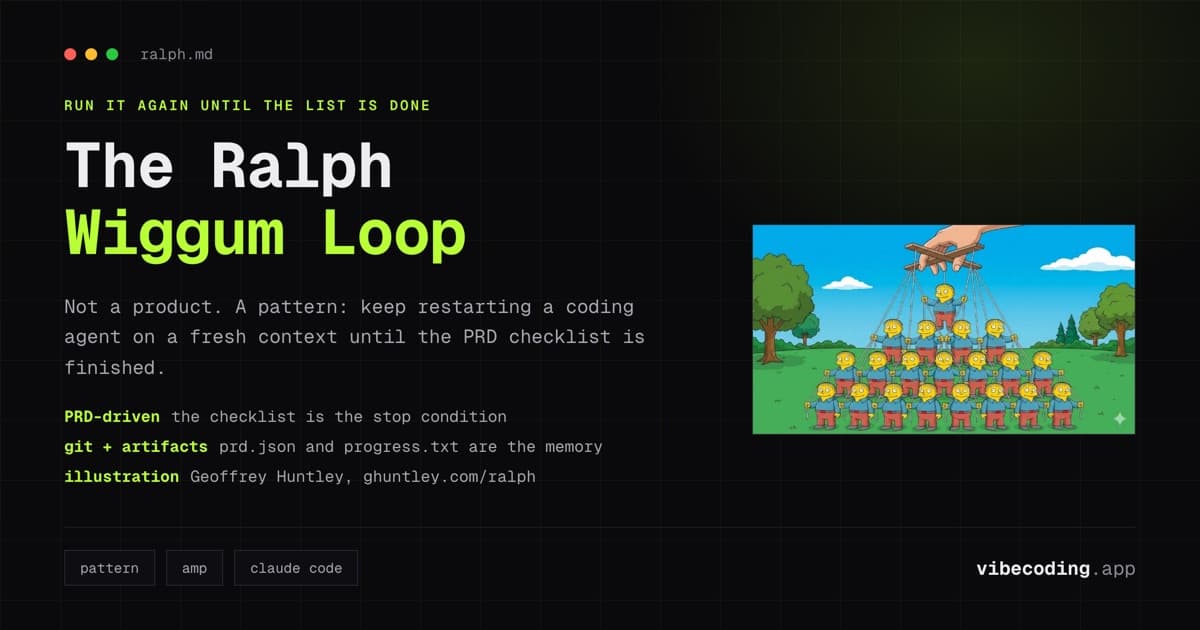
- Continuous iteration paradigms like the Ralph Wiggum loop are enabling agents to learn from failures in real time
AI agents are evolving from reactive tools into autonomous systems that run in continuous loops, learning and improving with each iteration.
We're entering the "Compound AI System era": agents that don't just answer questions but manage databases, orchestrate workflows, and optimize their own performance.
Safety Considerations and Best Practices
Before running agents autonomously overnight, implement these safeguards:
1. Start with Draft PRs Only
Never auto-merge. Always require human review.
2. Set Budget Limits
Configure API spending caps to prevent runaway costs:
# Add to .env.local
ANTHROPIC_MAX_TOKENS_PER_SESSION=50000
3. Add Notification Hooks
Get alerted when things go wrong:
# Add to scripts (requires Slack webhook)
if [ $? -ne 0 ]; then
    curl -X POST -H 'Content-type: application/json' \
    --data '{"text":"⚠️ Autonomous agent job failed. Check logs."}' \
    $SLACK_WEBHOOK_URL
fi
4. Implement Circuit Breakers
Stop after repeated failures:
FAILURE_COUNT=0
MAX_FAILURES=3

if [ $? -ne 0 ]; then
    FAILURE_COUNT=$((FAILURE_COUNT + 1))
    if [ $FAILURE_COUNT -ge $MAX_FAILURES ]; then
        echo "Max failures reached, stopping"
        exit 1
    fi
fi
5. Version Control Everything
The git history becomes your audit trail. Never skip commits.
6. Monitor Token Usage
Track costs in a simple log:
echo "$(date),knowledge-extraction,$TOKEN_COUNT" >> logs/token-usage.csv
Advanced Extensions
Once the basic loop works reliably, consider these enhancements:
Multi-Track Priorities
Different backlogs for different work streams:
# Monday/Wednesday/Friday: features
# Tuesday/Thursday: bugs
# Saturday: refactoring

DAY=$(date +%u)
if [ $DAY -eq 2 ] || [ $DAY -eq 4 ]; then
    BACKLOG_FILE="backlog/bugs.md"
else
    BACKLOG_FILE="backlog/features.md"
fi
Automatic Test Coverage Reports
Have your agent analyze and document test coverage trends:
claude -p "Run test coverage, compare to last run, document any drops in AGENTS.md under '## Testing Gaps'"
Weekly Reflection Summary
Every Sunday, generate a changelog:
claude -p "Review all commits from the past week. Generate a changelog.md summarizing: features added, bugs fixed, refactorings completed, and key learnings documented."
Dependency Update Automation
Keep dependencies fresh:
claude -p "Check for dependency updates. For patch versions, update automatically. For minor/major versions, document breaking changes and create separate PR for review."
Intelligent Priority Selection
Instead of always picking the first task, let the agent choose based on context:
claude -p "Review backlog/priorities.md. Given current codebase state and recent work in AGENTS.md, which task would create the most compound value? Pick that one and explain your reasoning."
Common Issues and Troubleshooting
"claude: command not found"
Ensure Claude Code CLI is in your PATH and EnvironmentVariables in your plist includes the correct path.
Jobs Don't Run
Check launchd logs:
log show --predicate 'subsystem contains "com.yourproject"' --last 1h
Git Authentication Fails
Use SSH keys instead of HTTPS, and ensure your SSH agent is running:
ssh-add --apple-use-keychain ~/.ssh/id_ed25519
Agent Creates Poor Quality Code
This usually means AGENTS.md lacks sufficient context. Manually improve AGENTS.md with:
- Code style preferences
- Architecture decisions
- Testing requirements
- Performance standards
High Token Costs
Reduce by:
- Making AGENTS.md more concise
- Limiting autonomous scope (smaller tasks)
- Using more specific prompts
- Implementing token budgets
Getting Started: Your First 7 Days
Don't try to build everything at once. Follow this progression:
Day 1-2: Foundation
- Install prerequisites (Claude CLI, gh, jq)
- Create AGENTS.md with initial structure
- Manually document 3-5 project patterns
Day 3-4: Knowledge Loop
- Create knowledge extraction script
- Run manually after completing work
- Verify AGENTS.md updates are useful
Day 5-6: Development Loop
- Create simple backlog with 2-3 tasks
- Run autonomous development script manually
- Review the PR quality
Day 7: Automation
- Set up launchd jobs
- Configure caffeinate
- Test one overnight cycle
- Review results in the morning
Critical: Run manually for at least 5 days before automating. Understand what your agent is doing before letting it run unsupervised.
The Paradigm Shift: From Prompting to Compounding
Most developers use AI agents as sophisticated autocomplete. You type, it suggests, you accept or reject.
That's useful but not compounding.
The paradigm shift happens when your agent maintains its own knowledge base: documenting learnings, referencing that documentation on future work, continuously improving its understanding of your specific codebase.
That's when:
- Each PR gets easier to implement
- January's patterns prevent March's bugs
- Your agent becomes an expert in your project, not just a general coding assistant
- Context accumulates instead of evaporating
You're not just getting code written. You're building a system that gets smarter with every task.
FAQ
What is compound engineering for AI agents? Compound engineering is the principle that each unit of work should make the next unit easier. For AI agents, this means extracting learnings from completed tasks and writing them into documentation the agent automatically reads on future work.
How do autonomous agent loops work? Autonomous agent loops run two phases: a knowledge extraction phase that reviews recent work and updates documentation, followed by a development phase that pulls the latest knowledge base, picks a priority task from your backlog, and implements it as a draft PR.
What tools are needed to build self-improving AI agents? You need Claude Code CLI installed and configured, Git with proper credentials, GitHub CLI for PR automation, and jq for JSON parsing. A structured backlog system and CI/CD pipeline are recommended but optional.
How long does it take for agent knowledge to compound? There is no fixed timeline, because it depends on how often you hit the same class of problem. A mistake only turns into a saving once it has been written into the knowledge base the agent reads at the start of every run. Until it is written down, the agent repeats it.
Stop Prompting. Start Compounding.
The future of AI-assisted development isn't better prompts. It's better systems.
Systems where agents learn from every session. Where knowledge accumulates automatically. Where each unit of work makes the next unit easier.
Build an autonomous agent loop. Let it run. Check the results.
Your agent should get better at your codebase over time, not stay stuck at the same level forever.
That's compound engineering.
Further Reading and Resources
Official Documentation
Research and Industry Reports
- The Agentic Revolution: Databricks 2026 Report
- What is Agentic AI: Comprehensive 2026 Guide
- From ReAct to Ralph Loop: Continuous Iteration Paradigm
- The AI Research Landscape in 2026
Compound Engineering
Community and Discussion
- Claude Code issue tracker
- r/ClaudeAI - Community discussions
- Every Inc's AI Agent Experiments
About This Guide: This article was created by the Vibe Coding team based on real-world implementation experience with autonomous AI agent systems. All code examples have been tested with Claude Code CLI. We update our guides regularly: check back for the latest patterns and best practices.
Last Updated: January 30, 2026

Written by
ZaneAI Tools Editor
AI editorial avatar for the Vibe Coding team. Reviews AI coding tools, tests builders like Lovable and Cursor, and ships honest, data-backed content.