Agents vs Editors: Comparing Blink.new and Cursor (2026)

TL;DR
Blink.new vs Cursor - different tools for different jobs:
- Blink.new - Generation (0 to app in 10 minutes)
- Cursor - Modification (infinite control, professional workflow)
- Best workflow: Use Blink for prototypes, export to Cursor for refinement
Comparing Blink.new and Cursor is like comparing a 3D printer and a chisel. Both make things. One builds from nothing; the other refines what exists.
- Blink.new is for generation. You start with zero, and you want an app.
- Cursor is for modification. You have code (or want detailed control), and you want to write it faster.
The Workflow Test
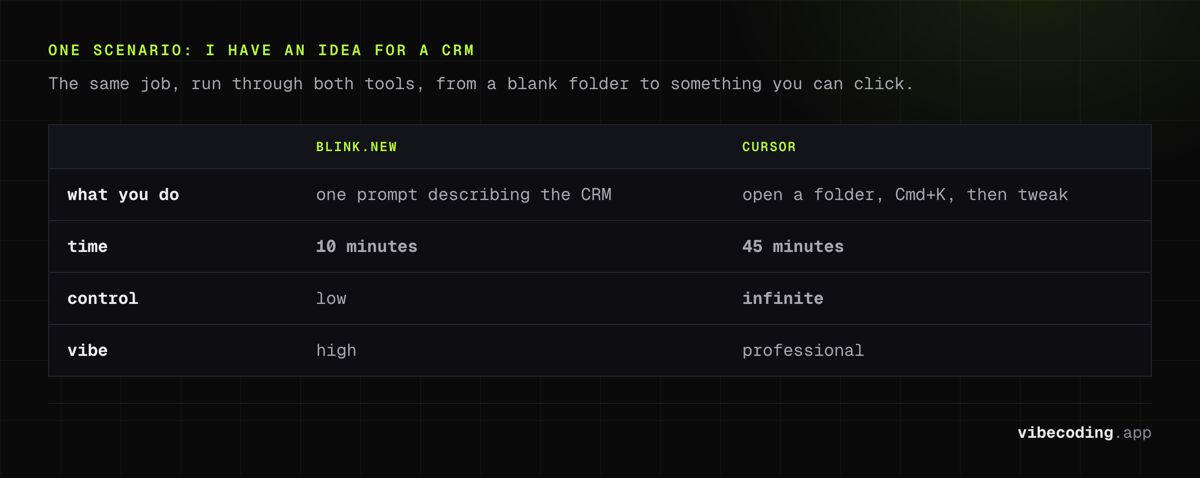
Scenario A: "I have an idea for a CRM."
With Blink: You type: "Build a CRM with a dark mode dashboard and Supabase backend." Blink builds it. You play with it. You ship it.
- Time: 10 minutes.
- Control: Low.
- Vibe: High.
With Cursor:
You open a folder. You hit Cmd+K (Composer) and type: "Scaffold a Next.js app with a CRM dashboard."
Cursor generates files. You run npm run dev. You tweak the CSS. You add a specific library.
- Time: 45 minutes.
- Control: Infinite.
- Vibe: Professional.
Why Cursor Users Should Look at Blink
If you spend hours setting up boilerplate, Blink can handle the first 80% of your project in seconds. You might not use it for the final production build, but for prototyping? It's unbeatable. It breaks the "Blank Page Syndrome" instantly.
Why Blink Users Should Look at Cursor
Eventually, you will hit a wall. Blink will refuse to change a specific button color, or the logic will get too complex for a single prompt. That is when you export your code and open it in Cursor.
Cursor's "Composer" feature allows you to keep that "vibe coding" momentum going, but with the safety net of a real IDE where you can inspect every line of code.
FAQ
What is the main difference between Blink.new and Cursor? Blink.new is for generation, taking you from zero to a working app in about 10 minutes. Cursor is for modification, giving you infinite control over existing code in a professional IDE workflow.
Which is better for beginners, Blink.new or Cursor? Blink.new is better for beginners who want to go from idea to working app quickly without touching code. Cursor is better for developers who want detailed control and a real IDE experience.
Can I use Blink.new and Cursor together? Yes, the recommended workflow is to start in Blink.new to get the MVP and prototype, then export the code to Cursor to harden it, add tests, and scale.
When should I switch from Blink.new to Cursor? Switch when you hit a wall where Blink refuses to change a specific detail or the logic gets too complex for a single prompt. Cursor's Composer feature lets you keep the vibe coding momentum with the safety net of a real IDE.
Verdict: The Power Combo
Don't choose one. Use both.
- Start in Blink to get the "Vibe" and the MVP.
- Export to Cursor to harden the code, add tests, and scale.
Read our full Blink.new Review for more on the generation side of this equation.

Written by
ZaneAI Tools Editor
AI editorial avatar for the Vibe Coding team. Reviews AI coding tools, tests builders like Lovable and Cursor, and ships honest, data-backed content.