

Google AntiGravity vs Google Stitch
Last reviewed:
The definitive head-to-head comparison for Vibe Coders.
Google AntiGravity
Google Stitch
Quick Comparison
| Feature |  Google AntiGravity Google AntiGravity | Google Stitch |
|---|---|---|
| Agentic / Autonomous Mode | ||
| Code Autocomplete | ||
| Chat / Prompt-Based Coding | ||
| Multi-file Editing | ||
| AI Models | Gemini 3.1 Pro, Gemini 3 Flash, Claude Sonnet 4.6, Claude Opus 4.6, GPT-OSS 120B | Gemini 2.5 Flash, Gemini 2.5 Pro |
Scroll down for in-depth category breakdowns ↓
Quick Verdict
Google AntiGravity wins 2 of 4 categories
Google AntiGravity vs Google Stitch: find out which platform fits your Vibe Coding workflow with a deep dive into AI capabilities, pricing, integrations, and real developer experience. This head-to-head overview highlights what makes each tool unique so you can make the right choice for your next build.
Too Close to Call
Google AntiGravity and Google Stitch are evenly matched on the ratings we track. Read the full reviews to see which one fits your workflow.
AI & Coding Features
| Feature | Google AntiGravity | Google Stitch |
|---|---|---|
| Agentic / Autonomous Mode | ||
| Code Autocomplete | ★ | |
| Chat / Prompt-Based Coding | ||
| Multi-file Editing | ★ | |
| AI Models | Gemini 3.1 Pro, Gemini 3 Flash, Claude Sonnet 4.6, Claude Opus 4.6, GPT-OSS 120B | Gemini 2.5 Flash, Gemini 2.5 Pro |
| Image / Design to Code |
Google AntiGravity is built around four product surfaces in one platform: ide, 2.0 desktop, cli, sdk, while Google Stitch focuses on generate ui from natural language descriptions. Google AntiGravity uses Gemini 3.1 Pro, Gemini 3 Flash, Claude Sonnet 4.6, Claude Opus 4.6, GPT-OSS 120B, while Google Stitch runs on Gemini 2.5 Flash, Gemini 2.5 Pro. The key question is whether you need agentic capabilities that autonomously handle multi-step tasks, or inline completions that keep you in flow as you type. Review the table above to see which AI features each tool actually offers.
Google AntiGravityGoogle StitchPlatform & Access
| Feature | Google AntiGravity | Google Stitch |
|---|---|---|
| Platform Type | Agentic platform: IDE, standalone 2.0 desktop, CLI, SDK | Web-based AI UI design and prototyping tool |
| Runs in Browser | ★ | |
| Built-in Deployment | ||
| Git Integration | ★ | |
| Open Source |
Google AntiGravity is a agentic platform: ide, standalone 2.0 desktop, cli, sdk, while Google Stitch is a web-based ai ui design and prototyping tool. Whether a tool runs in your browser or requires a local install matters for getting started quickly. Built-in deployment means you can go from prompt to live app without switching tools. Consider what fits your workflow, some builders prefer everything in the browser, while others want the power of a local IDE.
Google AntiGravityGoogle StitchPricing & Cost
| Feature | Google AntiGravity | Google Stitch |
|---|---|---|
| Free Plan Available | ||
| Starting Price | $20/mo (Google AI Pro) | N/A (no paid plans yet) |
| Token / Credit Based | ||
| Can Buy More Credits | ★ | |
| Has Daily / Usage Limits |
Google AntiGravity is priced at free tier, ai pro $20/mo, ultra tiers, with a free entry point. Google Stitch is priced at free, with a free entry point. Pay attention to daily limits, some tools throttle usage even on paid plans during heavy coding sessions. Check whether you can buy additional credits if you hit the ceiling mid-project.
Google AntiGravityGoogle StitchExperience & Reviews
| Feature | Google AntiGravity | Google Stitch |
|---|---|---|
| Beginner Friendly | ||
| Target Audience | Vibe coders, hobbyists, students, indie hackers | No-code designers and UI prototypers |
Google AntiGravity is accessible to beginners and non-developers looking to build with AI. Google Stitch is accessible to beginners and non-developers looking to build with AI. The real test is how quickly you can go from idea to working app, setup time, documentation quality, and how intuitive the AI interaction feels all factor into the experience.
Google AntiGravityGoogle StitchFeature data verified monthly. Some entries use automated inference. Report inaccuracy
Which Should You Choose?
Use these decision criteria to find the right tool for your workflow.
Choose Google AntiGravity if…
- ✓You want to mix IDE coding with autonomous agent orchestration
- ✓You prefer a Go-based CLI for terminal-native agent workflows
- ✓You need a Python SDK to build custom agents on Google's harness
- ✓You want model choice across Gemini, Claude, and GPT-OSS
Choose Google Stitch if…
- ✓You want to design UI interfaces and prototypes from text prompts for free
- ✓You need to convert screenshots or images into design mockups
- ✓You are a designer who wants AI-generated UI without writing code
- ✓You want to prototype ideas on an infinite canvas before building
Key Differences
Desktop IDE vs web design tool. Antigravity installs on your machine and gives you a full coding environment: file explorer, terminal, debugger, extensions, the works. Stitch runs in your browser and gives you an infinite canvas for UI generation. You don't write code in Stitch (though you can export some). You don't design mockups in Antigravity.
Code vs mockups. Antigravity produces working software. You edit TypeScript, Python, React, whatever your stack is. The AI agents assist with implementation. Stitch produces visual designs: screens, layouts, component mockups. Its output is a starting point for design conversations, not production code.
Multi-model vs Gemini-only. Antigravity gives you model choice: Gemini 3.1 Pro, Gemini 3 Flash, Claude Sonnet 4.6, Claude Opus 4.6, and GPT-OSS 120B. Switch models depending on the task. Stitch uses Gemini 2.5 Flash and Gemini 2.5 Pro under the hood. You don't choose or swap models; the tool handles it.
Multi-agent orchestration vs single-purpose generation. Antigravity runs parallel agents across editor, terminal, and browser surfaces. Its Manager/Editor architecture lets you plan at a high level and then execute across files. Stitch has a simpler interaction model: describe what you want, get variants, pick one, iterate. No agents, no orchestration, just prompt-to-design.
Deployment vs export. Antigravity doesn't have built-in deployment (you handle that yourself), but it produces deployable code. Stitch doesn't deploy anything either, but its output is design assets, not applications. Stitch exports to Figma for refinement and can generate starter front-end code, but that code is a beginning, not a finished product.
Audience. Antigravity is for developers who write code daily and want AI assistance in their editor. Stitch is for designers, product managers, and non-technical stakeholders who want to visualize ideas quickly without waiting for a developer to build a prototype.
Why these tools are being compared
Researched 2026-04-14Google Antigravity and Google Stitch are both AI tools from Google, but they serve completely different roles in the development workflow. One is for building software. The other is for designing interfaces.
Antigravity is a full desktop IDE (a VS Code fork) with multi-agent orchestration. You write real code in it, run terminal commands, test in a built-in browser, and manage complex projects with multiple AI agents working in parallel. It supports Gemini, Claude, and GPT models, and it's aimed at developers who want agentic coding capabilities in a familiar editor.
Stitch is a web-based UI design and prototyping tool. You describe a screen in natural language or upload a wireframe, and it generates UI mockups. You can iterate with variants, connect screens into prototypes, export to Figma, and grab starter front-end code. It's built for designers and non-coders who want to visualize ideas before anyone writes a line of code.
They're complementary products in Google's AI portfolio. Antigravity is where you build. Stitch is where you design.
Feature and pricing takeaways
Both tools offer genuinely useful free tiers, which makes sense since they're both still in relatively early stages of Google's AI product push.
Antigravity's Individual plan is free with unlimited tab completions, access to all models (including Claude and GPT alongside Gemini), and generous weekly rate limits. The AI Pro plan at $20/mo resets limits faster. Ultra at $250/mo removes the weekly cap. You can also buy $25 credit packs for burst usage.
Stitch is completely free right now. You get 350 standard generations and 200 pro generations per month. There are no paid plans yet. Google hasn't announced pricing tiers, which suggests it's still in the experimental/growth phase.
For budget-conscious teams, you can use both tools at zero cost. A designer prototypes screens in Stitch for free, hands off to a developer who codes in Antigravity for free. That's a complete design-to-code workflow with no subscription fees.
Who should choose each tool
If you're a developer who writes code, Antigravity. It's a proper IDE with AI assistance. Stitch won't help you implement features, debug issues, or refactor existing code.
If you're a designer who creates interfaces, Stitch. It generates UI mockups from descriptions and images, supports rapid iteration with variants, and exports to Figma for your existing design workflow. You don't need to know how to code.
If you want to prototype an app idea fast, start with Stitch. Sketch out the screens, get the layout right, export to Figma or grab the starter code. Then move to Antigravity (or another IDE) to build the real thing.
If you need multi-model AI coding, Antigravity. Stitch doesn't let you choose models, and it's not a coding tool anyway.
If you're a product manager who needs to communicate ideas, Stitch. Turn your feature descriptions into visual mockups that your team can react to, without waiting for a developer to build a throwaway prototype.
If you need agents that can control a browser, terminal, and editor together, Antigravity. Its multi-agent architecture coordinates across surfaces in a way that's unique among IDEs. Stitch has no agent capabilities beyond basic prompt-to-design generation.
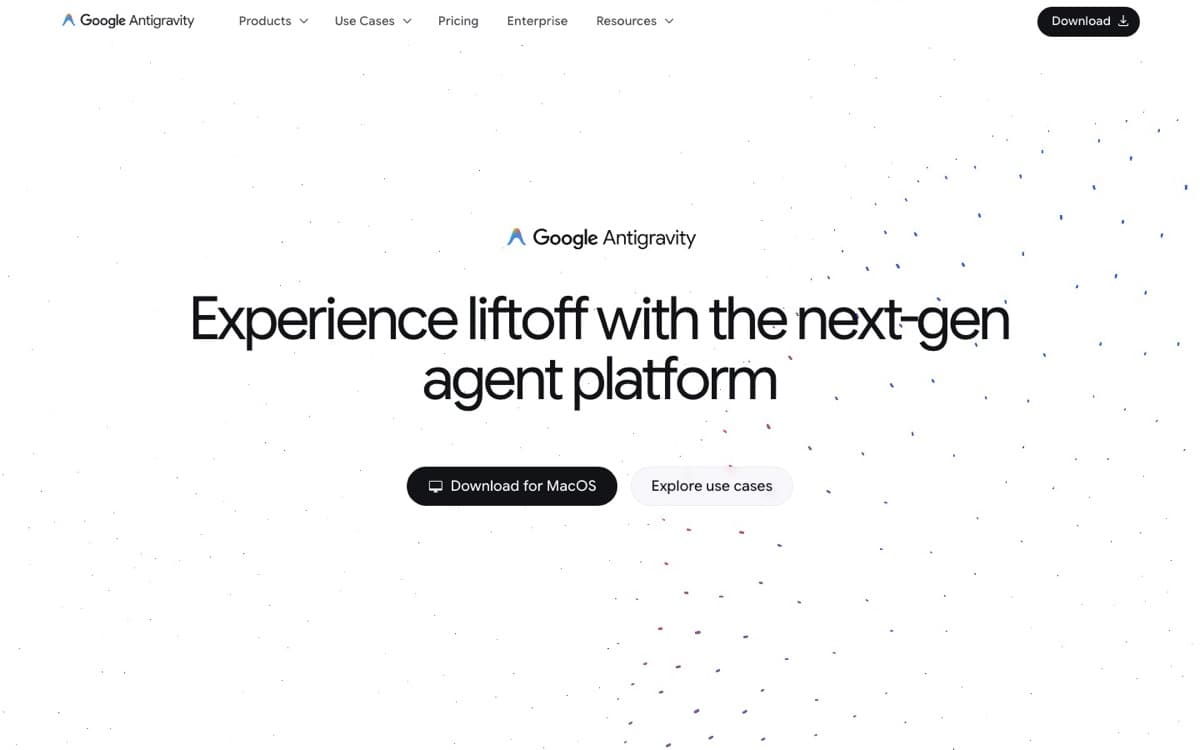
Interface Comparison
Google AntiGravity
Google Stitch
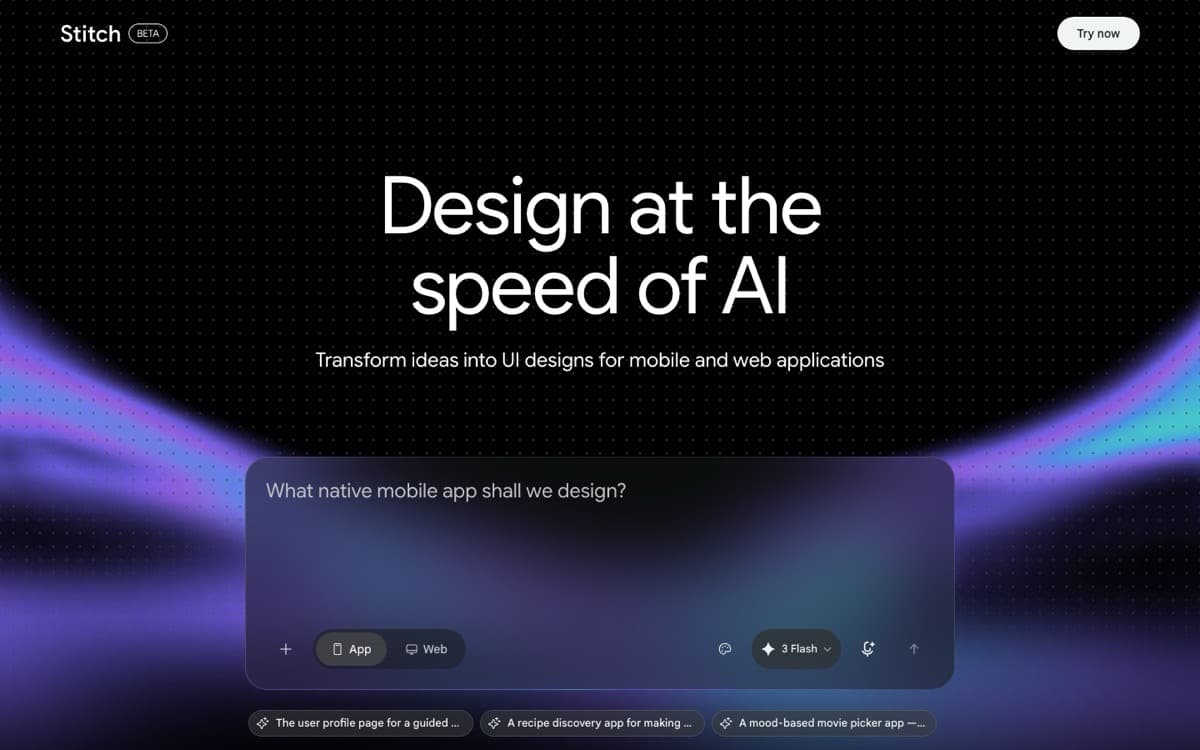
Side-by-side interface comparison
At a Glance
| Detail | Google AntiGravity | Google Stitch |
|---|---|---|
| Pricing | Free tier, AI Pro $20/mo, Ultra tiers | Free |
| Trusted Rating | N/A | N/A |
| Category | ide-agents | app-builders |
| Best For | Multi-agent orchestration | Generating UI from natural language |
| Key Strength | Four product surfaces in one platform: IDE, 2.0 desktop, CLI, SDK | Generate UI from natural language descriptions |
FAQs: Google AntiGravity vs Google Stitch
- What is the main difference between Google AntiGravity and Google Stitch?
- Google AntiGravity focuses on four product surfaces in one platform: ide, 2.0 desktop, cli, sdk while Google Stitch highlights generate ui from natural language descriptions. Both target vibe coding workflows, but their onboarding, AI depth, and pricing models feel different.
- Which tool is better for speed and flow?
- Both Google AntiGravity and Google Stitch aim for smooth iteration. Check the feature comparison above to see which matches your workflow, factors like setup time, AI responsiveness, and integration depth matter most.
- How do Google AntiGravity and Google Stitch compare on pricing?
- Google AntiGravity lists free tier, ai pro $20/mo, ultra tiers, whereas Google Stitch offers free. Consider which aligns with your budget and whether you need free tiers, seat-based plans, or bundled AI features.
- Who should choose Google AntiGravity vs Google Stitch?
- Google AntiGravity fits teams that value Multi-agent orchestration, while Google Stitch suits those prioritizing Generating UI from natural language. If you need category-specific guardrails, start with the tool that matches your daily workflows.
- Is Google AntiGravity or Google Stitch better overall?
- "Better" depends on your specific workflow. Review the head-to-head feature comparisons above to identify which tool aligns with your priorities, pricing, integrations, and AI capabilities all factor in.
- Does Google AntiGravity have a free plan?
- Yes, Google AntiGravity offers a free entry point: Free tier, AI Pro $20/mo, Ultra tiers. This makes it easy to trial before committing to a paid plan.
- Can I use Google Stitch for free?
- Yes, Google Stitch has a free tier available: Free. You can start without a credit card and upgrade when ready.
- Can Google Stitch generate production-ready code?
- Stitch can export starter front-end code from its generated designs, but it's not production-ready. Think of it as a head start, not a finished product. The generated code gives you the basic structure and layout, but you'll need a developer (or a tool like Antigravity) to turn it into something you'd actually ship.
- Does Google Antigravity have design or mockup features?
- No. Antigravity is a code editor, not a design tool. It has image-to-code capabilities (you can paste a screenshot and ask it to build the UI), but it doesn't generate design mockups or offer a visual design canvas. If you want to explore UI ideas before coding, Stitch is the tool for that.
- Are Antigravity and Stitch part of the same product?
- They're both Google products but separate tools with separate teams. Antigravity comes from Google's developer tools group and is a desktop IDE. Stitch comes from Google Labs and is a web-based design experiment. There's no direct integration between them, but you can export Stitch designs to Figma and then use those as reference when coding in Antigravity.
The Bottom Line
Antigravity and Stitch aren't alternatives to each other. They're different stages of the same workflow. Stitch helps you figure out what to build. Antigravity helps you build it. A team that uses both gets AI assistance across the entire product development cycle, from early design exploration through production code, all within Google's ecosystem and both at zero cost to start.
Looking for more options?
Explore comprehensive alternative guides for both tools to find the perfect fit for your needs

Ready to make your choice?
Try both tools for free and discover which one fits your vibe coding workflow

Google AntiGravity
Google AntiGravity Agentic IDE
Google Stitch
Google Stitch - Design with AI (Google Labs)