

Lovable vs Softr
Last reviewed:
The definitive head-to-head comparison for Vibe Coders.
Lovable
Softr
Quick Comparison
| Feature |  Lovable Lovable | |
|---|---|---|
| Agentic / Autonomous Mode | ||
| Code Autocomplete | ||
| Chat / Prompt-Based Coding | ||
| Multi-file Editing | ||
| AI Models | Anthropic Claude powers the build agent; in-app AI features use Gemini, GPT, and more via Lovable's AI gateway | Integrated AI features (app generation, Ask AI, workflows) rather than exposing model selection |
Scroll down for in-depth category breakdowns ↓
Quick Verdict
Lovable wins 2 of 4 categories
Lovable vs Softr: find out which platform fits your Vibe Coding workflow with a deep dive into AI capabilities, pricing, integrations, and real developer experience. This head-to-head overview highlights what makes each tool unique so you can make the right choice for your next build.
The Winner
Softr is the Vibe Coding Champion
AI & Coding Features
| Feature | Lovable | |
|---|---|---|
| Agentic / Autonomous Mode | ||
| Code Autocomplete | ||
| Chat / Prompt-Based Coding | ||
| Multi-file Editing | ★ | |
| AI Models | Anthropic Claude powers the build agent; in-app AI features use Gemini, GPT, and more via Lovable's AI gateway | Integrated AI features (app generation, Ask AI, workflows) rather than exposing model selection |
| Image / Design to Code | ★ |
Lovable is built around no-code full-stack generation (react/typescript/tailwind), while Softr focuses on portals, internal tools, with built-in data, workflows, and ai app creation. Lovable uses Anthropic Claude powers the build agent; in-app AI features use Gemini, GPT, and more via Lovable's AI gateway, while Softr runs on Integrated AI features (app generation, Ask AI, workflows) rather than exposing model selection. The key question is whether you need agentic capabilities that autonomously handle multi-step tasks, or inline completions that keep you in flow as you type. Review the table above to see which AI features each tool actually offers.
LovablePlatform & Access
| Feature | Lovable | |
|---|---|---|
| Platform Type | Browser App | AI app builder for building working business software, including secure infrastructure, databases, workflow automation, and forms — without code |
| Runs in Browser | ||
| Built-in Deployment | ||
| Git Integration | ★ | |
| Open Source |
Lovable is a browser app, while Softr is a ai app builder for building working business software, including secure infrastructure, databases, workflow automation, and forms — without code. Whether a tool runs in your browser or requires a local install matters for getting started quickly. Built-in deployment means you can go from prompt to live app without switching tools. Consider what fits your workflow, some builders prefer everything in the browser, while others want the power of a local IDE.
LovablePricing & Cost
| Feature | Lovable | |
|---|---|---|
| Free Plan Available | ||
| Starting Price | $25/mo | $49/mo (Basic) |
| Token / Credit Based | ||
| Can Buy More Credits | ||
| Has Daily / Usage Limits |
Lovable is priced at free / $25/mo and up, with a free entry point. Softr is priced at free forever plan, paid starting from $49/month, with a free entry point. Lovable uses a credit-based system, so costs scale with usage. Pay attention to daily limits, some tools throttle usage even on paid plans during heavy coding sessions. Check whether you can buy additional credits if you hit the ceiling mid-project.
LovableExperience & Reviews
| Feature | Lovable | |
|---|---|---|
| Beginner Friendly | ||
| Target Audience | Non-technical founders, designers, indie hackers, agencies | Non-technical teams, operators, businesses of all sizes |
Lovable is accessible to beginners and non-developers looking to build with AI. Softr is accessible to beginners and non-developers looking to build with AI. The real test is how quickly you can go from idea to working app, setup time, documentation quality, and how intuitive the AI interaction feels all factor into the experience.
LovableFeature data verified monthly. Some entries use automated inference. Report inaccuracy
What to do next
Related Comparisons
Which Should You Choose?
Use these decision criteria to find the right tool for your workflow.
Choose Lovable if…
- ✓You want a custom full-stack web app generated from a prompt rather than assembled on a fixed data model
- ✓You want real React, TypeScript, and Tailwind code you own, with two-way GitHub sync
- ✓You value an Agentic Mode and AI subagents, powered by Claude, that plan and apply changes across files
- ✓You want to start from a sketch or Figma file with Draw-to-Build and design import
- ✓You want a low entry price for a single custom build, with Pro at $25 per month
- ✓You expect to keep shaping the backend, logic, and UI as the app evolves
Choose Softr if…
- ✓You need business applications ready for real users that your team or external clients will actually use
- ✓You need built-in data management and strong integrations rather than only generated UI
- ✓You need users, permissions, and secure access control from day one of building
- ✓You need AI assistants, workflows, and automation built into your app
- ✓You want predictable plan-based pricing as your app grows
- ✓You prefer a fully managed system over owning and maintaining the code yourself
Key Differences
Custom app generation vs structured business apps. Lovable generates a bespoke app from a prompt and produces real React code you can keep shaping, with Draw-to-Build and Figma import to turn a sketch or design into a working interface. Softr assembles business applications on a structured data model, so you get portals, dashboards, and internal tools with the plumbing already in place.
Code output vs managed system. Lovable gives you real, editable React, TypeScript, and Tailwind code with two-way GitHub sync, which is ideal if you want ownership and the option to extend the app in a code editor later. Softr keeps the system managed inside its platform, which is ideal if you would rather not deal with code at all.
Data, users, and permissions. Softr's strength is built-in data management, user accounts, and granular permissions from day one, which matters for apps real teams and clients log into. With Lovable you get a backend and auth through Lovable Cloud and shape the data model and access rules as your app takes form.
Workflows and automation. Softr includes workflows and automation as first-class features for operational apps, with native automations that send emails, update records, and trigger notifications. Lovable focuses on generating and iterating the application itself, with backend logic built up through your prompts and agentic edits.
AI depth. Lovable's build agent runs on Anthropic's Claude and its Agentic Mode explores the project to plan and apply multi-file changes, which suits open-ended app building. Softr's AI Co-Builder and metered AI credits are tuned to assemble and refine business apps on your data rather than write application code.
Deployment. Both deploy for you. Lovable offers hosting with custom domains and one-click deploy. Softr hosts the apps you build on its platform. Either way you reach a live, usable app without managing your own pipeline.
Audience and starting point. Lovable suits builders who want a custom app and are comfortable refining the backend and logic as they go. Softr suits non-technical teams who want a production-ready business system with data, access, and workflows already handled.
Why these tools are being compared
Researched 2026-07-10Lovable and Softr both let you build software with AI and without a traditional development team, but they aim at different outcomes. Lovable generates a custom full-stack web app from your description. Softr builds business applications, portals, and internal tools on top of structured data.
Lovable is a prompt-first platform that builds full-stack web apps through chat, producing real React, TypeScript, and Tailwind code. Its build agent is powered by Anthropic's Claude, and the May 2026 update added AI subagents and an Agentic Mode that plans work across files and, per Lovable, cuts errors by up to 90 percent. Lovable Cloud adds a built-in backend with authentication and a database, two-way GitHub sync keeps your code in your own repo, and one click deploys to a live URL with a custom domain. It is built for founders, designers, indie hackers, and agencies who want a custom app generated quickly and the freedom to shape it as they go. For a deeper look, see our Lovable review and the Lovable tool page.
Softr is an AI app builder focused on the working software a business runs on: client portals, internal tools, dashboards, and operational systems, with a native database, user access and permissions, forms, and workflow automation built in. Its AI Co-Builder generates a working app from a prompt, and every plan now ships with monthly AI credits for Ask AI, database agents, and AI workflow actions. It is built for non-technical teams and operators who need production-ready business apps fast, with the data layer and access control handled out of the box.
The clearest way to frame the choice: Lovable is for generating a custom app and refining it; Softr is for standing up a structured business system you can run and scale.
Feature and pricing takeaways
Lovable's free tier gives you daily credits, workspace-private projects, unlimited collaborators, and lovable.app subdomains, enough to try the platform and build a simple prototype. Pro is $25 per month for more monthly credits, private projects, and custom domains, Business is $50 per month for team features, and Enterprise is custom. Because it meters generation by credits, your spend tracks how much you build and iterate, which rewards focused prompting. Our Lovable pricing guide breaks down the credit system in detail.
Softr offers a free-forever plan (10 app users, 5,000 database records, and monthly AI credits), then paid plans starting at $49 per month for Basic, $139 for Professional, and $269 for Business, with Enterprise custom. Its pricing is plan-based rather than credit-metered for the core app, so as usage grows you get clear per-tier limits on users, records, workflow actions, and AI credits. For a business that wants predictable monthly costs as usage scales, that structure is easy to reason about.
The two price for different needs. Lovable's credit model fits builders generating and refining a custom app, where cost follows activity, and its $25 Pro entry point is well below Softr's $49 Basic plan for someone starting a single custom build. Softr's plan-based model fits teams running a business system, where predictable per-tier limits on users and records matter more than per-generation metering. Pick the model that matches whether you are building a custom app or operating a structured business tool.
Who should choose each tool
If you want a custom app generated from your idea, Lovable. It builds a bespoke full-stack app and produces real React code you can keep shaping, with a backend and auth through Lovable Cloud and a build agent powered by Claude.
If you need a production-ready business system with data and access built in, Softr. Portals, internal tools, and dashboards come with a native database, user permissions, forms, and workflows from day one.
If you want to own the code and extend it later, Lovable. Its real React, TypeScript, and Tailwind output syncs two-way to GitHub and continues in a code editor.
If your priority is fast time-to-value for a working business app, Softr. It is designed to get non-technical teams from idea to a usable, data-backed system quickly.
If you want flexibility to shape the backend and logic as you go, Lovable. Its prompt-driven, agentic iteration lets you evolve the app rather than fit it to a fixed structure.
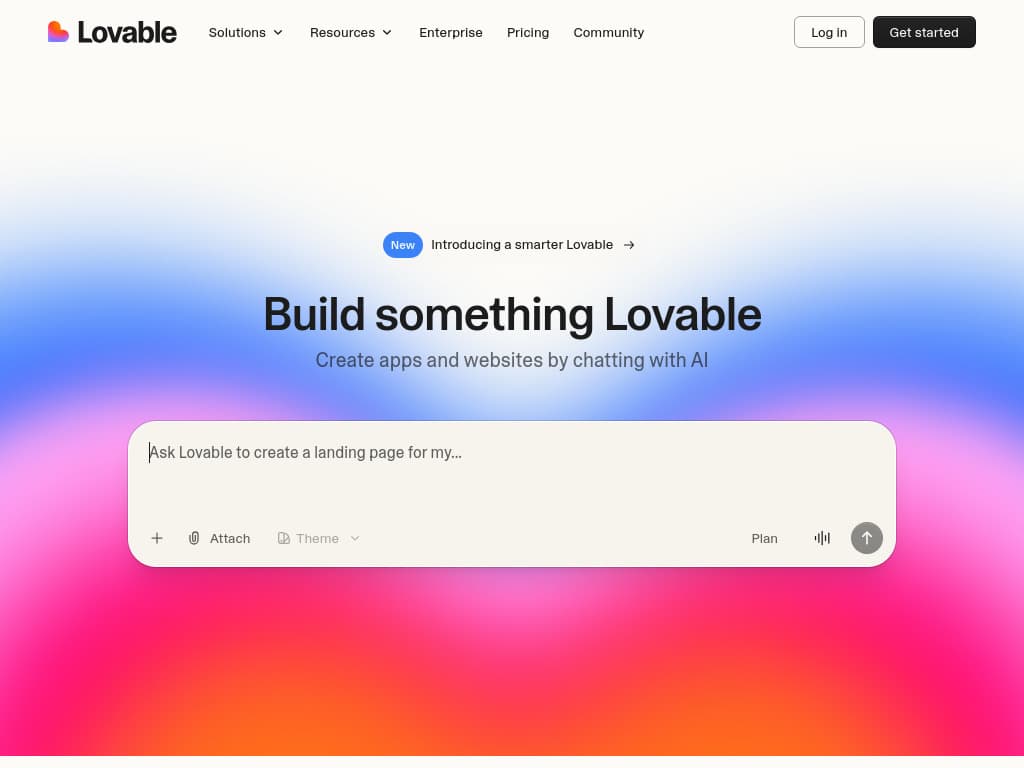
Interface Comparison
Lovable
Softr
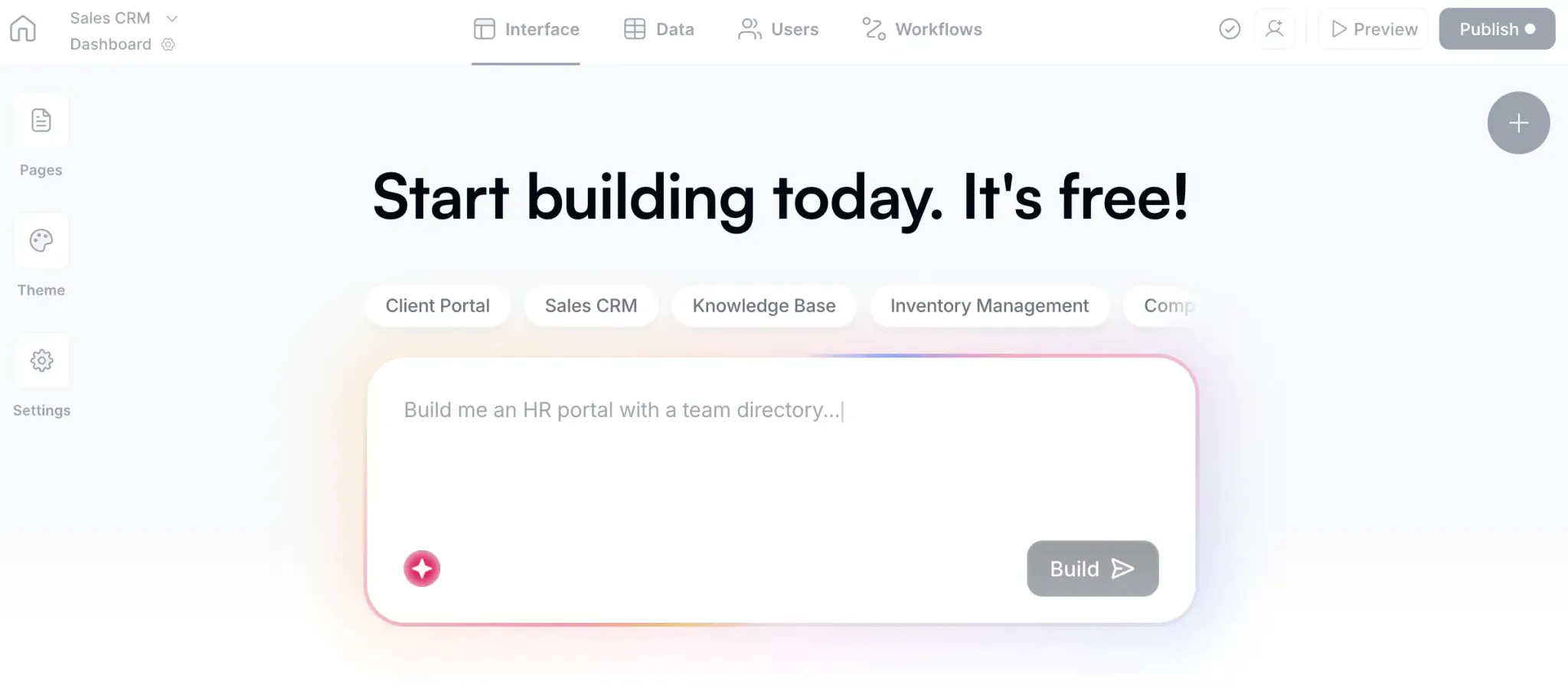
Side-by-side interface comparison
At a Glance
| Detail | Lovable | Softr |
|---|---|---|
| Pricing | Free / $25/mo and up | Free forever plan, paid starting from $49/month |
| Trusted Rating | 4.6/5 (Product Hunt) | 4.7/5 (G2) |
| Category | app-builders | business-tools |
| Best For | Founders | Non-technical teams |
| Key Strength | No-code full-stack generation (React/TypeScript/Tailwind) | Portals, internal tools, with built-in data, workflows, and AI app creation |
FAQs: Lovable vs Softr
- What is the main difference between Lovable and Softr?
- Lovable focuses on no-code full-stack generation (react/typescript/tailwind) while Softr highlights portals, internal tools, with built-in data, workflows, and ai app creation. Both target vibe coding workflows, but their onboarding, AI depth, and pricing models feel different.
- Which tool is better for speed and flow?
- Both Lovable and Softr aim for smooth iteration. Check the feature comparison above to see which matches your workflow, factors like setup time, AI responsiveness, and integration depth matter most.
- How do Lovable and Softr compare on pricing?
- Lovable lists free / $25/mo and up, whereas Softr offers free forever plan, paid starting from $49/month. Consider which aligns with your budget and whether you need free tiers, seat-based plans, or bundled AI features.
- Who should choose Lovable vs Softr?
- Lovable fits teams that value Founders, while Softr suits those prioritizing Non-technical teams. If you need category-specific guardrails, start with the tool that matches your daily workflows.
- Is Lovable or Softr better overall?
- "Better" depends on your specific workflow. Review the head-to-head feature comparisons above to identify which tool aligns with your priorities, pricing, integrations, and AI capabilities all factor in.
- Does Lovable have a free plan?
- Yes, Lovable offers a free entry point: Free / $25/mo and up. This makes it easy to trial before committing to a paid plan.
- Can I use Softr for free?
- Yes, Softr has a free tier available: Free forever plan, paid starting from $49/month. You can start without a credit card and upgrade when ready.
- What is the main difference between Lovable and Softr?
- Lovable generates a custom full-stack web app from your prompt and outputs real React, TypeScript, and Tailwind code, with a backend and auth through Lovable Cloud and a build agent powered by Claude. Softr builds production-ready business apps, portals, internal tools, and dashboards, on a native database with built-in user access, permissions, forms, and workflows. Lovable suits a custom app you shape as you go; Softr suits a structured business system you run.
- Which tool gives me real code I can own?
- Lovable. It produces real React, TypeScript, and Tailwind code and offers two-way GitHub sync, so you can extend the app in a code editor later without losing changes made in Lovable. Softr keeps the system managed inside its platform, which is the right trade if you would rather not work with code at all.
- How do Lovable and Softr compare on pricing in 2026?
- Lovable is credit-based: a free tier with daily credits, then Pro at $25 per month, Business at $50, and custom Enterprise, with more monthly credits and custom domains on paid plans. Softr is plan-based: a free-forever plan (10 users, 5,000 records), then Basic at $49, Professional at $139, and Business at $269 per month, with per-tier limits on users, records, workflow actions, and AI credits. Lovable's cost follows activity and starts lower for a single build; Softr's is more predictable as a business system scales. See our [Lovable pricing guide](/blog/lovable-pricing-2026) for the credit math.
- Who should choose Lovable, and who should choose Softr?
- Choose Lovable if you want a custom app generated from your idea, real code you can own, an Agentic Mode built on Claude, and the flexibility to refine the backend and logic as you build. Choose Softr if you need a production-ready business system, portals, internal tools, dashboards, with data, user access, permissions, and workflows handled out of the box and predictable plan-based pricing.
- Does Lovable have a free plan?
- Yes. Lovable's free tier includes daily credits, workspace-private projects, unlimited collaborators, and lovable.app subdomains, which is enough to try the platform and build a simple prototype before moving to Pro at $25 per month for more credits, private projects, and custom domains.
- Does Softr offer AI features?
- Yes. Softr's AI Co-Builder generates a working app, complete with a database, from a plain-language prompt, and every plan ships with monthly AI credits for Ask AI, database agents, and AI-powered workflow actions. Credit amounts scale by tier, from 5 on the free plan up to 100 on Business, with add-on packs available.
The Bottom Line
Lovable and Softr both remove the traditional development team from the picture, but they win at different jobs. Lovable is the better choice when you want a custom app generated from a description, with real, ownable React code, an Agentic Mode built on Claude, and the freedom to refine it. Softr is the better choice when you need a structured business system, portals, internal tools, and dashboards, with data, user access, and workflows already handled and predictable plan-based pricing. Decide by the outcome you want: a flexible custom app you can keep building on, or a production-ready business tool that runs on structured data from day one. If you are weighing other options, our Lovable alternatives guide covers the wider field.
Looking for more options?
Explore comprehensive alternative guides for both tools to find the perfect fit for your needs

Ready to make your choice?
Try both tools for free and discover which one fits your vibe coding workflow

Softr
Softr — AI platform for building working business apps