

Google AntiGravity vs Google Jules
Last reviewed:
The definitive head-to-head comparison for Vibe Coders.
Google AntiGravity
Google Jules
Quick Comparison
| Feature |  Google AntiGravity Google AntiGravity | |
|---|---|---|
| Agentic / Autonomous Mode | ||
| Code Autocomplete | ||
| Chat / Prompt-Based Coding | ||
| Multi-file Editing | ||
| AI Models | Gemini 3.1 Pro, Gemini 3 Flash, Claude Sonnet 4.6, Claude Opus 4.6, GPT-OSS 120B | Gemini 3 Flash, Gemini 3.1 Pro |
Scroll down for in-depth category breakdowns ↓
Quick Verdict
Google AntiGravity wins 2 of 4 categories
Google AntiGravity vs Google Jules: find out which platform fits your Vibe Coding workflow with a deep dive into AI capabilities, pricing, integrations, and real developer experience. This head-to-head overview highlights what makes each tool unique so you can make the right choice for your next build.
Too Close to Call
Google AntiGravity and Google Jules are evenly matched on the ratings we track. Read the full reviews to see which one fits your workflow.
AI & Coding Features
| Feature | Google AntiGravity | |
|---|---|---|
| Agentic / Autonomous Mode | ||
| Code Autocomplete | ★ | |
| Chat / Prompt-Based Coding | ||
| Multi-file Editing | ||
| AI Models | Gemini 3.1 Pro, Gemini 3 Flash, Claude Sonnet 4.6, Claude Opus 4.6, GPT-OSS 120B | Gemini 3 Flash, Gemini 3.1 Pro |
| Image / Design to Code | ★ |
Google AntiGravity is built around four product surfaces in one platform: ide, 2.0 desktop, cli, sdk, while Google Jules focuses on repo-aware agent. Google AntiGravity uses Gemini 3.1 Pro, Gemini 3 Flash, Claude Sonnet 4.6, Claude Opus 4.6, GPT-OSS 120B, while Google Jules runs on Gemini 3 Flash, Gemini 3.1 Pro. The key question is whether you need agentic capabilities that autonomously handle multi-step tasks, or inline completions that keep you in flow as you type. Review the table above to see which AI features each tool actually offers.
Google AntiGravityPlatform & Access
| Feature | Google AntiGravity | |
|---|---|---|
| Platform Type | Agentic platform: IDE, standalone 2.0 desktop, CLI, SDK | Cloud-based autonomous coding agent |
| Runs in Browser | ★ | |
| Built-in Deployment | ||
| Git Integration | ||
| Open Source |
Google AntiGravity is a agentic platform: ide, standalone 2.0 desktop, cli, sdk, while Google Jules is a cloud-based autonomous coding agent. Whether a tool runs in your browser or requires a local install matters for getting started quickly. Built-in deployment means you can go from prompt to live app without switching tools. Consider what fits your workflow, some builders prefer everything in the browser, while others want the power of a local IDE.
Google AntiGravityPricing & Cost
| Feature | Google AntiGravity | |
|---|---|---|
| Free Plan Available | ||
| Starting Price | $20/mo (Google AI Pro) | $20/month (Google AI Pro) |
| Token / Credit Based | ||
| Can Buy More Credits | ★ | |
| Has Daily / Usage Limits |
Google AntiGravity is priced at free tier, ai pro $20/mo, ultra tiers, with a free entry point. Google Jules is priced at free / tba, with a free entry point. Pay attention to daily limits, some tools throttle usage even on paid plans during heavy coding sessions. Check whether you can buy additional credits if you hit the ceiling mid-project.
Google AntiGravityExperience & Reviews
| Feature | Google AntiGravity | |
|---|---|---|
| Beginner Friendly | ||
| Target Audience | Vibe coders, hobbyists, students, indie hackers | Developers wanting async background agents for GitHub repos |
Google AntiGravity is accessible to beginners and non-developers looking to build with AI. Google Jules is accessible to beginners and non-developers looking to build with AI. The real test is how quickly you can go from idea to working app, setup time, documentation quality, and how intuitive the AI interaction feels all factor into the experience.
Google AntiGravityFeature data verified monthly. Some entries use automated inference. Report inaccuracy
Which Should You Choose?
Use these decision criteria to find the right tool for your workflow.
Choose Google AntiGravity if…
- ✓You want to mix IDE coding with autonomous agent orchestration
- ✓You prefer a Go-based CLI for terminal-native agent workflows
- ✓You need a Python SDK to build custom agents on Google's harness
- ✓You want model choice across Gemini, Claude, and GPT-OSS
Choose Google Jules if…
- ✓You want an autonomous agent that works on your GitHub repos in the background
- ✓You ship features and bug fixes via PRs without leaving your current editor
- ✓You want the simplest assign-task-get-PR experience for daily maintenance
- ✓You prioritize cloud execution and CLI/API extensibility over IDE features
Key Differences
IDE vs. agent. AntiGravity is an application you open and code inside. Jules is a service you assign tasks to. This is the fundamental split. Everything else flows from it.
Local vs. cloud. AntiGravity runs on your machine. Your code stays local, your agents execute locally, and you control the environment. Jules runs in Google's cloud. It clones your repo into a VM, does its work there, and pushes changes back through GitHub. You never touch its execution environment.
Interactive vs. async. When you use AntiGravity, you're in a conversation with the AI. You type, it suggests, you accept or reject, you iterate. Jules is fire-and-forget. Assign a task, close the tab, come back later to review the PR. This makes Jules genuinely useful for batching: send it 10 bug fixes before lunch, review the PRs after.
Model breadth. AntiGravity gives you Gemini 3.1 Pro, Gemini 3 Flash, Claude Sonnet 4.6, Claude Opus 4.6, and GPT-OSS 120B. You pick the model per task. Jules only runs Gemini models: Flash on free, Pro on paid. If you need Claude or GPT for a specific coding task, that's an AntiGravity thing.
Autocomplete. AntiGravity has unlimited tab completions. Jules has no autocomplete because it's not an IDE. There's nothing to complete. You write a task description in English, not code.
GitHub integration depth. Both connect to GitHub, but differently. AntiGravity has standard IDE git integration: commit, push, pull, branch. Jules natively creates branches and pull requests as its output format. GitHub isn't just connected; it's the entire delivery mechanism.
Use case in one sentence. AntiGravity: "I'm coding right now and want AI help." Jules: "I have 20 bugs to fix, handle it."
Why these tools are being compared
Researched 2026-09-14Google AntiGravity and Google Jules are both Google products, both powered by Gemini models, but they solve fundamentally different problems. If you're confused about which one to use, you're not alone. Google hasn't done a great job explaining how they fit together.
AntiGravity is a desktop IDE. It's a VS Code fork with AI baked into every surface: tab completions, inline chat, multi-agent orchestration, a built-in browser for testing. You install it, open your project, and code inside it. The AI assists while you work. It supports Gemini, Claude, and GPT models, so you can pick the right model for the task. Think of it as your workstation with AI superpowers.
Jules is something else entirely. It's a cloud agent. You don't write code in Jules. You give it a task ("fix the auth bug in this repo", "add unit tests to the payments module"), and it spins up a cloud VM, clones your GitHub repo, works on it autonomously, and comes back with a pull request. You review the PR, merge it, done. Jules doesn't have an editor. It doesn't have autocomplete. It is a thing you delegate to, not a place where you sit and work.
The mental model that makes this click: AntiGravity is your AI-enhanced workstation. Jules is your AI employee who works while you sleep. Same company, same billing, totally different roles.
Feature and pricing takeaways
Both tools are free to start, and both upgrade through the same Google AI subscription tiers. But the free tiers feel very different because of how each tool measures usage.
AntiGravity free gives you unlimited tab completions, access to every supported model, and generous weekly rate limits that reset automatically. For a lot of developers, this covers a full day of coding without hitting any wall. You can also buy $25 credit packs (2,500 AI credits) for burst usage when you need more. Google AI Pro at $20/month raises the weekly limits. Ultra at $250/month removes most caps.
Jules free gives you 15 to 20 tasks per day with 3 running concurrently, using the Gemini 3 Flash model. That's enough to test the product and handle a handful of maintenance tasks daily. Pro at $20/month bumps you to roughly 100 tasks per day with 15 concurrent, and unlocks Gemini 3.1 Pro. For teams running Jules at scale, Ultra increases those limits further.
For daily interactive coding, AntiGravity's free tier is more generous. You'll get more done before hitting limits. For batch task automation, Jules Pro's task count is the bottleneck that determines value. The $20/month Pro tier covers both tools, so if you use both, you're not paying twice.
Who should choose each tool
If you're actively coding and want AI in your IDE, AntiGravity. It's where you sit and work. Tab completions, inline chat, agent orchestration, model switching, all available while you write code. If you already use VS Code, the transition is painless.
If you have a backlog of maintenance tasks and want to delegate, Jules. Bug fixes, test coverage, dependency updates, code migrations. Write up the tasks, send them to Jules, review the PRs when they're ready. This is where Jules actually saves you time: it works in parallel on multiple tasks while you focus on something else.
If you want both, use both. They're complementary by design. Code your main feature work in AntiGravity, delegate the routine stuff to Jules. Both tools bill through Google AI subscriptions, so a single Pro plan covers increased limits on both.
If you're choosing between them for a free tier, AntiGravity gives more value for daily coding. You'll use tab completions and chat constantly. Jules gives more value for async work: if you have specific tasks to offload, even 15 free tasks per day is meaningful.
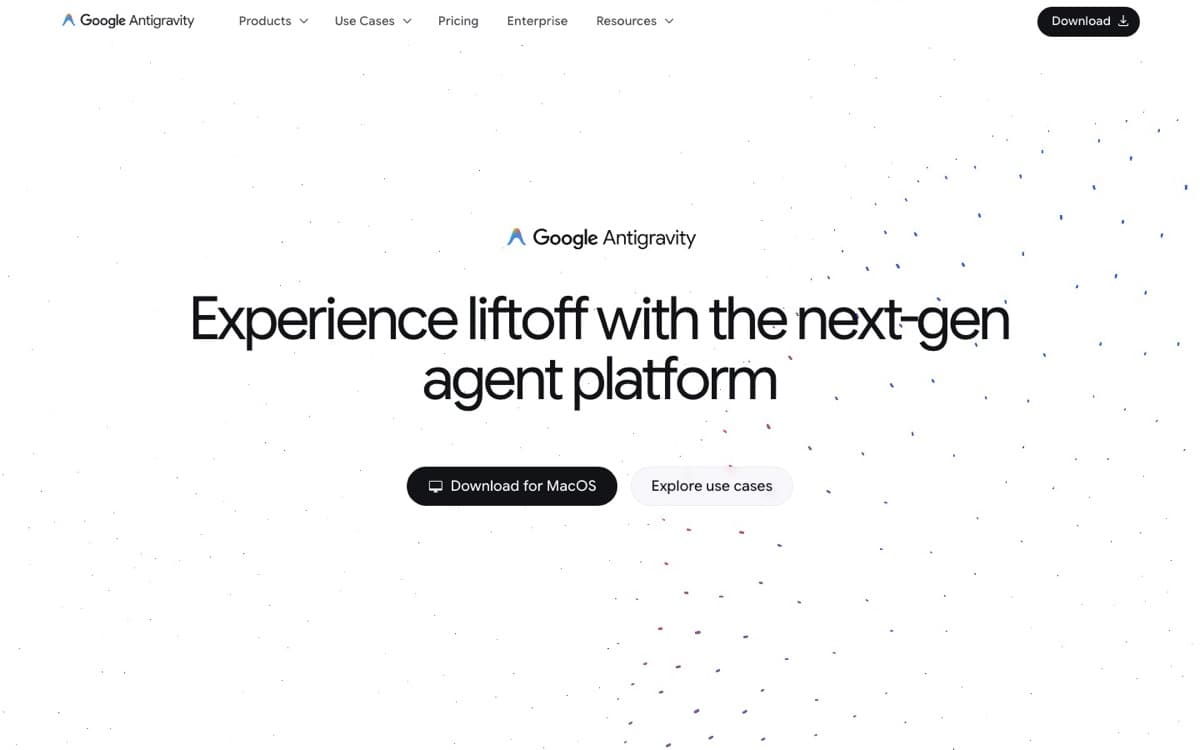
Interface Comparison
Google AntiGravity
Google Jules
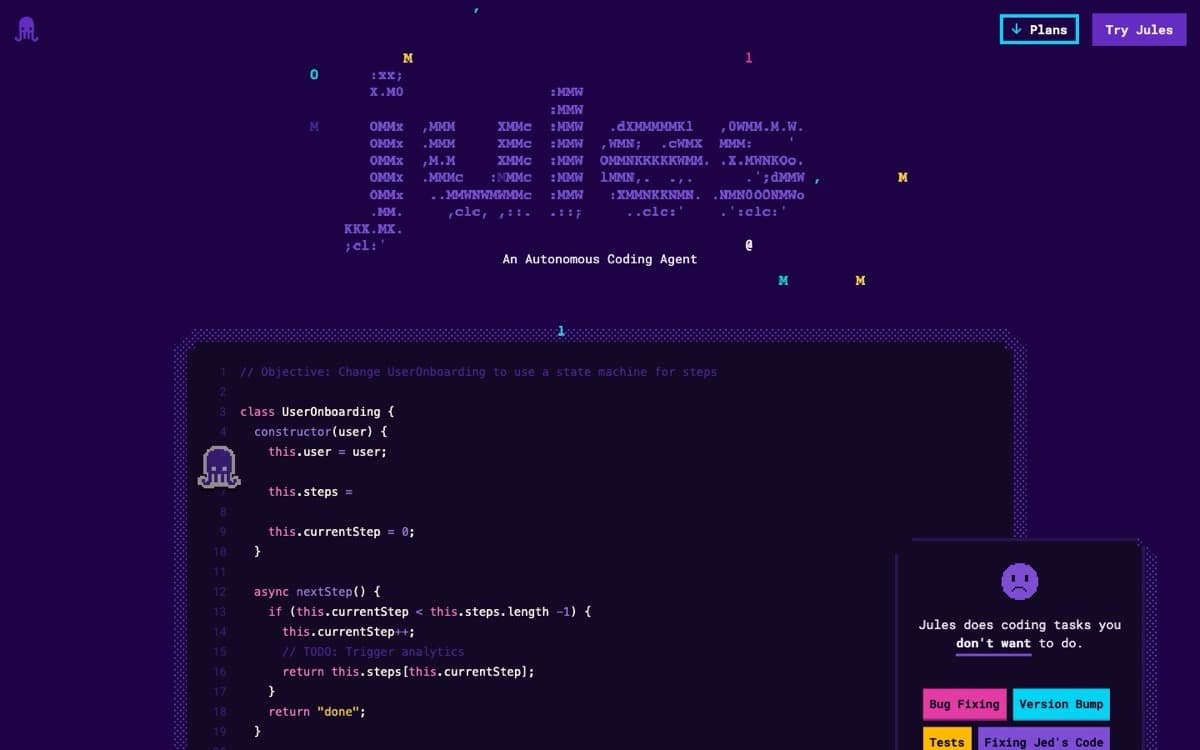
Side-by-side interface comparison
At a Glance
| Detail | Google AntiGravity | Google Jules |
|---|---|---|
| Pricing | Free tier, AI Pro $20/mo, Ultra tiers | Free / TBA |
| Trusted Rating | N/A | N/A |
| Category | ide-agents | ide-agents |
| Best For | Multi-agent orchestration | - |
| Key Strength | Four product surfaces in one platform: IDE, 2.0 desktop, CLI, SDK | Repo-aware agent |
FAQs: Google AntiGravity vs Google Jules
- What is the main difference between Google AntiGravity and Google Jules?
- Google AntiGravity focuses on four product surfaces in one platform: ide, 2.0 desktop, cli, sdk while Google Jules highlights repo-aware agent. Both target ide-agents, but their onboarding, AI depth, and pricing models feel different.
- Which tool is better for speed and flow?
- Both Google AntiGravity and Google Jules aim for smooth iteration. Check the feature comparison above to see which matches your workflow, factors like setup time, AI responsiveness, and integration depth matter most.
- How do Google AntiGravity and Google Jules compare on pricing?
- Google AntiGravity lists free tier, ai pro $20/mo, ultra tiers, whereas Google Jules offers free / tba. Consider which aligns with your budget and whether you need free tiers, seat-based plans, or bundled AI features.
- Who should choose Google AntiGravity vs Google Jules?
- Google AntiGravity fits teams that value Multi-agent orchestration, while Google Jules suits those prioritizing flexibility and experimentation. If you need category-specific guardrails, start with the tool that matches your daily workflows.
- Is Google AntiGravity or Google Jules better overall?
- "Better" depends on your specific workflow. Review the head-to-head feature comparisons above to identify which tool aligns with your priorities, pricing, integrations, and AI capabilities all factor in.
- Does Google AntiGravity have a free plan?
- Yes, Google AntiGravity offers a free entry point: Free tier, AI Pro $20/mo, Ultra tiers. This makes it easy to trial before committing to a paid plan.
- Can I use Google Jules for free?
- Yes, Google Jules has a free tier available: Free / TBA. You can start without a credit card and upgrade when ready.
- Can I use AntiGravity and Jules together?
- Yes, and that's probably the intended setup. Code in AntiGravity for interactive work, send async tasks to Jules for background execution. Both use your Google AI subscription, so a single Pro or Ultra plan raises limits on both. They don't conflict because they're solving different problems.
- Which is better for a solo indie hacker?
- AntiGravity. It's a full IDE with AI features you'll use every coding session: tab completions, multi-file editing, agent orchestration, model choice. Jules is more valuable when you have a backlog of repeatable tasks to parallelize, which typically matters more for larger projects or teams.
- Are they both free?
- Both have free tiers. AntiGravity's is more generous for daily coding with unlimited completions and weekly rate limits. Jules free gives you 15 to 20 tasks per day with 3 running at once using Gemini Flash. For many developers, AntiGravity's free tier covers daily use. Jules free is enough to test the product and handle light async work.
- Google Jules vs Antigravity: what is the difference?
- Antigravity is Google's desktop IDE: you write code in it with an agent alongside, and you can switch between Gemini, Claude Sonnet and Opus 4.6, and gpt-oss-120b. Jules is an asynchronous cloud agent: you point it at a GitHub repository and branch, it clones the code into a cloud VM, proposes a plan, and returns a diff you can publish as a pull request. On the free plans, Antigravity gives unlimited tab completions under weekly rate limits, and Jules runs 15 tasks a day with 3 at a time.
The Bottom Line
They're not competitors. They're two halves of Google's AI developer story. AntiGravity is your AI-powered IDE. Jules is your AI-powered teammate. The best setup for a serious developer is probably both: code interactively in AntiGravity for feature work, delegate routine maintenance to Jules for background execution.
If you can only pick one, AntiGravity is more versatile for solo work because it covers the thing you do most: writing code. Jules shines when you have volume work to parallelize, which typically matters more for teams or developers with large codebases and long backlogs.
Looking for more options?
Explore comprehensive alternative guides for both tools to find the perfect fit for your needs

Keep comparing
Ready to make your choice?
Try both tools for free and discover which one fits your vibe coding workflow

Google AntiGravity
Google AntiGravity Agentic IDE