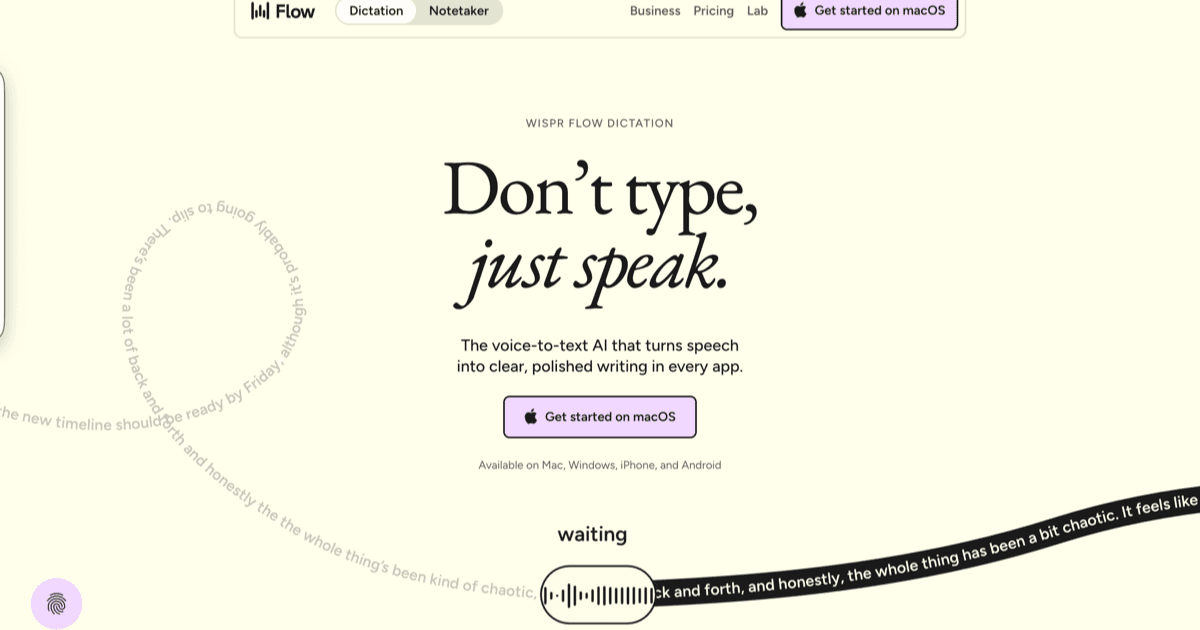

wispr flow - ai dictation app
About Wispr Flow
AI dictation app that turns speech into polished text in any text field, with auto-edits and voice commands.
Key Capabilities
System-wide dictation in any app / any text field
AI auto-edits for clearer, more polished writing
Command Mode for voice-driven editing
Privacy Mode (Zero Data Retention)
Apps for macOS, Windows, and iPhone
Custom dictionary, snippets, and 100+ languages
Perfect for
Pricing
How much does Wispr Flow cost?
Free tier
Our Take on Wispr Flow
“Wispr Flow is the fastest way to turn spoken thoughts into clean written text anywhere on your computer. If you write a lot and want to break free from the keyboard, this is the dictation tool worth paying for.”
Strengths
- System-wide dictation works in any app, any text field; not just a dedicated window
- AI auto-edits polish raw dictation into clean, readable prose automatically
- Privacy Mode provides zero data retention for sensitive content
- Custom dictionary and snippets reduce corrections for technical vocabulary
- Supports 100+ languages with strong multilingual accuracy
- Works across macOS, Windows, and iPhone
Limitations
- No Android support
- Background noise degrades accuracy in loud environments
- Command Mode has a learning curve for new voice-command users
Best for
Not ideal for
Community Buzz

Wispr Flow + Claude + n8n = AI Content Machine. This system monitors Instagram, YouTube, TikTok, LinkedIn, X for viral content 24/7. No manual scrolling, no $12K agency research fees.
@Jason sits down with @tankots (Wispr Flow) and @RichardSocher (You.com) to break down the AI doom post that crashed markets, how to build an AI-first team, and why the agent era is already here.

Not so beginner vibe coder: installs claude code/antigravity/codex/cursor, setup personal CLAUDE.md with project rules. That's why they ship 10x faster.
Similar Tools to Wispr Flow
Conductor
macOS app for running Claude Code, Codex, Cursor, and OpenCode side by side, each in its own isolated workspace, without wrangling git worktrees by hand. You bring your own agent subscriptions and keys. The paid Conductor Cloud tier moves those workspaces into Vercel sandboxes so agents keep running after you shut the laptop, and adds shared multiplayer workspaces plus an API.
Vibe Island
Native macOS app that turns the MacBook notch into a status panel for AI coding agents. It watches sessions across 26 CLI tools, shows what each one is doing, and jumps you to the exact terminal tab and split pane when you need to intervene. Claude Code, OpenCode and MiMoCode can also be approved and answered from the panel itself; the rest are read-only. One-time licence, no subscription.

Orca
Open-source Agent Development Environment for running a fleet of AI coding agents at once. Every task gets its own git worktree, its own agent terminal, and its own browser tab, so you can fan one prompt across several agents, compare the diffs, and merge the winner. It drives roughly 30 CLI agents you already pay for, including Claude Code, Codex, OpenCode, Cursor and Copilot, and ships on macOS, Windows, Linux, iOS and Android.
Parallel Code
Free, open-source desktop app that dispatches AI coding agents in parallel, each in its own git worktree. It runs the real CLI agents you already trust (Claude Code, Codex, Gemini) side by side, then lets you review the diffs, merge the wins, and toss the rest.

Vibe Kanban
Open-source kanban board for orchestrating AI coding agents. Plan tasks as issues, run Claude Code, Codex, or Gemini CLI in isolated git worktrees, review diffs inline, and open pull requests from one local UI. The company behind it (bloop) shut down in April 2026, but the project lives on as community-maintained open source and local workspaces keep working.

Claude Code CLI
Anthropic's official terminal-based agentic coding tool that deeply understands your local codebase, autonomously edits files, runs terminal commands, handles git workflows, and iterates via natural language prompts. Now with Channels (Telegram/Discord remote messaging), Remote Control, Dispatch, and /loop scheduling for persistent autonomous agents. Designed for professional developers who live in the terminal.
Related Articles

Browse vetted vibe coding agencies for MVP builds, cleanups, and audits.
ready to try wispr flow?
go to the official site and judge Wispr Flow yourself.
Referral link: you and the publisher may receive a free month.
Purchases made after clicking may reward vibecoding.app at no extra cost to you.